Search  for anything...

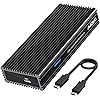
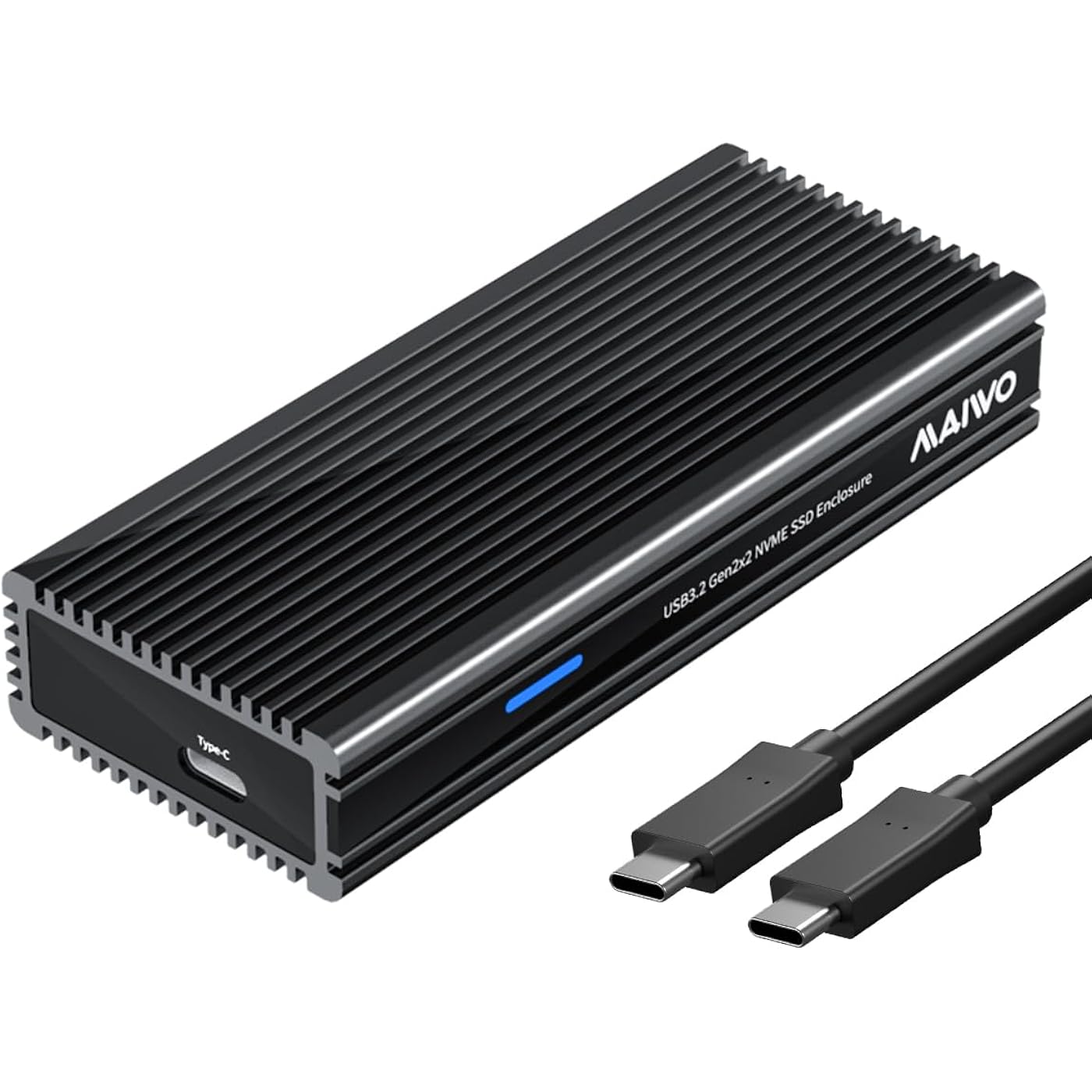
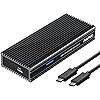
MAIWO 20Gbps M.2 NVMe SSD Enclosure USB 3.2 GEN2x2 Type-C to PCIe NVMe Adapter Support Thunderbolt 3/4 USB 4/3.2/3.1/3.0/2.0 8TB Capacity Aluminum Alloy Case (K1685P3)
  • Based on 58 reviews
Condition: New
Checking for the best price...
$21.99 Why this price?
Save $47.99 was $69.98

Buy Now, Pay Later


As low as $5 / mo
  • – 4-month term
  • – No impact on credit to apply
  • – Instant approval decision
  • – Secure and straightforward checkout

Ready to go? Add this product to your cart and select a plan during checkout.

Payment plans are offered through our trusted finance partners Klarna, Affirm, Afterpay, Apple Pay, and PayTomorrow. No-credit-needed leasing options through Acima may also be available at checkout.

Learn more about financing & leasing here.

Selected Option

Free shipping on this product

FREE refund/replacement until Jan 31, 2026

To qualify for a full refund, items must be returned in their original, unused condition. If an item is returned in a used, damaged, or materially different state, you may be granted a partial refund.

To initiate a return, please visit our Returns Center.

View our full returns policy here.


Availability: In Stock.
Fulfilled by Amazon

Arrives Sunday, May 3
Order within 21 hours and 45 minutes
Available payment plans shown during checkout

Protection Plan Protect Your Purchase
Checking for protection plans...

Model: 20Gbps - M.2 NVMe Enclosure


Features

  • 20Gbps Transmission SpeedThis NVMe PCIe M2 Enclosure equips with ASM2364 main control chip and USB3.2 GEN2x2 (Type-C) output interface, the theoretical read and write speed is 2000MB/s, support UASP and TRIM, trasnsfer 2G files in seconds.
  • Full 20Gbps speed on USB 3.2 GEN 2x2 port only. Backward compatible with Thunderbolt 3/4 (10Gbps), USB 3.1 (10Gbps ) and USB 3.0 (5Gbps)Note: On USB4.0 interface, the speed only reach 10Gbps.
  • CompatibilityThis 20Gbps hard drive Enclosure only works with M.2 PCIe NVMe M-Key 2280mm Solid State Drive.
  • Excellent Heat DissipationThis NVMe M.2 to USB C adapter has aluminum alloy shell with fin pattern and has two thermal pad which makes excellent heat dissipation.
  • FeaturePlug & Play / 8TB Capacity / C-C Data Cable / Support Mac OS, Windows, Linux and Android system which supports OTG / Item Size: 4.33x1.81x0.79inch / Screws and Screwdriver Included
  • NOTE: If your drive is a new one, please do Hard Disk Initialization, Partition and Format to make the enclosure work. For specific steps, please see description.

Hardware Interface: USB Type C


Brand: MAIWO


Product Dimensions: 4.33"L x 1.81"W x 0.79"H


Hardware Platform: Universal


Material: Aluminum


Item Weight: 0.56 Pounds


Memory Storage Capacity: 8 TB


Compatible Devices: M.2 NVMe SSD 2280


Hard Disk Form Factor: 3.5 Inches


Max Number of Supported Devices: 1


Data Transfer Rate: 20 Gigabits Per Second


Connectivity Technology: USB


Manufacturer: MAIWO


Product Dimensions: 4.33 x 1.81 x 0.79 inches


Item Weight: 9 ounces


Item model number: 20Gbps - M.2 NVMe Enclosure


Date First Available: May 24, 2023


Frequently asked questions

If you place your order now, the estimated arrival date for this product is: Sunday, May 3

Yes, absolutely! You may return this product for a full refund within 30 days of receiving it.

To initiate a return, please visit our Returns Center.

View our full returns policy here.

  • Klarna Financing
  • Affirm Pay in 4
  • Affirm Financing
  • Afterpay Financing
  • PayTomorrow Financing
  • Financing through Apple Pay
Leasing options through Acima may also be available during checkout.

Learn more about financing & leasing here.

Top Amazon Reviews


  • Works GREAT
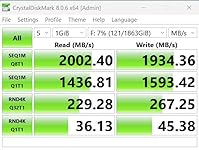
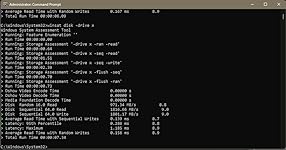
Short answer it works great ! Am very pleased USB 3.2 Gen2 2x2 is kind of a off shoot of USB standards . But turns out that I have one and a spare drive so I bought this enclosure and went for it. Boy am I glad I did , Luckily I bought a Refurb MSI computer and it has everything I need to be fast in there . So I have many drives both internal and external . M2, HD, SSD and all fast enough to be proud. But This enclosure was the answer to a prayer. Got a good deal on a Timetec 2TB PCIe 4.0 chip and was going to put it in my case, but the thought of a 20Gbps drive external was very pleasing. So the installation was very easy and is a very nice metal case. Hooked it up and off I went tested it real world and it did well . Frist pic is testing in a working system downloading to the drive . Second is straight test no load. The results show that at 20Gbps external drive can keep up with a top of the line computer with all the bell and whistles. The 3rd pic is a fast internal to the 20 Gbps drive. 47gb in 42 secs. ... show more
Reviewed in the United States on October 31, 2025 by Amazon Customer Amazon Customer

  • Very fast on USB4 port.
Better than expected. Very fast with Gen3x4 OLOY 1TB NVME when plugged into USB4 port @ 20GB. Keeps up with the 40GB enclosure for half the price. The enclosure is heavy and thick but allows for NVME to have an additional heatsink. Runs cool to the touch when idle but gets a little warm at full transfer but not hot like the 40GB enclosures ... show more
Reviewed in the United States on November 11, 2025 by Michael A.

  • Poor build quality
Screws were all stripped. Could not assemble. Returned
Reviewed in the United States on October 14, 2025 by Michael

  • works well, needs better installation instructions, supplied screwdriver is the wrong size
The case is a nicely-anodized aluminum extrusion. The electronics are in a little tray that slides in and out at either end and is held in place by 2 tiny screws through one long side of the case. The MAIWO label seen in the product photo is a strip of adhesive-backed plastic meant to be applied after the drive is installed. The label strip covers both screws and, if you apply it in the wrong orientation, can obscure the activity led. I left the label strip off. The installation instructions are in minuscule, grey-on-grey print. They omit any mention of the thermal pads, so I guessed at how to install the thermal pads from one of the product photos. Take the protective plastic off of both pads, then lay the silicone pad onto the installed SSD and the copper pad on top of the silicone. With my SSD, the two pads together are just the right thickness to contact the inner surface of the case. The supplied screwdriver is not the right size for the screws - if you use it be very careful not to damage the screw heads. I used the next size larger driver from my iFixit kit. Once assembled, everything works as expected. I copied about 400 GB of backup files to the drive. The case got noticeably warm, which I take to mean that the thermal pads were doing their job. ... show more
Reviewed in the United States on December 20, 2024 by Steven

  • Easy to set up, great at disspating heat
Just a quick review to say I'm really happy with this enclosure. It comes with a dense foam heat spreader and a small piece of copper to go between the foam and the enclosure. I put a 2TB SSD in it and copied over 1TB of data, which took quite a while. The enclosure got distinctly warm but not too hot and never had to throttle the data transfer, even after a huge transfer like that. In normal operation it stays cool. Nice little unit. ... show more
Reviewed in the United States on December 9, 2024 by Sally Lockhart

  • All Good
I put a 4TB Silicon Power UD90 M.2 into this enclosure. I went with that because pcpartpicker showed it was A LOT cheaper than all the others compatible with my motherboard (MSI MPG B650I Edge). It only has 2 M.2 slots, so I needed to buy an enclosure or swap it out. I looked around and did my research to see which is the fastest enclosure I can get with my motherboard (sadly no thunderbolt compatibility), and I double checked that I have a USB 3.2 GEN2x2 Type-C slot on the back! My motherboard gives the dedicated M.2 slot around 5200 MB/s Read and 4700 MB/s write. And this enclosure is giving 2100 MB/s read & write. So happy to see that even my cheapo M.2 is doing damn good in this enclosure. I love the design, the extra metal plate on top of the foamy heatsink, and the fact I don't need to buy an extra special cord to get good 20Gbps speeds like some people do. And luckily my PC's fans are at the back and blows air out hitting my enclosure, so that helps keep it cooling off too. I just hope they both hold up for a long time, because I bought this enclosure to store (and carry around) my STEAM library and all of my large file games. I'll update with how it handles with gaming once I get everything transferred over. I just wanted to check that it works for now! ... show more
Reviewed in the United States on February 14, 2025 by Ore Ore

  • Performs as expected
In general, it performs as expected. I tested real-world write speeds in windows 11 with a Samsung 1TB EVO PLUS nvme formatted as NTFS w/ 64K Block size. It averaged a steady 685 MB/s +-10MB/s while transferring 85GBs of home videos 100MB-200MB each. This is close to the same performance you would expect from the same drive plugged into a native m.2 slot on the MB. This exceeds the needs of most consumers as of 2024. An important note: NVME drives use flash storage to store information. Flash storage is prone to data loss if left unpowered/unplugged for many months or years at best. When plugged into your motherboard, it isn't usually a problem because it is powered while your computer is powered on. However, in an external enclosure, it is easy (and even common) to let the drive sit unpowered for months or years on end. Doing so will likely cause some files on the drive to become corrupt and unusable. To prevent this from happening, keep the drive plugged in for at least a couple hours every few months. NVMEs have a controller chip that checks the quality of the data on the flash chips and refreshes the data when it gets hard to read, this process takes time and how it's implemented varies from manufacturer to manufacturer. Leaving it powered and IDLE for 2 hours per 1TB per month is good practice. ... show more
Reviewed in the United States on January 31, 2024 by Photostefanie

  • Not a good choice.
I was never able to get the advertised speed using USB 3 Gen2x2 port on x670 motherboard. The enclosure is bulky and heavy and gets very hot. Not good choice if you periodically change your SSD, 2 screws under the sticker needs to get removed everytime you change the SSD.
Reviewed in the United States on September 23, 2024 by bcsK

Can't find a product?

Find it on Amazon first, then paste the link below.
Checking for best price...