Search  for anything...

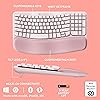
Logitech Wave Keys Wireless Ergonomic Keyboard with Cushioned Palm Rest, Comfortable Natural Typing, Easy-Switch, Bluetooth, Logi Bolt Receiver, for Multi-OS, Windows/Mac - Rose

  • Based on 3,044 reviews
Condition: New
Checking for the best price...

Buy Now, Pay Later


As low as $11.66 / mo
  • – 6-month term
  • – No impact on credit to apply
  • – Instant approval decision
  • – Secure and straightforward checkout

Ready to go? Add this product to your cart and select a plan during checkout.

Payment plans are offered through our trusted finance partners Klarna, Affirm, Afterpay, Zip, Apple Pay, and Google Pay. No-credit-needed leasing options through Acima may also be available at checkout.

Learn more about financing & leasing here.

Selected Option

Free shipping on this product

30-day refund/replacement

To qualify for a full refund, items must be returned in their original, unused condition. If an item is returned in a used, damaged, or materially different state, you may be granted a partial refund.

To initiate a return, please visit our Returns Center.

View our full returns policy here.


Availability: Only 3 left in stock, order soon!
Fulfilled by Amazon

Arrives Saturday, Aug 15
Order within 17 hours and 41 minutes
Available payment plans shown during checkout

Protection Plan Protect Your Purchase
Checking for protection plans...

Color: Rose


Pattern Name: Keyboard


Features

  • Compact keys: Wave Keys compact size allows you to bring your mouse closer to your body, resulting in a more natural shoulder position compared to a full size keyboard
  • Feel the Wave: Get comfier with Wave Keys, the ergonomic wireless keyboard shaped to help workdays go easier on you
  • Type in comfort all day long: The wavy design of this compact keyboard places your hands, wrists and forearms in a natural typing position
  • More palm support, less pressure: A cushioned palm rest with memory foam supports you all day long and gives you more wrist support (1)
  • Smoother days, your way: Personalize your Wave Keys experience using the Logi Options+ App, where you can choose shortcuts that save time and keep your work flowing (2)
  • Ergo-certified: The Wave Keys Ergonomic Keyboard has been designed and tested according to criteria set out by leading ergonomists and is approved by United States Ergonomics
  • Connect with Bluetooth or the Logi Bolt Receiver: Use Easy-Switch to switch between laptop, tablet and phone (compatible with Windows/macOS/iPadOS/ChromeOS); up to 3 years battery life (3)
  • When the desk life gets you down, lift yourself up: For the full comfy experience, match your Wave Keys Ergonomic Keyboard with the Lift Vertical Ergonomic Mouse
  • Plastic parts in Wave Keys include certified post-consumer recycled plastic (Graphite: 61%, Off-White: 46%)(5)
  • In case of wireless keyboard or combo (keyboard and mouse), the USB receiver is usually provided either inside the mouse (under the battery cover) or attached within the product packaging

Description

For workdays that go easy on you, feel the Wave. The Wave Keys Wireless Ergonomic Keyboard is shaped to feel instantly familiar and keep you typing all day in a natural position. A cushioned keyboard palm rest with memory foam gives your wrists more support throughout the day. Personalize your Wave Keys work keyboard with shortcuts to save time and keep your work flowing using the Logi Options+ App (2). The Wave Keys wireless keyboard is made with recycled plastic (Graphite: 61%, Off-white: 46%)(5). Connect using Bluetooth or the included Logi Bolt Receiver. Easy-Switch between your computer, tablet or phone in a tap. Plus, enjoy up to 3 years of battery life using the included batteries (3). Match your Wave Keys Ergonomic Keyboard with the Lift Vertical Ergonomic Mouse - a great fit for small to medium hands.

Brand: Logitech


Color: Rose


Connectivity Technology: Bluetooth


Special Feature: wireless


Compatible Devices: Personal Computer


Connectivity Technology: Bluetooth


Other Special Features of the Product: wireless


Compatible Devices: Personal Computer


Are Batteries Required: Yes


Power Source: Battery Powered


Keyboard Layout: QWERTY


Number of Batteries: 1 Lithium Polymer batteries required. (included)


Compatible Operating System Family: Windows


Hand Orientation: Ambidextrous


Operating System: Android, Mac OS, Windows


Number of Keys: 99


Color: Rose


Item Weight: 0.5 Kilograms


Brand: Logitech


Keyboard Description: Membrane


Antenna Location: Office


Manufacturer: Logitech


UPC: 097855191403


Global Trade Identification Number: 03


Model Number: 920-012276


Mfr Part Number: 920-012276


Built-In Media: Mouse


Warranty Description: 1 Year Limited Hardware Warranty


Frequently asked questions

If you place your order now, the estimated arrival date for this product is: Saturday, Aug 15

Yes, absolutely! You may return this product for a full refund within 30 days of receiving it.

To initiate a return, please visit our Returns Center.

View our full returns policy here.

  • Klarna Financing
  • Affirm Pay in 4
  • Affirm Financing
  • Afterpay Financing
  • Zip Pay in 4
  • Financing through Apple Pay
  • Financing through Google Pay
Leasing options through Acima may also be available during checkout.

Learn more about financing & leasing here.

Top Amazon Reviews


  • Beautiful, Comfortable, and Worth It — Just Keep It Clean Beautiful, Comfortable, and Worth It — Just Keep It Clean
Color: Rose Pattern Name: Keyboard
I absolutely love this keyboard! From the moment I started using it, the quality really stood out—it feels sturdy, well-made, and not cheap at all. The keys have a soft, satisfying feel with great response, and best of all, it’s quiet, which is perfect for working in shared or quiet spaces. The comfort and ergonomics are a huge plus. I can type for long periods without any strain, and everything feels very natural. The size is perfect too—not bulky, but still fully functional with all the keys I need. Speaking of functionality, it’s been reliable and super easy to use. I haven’t tried the Bluetooth connectivity since I always use the included USB receiver—and it works flawlessly for me every time. Now let’s talk about the pink color—because it’s beautiful, but it does need care. From what I read in other reviews, it can stain easily. The key is simple: clean it daily or every other day to keep it looking brand new (check out my video!). I’ve had mine since late December and it still looks like new thanks to this cleaning kit (it even includes a microfiber cloth): 🧼 Cleaning Kit: https://www.amazon.com/dp/B0CPGPFW5Q Directions: Using the cleaning solution included in this kit, lightly spray onto the microfiber cloth—avoid spraying directly onto the surface. Gently wipe in circular motions without applying heavy pressure. Finish by buffing dry with a clean, dry section of the microfiber cloth. Also, avoid using hand lotion or hand sanitizer before using the keyboard. If you’re willing to maintain it, this keyboard is 100% worth it. Stylish, comfortable, and functional—you’re welcome 😎 ... show more
Reviewed in the United States on March 28, 2026 Reviewed in the United States on March 28, 2026 by Nathaly

  • Compact keyboard Compact keyboard
Color: Graphite Pattern Name: Keyboard
This compact keyboard is perfect for my ergo desk. Working from home my regular keyboard takes up too much room in my keyboard tray. This one is just the perfect size and allows me to keep my ergo mouse right nice to it with my elbow on my side and relieves some pain due to a bone spur on my elbow. Great wireless connection. It’s a little pricey but so worth it. I even got the skin to protect it from dust if water spills. The keys are not as loud as a regular one. Great quality! ... show more
Reviewed in the United States on May 3, 2026 Reviewed in the United States on May 3, 2026 by Lucy Gerardo

  • Best keyboard I've owned
Color: Graphite Pattern Name: Keyboard
I have been using this keyboard for work and personal use for 2 days and am loving it so far. It's perfect for my needs and here's why: 1. It has all the functions I need and then some 2. It's just the right size. I was using a separate keyboard for my personal pc than for my work laptop and the other keyboard is much larger, not leaving much room for my mousepad in the desk tray. 3. It connects seamlessly to both, my laptop and desktop so I don't even have to use the other keyboard now! I wasn't looking for that but is a HUGE plus now that I have it setup. You can save 3 connected devices and switch between them using F1, F2, and F3. This was a huge help since I use the same monitor for both devices (I bought an hdmi splitter for that) but would have to use 2 different keyboard/mouse each time I switched. Now I only use 2 different mouses (mice?) which I'll probably upgrade as well. 4. The keys have good response without being noisy. You can hear them, which I prefer, and feel the feedback, also preferred, but you don't have to press hard and don't get the loud click-clack of old school keyboards. 5. It's comfortable to use, at least for me. The palm rest cushion is soft but seems like it will hold up for a long time. The major keys are reachable without lifting my palm and there was minimal adjustment from my much larger keyboard. 6. Very easy setup (I use Windows...can't speak to Mac, Google OS, etc.). As soon as I turned on the keyboard, it paired with my laptop. I had to do absolutely nothing for setup (see note below). The ONLY very small con I have is that it doesn't tell you anywhere in the packaged instructions that you can pair multiple devices. I knew this from another reviewer. Even then, I had to search how to do it, because it's not obvious on the Logitech website. Once I figured it out, it was very easy to do (have your laptop/pc/whatever search for bluetooth devices and hold down the button F1/2/3 button that you want to assign to that device. The device will then discover the keyboard and you're good to go). Other Notes: I would recommend this keyboard to anyone. It's pricier than other keyboards I've bought but I didn't add a con for that because I believe it's definitely worth it. You can change how the function keys work using their application and even setup "smart actions" which will do a bunch of stuff like opening your favorite apps and a bunch of other stuff. All of this stuff is configurable too, although, I haven't tried to use it yet. I just needed a keyboard so I didn't have to use my laptop keyboard but got many features I didn't even know I needed! Get this keyboard! ... show more
Reviewed in the United States on January 11, 2024 by Matt B

  • Good Keyboard, But More Compact Than the Logitech K350 Wave Keyboard
Color: Graphite Pattern Name: Keyboard
If you're replacing a Logitech K350 Wave keyboard like I was, here's the honest scoop after one week of daily work use. The Good: * Quiet, soft keys with a nice tactile feel — much gentler on the ears and fingers than standard keyboards. * Comfortable padded wrist rest that actually helps during long typing sessions. * Handy shortcut buttons for common apps. * Very lightweight and easy to move around. * Wireless connectivity works flawlessly so far. The Not-So-Good: It's noticeably more compact than the K350. The entire layout is smaller, which means keys are closer together. My muscle memory from the larger K350 caused frequent typos for the first several days. The arrow keys and number pad area feel especially cramped. This is a great modern ergonomic keyboard if you want something smaller and more portable than the old K350, or if you're coming from a standard full-size board. The wave shape still provides that comfortable hand position. Battery life is unknown after just a week, but Logitech's track record is excellent. I'm confident I'll adapt fully with more time — it's already growing on me. If size isn't a concern for you, this is an easy recommendation. But it is not the Logitech K350. ... show more
Reviewed in the United States on May 26, 2026 by Mark S.

  • Need to buy a spare now.
Color: Graphite Pattern Name: Keyboard
I used my last style of keyboard for more than a decade. When they stopped making them I was heartbroken. This became my replacement. I hated it at first. It took months to retrain muscle memory. It was well worth it. The frustration in the beginning almost got in the way of being able to appreciate the ease of setup, the actual comfort of use, amazing battery life (August 2025 - May 2026, still on original batteries, currently at 95%, software architect who types thousands of words daily six days a week), and actual functionality that it has built in. The wireless setup is far superior to what I had before. ... show more
Reviewed in the United States on May 11, 2026 by Don Carter

  • logitech is now a junk brand
Color: Graphite Pattern Name: Keyboard
I've been a loyal Logitech user since 2005 but I'm finally done. They have been getting worse and worse and now it's just too much. I bought this new version of the Wave keyboard, which was unifying-receiver compatible, only to find that the new one isn't for some reason. So after plugging in yet another USB dongle - which I shouldn't have needed - I then had to download a new version of Logitech's software (that the keyboard needed but the mouse didn't), only to see that the new software BROKE ALL PREVIOUS CONNECTIONS TO ALL DEVICES. When i went back to my Unifying dongle, everything was dead. No keyboard, no trackball, nothing. The new software wouldn't pair anything. In fact, it couldn't even DETECT anything. Tried the old version of the software, and now it's broken too. I then tried Logitech customer support, which basically was the nail in the coffin for me. After being forced to use a chat bot, despite my first instruction to it being 'REAL PERSON NOW', they would not let me even ask for help until I provided them with my whole name (not needed), email address (for what????) and then basically a description of my computer that needed an IT person to fill out (why would logitech need a serial number of all things?????). This felt nothing at all like helping a customer with a problem - it felt completely like it was a data grab. Because, there's nothing on my end that could have caused this. All I did was install their (defective) product. At that point, I was a full day trying to fix this, my rate is over $30 hour and I had an IT person helping me at nearly double that cost. I have over a dozen Logitech peripherals in my house and work space. We spent more money on trying to fix THEIR mistake than we ever spent on Logitech products. So, goodbye Logitech. Although I've used them exclusively for 20 years, I can no longer recommend this company or their products. Customer service is terrible, software is defective, software support is nonexistent, and there is no indication at all that things will improve. ZERO STARS FOR LOGITECH ... show more
Reviewed in the United States on December 31, 2025 by Jim Seefeldt

  • Say hello to my new friend Say hello to my new friend
Color: Off White Pattern Name: Keyboard
I absolutely love this ergo mini keyboard is how I describe. Not only is it a space saver and very aesthetically appealing, but also I believe it has improved my key stroke. I was always placing my fingers wrong on the flat keyboard and misspelling very often. I still use one finger to reach numbers and other far away keys but I think it is a vast difference and easy to learn. I originally purchased a #1 rated redo key board which appeared so daunting compared to this one. It also took up a bit of room on my limited desk space. This ergo min is very lightweight, easily portable and matches well with the color of my HP desktop. The real work is right around as my classes start soon and I’ll be spending sleepless nights on my computer. This keyboard is the one saving grace that helps eliminate some anxieties. I’ll let you know in the future how goes it. Right now if you’re willing to try something new, this is a good purchase and worth the price. I also purchased the ergo mouse partner, and true to advertisement claim, it is as quiet as a mouse. Literally. And set up did not stump this dummy for long. A quality keyboard, quality mouse, quality purchase. ... show more
Reviewed in the United States on January 13, 2026 Reviewed in the United States on January 13, 2026 by microcksme

  • Compact and comfy
Color: Rose Pattern Name: Keyboard
This is the most perfect keyboard for my long work hours. It is compact and the keys are so smooth. Relieved a lot of wrist pain and arthritis in my fingers. Overtime the wrist pad has darkened from natural skin oils and isn't the easiest to clean off... but it is totally worth it for the price point. Logitech never lets me down. The soft pink is so cute, too! ... show more
Reviewed in the United States on April 24, 2026 by Lucas Satterfield

Can't find a product?

Find it on Amazon first, then paste the link below.
Checking for best price...