






Search  for anything...

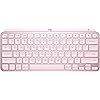
Logitech MX Keys Mini Minimalist Wireless Illuminated Keyboard, Compact, Bluetooth, Backlit, USB-C, Compatible with Apple macOS, iOS, Windows, Linux, Android, Metal Build - Rose

  • Based on 6,870 reviews
Condition: New
Checking for the best price...
$89.99 Why this price?
Holiday Deal · 10% off was $99.99

Buy Now, Pay Later


As low as $15.00 / mo
  • – 6-month term
  • – No impact on credit
  • – Instant approval decision
  • – Secure and straightforward checkout

Ready to go? Add this product to your cart and select a plan during checkout.

Payment plans are offered through our trusted finance partners Klarna, Affirm, Afterpay, Apple Pay, and PayTomorrow. No-credit-needed leasing options through Acima may also be available at checkout.

Learn more about financing & leasing here.

Selected Option

Free shipping on this product
This item's return window has been extended for the holiday season: Returnable until Jan 31, 2026

To qualify for a full refund, items must be returned in their original, unused condition. If an item is returned in a used, damaged, or materially different state, you may be granted a partial refund.

To initiate a return, please visit our Returns Center.

View our full returns policy here.


Availability: In Stock.
Fulfilled by Monmouth Supply

Arrives Monday, Dec 22
Order within 12 hours and 43 minutes
Available payment plans shown during checkout

Protection Plan Protect Your Purchase
Checking for protection plans...

Style: MX Keys Mini


Color: Rose


Features

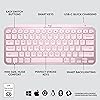
  • Perfect Stroke Typing with Smart Keys (1): Type on keys shaped for your fingertips, with voice to text Dictation (4), Mic Mute/Unmute, and Emoji keys
  • Mini Size, Mighty Powerful: A layout designed for effortless precision, with a minimalist form for an ergonomic keyboard that's portable and can travel wherever you get work done
  • Smart Illumination: The wireless keyboard's backlit keys light up the moment your hands approach, and automatically adjust to suit changing lighting conditions
  • Multi-Device, Multi OS: Pair MX Keys Mini compact keyboard with up to 3 devices on nearly any operating system via Bluetooth Low Energy and switch between them seamlessly
  • Multiple Computers, One Flow: Team the slim MX Keys Mini with MX Master 3 or MX Anywhere 3 and type across multiple computers or laptops in one fluid workflow(1)
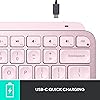
  • USB-C Rechargeable: MX Keys Mini Bluetooth keyboard stays powered up to 10 days on a full charge or up to 5 months with the backlighting turned off(3)
  • Plastic parts in MX Keys Mini include certified post consumer recycled plastic (Graphite: 30%, Pale Gray and Rose 12%(5)).
  • Product carbon footprint: 10.78 kg CO2e;

Description

"MX Keys S Logitech Wireless Keyboard — a low-profile full-size keyboard offering a fluid, precise typing experience and customizable, time-saving Smart Actions that automate repetitive tasks with a single keystroke. This backlit wireless keyboard features smart backlighting that lights up when hands approach and automatically adjusts for the time of day. Conveniently create and customize Smart Actions, adjust illumination brightness and duration, and check battery life with these Logitech keyboards and the Logi Options+ app (1). Compatible as a Logitech Mac keyboard, it also supports Windows, Linux(3), Chrome OS(3), iOS(3), iPadOS(3), and Android(3) operating systems. MX Keys S Logitech Wireless Keyboard Details: Weight: 810 g Dimensions: 20.5 x 430.2 x 131.63 mm. Rechargeable Li-Po (1500 mAh) battery. Optional Customization app (1): Logi Options+. Important: FileVault might be enabled on your macOS computer, which could prevent entering your password at start or reboot when connected to Bluetooth. In such cases, use the Logi Bolt USB Receiver. (1) Requires Logi Options+ app, available for Windows and macOS. (2) The keyboard is not compatible with other Logitech USB receivers. (3) Device basic functions will be supported without software for systems other than Windows and macOS. (4) Battery life may vary based on user conditions. (5) Excludes plastic in printed wiring assembly (PWA), FFC cable, cables, and packaging. (6) 4 mm minimum glass thickness.

Brand: Logitech


Compatible Devices: Laptop


Connectivity Technology: Bluetooth


Keyboard Description: Membrane


Recommended Uses For Product: Office


Special Feature: Backlit, Rechargeable


Color: Rose


Keyboard backlighting color support: Single Color


Style: MX Keys Mini


Product Dimensions: 11.65"L x 5.19"W x 0.82"H


Brand: ‎Logitech


Series: ‎Logitech MX Keys Mini


Item model number: ‎920-010474


Hardware Platform: ‎Windows®, macOS,Chrome OS, Linux®, iOS, iPadOS, Android,


Operating System: ‎Windows 10, 11 or later, Linux, Chrome OS, macOS, iPadOS, Android


Item Weight: ‎1.12 pounds


Product Dimensions: ‎11.65 x 5.19 x 0.82 inches


Item Dimensions LxWxH: ‎11.65 x 5.19 x 0.82 inches


Color: ‎Rose


Power Source: ‎Battery Powered


Batteries: ‎1 Lithium Polymer batteries required. (included)


Manufacturer: ‎Logitech


Date First Available: ‎September 28, 2021


Frequently asked questions

If you place your order now, the estimated arrival date for this product is: Monday, Dec 22

Yes, absolutely! You may return this product for a full refund within 30 days of receiving it.

To initiate a return, please visit our Returns Center.

View our full returns policy here.

  • Klarna Financing
  • Affirm Pay in 4
  • Affirm Financing
  • Afterpay Financing
  • PayTomorrow Financing
  • Financing through Apple Pay
Leasing options through Acima may also be available during checkout.

Learn more about financing & leasing here.

Top Amazon Reviews


  • Great keyboard for my purpose
Style: MX Keys Mini Color: Graphite
A couple years ago I wrote a scathing review about the decline of Logitech products quality. I was having problems with the mice, the buttons where acting up, and I needed a mouse (NOW) that worked so I went to the local brick & mortar store and bought the same mouse, which had the same problems. I ended up getting hundred dollar mouse made for CAD professionals. Since then I got a Logitech mechanical keyboard, with the cherry keys, great product and I love it. I've also purchased a couple Logitech mice lately and had no problems with them. This keyboard is much nicer than what I expected, I love the solid feel of it, it is very heavy for its size. I wanted this one for the ability to switch between three different computers. I have one Windows 10 machine and two Linux ones in a corner of my man cave. I've purchased two HDMI KVM switches recently, and both where DOA, not working at all right out of the box, and from different manufacturers. My monitor has three inputs, so all I really needed was a single keyboard and mouse for all three. The Logitech MX mouse is still on the way. The set up was a bit problematic. The Windows machine set up very easy, but after a restart the keyboard was no longer paired. I had to drag out my old one to log into Windows, not so handy since Windows re-starts itself constantly. Luckily, there was a firmware update for this keyboard that fixed the problem. You can get the update through the Logitech software that can be downloaded from their website. On one Linux machine I am currently running Linux Mint. Mint came with the blueman software preinstalled, I had to make several attempts to get the pairing to stick, partly because I've only used blueman a couple of times in the past to pair BT headphones to my old laptop. You must mark the keyboard as trusted to get a connection that lasts. I had a situation where it was connecting and disconnecting constantly until I did that. Works fine now, and it pairs itself after a restart. On the third computer I am running Debian 12, and I have not been able to get the keyboard paired at all. This computer is actually part of my stereo system. It is connected to my amps by way of a DAC, but I can control it from a phone or tablet, or from a web GUI on a different computer. It would be nice if this would work on Debian, but it's not the end of the world. I almost docked this product a star because the product info is not completely accurate. On the product page it says:"Compatibility: Compatible with Logi Bolt USB Receiver (not included) . Logi Bolt wireless products will not pair with other Logitech USB receivers". OK, you don't need the Bolt USB Receiver to use this, I ordered them because it says this. The keyboard works with any Bluetooth receiver, I'm using one made by TP Link and another Knvo. The Bolt receivers are not here yet, they will be along in a couple days with the new MX mouse, even though they where part of the same order as this keyboard. When the Bolt receivers get here I will probably use them, because I had to rob the BT dongles off of my other computers to get this working right away. The limited instructions that came with the keyboard just said to pair it with Bluetooth, it does not even mention the Bolt receiver. ... show more
Reviewed in the United States on October 1, 2023 by Amazon Customer

  • So Far I Like Everything About This Keyboard
Style: MX Keys Mini Color: Pale Grey
I bought the pale gray MX Keys Mini keyboard to replace my Logitech K380 keyboard, not because the K380 is no longer working but because I like the keyboard feel, keyboard keys, and overall ergonomics of the MX Keys Mini over the K380. The K380 is one of the best, if not the best, compact, multi-device Bluetooth keyboard in its price range currently available on the market. I simply like the MX Keys Mini more and will move the K380 to a different workstation setup. Pairing the MX Keys Mini with my Windows 11 Pro PC and my M2 MacBook Air was a breeze. It paired just like all of the other Logitech keyboards I own, very quickly and reliably. Switching between devices is a single button press on the MX Keys Mini keyboard. It would be kind of nice if my MX Master 3 mouse could be slaved to the MX Keys Mini device selection, but both devices do switch over to the other device very quickly and with a single button press on each MX device. Since my two devices/computers are sharing the same monitor, switching the input source on the monitor takes a lot more time than does switching the two Logitech MX devices. The Logi Options+ application recognized my MX Keys Mini immediately. All of the controls, settings, and user interface workflow for the MX Keys Mini in the application were very familiar since I have used Logi Options+ with many of my other PC and Mac Logitech devices. This is my first experience using a separate keyboard with backlighting. I am relieved that the backlighting is restricted to white hues only. I often use a monitor light bar that is mounted on the top of my monitor to illuminate my workstation area, including the keyboard and mouse. I discovered that my monitor light bar and the MX Keys Mini backlight functionality are ergonomically incompatible with one another, at least for my setup. When my monitor light bar is illuminated, even at the dimmest setting, the adaptive backlight functionality on the gray/silver MX Keys Mini adjusts the backlighting based on the ambient light to the where the white backlit characters on the white keys become nearly invisible to see. I was greatly relieved to discover that I could simply adjust the brightness level of the MX Keys Mini all the way down to the point where the key characters are black. This completely solved my problem when using the MX Keys Mini with my monitor light bar. I will definitely encounter situations in the future where I do not use my monitor light bar and can simply increase the brightness level on the MX Keys Mini to take advantage of the backlighting feature. I have not encountered any compatibility issues while using the MX Keys Mini with either my PC or my Mac. The MX Keys Mini seems to be conforming very nicely to the functional and quality standards that I've come to expect with all Logitech products I've owned, dating back to my first 3-button C7 mouse. So far I am very pleased with my purchase of the MX Keys Mini. ... show more
Reviewed in the United States on March 13, 2024 by DaveCPP

  • I Like It!
Style: MX Keys S Color: Graphite
I really like this keyboard. I've only been using it for about two weeks, but I'm impressed. I like the solid feel. It's quiet. It has a somewhat different layout for a few keys that I'm getting used to, but nothing dramatic. So far, I haven't encountered any cons. If that happens and they're significant enough, I'll update my review. In the meantime, here's a list of things that are important to me for my use: - Solid build. It has weight and substance that makes it look and feel like it will last. - Backlit. It's easy to see the keys in any lighting. - Letters don't wear off. I've had keyboards from Logitech previously that I liked for most reasons, but the letters were painted on and wore off badly. But their backlit keyboards are different and don't have that problem. I just had a Logitech backlit keyboard that I liked, but this one is even better. - Separate number pad. A must for me and my work (not an accountant, but still important). -Some have complained about the fact that the tilt on the keyboard is controlled by a solid bar across the bottom of the keyboard instead of having feet. I actually like this feature. Feet tend to get folded in sometimes and are a bit "fussy." You don't have to worry about this. And the degree of tilt is just right, I think. - I like the fact that it has both Bluetooth and Logitech proprietary USB connectivity. And I like the fact that it can connect to three different devices. It's made for both Apple and PC computers, so some of the keys are dual labeled. Not a favorite feature of mine, but it's fine. All in all, a great keyboard that I hope and trust will last a good number of years. ... show more
Reviewed in the United States on October 7, 2025 by Clyde

Can't find a product?

Find it on Amazon first, then paste the link below.
Checking for best price...