Search  for anything...

kvm Switch 2 Monitors 2 Computers hdmi 2.1 4k 144hz EDID Emulator Hotkey Switching hdmi kvm Switch 2 Monitors 2 Computers Extended Display EDID kvm Switch hdmi 2.1 edid 1440P 120Hz 144Hz GiantMatrix

  • Based on 0 reviews
Condition: New
Checking for the best price...
$299.99 Why this price?

Buy Now, Pay Later


As low as $50.00 / mo
  • – 6-month term
  • – No impact on credit
  • – Instant approval decision
  • – Secure and straightforward checkout

Ready to go? Add this product to your cart and select a plan during checkout.

Payment plans are offered through our trusted finance partners Klarna, Affirm, Afterpay, Apple Pay, and PayTomorrow. No-credit-needed leasing options through Acima may also be available at checkout.

Learn more about financing & leasing here.

Selected Option

Free shipping on this product

30-day refund/replacement

To qualify for a full refund, items must be returned in their original, unused condition. If an item is returned in a used, damaged, or materially different state, you may be granted a partial refund.

To initiate a return, please visit our Returns Center.

View our full returns policy here.


Availability: 19 left in stock
Fulfilled by Amazon

Arrives Thursday, Dec 18
Order within 2 hours and 26 minutes
Available payment plans shown during checkout

Protection Plan Protect Your Purchase
Checking for protection plans...

Style: HDMI2.1 KVM hotkey EDID 2*2


Features

  • Attention : the powered HDMI to DP adapters are support; This hdmi KVM switch Dual monitor 2 computer 4k 120hz support EDID emulation ,the hdmi 2.1 kvm switch 2 pc two monitors can support adapters, adapters cables and docking station,you should use hdmi2.1 cables if you want more good quality
  • kvm switch 2 monitors 2 computers hdmi edid kvm switch 2 monitors 2 computers hdmi 4k 120hz:It is an 8K ultra HD HDMI dual screen KVM switcherthat controls and manages multi-interface graphics cards via a set of USB keyboard and mouse Computers and other equipment. Each channel supports two 8K HDMI signals and one USB3.0 data input, and two sets of HDMI signals can be freely controlled and defined Main and secondary screens,
  • HDMI KVM Switcher 2 Monitors 2 Computers Extended Display:The kvm switch hdmi edid can support type C TO hdmi .You can use type C TO hdmi and the HDMI kvm edid to became usb c , Thunderbolt, Type c ,Mac kvm Switch 2 Monitors 2 Computers Type c 1440P 120Hz 144Hz mac kvm Switch
  • 2 monitor 2 computer kvm switch hdmi 2.1:the Dual Monitor kvm Switch hdmi edid 4k 120hz Supports Four switching methods to meet with different needs, including keyboard hotkeys, mouse hotkeys, push button, wired remote ; switching only takes several seconds after first set-up
  • dual monitor kvm switch hdmi 4k 120hz:resolution of 8K@60Hz(with Dsc) of 2 computer 2 monitor, 8K@60Hz, 4k 120hz,4K 144Hz, 4k 165hz ,4K@240Hz , 2560x1440@144Hz 165Hz,5120*1440@120Hz,5120*1440@144Hz,5120*1440@165Hz 1440P 60Hz 75Hz 100Hz 120Hz 144Hz 165hz 175hz 240hz. Final resolution is also subject to graphic cards, monitors, cables and adapters and there work together
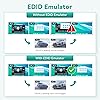
  • kvm switches 2 monitors 2 computers and hdmi :the kvm hdmi edid is very suitable for gaming kvm swtich ,the edid emulator make you gaming fluent,make it don't ficker.It will not resize the desktop. when you computer is thunderbolt output ,and you want one thunderbolt kvm switch edid clone ,you can use type c TO HDMI cable +kvm switch hdmi edid+8k hdmi 2.1 cable to monitor,them the thunderbolt input will be edid emulator.
  • 2 port dual monitors hdmi kvm switch: the powered HDMI to DP adapters are support; This hdmi KVM switch Dual monitor 2 computer 4k 120hz support EDID emulation ,the hdmi 2.1 kvm switch 2 pc two monitors can support adapters, adapters cables and docking station,you should use hdmi2.1 cables if you want more good quality
  • 2 port dual monitor hdmi kvm switch :The kvm switch hdmi edid can support type C TO hdmi .You can use type C TO hdmi and the HDMI kvm edid to became usb c , Thunderbolt, Type c ,Mac kvm Switch 2 Monitors 2 Computers Type c 1440P 120Hz 144Hz mac kvm Switch
  • 8k hdmi kvm switch 2 monitors 2 computers edid: the Dual Monitor kvm Switch hdmi edid 4k 120hz Supports Four switching methods to meet with different needs, including keyboard hotkeys, mouse hotkeys, push button, wired remote ; switching only takes several seconds after first set-up
  • hdmi kvm switch hotkey switching :the Kvm switch 2 monitors 2 computers hdmi 4k 120hz supports most major operation systems like Windows, Linux, Mac and more; also support switch between devices without keyboard and mouse like DVR and NVR; Support webcam, speaker / headphone and microphone

Operation Mode: ON-OFF-ON


Current Rating: 5 Amps


Operating Voltage: 5 Volts


Contact Type: Normally Open


Connector Type: Clamp


Brand: GiantMatrix


Terminal: Solder


Item dimensions L x W x H: 8 x 3 x 1 inches


Circuit Type: 3-way


Actuator Type: Push Button


Product Dimensions ‏ : ‎ 8 x 3 x 1 inches; 2 Pounds


Item model number ‏ : ‎ HDMI-EHRJ-002


Date First Available ‏ : ‎ December 26, 2023


Manufacturer ‏ : ‎ Giantmatrix


Country of Origin ‏ : ‎ China


Best Sellers Rank: #3,376 in KVM Switches


Frequently asked questions

If you place your order now, the estimated arrival date for this product is: Thursday, Dec 18

Yes, absolutely! You may return this product for a full refund within 30 days of receiving it.

To initiate a return, please visit our Returns Center.

View our full returns policy here.

  • Klarna Financing
  • Affirm Pay in 4
  • Affirm Financing
  • Afterpay Financing
  • PayTomorrow Financing
  • Financing through Apple Pay
Leasing options through Acima may also be available during checkout.

Learn more about financing & leasing here.

Top Amazon Reviews


  • Works great
Style: KVM Displayport 2*2 HotKey
No input lag, 144hz at 1440p 2 monitors
Reviewed in the United States on February 3, 2024 by Devin M

  • HDMI signal ONLY splitter, simple and works
Style: HDMI switch box
This device is a simple HDMI splitter that lets you have two different input sources that go to a single HDMI-capable monitor or TV. As shown in examples in the product description and instructions, you could hook-up two different video game consoles to a single monitor. However it ONLY does HDMI. Nothing else. So it is not suitable for home-entertainment system use, connecting two computers to the same monitor or other uses. Basically, good for a student apartment sort of setup. Very light and yet sturdy feeling. Simple, single button for switching back and forth. Pretty fool-proof. Did not have ability to test supposed 8K display capability. ... show more
Reviewed in the United States on February 16, 2024 by Hodor Hodor

  • Simple HDMI Switch
Style: HDMI switch box
Works as described. Two inputs in to one monitor or display source and pushing the button manually switches form one input to the other. Does not require external power to work. Does have an always on LED which is a bit annoying. No ambient noise noted and no issue with heat. Drives a 1080p monitor easily. ... show more
Reviewed in the United States on January 25, 2024 by Matt Johnston

  • Nonexistent Tech Support
Style: KVM Displayport 2*2 HotKey
Received this item and tried it immediately. Mouse and Keyboard worked but no video. Tried new cables and called Amazon for tech support. Amazon didn’t know how to contact this company for tech support. Product doesn’t work and even if I figure out the issue there will be no one to help me after the refund period. Waste of time to buy this product or anything from this company. ... show more
Reviewed in the United States on February 15, 2024 by Matthew Jankowski

  • This works as intended
Style: HDMI switch box
Some things are not so easy to rate. Especially little parts like this. What I can tell you is that it connects to the guest room TV and we were able to view a film from the laptop's disc player that was from another Region. It works.
Reviewed in the United States on January 19, 2024 by Reine Soleil

  • Works without the power plug and that is good
Style: HDMI switch box
I have a Ubuntu Linux Desktop and a Windows 11 Mini PC. Usually, I RDP from Linux when I need true Windows functionality, but sometimes I need to use the Mini PC alone. My old KVM doesn't support HDMI, so I've had to physically move my HDMI cable from the Desktop to my Mini. This GiantMatrix HDMI switch simplifies this process. The package has no HDMI cables or instructions, but it seemed intuitive. There are two HDMI inputs on one side of the box and one more HDMI on the other side. The two computers connect to the two-port side, and the monitor connects to the single-port side. At that point, I noticed the blue light glowing on the box. I looked at my monitor and saw my Linux display. I pressed the button and saw my Windows display. It works exactly as I had hoped for! My monitor is a 27" Samsung running at 16000x900 resolution at 60Hz. The part that needs to be clarified is the purpose of the USB-A/USB-C power connector. I did not like that it initially appeared to need a power connection, and I was surprised that I had all of the functionality I wanted without supplying external power. I need to find out what this cable is for. This $16 GiantMatrix HDMI Switch is just an HDMI switch; it doesn't need power, nor does it support a keyboard or mouse. The website ad jumbles this with two other devices offering DisplayPort and KVM functionality for $100 more. If you want to use your HDMI monitor with two computers, one at a time, without physically moving cables, this switch will suit your purpose. ... show more
Reviewed in the United States on November 26, 2023 by -Dan

  • A (V)ideo Switcher, not a (K)eyboard (V)ideo (M)ouse Switcher
Style: HDMI switch box
This device allows for inputs from two HDMI sources, such as from a PC and a Laptop, out to a single monitor or HDMI display. The button on top controls which input is displayed on the output. Note that this device has nothing to do with providing switching capabilities for a mouse or keyboard - which is where the K and M come from in a KVM. I have mine set up with a work Laptop and a personal PC as inputs, and then outputting to a secondary monitor. This allows me to switch between the laptop and PC when I need another monitor for my laptop. It works well as I can flip flop as I need to depending on what I am working on. I will say that having this on the desk means more cables running across it, and thus cable management becomes a bit more of an issue. I am thinking of trying to mount the thing under the desk, but that still has some technical issues. ... show more
Reviewed in the United States on December 23, 2023 by Br'er Sith Monkey

  • NOT FOR GAMING AT ALL
Style: KVM Displayport 2*2 HotKey
Bought 2 different models of KVM recently and both had the same issue with certain games where the monitor will blackout for a few seconds every once in a while. Sometimes it's every 10 minutes, sometimes it keeps happening every 30 seconds. Maybe the switches are not stable with higher refresh rates or g-sync or something like that, but I tried all the troubleshooting I could find and the connection is not reliable. If your setup is gaming oriented I'd say keep everything connected separately to be safe and make sure you're not getting latency or connectivity issues. ... show more
Reviewed in the United States on December 2, 2023 by Amazon Customer

Can't find a product?

Find it on Amazon first, then paste the link below.
Checking for best price...