Search  for anything...

KODAK Step Instant Photo Printer, Zink 2x3” Color Sticky-Back Photos, Bluetooth Compatible with iOS & Android Devices, Editing App, Blue

Based on 20,657 reviews
Condition: New
Checking for the best price...
$79.98
Holiday Deal · 49% off was $157.99

Buy Now, Pay Later


As low as $13.33 / mo
  • – 6-month term
  • – No impact on credit to apply
  • – Instant approval decision
  • – Secure and straightforward checkout

Ready to go? Add this product to your cart and select a plan during checkout.

Payment plans are offered through our trusted finance partners Klarna, Affirm, Afterpay, Zip, Apple Pay, and Google Pay. No-credit-needed leasing options through Acima may also be available at checkout.

Learn more about financing & leasing here.

Selected Option

Free shipping on this product

FREE 30-day refund/replacement

To qualify for a full refund, items must be returned in their original, unused condition. If an item is returned in a used, damaged, or materially different state, you may be granted a partial refund.

To initiate a return, please visit our Returns Center.

View our full returns policy here.


Availability: Only 3 left in stock, order soon!
Fulfilled by Amazon

Arrives Wednesday, Nov 18
Order within 1 hour and 24 minutes

Available payment plans shown during checkout

Protect Your Purchase

Easy claims online, fast replacements, no fees

Checking for protection plans...

At a glance

Condition
New
Color
Blue
Size
5 Sheets
Model
RODMP20AMZBL
Dimensions
1"D x 3"W x 5"H
Weight
0.07 kg
Printing Technology
Zink Technology
Warranty
1 year limited warranty
Works with
Smartphones

Features 5

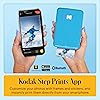
  • STEP UP YOUR PRINTING GAME. KODAK Step Printer Connects to Any iOS or Android Device [Via Bluetooth or NFC] Turn Your Selfies, Portraits, Social Media Posts Into Physical Photos
  • AMAZING ZERO-INK TECHNOLOGY. ZINK 2 x 3 Sticky-Back Paper with Embedded Dye Crystals Delivers High-Quality, Durable, Affordable, Beautifully Detailed Prints That are Resistant to Moisture, Rips, Tears & Smudges.
  • FULL EDITING SUITE VIA APP. Download the KODAK App to Create Collages & Customize Your Snaps with Stunning Filters, Interesting Borders, Cool Stickers, Funny Text & Other Personalized Flair.
  • TAKE YOUR PROJECTS TO GO. Our Palm-Sized Printer Weighs Less Than a Pound, Sets Up Fast & Delivers Gorgeous Prints You Can Peel & Stick Everywhere.

Description

Whether you’re an avid traveler, social influencer, nostalgic scrapbooker or on-the-go photographer, one thing is certain—printing pictures takes too many steps! Now, with the KODAK step printer, printing full-color photographs is faster and easier than ever. Just pair with any Bluetooth- or NFC-enabled smart device, and stunning full-color photo prints are in your hand in under 60 seconds. Zink Zero Ink technology eliminates the need for expensive inks, toners and ribbons, delivering cool 2”x3” photographs you can peel and stick to any surface. Photos come out clear, bright, colorful and covered with an extra layer of protective coating to prevent smudges, rips and water damage. The KODAK app also lets you customize photos far beyond the usual ‘flip’ and ‘rotate’ of your smartphone. Use our extensive editing tools to apply flattering filters, cutesy stickers, decorative frames and other personalized flair. Note - To ensure the best possible photo quality, make sure to properly insert the photo paper into the printer. Always load the blue Quality Card from the same pack of photo paper that is in the printer. The blue card should be inserted into the paper tray with the barcode facing down. If you use a blue card from other packs of paper, you might not get the best results. If you are experiencing a paper jam, make sure to turn the printer off and on again. This should eject the paper out. Do not pull out the paper by hand. Make sure not to cover the printing slot with your hand when the photo is printing.

Specs 50

Brand KODAK
Connectivity Technology Bluetooth, NFC
Printing Technology Zink Technology
Special Feature Portable
Color Blue
Model Name Kodak Step Instant Photo Printer
Printer Output Color
Maximum Print Speed (Color) 1 ppm

Frequently asked questions

If you place your order now, the estimated arrival date for this product is: Wednesday, Nov 18

Yes, absolutely! You may return this product for a full refund within 30 days of receiving it.

To initiate a return, please visit our Returns Center.

View our full returns policy here.

  • Klarna Financing
  • Affirm Pay in 4
  • Affirm Financing
  • Afterpay Financing
  • Zip Pay in 4
  • Financing through Apple Pay
  • Financing through Google Pay
Leasing options through Acima may also be available during checkout.

Learn more about financing & leasing here.

Top Amazon Reviews


LOVE THIS LITTLE PRINTER.
Color: Pink Style: Printer
I love this little printer. I received it yesterday and have printed 25 pics already. It is so much fun. The prints are clean and crisp. It has multiple editing tools that are very easy to use. The printer requires an app to download. It is quite easy to work.I highly recommend it.
Reviewed in the United States on March 19, 2026 by Annie

Love it! Amazing!!
Color: Pink Style: Printer
Totally in love with it. It comes with 5 sheets starter pack. Easy to use, had to charge it completely before first use. I ordered a pack of 50 sheets, we can peel off the back cover and stick it easily. Though I haven’t used it in that way as of now!! Amazing for those who love to create a scrapbook or memory book or display cute little pics anywhere on the room ❣️. Already in love with it. Colors won’t be exactly how it seems to be on the phone but a definite buy if you are not much in to checking on 100% color match. Look of the pics is too good to fail in love. No paper jam and smooth operation for sure. Comes with a USB for charging, it’s *not* a C-cable so have to ensure you keep it properly (unless you have the old charging pins still 😉). I just got it yesterday so it’s a quick review after 1-2 use and around 6-7 prints. ... show more
Reviewed in the United States on February 6, 2026 by KS

Love but glitchy sometimes
Color: Black Style: Printer
I actually love this little printer. It’s easy use and travel with and the photo quality is actually pretty great. PROS: App is pretty cool, you can edit the photos and add frames if you want but another element to the photos. Small and easy to use. Perfect for scrapbooking, photos are about the size of a Polaroid picture, but a little smaller You can print off duplicates unlike a Polaroid CONS App can be glitchy sometimes. When I try to print a photo it just backs out and sometimes won’t let me print a photo at all unless I screenshot the picture and try again. It’s super weird.. Only comes with 5 photos to start with, and you need to buy more. With all of that being said, if you’re thinking about it, get it. It’s a great price, and fun to keep and share memories. ... show more
Reviewed in the United States on January 9, 2025 by Lilah

good and affordable.
Color: White Style: Printer
Very fun product! I can't get the colour quite right, it's always off on the hue, but the photo is not blurry or anything, although they get quite stripey. But easy to install and use (android). Pay attention to the recharges, because even a slightly different one will upset the machine. The battery life isn't great and the machine won't print with less than 50% battery, but it works when plugged in, so I always just plug in the cord and print as wished. but all in all, a super affordable version of this type of product ... show more
Reviewed in the United States on March 17, 2025 by Sara

Great for casual journaling
Color: Pink Style: Printer
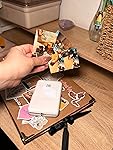
I ADORE my little picture machine. I just need it to add pics to my journal, and it's so much easier than having to go to Walgreens or something. The quality is about what you would expect from a small and relatively inexpensive printer but I'm not looking to hang gallery art here, it's more than good enough for journaling. I had a blast and used up all fifty of the extra papers I got on the first day. I have noticed that the color tends to lean toward pink by default, but if I take a second to edit the color values of a picture to be a bit blue-ish before printing then I can get the original photo color pretty accurate. After the first ten there came a bit of streaking but it went away. Anyway, highly recommend. It's easy to use and just what I need for daily, informal pictures. ... show more
Reviewed in the United States on September 30, 2025 by P

Works great
Color: White Style: Printer
So far love it! I used it today to journal and I love that it has different settings in the app. You can make collages or fix the pictures. And I love that it’s small so it fits in my craft box.
Reviewed in the United States on March 27, 2026 by Tania

Broken after a month, Kodak will offer no solution.
Color: Black Style: Printer
Update: Do not buy! When this product breaks, Kodak will do nothing about it. When I contacted them, their only suggestion was for me to purchase more paper to try and follow the same cleaning procedures I had already done, which was how I used up the last of the paper I already had for it. Basically, I told them my product was broken and did not work, to which they suggested I GIVE THEM MORE MONEY to buy accessories for a product that is broken and does not work. Uhm, no thanks? And now that I'm directly asking for a refund, they will not respond to any of my messages. As far as I'm concerned, this product is a scam. Kodak has scammed me, then tried to scam more money from me on top of that, and their customer service is terrible. Do not buy this. Also, on further research while trying to fix this broken hunk of junk, I discovered that the zinc paper photos apparently fade extremely quickly compared to other photo options. So it was never a good option to use in my journal anyway. Great. Original review below. I loved this when I first got it. The tiny photos printed on sticker paper were exactly what I was looking for to use with my journal, and it was great fun being able to add memories to it with such ease, sent right from my phone to the printer. Everything was perfect. Then suddenly after about a month, it just kind of stopped working? It constantly reads as out of being out of paper, despite having plenty. Adding more or less paper doesn't help. Gently flexing the paper to ensure that it is flat doesn't help. I followed the instructions from Kodak's support page to clean the roller inside, which basically involves wasting a sheet of Zinc paper, uncovering half the sticky on it, and running it through so the sticky side can pull dust and debris off. Having only had the device around a month and keeping it in a case when not in use, there wasn't much debris to clean out, and it was a waste of time and paper that solved nothing. I can sometimes get the printer to work if I hold it upright at a bit of an angle, so that the paper ejects out the bottom. Obviously not ideal, or the way it's intended to work. And it also does nothing to help the streaks the printer is now leaving on my photos, which aren't present in the original images. Either a single or white line, or many, as if it just didn't print in those spots. I've used up all the paper I had for it, a lot of it while trying to sort out the sudden issues with the device, and am now faced with buying more expensive paper for a printer that may or may not work, and now works badly when it does print. I have contacted Kodak's support, and will update if a resolution is reached. I absolutely do not recommend this product, as it went from perfect to essentially useless in a month. ... show more
Reviewed in the United States on August 7, 2024 by Brunn

Portability and ease of use producing high quality photos
Color: Blue Style: Printer
The media could not be loaded. Easy to install and setup with great clear instructions for use. Excellent photo quality, compact, very durable and sturdy with high paper capacity as well as perfect systems compatibility works well with both android devices and apple devices. I am 100% satisfied with my KODAK Instant photo printer and the photos I've printed. ... show more
Reviewed in the United States on March 22, 2026 by Austin H.
Checking for best price...