Search  for anything...
KLO

KLO Rechargeable Bluetooth 5.2/3.0/Type-C/USB-2.4G Mouse for MacBook/MacBook air/Pro/iPad, Wireless Mouse for Laptop/Notebook/pc/iPad/Chromebook (Black)

  • Based on 27,705 reviews
Condition: New
Checking for the best price...
$11.85 Why this price?
New Year Deal · 34% off was $17.98

Buy Now, Pay Later


As low as $2 / mo
  • – 4-month term
  • – No impact on credit
  • – Instant approval decision
  • – Secure and straightforward checkout

Ready to go? Add this product to your cart and select a plan during checkout.

Payment plans are offered through our trusted finance partners Klarna, Affirm, Afterpay, Apple Pay, and PayTomorrow. No-credit-needed leasing options through Acima may also be available at checkout.

Learn more about financing & leasing here.

Selected Option

Free shipping on this product

FREE 30-day refund/replacement

To qualify for a full refund, items must be returned in their original, unused condition. If an item is returned in a used, damaged, or materially different state, you may be granted a partial refund.

To initiate a return, please visit our Returns Center.

View our full returns policy here.


Availability: In Stock.
Fulfilled by Amazon

Arrives Sunday, Feb 15
Order within 22 hours and 15 minutes
Available payment plans shown during checkout

Protection Plan Protect Your Purchase
Checking for protection plans...

Color: Black


Features

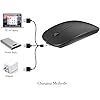
  • Upgrade version Rechargeable 4 Modes bluetooth mouse(Bluetooth 3.0/5.2+USB2.4G/Type C), Dual-port 2-in-1 Receiver USB2.4G/Type-C You can switch between the 4 connection modes, adds more fun to the boring office life.
  • It is compatible with Mac OS Windows XP, Vista, 7, 8, 10and is suitable for desktop, notebook, PC, Mac Macbook Pro/Air/ipad/iMac and other devices.
  • Built-in durable Lithium polymer rechargeable battery,You can use the USB cable to charge the mouse without replacing the battery,Just 2-3 hours charging, you can use it about 7-30 days, Standby time is very long, energy-saving features, automatic sleep mode and wake-up mode are installed to save energy,If you do not use the mouse for 5 minutes, it will go to sleeping mode.
  • 4 mode bluetooth mouse is designed ultra-silent and reduce noise by up to 96% compared with others, Sleek, well-built and lightweight , Contoured shape to fit comfortably in the palm of your hands so you can stay productive longer.
  • 3 DPI switches (1000, 1200, 1600) change the speed of the mouse freely,This bluetooth mouse can meet your demand of daily office working and personal preference.

Description

RECHARGEABLE DUAL MODE BLUETOOTH MOUSE(Bluetooth 3.0/5.2+Usb-2.4G/Type-C) It is compatible with Mac OS Windows XP, Vista, 7, 8, 10and is suitable for desktop, notebook, PC, Mac Macbook Pro/Air/ipad/iMac and other devices. How to use it Bluetooth Mode: No need to occupy PC interface, fast and stable connection, Turn on the device's Bluetooth function,Switch to "ON/OFF" button to left(Bluetooth mode),Search the product of Bluetooth and find “BT5.2/3.0 Mouse” to pair,It's ready to use. How to use it 2.4Ghz Mode: just take the USB/Type-C receiver from the bottom of the mouse, then insert the USB/Type-C receiver into the computer USB/Type-C port,Switch to "ON/OFF" button to right,Then you can use the mouse in 2.4GHz Mode. How to connect to iOS/iPad/Pro/Air/iPhone (ios 13/ios 14) via Bluetooth Mouse first slide the button at the bottom of the mouse to the bluetooth " " position ( bluetooth mode), open tabletSettings >Accessibility > Touch > AssistiveTouch > Click to open (An auxiliary dot will appear on the screen),Go back to Settings > Click on the bluetooth > Click to open > BT 5.2/3.0 MOUSE > connect and Pair.(PIN:0000) Note: The mouse cursor will move slowly or stop moving when the mouse is low battery,Please charge it in time. The blue light beside the scroll wheel will be on while charging, and then goes off when the mouse is fully charged,It takes about 2.5 hours to fully charge. Packing list: rechargeable dual-mode mouse 1 USB charging line 1 USB2.4G/Type C Nano USB receiver 1(hidden in the slot at the bottom of the mouse) Instructions1.

Brand: KLO


Color: Black


Connectivity Technology: Bluetooth Wireless USB


Special Feature: Rechargeable Ergonomic Design Soundless


Movement Detection Technology: Laser


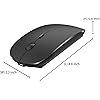
Product Dimensions: 4.5 x 2.2 x 0.04 inches


Item Weight: 2.46 ounces


Item model number: K8


Batteries: 1 Lithium Ion batteries required. (included)


Date First Available: May 25, 2019


Manufacturer: KLO GD


Frequently asked questions

If you place your order now, the estimated arrival date for this product is: Sunday, Feb 15

Yes, absolutely! You may return this product for a full refund within 30 days of receiving it.

To initiate a return, please visit our Returns Center.

View our full returns policy here.

  • Klarna Financing
  • Affirm Pay in 4
  • Affirm Financing
  • Afterpay Financing
  • PayTomorrow Financing
  • Financing through Apple Pay
Leasing options through Acima may also be available during checkout.

Learn more about financing & leasing here.

Top Amazon Reviews


  • Great replacement for battery-eating Magic Mouse
Color: Black
I was tired of replacing the batteries in my Magic Mouse, so I purchased this one due to the rechargeable nature and similarity in feel to the Magic Mouse, so I wouldn't have to "acclimate" to long (I've been using some variety of MM for over a decade). This little guy connected flawlessly to my MacBook Pro without issue (Bluetooth), and I have been very happy with the responsiveness so far. The scrolling wheel works well, and button clicks are quiet without being "mushy" or indistinct. I use a desk pad/mat, and it glides across with barely any friction at all. I also appreciate the ability to use it while charging, although I haven't needed to try that feature yet. I have used it for 2.5 days so far, so I know that the charge lasts at least that long! The ONLY negative I have to say about it is that it takes 1-2 seconds of jiggling to wake it up if I've been away from my computer. However, that was expected due to its energy-saving feature, so I'm not taking a star away for it. In fact, I'm so pleased with this mouse that I plan to purchase a second one to use at home and delegate my old MM to my laptop bag for emergencies only. ... show more
Reviewed in the United States on May 27, 2025 by Angela

  • This mouse in incredible! Now I can right-click in Metatrader!
Color: Black
At $13.26 after tax this mouse seems like a great deal. It works flawlessly with my Late 2013 Macbook Pro 13" Retina with High Sierra MacOS Version 10.13.6. When it first arrived I used it with the cord and just left it plugged in the laptop all day yesterday, today I'm using it without the cord and it's great. I'm getting ready to order a hard mousepad today. The reason I bought this mouse is because I use Metatrader 4 and Metatrader 5 and you can not right click just using the Macbook Trackpad. So even though I like my Macbook by itself just using the trackpad, there are a lot of functionalities that you can not access without an external mouse. Even though I bought my Mac back in February 3, 2014 I just now discovered a need for this mouse, but now having used a mouse with my Macbook I'll never look back, there's nothing like the convenience of using a great mouse that works great. It's a lot less work for my hands. I never noticed how hard my hands were working really until just now when I started thinking about how much easier using this mouse is. Anyway thank you so much. :) Note: I love the sleek design, light-weight, the fact that it's a lazer, the last mouse I used was an old-school rolly-polly mouse, haha. It's a bit slippery on this card-stock paper I'm using, but maybe getting a hard mouse-pad with some grippiness to it will help, because specifically when I'm using my computer in bed, the mouse is not on a level surface. So like I was saying, now I have full access to all the features of Metatrader by being able to right-click on stuff. (*see picture) This is likely to be the case on many Windows tools that have been adapted to run on Macs. UPDATE: The cursor seems to move, it drifts, is there any way to calibrate it so it does not drift? is there any software that can help with this? late 2013 macbook pro high sierra 10.13.6 NEW UPDATE: The cursor no longer moves or drifts and works perfectly! Something I hadn't figured out before is that ALL YOU HAVE TO DO TO TURN THE MOUSE BACK ON IS CLICK THE MOUSE! Before I figured this out I was "re-pairing it" to the blue-tooth which was really so annoying. But now that I know how to properly use it it is amazing. Thanks! ... show more
Reviewed in the United States on July 24, 2021 by Anonymously Anonymously

  • Wish I got one sooner
Color: Pink
I love this mouse. It is cordless, synched up to my macbook pro immediately, and it automatically turns off so the battery life is great. It's also a super cute color and looks more expensive than it actually is. There's really nothing to complain about. The auto turn off feature might be annoying to some people, but once you get the hang of it turning off, clicking a few times to wake it up is no problem. I actually like that is sleeps, because I'm terrible at remembering to charge things. UPDATE (after using for 1 year) The mouse still works great. The battery life might be a bit worse than it was when I first got it, but it charges pretty fast. When the battery gets low the tracking does start to lag a little. I wish the cord it came with was longer so you could use it while it charges, but it's a common cord so you can purchase a longer one. My cheap bluetooth headphones have interference when using the mouse at the same time, but my AirPods work perfectly with the mouse, so I think the issue is my cheap headphones. The pink finish still looks exactly like the day I got it. For the price, this mouse is still a win a year later. Update September 2024: Sadly, the mouse has stopped working properly. The connection became too poor to continue to use and the battery life significantly dropped. I've switched to a mouse with a track pad. However, I still think this mouse was excellent for the price. ... show more
Reviewed in the United States on May 10, 2020 by Mwags Mwags

Can't find a product?

Find it on Amazon first, then paste the link below.
Checking for best price...