




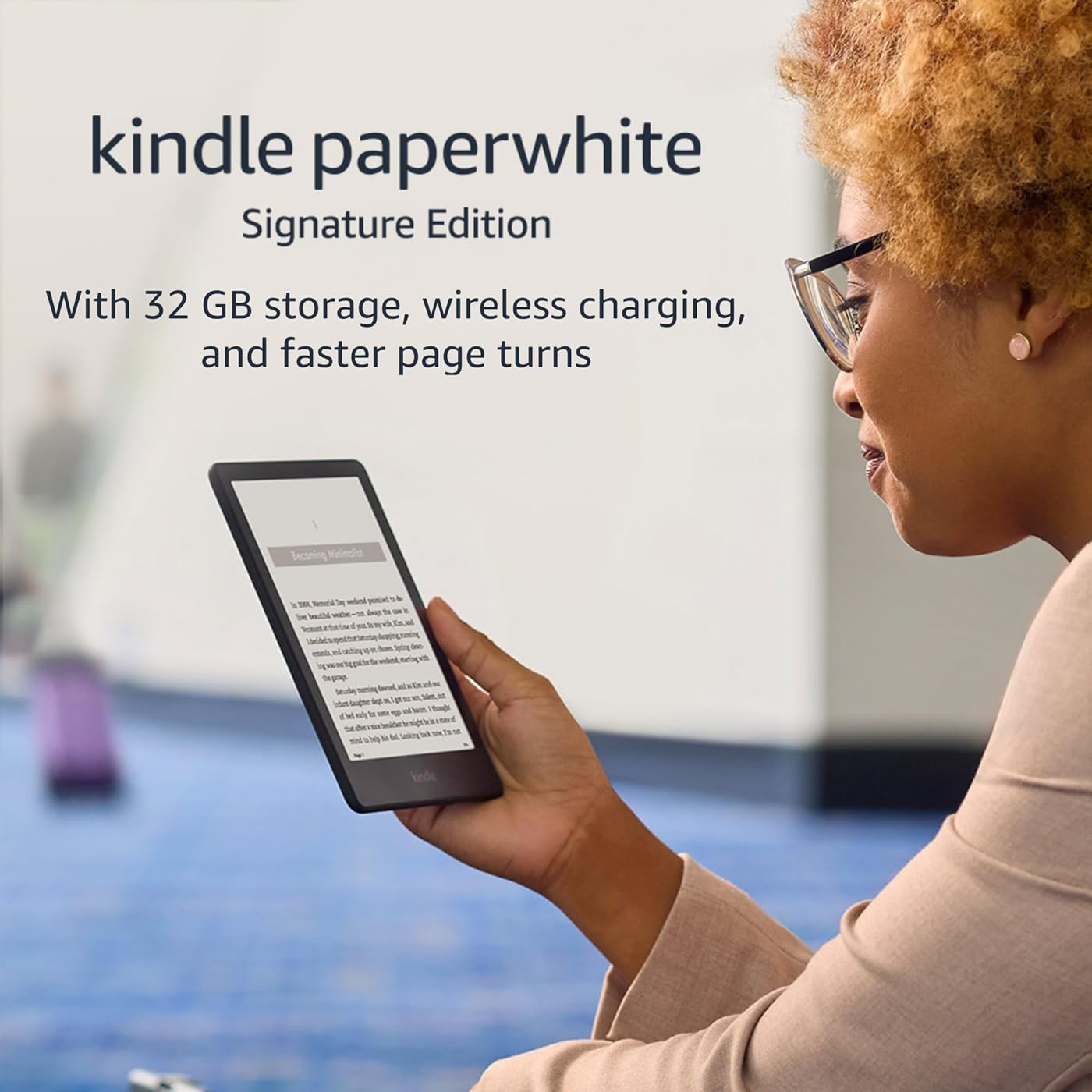
Amazon Kindle Paperwhite Signature Edition (32 GB) – With auto-adjusting front light, wireless charging, 6.8“ display, and up to 10 weeks of battery life – Without Lockscreen Ads – Black
Condition: Used - Good


Notify me when this product is back in stock
Buy Now, Pay Later
As low as
$13.69
/ mo
Learn more
- – 6-month term
- – No impact on credit to apply
- – Instant approval decision
- – Secure and straightforward checkout
Payment plans are offered through our trusted finance partners Klarna, Affirm, Afterpay, Zip, Apple Pay, and Google Pay. No-credit-needed leasing options through Acima may also be available at checkout.
Learn more about financing & leasing here.
Selected Option
Free shipping on this product
30-day returns
Learn more
This item is eligible for return within 30 days of receipt
To qualify for a full refund, items must be returned in their original, unused condition. If an item is returned in a used, damaged, or materially different state, you may be granted a partial refund.
To initiate a return, please visit our Returns Center.
View our full returns policy here.
Availability:
Unavailable
Recently Viewed


Color: Black
Option: Without Kindle Unlimited
Offer Type: Without Lockscreen Ads
Features
- Get more with Signature Edition Everything in the Kindle Paperwhite, plus wireless charging, auto-adjusting front light, and 32 GB storage.
- Purpose-built for reading With a flush-front design and 300 ppi glare-free display that reads like real paper, even in bright sunlight.
- More reading time A single charge via USB-C or compatible Qi wireless charger (sold separately) now lasts up to 10 weeks.
- Adjustable screen Now with adjustable warm light and auto-adjusting front light for a personalized reading experience, day or night.
- More books in more places Store thousands of titles, then take them all with you.
- Find new stories With Kindle Unlimited, get unlimited access to over 2 million titles, thousands of audiobooks, and more.
- Go hands-free Pair with an Audible subscription and Bluetooth headphones or speakers to listen to your story.
Frequently asked questions
This product is currently out of stock. Please check back later for shipping info.
Yes, absolutely! You may return this product for a full refund within 30 days of receiving it.
To initiate a return, please visit our Returns Center.
View our full returns policy here.
To initiate a return, please visit our Returns Center.
View our full returns policy here.
- Klarna Financing
- Affirm Pay in 4
- Affirm Financing
- Afterpay Financing
- Zip Pay in 4
- Financing through Apple Pay
- Financing through Google Pay
Learn more about financing & leasing here.


Top Amazon Reviews
Color: Denim
Option: Without Kindle Unlimited
Offer Type: Without Lockscreen Ads
As you probably know, the kindle paperwhite is black and white and is used as a dedicated e-reader for books and other reading material. I've happily worn out several generations of kindle paperwhites because I read so many books, and I've given away about a dozen (new) kindles as presents over the years. The idea of within a minute retrieving any book in my library or getting a brand new book is simply irresistible. The kindle paperwhite is a great e-reader. Note that it frequently goes on sale so try to time your purchase so you can save $$. These are the things I like about it: * PORTABLE The kindle paperwhite is light and fits easily into my purse, even with a cover. By the way if you get a kindle definitely get a cover as well to protect it. There are many attractive ones besides just the official amazon covers. Or if you can live without the Signature edition, to save a little $$ buy the kids paperwhite kindle which comes with a case. (This is the exact same device as the regular kindle paperwhite -- just navigate out of the kids section on the device and don't forget to d/c the kids subscription). * WATERPROOF The kindle paperwhite is waterproof. Indispensable for the pool or bathtub. * EASY ON THE EYES The screen lighting of the kindle paperwhite is adjustable and reading is pleasant. I prefer to read with black background and white letters. (Settings > Accessibility > Invert Black and White). You can change the brightness by swiping down from the top and finding the "Brightness" setting. And don't forget you can change font and text size as well. When your book is open simply touch the top of the screen, select Aa > Font then adjust as you want. * READ TO YOU EVEN IF YOU DON'T USE AUDIBLE The kindle paperwhite reads to you even if you don't have audible books, alexa, or a phone app. Simply connect your bluetooth device to the kindle (Settings > Wi-Fi & Bluetooth > enable Bluetooth > select your device) then turn it on (Settings > Accessibility > VoiceView Screen Reader). You can adjust the volume and speech rate to your liking. * WIRELESS CHARGING -- SIGNATURE The Signature edition kindle paperwhite can be charged on your standard wireless phone charger. I turn the kindle upside down so the indicator lights are visible. EXTRA SPACE FOR AUDIBLE BOOKS -- SIGNATURE The standard kindle paperwhite has 8 GB storage which can store at least 2000 or 3000 ebooks or roughly 35 audible books. Newer kindle paperwhites have 16 GB. However the Signature kindle paperwhite has 32 GB which can store close to 160 audible books. (These numbers are from a quick browser search). Personally I like the text to speech feature on the kindle rather than subscribing to audible books since it's $$, but I use that extra space on the Signature to store other computer files that I don't want to lose. (You just attach the device to your computer and move files manually). _____ These are three things I don't like about the paperwhite software: * NO GAMES I really really miss the games. These were so fun to play for me and to entertain young ones. Please can we bring supportive software for games back? * KINDLE DEVICE HOME AND LIBRARY SCREENS Oh my gosh finding books is so confusing! Home lists books in order of last opened and while Library can be listed by title or author (three lines at top right screen give you "Sort by" screen), I find that if I don't remove books after I've read them things go berzerk. I hate having to scroll through long bars to find something. * COLLECTIONS IN AMAZON CLOUD Organizing books in the Amazon cloud is abysmal since you have only one layer of folders. If you have, say, science fiction books and mysteries, you either jumble them together in "Fiction" or else you have to make two separate folders that don't link. Please, Amazon, fix this. _____ Overall while the kindle paperwhite isn't *perfect* it's pretty darn close and lovely to read for books with plain text and even black and white images. PDFs and more complex images are difficult to see on the small screen and may do better with the Kindle Scribe which is larger. The kindle paperwhite and kindle paperwhite Signature is a great device for what it is meant to do -- read books -- and for that I will give five stars, although I am keeping my fingers crossed for software updates to make the experience even better.
...
show more
Reviewed in the United States on August 25, 2023 by Eclectic Reader
Color: Black
Option: Without Kindle Unlimited
Offer Type: Without Lockscreen Ads
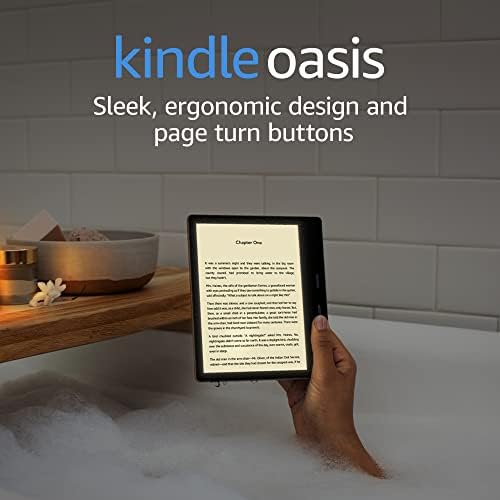
I own the 11th Gen (newest model 2022) standard Kindle Paperwhite and the Signature Paperwhite. I love them both. If dough is not the issue, I would buy the Signature model for fifty bucks more. Here’s some of my particular findings in use. Cases: Note that I do not like the Amazon cases because I don’t like folding over cover type cases; I prefer cases that simply help with holding the device. I purchased the “MoKo Case for 6.8" Kindle Paperwhite (11th Generation-2021) and Kindle Paperwhite Signature Edition, Ultra Clear Soft Flexible Transparent TPU Skin Bumper Back Cover Shell, Clear” from Amazon and it fits the Kindle ideally, and most importantly this case DOES go on the proprietary charging stand made by Anker and the charge does go through the case (that is, I do not need to remove the case to charge the Kindle in that charging stand). Battery: Amazon states that the Kindle 11th gen will hold a charge for 10 weeks, when used at limited brightness for 90 minutes a day (and a lot of other stipulations, like WiFi and Bluetooth off, etc). In reality, many may turn up the brightness, read more than 90 minutes, and Airplane mode on, or use other features that drain the battery faster (See audiobooks below). I have found that my battery drains faster than 10 weeks, but I am using the device with Airplane mode off, Wifi on, Bluetooth On. I do not like turning off wifi in particular because it MUST Be on to sync books between devices, and since I have two Kindle 11th gens, plus a MacBook, iPhone, iPad, and I read 5 books at a time simultaneously, I have no desire to turn wi-fi off. Thus, having Qi charging is helpful…not mandatory but helpful. Another BIG reason for the Qi charging is Audible audiobooks. I do listen to them through the Kindle itself, and the battery drains fairly quickly when listening to audiobooks. Memory Storage: The Kindle has 8 GB storage, but only 5.8 GB after their software OS. The Signature Kindle has 32 GB storage, but only 28 GB after their software OS (there is slightly different software between the two models as the Signature supports more menu and charging features). So if you love downloaded “off-line” reading, and in particular if you enjoy having audiobooks in your downloaded library (they take much more storage than an e-book), the 32 GB is reassuring. Auto-light adjust: I can’t even detect that it’s doing anything, but if one rides a train daily to work and it passes through dark tunnels, this feature may be of benefit to you. Advertising free: Many forget the $20 value of the ad-free that is part of the Kindle Signature. Even those that wouldn’t pony up for it on their own may enjoy it here as “icing on the cake” for the price difference. I like seeing my own book cover on the sleep screen, and that is not possible with the “with ads” version. I thought I enjoyed the ads for editors choice books and book sales and stuff, but I much prefer the ad-free model. And, little discussed fact, the ad-free version has one less swipe to get to your Library or current book every single time you turn on the Kindle. True! Dedicated Signature Charger Stand: I bought the Qi charging stand and like it greatly. It does work with my “MoKo Case for 6.8" Kindle Paperwhite (11th Generation-2021) and the Kindle Paperwhite Signature Edition, Ultra Clear Soft Flexible Transparent TPU Skin Bumper Back Cover Shell, Clear”., and charges through the case and the case fits the stand (but not quite as bump-proof as the Kindle without the case). I like that the stand sits quietly on my desk as I am working, or on my coffee table while I’m watching sports do I can read during commercials. I do not need to keep the AC cord attached to the stand at all times; sometimes I use the charger stand as simply a free-standing stand for either of my Kindles. I like that it can hold my Kindle 11th generation normal edition without Qi charging and I can read on it as an easel stand. I feel the utility as an easel stand is underrated. Qi chargers in general are not free, and neither are easel stands, so coupling those two together, you get the price of this Anker model. I find no issues with the size of the “wall wart” or the plug in the back of the stand. Some people complain with the charging stand that the white light indicator does not turn to another color, such as green, to indicate full charge. A “work around” for this is to place the charging Kindle on the stand upside down; now the LED light at the bottom of the Kindle device itself, which does change color when fully charged, is face upward and easily seen. Frankly, there is no issue with simply assuming the Signature PW is charged after an hour or two. I like this stand much more than I thought I would. I’ve owned every Kindle since the first one! I use library Libby, and am an Audible and Kindle Unlimited subscribers. I guess you could say I’m a “power user”. I definitely prefer the Signature version, but both are good readers. If I could change one thing about these Kindles, it would be to add a physical button like the Oasis. I realize that sounds outdated, but to reach and switch with the other hand, or reach thumb across screen to scrub, every page turn is a chore that is solved with an under-thumb button like Oasis. Additionally, the e-ink is good, but after two decades, one would think the text versus background contrast would be better…that is, darker text, whiter background. Instead, it remains darkest gray text in lightest gray background, not ideal. Happy reading!
...
show more
Reviewed in the United States on March 19, 2022 by WayneChicago