Search  for anything...

ACEDAYS iPad Cooler,Magnetic Tablet Cooler for ipad/Surface pro/Samsung Tab,Universal Radiator with Temperature Display for Mobile Gaming,Tiktok Live Streaming(Including Tablet Stand Holder)

  • Based on 541 reviews
Condition: New
Checking for the best price...
$49.99 Why this price?
Save $70.00 was $119.99

Buy Now, Pay Later


As low as $8.33 / mo
  • – 6-month term
  • – No impact on credit to apply
  • – Instant approval decision
  • – Secure and straightforward checkout

Ready to go? Add this product to your cart and select a plan during checkout.

Payment plans are offered through our trusted finance partners Klarna, Affirm, Afterpay, Zip, Apple Pay, and Google Pay. No-credit-needed leasing options through Acima may also be available at checkout.

Learn more about financing & leasing here.

Selected Option

Free shipping on this product

FREE 30-day refund/replacement

To qualify for a full refund, items must be returned in their original, unused condition. If an item is returned in a used, damaged, or materially different state, you may be granted a partial refund.

To initiate a return, please visit our Returns Center.

View our full returns policy here.


Availability: Only 2 left in stock, order soon!
Fulfilled by Amazon

Arrives Aug 5 – Aug 22
Order within 15 hours and 39 minutes
Available payment plans shown during checkout

Protection Plan Protect Your Purchase
Checking for protection plans...

Color: ipad cooler+Tablet Stand Holder


Features

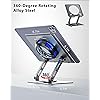
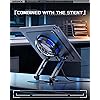
  • COOL DESIGNACEDAYS ipad cooler is new design,designed for tablets,laptops,steam deck,switch and others who use devices for extended periods.The fuselage was made of alloy,PC,magnet.It gives off colorful lights and LED temperature display when connected to the power.and there are two-stage refrigeration adjustment.
  • SIMPLE CONTROLNeed to plugged in. there are Two-stage refrigeration adjustment,including Icebound mode and Freezing mode.Built-in type-c port, plug-and-play. (The package include a Charging cable/ Magnetic disk/Tablet stand holder.)
  • RAPID COOLING DOWNThe ipad cooling case breaking through the power limit of traditional mobile phone radiators, the maximum power of laptop cooling slim reaches 20W.With the semiconductor technology, it's the same refrigeration principle as the refrigerator, not the ordinary fan cooling.Built-in 4040mm chilling plate,instant cooling when connect the power,no need waiting to avoid overheat and ensure stabilize your live streaming or gaming experience.
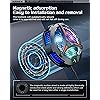
  • MAGNETIC SUCTION DESIGN The magnetic suction sheet consists of a highly thermally conductive steel plate and a strong adhesive, which can be used for a long time after a single installation. The heatsink will automatically absorb when it is close to it and will not fall off during use.
  • UNIVERSAL COMPATIBILITYThe tablet Radiator Perfectly supports tablets/ipad (up to 13 inches), and laptops (suggest in 13 inches). Such as 12.9-inch iPad Pro, 9.7-inch iPad,iPad mini 1-4, iPad Air, Microsoft Surface Pro3 4, Surface Pro 5, Surface Pro 6, Surface Pro 7, Surface Pro X, Surface Go 1 2, MacBook Air 13'' 2017 2020 MacBook Pro 13'',Dell XPS 13, Steam Deck,Switch,etc.

Description

Designed for tablets,laptops,steam deck,switch and others who use devices for extended periods.Built-in 40×40mm chilling plate. Keeps your device cool during gaming, video watching, or long working sessions — no more overheating, just smooth performance. Pairs with the radiator’s dedicated tablet holder for stable support and efficient heat dissipation. Keep your tablet cool and boost productivity with the Green Mech Tablet Cooler, ideal for gaming, streaming, and work. Keep your tablet cool for smooth, extended gaming with the Green Mech Tablet Cooler. ACEDAYS was founded by a group of young creators who believe that great tools can make life smoother and more enjoyable. We started with one simple idea — to help people work smarter and play better through thoughtful design and reliable cooling technology. From long gaming sessions to busy workdays, our products are built to keep you focused, efficient, and comfortable. Beat the heat, Ace the day.

Color: ipad cooler+Tablet Stand Holder


Brand: ACEDAYS


Material: Aluminum


Item Weight: 0.69 Kilograms


Cooling Method: Semiconductor


Brand: ACEDAYS


Manufacturer: South City Inc


Model Number: AD-ipad cooler 02


Mfr Part Number: AD-ipad cooler 02


Warranty Description: 1 Year


Color: ipad cooler+Tablet Stand Holder


Enclosure Material: Aluminum


Cooling Method: Semiconductor


Item Weight: 0.69 Kilograms


Frequently asked questions

If you place your order now, the estimated arrival date for this product is: Aug 5 – Aug 22

Yes, absolutely! You may return this product for a full refund within 30 days of receiving it.

To initiate a return, please visit our Returns Center.

View our full returns policy here.

  • Klarna Financing
  • Affirm Pay in 4
  • Affirm Financing
  • Afterpay Financing
  • Zip Pay in 4
  • Financing through Apple Pay
  • Financing through Google Pay
Leasing options through Acima may also be available during checkout.

Learn more about financing & leasing here.

Top Amazon Reviews


  • Magnetic iPad Cooler That Actually Reduces Throttling on Sustained Compute Workloads
Color: Black/Red
Running intensive apps on an iPad Pro M4 for extended sessions generates meaningful heat, particularly during video editing, running complex apps like LumaFusion, or using the device as a secondary display through Sidecar for extended periods. While the M4 chip is considerably more efficient than the processors it replaced, sustained workloads still result in thermal throttling on iPads over time, and that throttling manifests as noticeable performance reduction in compute-heavy tasks. The ACEDAYS magnetic tablet cooler came through the Vine program and I tested it specifically on the iPad Pro M4 in scenarios designed to stress the thermal management. The cooler uses a magnetic attachment mechanism that holds it against the back of compatible iPads and tablets without requiring any bracket, clip, or stand modification. On the iPad Pro M4 with its flat aluminum back, the magnetic hold is firm and the cooler does not shift or wobble in normal use. The magnetic strength is sufficient to hold the unit securely even when picking the iPad up and carrying it. The fan inside the unit is more powerful than I expected for the compact form factor. It runs noticeably quiet at lower speed settings and ramps up smoothly to higher output when you push it. The noise level at maximum is present but not disruptive in a normal work environment, and for most use cases the medium speed setting provides adequate airflow without significant fan noise. I tested thermal performance by running a sustained video render in LumaFusion that normally takes the iPad into significant thermal throttling after about eight to ten minutes. With the cooler attached and running at medium speed, the render completed faster than baseline and the system did not trigger the same degree of thermal throttling I observed without the cooler. I measured the back temperature of the iPad during the test and the cooler-side surface was noticeably cooler than a non-cooled reference session. The USB-C connection for power draws from the iPad itself, which is a consideration if battery life is important to your use case, but the power draw of the cooler is low enough that the performance benefit in sustained compute tasks offsets the battery cost. For iPad Pro users who regularly do sustained intensive work, this magnetic cooler is a practical accessory that delivers measurable thermal improvement. It does not eliminate heat but meaningfully extends the thermal headroom before throttling, which translates to more consistent sustained performance. ... show more
Reviewed in the United States on March 5, 2026 by Amazon Customer

  • Cooling pad
Color: Black/Red
Worked great use it every day great size for IPads
Reviewed in the United States on April 18, 2026 by Gloria J. Harris

  • A little air goes a long, long way!
Color: Black/Red
The tl;dr - this thing works *brilliantly*. Long version: I have a Surface Pro 9 which I use as an art tablet, and from which I'll sometimes stream my artwork. Running Clip Studio Paint and XSplit at the same time, while driving an external monitor and recording the stream to an external drive is kind of a lot of work for the SP9. The CPU is up to it, but there's no cooling inside a Surface Pro. The back of the device gets hot enough to deliver 1st-degree burns. Seriously. Sometimes the FRONT of the device would get hot enough that it would be uncomfortable to rest my hand on while I was drawing. But the real problem is that when it gets hot it starts dropping frames. I suppose that's better than it overheating and dying, but for the stream the end result is the same: no stream. I used to aim an external fan at the back of the Surface Pro, and this did an okay good job, but it was noisy and inconvenient. Enter the ACEDAYS cooler. I stuck the metal ring to the back of the Surface Pro, a bit to the left of center, where the device got the hottest. This off-center attachment let me keep the tablet mounted in a clamp, while still making room for the fan. The fan, by the way, is so quiet sometimes I forget to turn it on. I'm running an in-line rocker-switch to turn it on and off, which is more convenient for me than reaching around behind the tablet to flip the switch. It works brilliantly. No dropped frames, and the Surface Pro never gets hot. The LEDs flashing around the ring of the cooler would probably be annoying, but I can't see them from the front of the device, so that's not a "me" problem, it's a problem for people on the other side of the room. RECOMMENDATION: If you use a Surface Pro in any sort of an intense capacity, if it's getting hot to the touch, YOU NEED THIS FAN. It'll extend the life of your device, and it'll make your apps run more smoothly because the CPU thermostat won't have to throttle things back when it gets hot. ... show more
Reviewed in the United States on May 2, 2024 by Howard V. Tayler

  • Fantastic cooling. Must have for the ROG Ally Fantastic cooling. Must have for the ROG Ally
Color: Black/Red
I'm blown away at how well this works. I was able to increase my graphic settings significantly by adding this fan. I cut the back out of my protective case to make room for the fan. The only reason I'm giving this 4 stars instead of 5 is that my adhesive thermal Plate keeps coming unstuck... I cleaned the back of my ally before application, followed the instructions to the T.. not sure why it has trouble staying stuck on.. I don't know if it's a product issue or a ME issue. Either way this is an amazing fan especially at this price point. I ended up buying a 100w power supply to support my Ally and plug in this fan. Since the fan takes around 25w you'll need an additional power supply for it. Best thing to do is swap your original supply for a multiport 100w supply to have ample available power for your device and Fan. To help with cable management I secured the power cables to the fan and used cable ties to hold the two cables together. This helps prevent tangling and knotting. I highly recommend this fan ... show more
Reviewed in the United States on April 22, 2024 Reviewed in the United States on April 22, 2024 by Parker

  • Powerful cooling
Color: Black/Red
This cooler really cranks out the cold. It's impressive vs other coolers. This one is larger so won't fit on some devices as it's designed for tablets. I'm using this on my rog ally but I have a aftermarket back cover on my ally that has a heat plate and thermal pad to the apu so this thing makes a big difference in temps as it's cooling the heat plate and helping dissipate the heat quickly. The factory cover on the ally won't be as effective as it would just be cooling the back cover as there isn't any contact. It does cover a few of the vent holes but this keeps my temps in the 70s at 30 watt turbo and mid 80s if I have cpu boost on with lower fan rpms vs maxing out at 95c and throttling and fans ramping up to max with factory cover and no cooler. Make sure to place the clear film correctly as it helps prevent condensation getting inside which you don't want inside device after long playing sessions. Make sure to use an adapter that can do 9v not just 5v if you want to get the full potential out of this. If you have a steam deck, this one will be a little too big and cover the vents on the back so stick with the smaller one for steam deck. You'll also want the jsaux cooling backplate so you have direct contact with the thermal plate and pads or you'll just be cooling the back plastic mostly. This is by far the strongest magnetic cooling fan I have tried. ... show more
Reviewed in the United States on March 11, 2024 by Shadowpaw

  • It does cool my Surface in my thick protector case!!!!!!! It does cool my Surface in my thick protector case!!!!!!!
Color: ipad cooler+Tablet Stand Holder
I was very hesitant before I've bought this cooler, and was prepared to return it. I definitely won't return it, because it cools my Surface even when it's plugged in!!!!!!!
Reviewed in the United States on March 29, 2026 Reviewed in the United States on March 29, 2026 by sr4777

  • Way Cool - Edited Review to Include a Suggested Product Feature
Color: Black/Red
Great product! Surface Pro 3 w/Intel Core 7 6450U CPU. To locate ACEDAYS Cooler, recommend marking the center of the tablet's internal CPU cooler inlet air duct. Wash the tablet's back face with 91% isopropyl alcohol to ensure competent adhesion of ACEDAYS Cooler magnetic disk. Recommend centering the Magnetic Disk on the ACEDAYS Cooler back face. Remove adhesive cover sheet and center the Cooler-Magnetic Disk assembly over the tablet's internal CPU cooler inlet air duct. To ensure metal-to-metal contact between the magnetic disk and the bottom face of the ACEDAYS Cooler, wash both surfaces with 91% isopropyl alcohol to eliminate finger oils etc. that may otherwise degrade thermal conductivity. It remains to be determined if Thermal Paste would improve performance. Using HWMonitor, measured CPU Air Flow Temperature, Processor Utilization, and CPU Package Temperature at 2 conditions - idle and stressed (CPU Expert On Line CPU Benchmark) tests. Surface Pro 3 w/Intel Core I7 was operated at both conditions with cooler absent and present. Air Flow Temperature was allowed to stabilize at idle with Cooler Absent and Present as indicated prior to CPU Benchmark stress test. All temperatures are Celcius. I ran only ONE trial. Room temperature was not controlled. Configuration Test CPU Air Flow °C CPU Package °C max CPU Utilization % ----------------------------------------------------------------------------------------------------------- Cooler Absent Idle 40.0 55.0 29.2 Cooler Present Idle 40.0 52.0 13.0 Cooler Absent CPU Benchmark 47.0 91.0 117.4 Cooler Present CPU Benchmark 42 .0 91.0 111.9 Comments Because the Cooler indirectly cools the CPU by cooling the air within the Surface's internal CPU cooler inlet air duct, and not with direct contact with the CPU package, one should not expect the stressed CPU Package temperature to be measurably reduced. Indeed, the cooler has a significant effect on the stressed CPU Air Flow Temperature, namely a 5 °C or 10.6% reduction. My setup uses a iUNiKER Raspberry Pi 27W USB-C Power Supply. It's rated 27W @ 12 VDC and 25.5W @ 5.1 VDC. Will possibly review this PSU at a later date. Please note: neither the ACEDAYS Cooler nor the PSU have been "burned in." I find the color switching LEDs to be very blasé and NOT entertaining. I would very much like to disable them! A better product feature would make their product truly unique and very cool: Enable an user-adjustable LED strobe which could be adjusted to make fan blades appear to stop. ... show more
Reviewed in the United States on February 9, 2025 by Zoomie

  • Magnets do not work on aluminum constructed iPads Magnets do not work on aluminum constructed iPads
Color: Black/Red
Poorly finished with misaligned magnet on the back (see photo). Also the magnet is so week that it will barely attache to you fridge if you test it there. But the worst part is that they don’t attache to iPads at all because not even a strong magnet will work on aluminum, which iPads are made of. So, it’s worthless and the add is a complete lie. It will not attach to an iPad made of aluminum. ... show more
Reviewed in the United States on April 25, 2026 Reviewed in the United States on April 25, 2026 by Alan

Can't find a product?

Find it on Amazon first, then paste the link below.
Checking for best price...