Search  for anything...

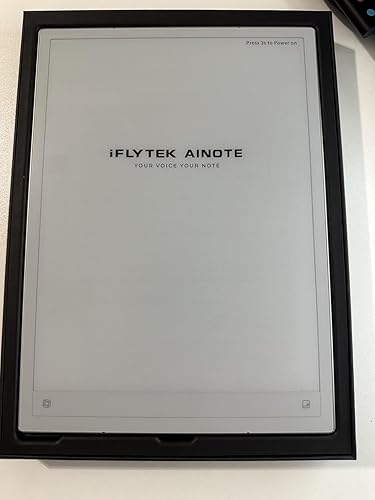
iflytek AINOTE 2, 10.65" E Ink Tablet with Recording & AI Meeting Summaries

  • Based on 129 reviews
Condition: New
Checking for the best price...
$649.00 Why this price?
Save $59.00 was $708.00

Buy Now, Pay Later


As low as / mo
  • – Up to 36-month term if approved
  • – No impact on credit to apply
  • – Instant approval decision
  • – Secure and straightforward checkout

Ready to go? Add this product to your cart and select a plan during checkout.

Payment plans are offered through our trusted finance partners Klarna, Affirm, Afterpay, Zip, Apple Pay, and Google Pay. No-credit-needed leasing options through Acima may also be available at checkout.

Learn more about financing & leasing here.

Free shipping on this product

FREE 30-day refund/replacement

To qualify for a full refund, items must be returned in their original, unused condition. If an item is returned in a used, damaged, or materially different state, you may be granted a partial refund.

To initiate a return, please visit our Returns Center.

View our full returns policy here.


Availability: In Stock.
Fulfilled by Amazon

Arrives Friday, Oct 2
Order within 21 hours and 40 minutes
Available payment plans shown during checkout

Protection Plan Protect Your Purchase
Checking for protection plans...

Features

  • Paper-Like Writing Experience (Frontlight-Free E-Ink Device):With 8 brush styles and low-latency handwriting performance, AINOTE 2 offers a writing feel similar to pen on paper. The frontlight-free E-ink display provides comfortable viewing under normal indoor and outdoor lighting. Note: Not intended for low-light or dark-room writing without external lighting.
  • Smart AI Assistance for Efficient Note-Taking (Requires Wi-Fi): AINOTE 2 includes AI-powered assistance that allows you to interact with selected text and access helpful suggestions for study, summarization, and organization. This feature supports a smoother workflow while keeping the writing experience simple and natural. Please note: This advanced AI feature may not be suitable for fully offline or confidential meetings.
  • 18-Language Transcription Support:AINOTE 2 supports multi-language transcription designed for meetings, lectures, and interviews. This feature helps capture spoken content and convert it into text for easier review and organization. Requires an active internet connection for transcription services. Accuracy depends on audio quality, speaker accent, and environment. Designed to assist note review, not for word-for-word professional transcription.
  • Ultra-Thin & Portable Design: At approximately 4.2 mm in thickness, AINOTE 2 is designed for lightweight portability. Its streamlined structure makes it easy to carry for daily work, travel, or study, while supporting extended use under typical operating conditions. The device offers up to 14 days of usage time when used for about 30 minutes per day with the remaining time in standby or powered off, and up to 113 days of standby time. Important: The device is not designed for use in extreme temperatures or harsh environmental conditions, which may affect performance or battery life.
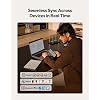
  • Schedule & Note Management: Manage schedules via supported calendar services, including Google Calendar. Notes can be marked with stars, triangles, or circles for task tracking and synced across AINOTE Mobile and PC apps. This allows cross-device note access and organization. Note: AI features and schedule sync require internet; offline access is limited to basic note-taking.

Description

Does AINOTE 2 have a built-in front light? AINOTE 2 has no built-in front light, and its 10.65-inch flexible E Ink screen relies on ambient light. It is comfortable to read in offices, meeting rooms, and natural light, but an external light is needed in complete darkness. Is there a difference in response speed between AINOTE 2 and a regular LCD tablet? AINOTE 2's 8-core processor delivers fast pen response and a smooth writing experience for notes, reading. However, due to the E Ink screen's inherent refresh limits, fast scrolling, video, and complex apps are less fluid than on LCD/OLED screens. What should I know about using Google Play apps on AINOTE 2? AINOTE 2 supports most Android apps via Google Play or APK files, but not all are optimized for E Ink. Some may run slowly, show ghosting, or display incorrectly. Videos, games, and dynamic apps may feel different from LCD tablets. What types of handwriting can AINOTE 2 convert into editable text? AINOTE 2 can convert print-style handwriting, standard cursive, headings, and paragraphs in your notes into text you can copy, search, edit, and export. Please note: clarity, slant, spacing, mixed languages, and page layout may affect recognition. Which features are included at no additional cost, and which require Wi-Fi or a paid membership? Free offline: Notes/Editing, Reading/Markup, Handwriting-to-Text, Export. Free online: Transcription, Translation, AI Features, Cloud sync/Access. Paid: Offline Transcription, Extra AI Models, Cross-Device Editing. See Member Center for details.

Brand: iflytek


Model Name: AINOTE 2


Memory Storage Capacity: 64 GB


Screen Size: 10.65 inches


Display Resolution Maximum: 1920×2560 pixels_per_inch


Brand: iflytek


Model Name: AINOTE 2


Generation: 2nd Generation


Included Components: AINOTE 2, Stylus Pen, USB Cable, User Manual


Warranty Description: 1 Year Manufacturer


Model Number: AINOTE 2


Specific Uses For Product: Note-taking, meeting transcription, lecture recording, study organization, task management, schedule planning, document reading, handwriting practice, brainstorming, interview transcription, digital journaling, work productivity, academic learning


Number of Items: 1


Style Name: minimalist


Manufacturer: iFLYTEK


Number of Packs: 1


Set Name: AINOTE


Item Highlight: Ultra-Thin 4.2mm Digital Notebook With Pen AI Note Taking, Multilingual Transcription & Translation, Handwriting-To-Text


Unit Count: 1 Count


Size: 10.65 inches


Model Series: AINOTE


Mfr Part Number: XF-DX-B311E


Hardware Interface: Bluetooth 5, USB Type C


Wireless Technology: Bluetooth, Wi-Fi


Cellular Technology: 5G


Connectivity Technology: Wi-Fi


Wireless Compability: 802.11ac, 802.11ax


Video Capture Resolution: NO SUPPORT


Camera Description: Not supported


Operating System: Android 14


Item Weight: 0.81 kg


Item Dimensions L x W x Thickness: 9.7"L x 7"W x 0.17"Th


Human-Interface Input: Touchscreen with Stylus Support


Graphics Description: Integrated


Compatible Devices: Google Play Apps, Kindle, Kobo, Stylus


Warranty Type: Limited


Software Update Supported to Date: unknown


Operating System Family: Android


Screen Size: 10.65 inches


Display Resolution Maximum: 1920×2560 pixels_per_inch


Display Type: e-ink


Native Resolution: 2048x1536


Aspect Ratio: 1610


Display Refresh Rate in Hertz: 60


Memory Storage Capacity: 64 GB


RAM Memory Installed: 4 GB


Battery Capacity: 4000 milliamp_hours


Battery Cell Type: Lithium Ion


Battery Power: 4000 milliamp_hours


Lithium-Battery Energy Content: 4000 milliampere_hour


Processor Speed: 2.2 GHz


Processor Description: Rockchip (model not specified)


Processor Brand: Rockchip


Other Special Features of the Product: Fast Charging, Stereo Speakers, Stylus Support


Frequently asked questions

If you place your order now, the estimated arrival date for this product is: Friday, Oct 2

Yes, absolutely! You may return this product for a full refund within 30 days of receiving it.

To initiate a return, please visit our Returns Center.

View our full returns policy here.

  • Klarna Financing
  • Affirm Pay in 4
  • Affirm Financing
  • Afterpay Financing
  • Zip Pay in 4
  • Financing through Apple Pay
  • Financing through Google Pay
Leasing options through Acima may also be available during checkout.

Learn more about financing & leasing here.

Top Amazon Reviews
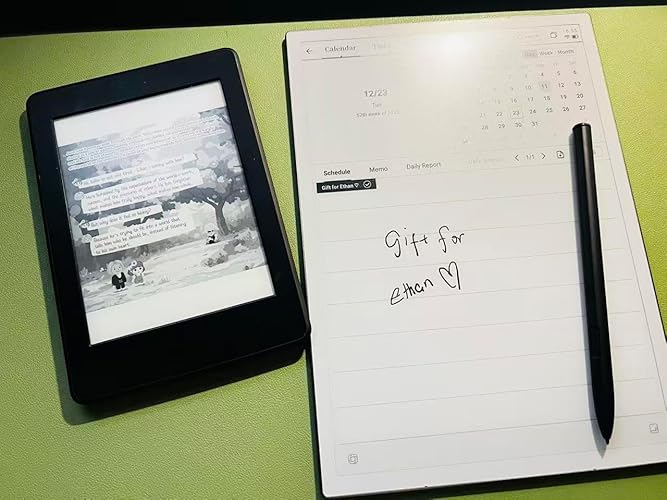

  • THE BEST AI notetaker, organizer, audio transcription and portable writing desk.
** This is the Best E-Ink Productivity Device I Have Ever Owned ** I purchased the iFLYTEK AINOTE 2 in December 2025, and it immediately became my daily go-to (driver) device. I use it consistently to take all notes, summarize meetings, coordinate my schedule, manage tasks, and keep track of everything from immediate priorities to long-term projects and sporadic ideas. I have owned and used many e-ink and digital note-taking devices over the years, including several tablets, Boox devices, Viwoods, digital pens, and was an early PDA user in the early 2000s (Compaq iPAQ). The AINOTE 2 is, by far, the best device of this kind that I have owned. It combines excellent note-taking, organization, audio transcription, meeting support, task management, and writing capabilities in a way that feels cohesive and genuinely useful in everyday life. This device has genuinely improved both my productivity and my ability to focus. As someone with ADHD, I often need a reliable system for capturing ideas before they disappear and organizing them into a workable daily structure. The AINOTE 2 helps me turn scattered thoughts, meeting notes, plans, and obligations into a clear and highly productive workflow. Instead of having information spread across notebooks, apps, scraps of paper, and different devices, I now have one place where I can capture, organize, and revisit nearly everything. Further, the iflytek system empowers me to easily create google tasks without leaving my notes, which means I can seamlessly create new action items without leaving the work/mental flow of the current meeting. The AI transcription software has been especially valuable for my work. I can record long-form interviews and meetings, add timestamped notes at important moments, and receive a fast, highly usable transcription and summary shortly afterward. I can then search across the original files, full transcript, and generated summary to quickly locate specific comments, decisions, themes, or follow-up items without replaying an entire recording. The AINote 2 has been a tremendous benefit to me as an ethnographer and executive director who regularly conducts extended interviews, organizes community events, and facilitates meetings among diverse participants. It saves hours of administrative work, improves the accuracy of my records, and allows me to remain focused on the people and conversations in front of me rather than constantly taking notes. The iflytek transcription software pays for the device many times over, when compared with the previous costs for transcribing at around $300+/interview. It is currently around 95% accurate, and is easy to check the audio for any necessary corrections. Screen quality is great, the writing experience is perfect with no lag, the software updates have been regular and impressive, and the customer service responsiveness has been exceptional. They pushed a patch directly to my device to fix a minor problem, and have continued to check in on my satisfaction with the product. **IMPORTANT** Check with your IT department about using this on your system - do your research on the company and decide if they are a good fit for you and your work. The only real downsides I experienced with the device were the lack of backlight (a tradeoff for its size, though I would prefer the light) and the lack of customization for the look and feel. That said, a simple pocket flashlight fixes the backlight issue, and you can install android software to reskin the whole experience if you prefer (i.e., Nova Launcher). For anyone looking for an e-ink device that can serve as a serious daily productivity tool—not merely a digital notebook—the iFLYTEK AINOTE 2 is exceptional. It has become central to how I organize my work and my life, and I could not recommend it more highly. If you are a professional, student, and/or have ADHD - this is the personal digital assistant you have been looking for! ... show more
Reviewed in the United States on July 22, 2026 by GP

  • Screen flex kills an otherwise solid tablet
Hardware quality overall seems pretty good, and the software is solid. My issue is with the screen. For what this thing costs, writing on certain parts of the display feels like something is wrong with it. The bottom portion of the screen flexes noticeably when you’re using the on-screen keyboard. It’s distracting and honestly kind of annoying. The top and middle of the screen feel fine with minimal flex, which makes the bottom stand out even more. You can see what I’m talking about in the attached video. I’ve reached out to support and I’m waiting to hear back on whether this is a defect or just how it’s supposed to be. If this is “working as intended,” I’ll probably end up returning it. That much flex is too distracting to ignore, especially at this price point. Update from Support, I returned it: The device uses a flexible screen, which is designed to provide a softer and more comfortable writing experience. Because of this flexible structure, slight movement or floating when pressed is expected. There are components located beneath the upper part of the screen, while the lower part does not contain internal components, so it may feel slightly more flexible when pressed. This is part of the normal design and does not affect the device’s performance. ... show more
Reviewed in the United States on March 1, 2026 by L. S.

  • If you want to stop scrolling read this review...
I have literally tried or owned most of the e-ink devices, and beyond a few things here and there if you are looking for something that will automatically integrate and sync all of your calendars, record and transcribe your meetings with AI, organize your tasks, e-reader, and AI functionality at the ready for quick reference, this is the product to have as of now. Comparing to some of the products that I have used like the Remarkable Pro. The Remarkable Pro like all Remarkables has probably the best writing experience, but very limited integration. Yes, you get color and a backlight, but turn up the backlight and watch how quickly the battery drains. The AI on the Remarkable is limited to word searches and transcribing written text, but it should be noted that it only transcribes written text from their own templates. I don't know about you, but keeping up with charging all your devices constantly is turning into quite the task. Plus, the Remarkable Pro lacks real time integration to all of your calendars, and yes, the idea is to minimize outside distractions, but let's be serious, not being able to have a real time work calendar to organize around every thing in your life will end up just minimizing productivity. The Pro has also gotten thick and heavy. If the Remarkable's limited app access world works for you, I actually think the Remarkable 2 with the battery life, weight, and without the backlight is a more useful work product. Remarkable does have probably the easiest ability to upload pdf documents although it is not hard to load pdf documents into an iFLYTEK AINOTE 2 just different. I briefly tried the Boox 4c and the Viwoods tablets, but ended up returning them. The AI was not as useful to me, and not having full access to the Play Store limited my ability to integrate real time calendar updates that I could work with. If your company has any kind of cyber security, there is no way they will grant access to Boox or Viwoods when they are not certified with the Google Play Store. The iFLYTEK works flawlessly in that area with a full working Android OS with full access to the Google Play Store. I still have a 1st generation Kindle Scribe, and the battery life with a backlight is amazing and so is the AI transcription of your written text, but no integration of a real time working calendar is a deal breaker for me. So if I were to create the perfect product it would have the backlight and battery management of the Kindle Scribe, the writing experience of the Remarkable, the memory card expansion of the Boox or Viwoods, color capability, and the AI functionality, tablet size, and full access to the Play Store of the iFLYTEK AINOTE 2. There is a product that I was looking forward to seeing called the TCL AI Note Nxtpaper, which looked promising, but the reviews have been disappointing. If iFLYTEK made this exact product with color and a back or front light, it would easily be the best work productivity product out there. Until then, I would take this product over any of the others. ... show more
Reviewed in the United States on March 27, 2026 by Brad Carducci

  • Replacing, takes significantly longer than when you buy it. It is not a good experience.
I got a faulty pen that doesn’t work and it’s been a week and I’m yet to receive a replacement. I cannot write on it. I don’t believe there’s anything wrong with the tablet though I haven’t been able to fully test it
Reviewed in the United States on May 13, 2026 by Francis Kiragu

  • A Must-Have for Efficiency
I’ve been using the iFLYTEK AINOTE 2 for a few now, and it’s completely transformed how I work and study. As someone who juggles meetings, research, and personal projects, this device has become my go-to tool for staying organized. Key Highlights: Natural Writing Experience: The Wacom stylus glides effortlessly across the 10.65-inch matte screen. Whether jotting down meeting notes or sketching ideas, the near-instant responsiveness makes it feel just like writing on paper. I’ve even started using it for quick doodles during brainstorming sessions! Fingerprint Security: The built-in fingerprint scanner is a lifesaver. No more forgotten passwords or typing delays – just a quick tap to unlock. Perfect for professionals handling sensitive data. Screen & Portability: Despite its 10.65-inch size, the device stays surprisingly lightweight thanks to the aluminum frame. I’ve carried it in my work bag for hours without discomfort. The high-resolution screen is crisp for reading PDFs or highlighting articles, and the adjustable front light ensures comfort during late-night sessions. AI-Powered Transcription: The real-time voice-to-text during meetings is nothing short of brilliant. It accurately captures accents and even distinguishes overlapping speakers. Pairing this with AI-generated summaries has cut my post-meeting note-review time dramatically. Durability & Build: The metal body feels premium and scratch-resistant, though I’ve added a silicone case for extra peace of mind during travel. No overheating issues even during extended use. Minor Tweaks: Without the built-in backlight function, it will be inconvenient to use in low-light conditions - but I think this might have an impact on battery life more better. Looking forward to update - I hope that Gmail's emails can separate the advertisement emails from the regular emails. Final Verdict: I have been using Kindle for many years. I really like this kind of e-book that feels like paper. For anyone prioritizing seamless note-taking, AI integration, and portability, the AINOTE 2 is worth every penny. Highly recommend! ... show more
Reviewed in the United States on December 13, 2025 by JK

  • Clean useful everyday note taking
I really like this iFLYTEK ai note. After two weeks of exploring, it has become my everyday use. the interface is clean and easy to use. And the instructions are comprehensive. When you turn it on, the default screen opens directly to the note app. On the left side, there are tabs for schedule and reading along with email, apps and settings. The note taking function is very powerful. It offers a variety of templates for different purposes. I most often use the plain note and the weekly planner. The builtin ai is especially helpful during zoom meetings-it records and summaries meetings very effectively. The weekly planner template is well designed, with sections for plans, to-dos, and important items, which perfectly matches my need. Another feature I really appreciate is the built in reading function. It includes a bookshelf and a bookstore. There is no need for a separate pdf reading app. Importing pdf files into the bookshelf is easy, either via Wi-Fi or usb. The reading and annotating pdfs with the pen feels smooth and satisfying. The 10.65” size is just right. Without logging into any accounts, you can use it without being distracted by emails or messages, which is extremely helpful for staying focused. Overall, I really like this iFLYTEK ai note. So far so good. ... show more
Reviewed in the United States on December 24, 2025 by Riley

  • iFlytek AINOTE 2 — Significant Security Concerns and Poor Apple Integration
Performance & Hardware: The device excels as a high-contrast writing surface for outdoor use. The E-Ink display is crisp and ideal for practicing Chinese characters in direct sunlight. However, the hardware feels let down by its software. The UI is sluggish, page transitions are slow, and the lack of an accelerometer makes manual rotation a frustrating—and often non-functional—process. Major Security & Privacy Flaw: The most concerning feature is the "Lock Screen" implementation. The device defaults to displaying the user's handwritten signature on the screen while locked. Because E-Ink displays maintain an image without power, your personal signature remains visible to anyone indefinitely. To protect my identity, I had to replace my signature with a generic character. This is a significant oversight for a modern productivity device. Ecosystem & Value: Despite being marketed as Apple-compatible, there is no dedicated iPad app. For users in the Apple ecosystem, this fragmentation is a dealbreaker. Furthermore, basic cloud syncing is hidden behind a subscription paywall. Final Verdict: Unless you specifically need an outdoor digital notepad and are comfortable with "offline-only" use to avoid subscriptions, this device is a poor value. It is better than a basic writing pad, but far too unpolished for its premium price tag. Since you're sticking to the "Apple Notes scan" method to move your practice to your Mac, at least you’ve found a way to make it useful without feeding into their subscription model. ... show more
Reviewed in the United States on April 28, 2026 by John 周俊恩

  • Very light and premium
Absolutely thrilled with the iFlytek AINOTE 2! This device has completely transformed how I organize my work and studies. The 10.65" E-Ink screen is incredibly easy on the eyes for long reading sessions, and the ultra-thin 4.2mm design makes it feel light and premium. The AI note-taking is the true star. The handwriting-to-text conversion is impressively accurate, turning my messy scrawls into clean digital notes. The integration of ChatGPT-5 is a game-changer for brainstorming and refining ideas directly on the page. Furthermore, the voice-to-text transcription is remarkably fast and supports multiple languages flawlessly, which is perfect for my international meetings and language learning. It’s the perfect fusion of a distract free digital notebook and a powerful AI assistant Highly recommended for any professional or student seeking smarter way to capture organize, and create! ... show more
Reviewed in the United States on January 3, 2026 by Cathy Steinruck

Can't find a product?

Find it on Amazon first, then paste the link below.
Checking for best price...