




i-tec USB Type C to DisplayPort Adapter, 4K Video, Supports 2 External Displays
Condition: New




$58.41
Buy Now, Pay Later
As low as
$9.74
/ mo
Learn more
- – 6-month term
- – No impact on credit to apply
- – Instant approval decision
- – Secure and straightforward checkout
Ready to go? Add this product to your cart and select a plan during checkout.
Payment plans are offered through our trusted finance partners Klarna, Affirm, Afterpay, Zip, Apple Pay, and Google Pay. No-credit-needed leasing options through Acima may also be available at checkout.
Learn more about financing & leasing here.
Free shipping on this product
30-day returns
Learn more
30-day refund/replacement
To qualify for a full refund, items must be returned in their original, unused condition. If an item is returned in a used, damaged, or materially different state, you may be granted a partial refund.
To initiate a return, please visit our Returns Center.
View our full returns policy here.
Availability:
20 left in stock
Arrives
Dec 30 – Jan 3
Recently Viewed


At a glance
- Condition
- New
- Model
- 3G60117
- Dimensions
- 2.76 x 2.36 x 0.59 in
- Weight
- 60 g
- Color
- black
- Connector Type
- usb
- Power Plug Type
- No Plug
- Works with
- Laptop, Monitor, PC, Projector, Tablet, Television
Features 4
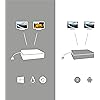
- Extend your desktop with two external DisplayPort monitors. Supports 2x 4K Ultra HD video with resolution up to 3840 x 2160 px and stereo sound.
- macOS: Only mirror functionality can be used on external monitors. The external monitors will always mirror the content shown on your notebook screen. To use with multiple monitors a different i-tec video adapter must be used.
- The adapter is an excellent choice for designers, graphic designers, gamers, and other users working with more than one screen.
- Automatic driver installation. Plug the adapter into the USB-C or Thunderbolt 3 port on your computer, connect the Display Port cables, and immediately start using two monitors.
Description
- Extend your desktop with two external DisplayPort monitors. Supports 2x 4K Ultra HD video with resolution up to 3840 x 2160 px and stereo sound.
- macOS: Only mirror functionality can be used on external monitors. The external monitors will always mirror the content shown on your notebook screen. To use with multiple monitors a different i-tec video adapter must be used.
- The adapter is an excellent choice for designers, graphic designers, gamers, and other users working with more than one screen.
- Automatic driver installation. Plug the adapter into the USB-C or Thunderbolt 3 port on your computer, connect the Display Port cables, and immediately start using two monitors.
Specs 17
| Specific Uses For Product | Monitor,Television |
|---|---|
| Connector Type | usb |
| Color | black |
| Item dimensions L x W x H | 2.76 x 2.36 x 0.59 inches |
| Number of Ports | 2 |
| Power Plug Type | No Plug |
| Brand | i-tec |
| Model Number | 3G60117 |
| Global Trade Identification Number | 37 |
| Manufacturer | i-tec |
| Mfr Part Number | 3G60117 |
| Item Dimensions | 2.76 x 2.36 x 0.59 inches |
| Item Weight | 60 g |
| Package Quantity | 1 |
| Unit Count | 1 Count |
| Number of Items | 1 |
| Finish | Mirror |
No specs match.
Frequently asked questions
If you place your order now, the estimated arrival date for this product is:
Dec 30 – Jan 3
Yes, absolutely! You may return this product for a full refund within 30 days of receiving it.
To initiate a return, please visit our Returns Center.
View our full returns policy here.
- Klarna Financing
- Affirm Pay in 4
- Affirm Financing
- Afterpay Financing
- Zip Pay in 4
- Financing through Apple Pay
- Financing through Google Pay
Learn more about financing & leasing here.
Similar Products










Top Amazon Reviews
No reviews yet