Search  for anything...

HUANUO Computer Monitor Wall Mount for 22"-35" Screens, Gaming Wall Mount Monitor Arm Holds up to 26.4lbs, Vesa Mount with Tilt, Swivel, Rotation, Supports 75x75mm, 100x100mm, 200x200mm, Black

  • Based on 2,580 reviews
Condition: New
Checking for the best price...
$31.99 Why this price?
Save $18.00 was $49.99

Buy Now, Pay Later


As low as $7 / mo
  • – 4-month term
  • – No impact on credit to apply
  • – Instant approval decision
  • – Secure and straightforward checkout

Ready to go? Add this product to your cart and select a plan during checkout.

Payment plans are offered through our trusted finance partners Klarna, Affirm, Afterpay, Zip, Apple Pay, and Google Pay. No-credit-needed leasing options through Acima may also be available at checkout.

Learn more about financing & leasing here.

Free shipping on this product

FREE 30-day refund/replacement

To qualify for a full refund, items must be returned in their original, unused condition. If an item is returned in a used, damaged, or materially different state, you may be granted a partial refund.

To initiate a return, please visit our Returns Center.

View our full returns policy here.


Availability: In Stock.
Fulfilled by Amazon

Arrives Saturday, Aug 1
Order within 20 hours and 22 minutes
Available payment plans shown during checkout

Protection Plan Protect Your Purchase
Checking for protection plans...

Features

  • Full Motion for Enhanced Flexibility: This wall mount monitor arm offers smooth tilt (+35 to -35), swivel (180), and rotation (360). Easily adjust to the perfect viewing angle for work, gaming, or entertainment.
  • Space-Saving Design: The wall monitor mount folds flat against the wall (only 3.15"/8cm away) and extends up to 18.31"/46cm horizontally, with a height range of 11.81"/30cm. Integrated cable management keeps your workspace organized.
  • Comfortable Viewing & Easy Adjustment: HUANUO monitor wall mount offers smooth, one-handed height adjustments. Raise your monitor to eye level with this computer monitor wall mount to reduce neck and back strain for a more comfortable work environment.
  • Quick & Easy Installation: Setup takes under 10 minutes! Compatible with wood studs and solid concrete walls (not suitable for drywall). Ideal for use in bedrooms, living rooms, offices, or anywhere with walls.

Features

  • [Safer and Sturdier] Our ultrawide TV monitor arm is composed of high-grade die-casting and alloy frame. It widely fits 22 to 35 inch monitors weighing from 6.6lbs to 26.4lbs(3-12kg). Compared with the past iron screen mount, it is more than three times stronger. No need to worry about safety issues anymore.
  • [Unique Design] The included VESA extension strip expands the VESA board size to max 200 x 200mm, the monitor arm supports ultrawide monitors with a VESA size of 75 x 75/100 x 100/100 x 200/200 x 200mm. Compared with other similar TV monitor wall mounts, our ultrawide monitor stand covers almost all VESA sizes, giving you wider compatibility.
  • [Effective Space Utilization] The TV monitor wall arm can be folded against the wall with a distance of only 3.15"/8cm.(Max horizontal extension: 15.2"/38.6cm,14 /35.6cm at the highest and lowest point) When not in use, it will not take up much space! Cable management prevents cables from being scattered and tangled, making your workspace more tidier and more orderly.
  • [Adjustable] The gas spring vesa wall mount can remain completely stable at any angle without any extra work (tilt: +85 / -30,swivel: 180, rotation: 360). Angle or height adjustment can be accomplished easily with one hand, meeting your various viewing angles and working needs.
  • [Easy Wall Installation] Monitor wall mount can be used in a wider range of applications than monitor brackets that require desktop installation. Because it only needs one wall to set up, it can be used in a bedroom, living room, kitchen, airplane or anywhere with walls. And the installation only needs 10 minutes! (Note: Apply to concrete, brick and wood walls, the expansion bolts are needed for concrete and brick walls)

Product Dimensions: 41 x 10 x 25 inches


Item Weight: 5.92 pounds


Item model number: HNWSS4


Date First Available: July 16, 2020


Manufacturer: HUANUO


Country of Origin: China


Mounting Type: Wall Mount


Movement Type: Tilt, Swivel, Rotation


Brand: HUANUO


Material: Alloy Steel


Color: Black


Compatible Devices: Monitor, Television


Maximum Tilt Angle: 35 Degrees


Unit Count: 1.0 Count


Manufacturer: HUANUO


Number of Items: 1


Mounting Type: Wall Mount


Movement Type: Tilt, Swivel, Rotation


Compatible Devices: Monitor, Television


Maximum Tilt Angle: 35 Degrees


Enclosure Material: Alloy Steel


Color: Black


Minimum-Supported Screen Size: 22 Inches


Maximum-Supported Screen Size: 24 Inches


Brand: HUANUO


Manufacturer: HUANUO


Mfr Part Number: HNWSS4


Model Number: HNWSS4


Unit Count: 1.0 Count


Frequently asked questions

If you place your order now, the estimated arrival date for this product is: Saturday, Aug 1

Yes, absolutely! You may return this product for a full refund within 30 days of receiving it.

To initiate a return, please visit our Returns Center.

View our full returns policy here.

  • Klarna Financing
  • Affirm Pay in 4
  • Affirm Financing
  • Afterpay Financing
  • Zip Pay in 4
  • Financing through Apple Pay
  • Financing through Google Pay
Leasing options through Acima may also be available during checkout.

Learn more about financing & leasing here.

Top Amazon Reviews


  • Using it as a make shift key board arm tray Using it as a make shift key board arm tray
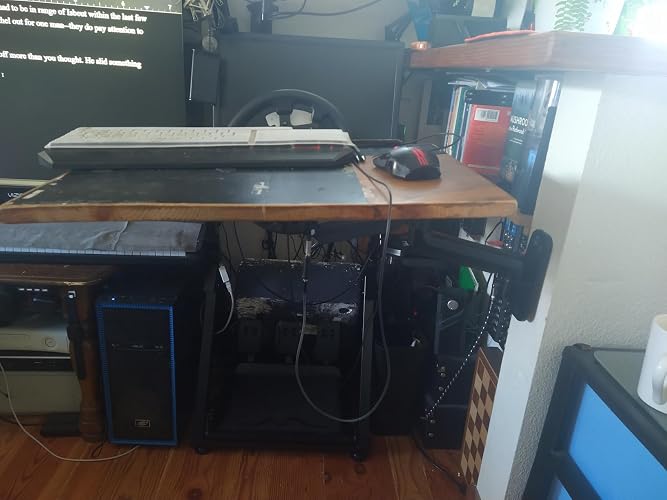
Wanted a key board arm and tray so I could sit and stand while using the computer. Noticed most were quite similar but 2-3x the price. Saw this on sale and it's working pretty well. Sitting down I use a flexible phone holder to stabilize the weak end. Fully extended or lowered it is most stable but it doesn't take too much effort to move so it takes a softer touch. Can't mash the keys like on a desk, but the adjustments and maneuverability makes up for a lot. The main draw back is the part that directly attaches to the monitor mount isn't very stiff and moves a little to freely. On a monitor or TV this might be fine but something you adjust frequently it offers problems. Used for a monitor it's a solid buy, if you want to use it as a keyboard tray expect to spend some time fine tuning. ... show more
Reviewed in the United States on June 7, 2026 Reviewed in the United States on June 7, 2026 by David V.

  • Nothing Fancy - Works Great Nothing Fancy - Works Great
Sturdy, well‑built monitor arm that’s perfect for a standard computer setup. I’m using it with a 24‑inch monitor, but it feels like it could easily support something heavier. It mounts with three screws into a stud—which might be overkill, but it absolutely isn’t going anywhere. Setup was simple, and the instructions were clear. You can position the monitor pretty much any way you want, and it doesn’t require much clearance between the desk and the wall. The overall size is comparable to other arms in this category, maybe even a bit more compact. There’s built‑in cable management underneath the arm, which keeps everything clean. Honestly, there’s not much more you could ask for. I’d definitely buy it again. If you want it to sound more formal, more casual, or more like an Amazon review, I can tweak it. ... show more
Reviewed in the United States on March 9, 2026 Reviewed in the United States on March 9, 2026 by txtrill

  • Nice Solid Monitor Mount with Good Range of Motion - but Beware of Common Mounting Misconceptions
This is an excellent mount and has no problem holding up an LG 27" monitor with increased tension to spare. I am buying another when the price comes down again (the price seems to fluctuate a bit). I noticed many of the one star reviews complained about two specific things: First, people complain that the mounting plate that attaches to the back of the monitor was not in the right position for mounting. This may be the case out of the box - but the mounting plate does (and is intended to) rotate and can be turned to the correct position. Granted, turning the monitor is a bit harder before the monitor is mounted as there is much less leverage, but it can be done without too much effort. Second, commenters complained that you could not adjust the tension out of the box, and the tension screw was in accessible in the position it comes in out of the box. I agree that this was confusing and I originally thought that this was a defect. But, according to the manual, and in practice, you should not adjust the tension until after the arm is actually mounted in the wall. Before you mount it on the wall, it is very tough to move the joint due to leverage issues - and this is the case even at the lowest tension. Once mounted on the wall, even at the highest tension, the leverage provided by the wall and the arm make it much easier to move the mount and access the tension screw to adjust it. It makes most sense to adjust the tension screw once the monitor is actually attached. While this issue is not a defect, it does make figuring out where to mount the arm to the wall a bit more difficult in the first place because it makes it a much harder to play around with the range of motion until after you mount it. This is why I took stars off on the "easy to install" metric. ... show more
Reviewed in the United States on September 8, 2022 by Dave43

  • Too Much Spring Action for Smaller Monitors Too Much Spring Action for Smaller Monitors
The HUANUO Computer Monitor Wall Mount has definitely improved the look of my desk setup. It’s built very solid, with a strong spring core and heavy weight, which gives it a sturdy feel and makes it great for its intended function. I love how secure my monitor feels once it’s mounted. This was a fairly easy install, just be sure to find a stud. That being said, the strong spring core can be a bit too much at times. This mount is rated for monitors starting at 22 inches, and for my secondary monitor (which is above my 34-inch main screen), I had some trouble getting it lowered to the height I wanted. The spring tends to push the monitor either all the way up or all the way down, with little to no middle ground even when adjusted the tension all the way down and then some. To achieve the perfect height, I had to rig it up with an Allen wrench (as shown in the picture), which worked, but not ideal. Because of this, I would recommend this mount for larger monitors, as that’s where the full range of adjustment motion can be fully utilized. If you have smaller monitors, you might run into the same issue I did. Overall, it’s a great, sturdy product, that would be great for larger monitors. This is a great value for the price and saves your desk from the clutter of monitor stands. The freed up desk space allows a much cleaner look as well. I’d give this mount 4 out of 5 stars. ... show more
Reviewed in the United States on January 22, 2025 Reviewed in the United States on January 22, 2025 by Brad R

  • Well crafted, heavy duty and very articulate TV wall mount/arm at a terrific low price!
A very well crafted, heavy duty articulating TV wall mount that I purchased two of for the two 32 inch curved screen Viotek PC monitors I recently purchased. I am very pleased with this item. Do be sure that your TV or monitor is of the appropriate size for the standard VESA attachment site, and that it's weight is within the recommended range for this TV wall mount's built in counterweight tension. This is necessary to allow for your screen to be pulled down towards you and hold its place without springing back up. The articulations are wide ranging enough to basically be able to fully move your screen in almost every direction you might want. I did find it a bit stiff at first but quickly got used to it and had no issues once I got the hang of it. Please note--its very important that this TV wall mount is secured into the studs in your wall! Otherwise you will rip it off the wall when trying to adjust it or it might fall off the wall itself, either way could result catastrophic consequences. This item arrives with all the necessary hardware, and it took me about 15 minutes to set it up, I actually bought two and had them both up side by side in roughly 30 minutes. The one tool not included that may be essential for safe installation is a stud finder for locating the studs in your wall to mount it to. As I stated earlier, anchoring the apparatus to the studs is critically essential for safe operation of this device! I do wish that I could have found this TV mount in a white color to match my two monitors but for the price I am happy with my purchase. In conclusion, this is a durable heavy duty TV mount offered at a killer price and I highly recommend that you purchase it for yourself. I hope my review is helpful, I decided to review this item because I found it to be of a high quality at a great price, and I gain nothing by writing this. -Jason Robert Litten ... show more
Reviewed in the United States on October 20, 2020 by Jason Robert Litten

  • Great for the price.
We bought two of these, based on reviews and specs. We have two fairly heavy 32" Dell monitors that needed wall mounts, and there are a lot of competing products. We liked the full motion adjustability this offered. Other reviews mentioned that they mounted a board against the wall (which went into the studs), and then attached this to the board. That is what we did, we bought a 2"x8"x 8 foot long board for $6 at Lowes, and had them cut it into two 4' boards. We then attached this mount to the monitor, set it to its maximum height, and measured the difference between the bottom of the monitor and the bottom of the mount (3"). We took off the mount, and decided on the (maximum) height of the monitor to the desk which was 8". This meant the bottom of the mount should be 5" above the desk for our monitors. We screwed each 2"x8"x4' board into the wall slightly below that 5", then attached the mount to the board (there was no stud where we wanted the arm mounted). Then we attached the monitor to the mount, which fit the Vesa bracket perfectly. The monitor was held up for the most part, but did begin to slowly sag. We used the hex key to tighten the vertical tension. It took two full revolutions, but the monitors have been held in place for 3 days now with no issues. We can adjust the monitor height (up to the maximum 8" we installed it at), and it holds in place. Some reviewers had issues with this, but we did not. Overall, these arms work better than we expected (we thought the monitors would be too heavy for it to hold, but that is not the case). We really like that we can swivel the monitors up and down, adjust the height, and turn them side to side. It's also easy to push the monitors up closer to the wall, or pull them out again. Update: March 22, 2021. It has been 4 months, and they still work just as they did on day one. We are still very happy with the purchase, and no issues at this time. ... show more
Reviewed in the United States on December 5, 2020 by Trellium

  • Not ideal for stud mounting and tilt adjustment is prone to droop Not ideal for stud mounting and tilt adjustment is prone to droop
Okay. Up front this was a huge disappointment for the following reasons: 1) the base plate mounts to the wall using 3 screws. The top two are offset, about 3/4 inch apart, and the bottom is centered (see photos). The problem is that mounting the base to studs behind a drywall is very problematic. The traditional USA stud is 2 inches, but in reality the width of the stud is rarely greater than 1.5 inches. Taking into account the diameter of the chunky attachment screws, you need to be very, very precise drilling holes, or you will end up with a splintered stud! I do not trust my stud finder to be that accurate! 2) The tilt adjustment is woefully inadequate. Mounting a 32 inch computer monitor (LG) it was almost impossible to stop the monitor from drooping. Even using the provided (Allen) hex key, it took the strength of a gorilla to stop the monitor from drooping; I was afraid I would snap the adjustment bolt! The problem here is a lack of friction. I overcame the offset screw issue by attaching a 3 inch wide block of wood to the wall, then attached the mount to the wood. Not what I'd call a great solution but it works. The drooping tilt mount issue was never fully resolved. I resorted to using an extension bar on the hex key - again, not what I'd call an ideal solution. There were two other issues, but they are minor and do not impact the usefulness of the mount. First, the cable guide on the upper arm is on the wrong side of the arm (should be above). This would help prevent snagging or pinching (of the cables). Second, the provide screw heads stand proud of the base mounting plate. This precludes any caps to hide the chunky screw heads. By no means a big issue, but disappointing. Would I recommend this mount arm? Nope. There are better mounts out there! The two issues mentioned are time wasters and reflect a product that was not intended for stud mounting. I've made them work, but my advice is to steer clear, especially if your house using drywall over 4x2 or 6x2 studs. The lack of friction in the tilt mechanism is also something of a show stopper in my opinion. ... show more
Reviewed in the United States on July 13, 2025 Reviewed in the United States on July 13, 2025 by Alastair G. Stell

  • Nice Arm Nice Arm
These arms fit my project nicely. I ordered 3 of these for a 27" monitor set up. Play close attention to Arm spacing and use a cardboard cutout the same size as your monitors to determine arm spacing width. The picture shows you the outer arms are at their limits, However I wanted the monitor mounting plate screwed into a stud. As you can see from the picture I used a length of wood to screw my monitor mounting plate into and then screwed the board into a stud. Use a stud finder with the ability to locate electrical wires before screwing anything into the wall. Screwing into the studs makes the monitor arms rock solid. Screwing the arms into both the mounting board and attaching it to the studs makes it a strong solid platform. The arms handle the weight of the monitors with no problem and you can adjust the tension if you like moving the monitors horizontally, but I don't do that type of work. The cable management system works and you can remove the cable management clips to thread the power and monitor signal cable through with no issues. Your desktop has more free space to place junk on and the monitors floating in the air just look very cool. Measure measure measure. This project took 3 hours to do because of locating the stud, finding a proper length of board and then mounting the monitor mounting plate to the board. I would suggest you get yourself some monitor mounting screws that you can tighten with your fingers and the proper length don't get long ones because you might use too much tension and damage your monitor. You will need to take a trip to your local hardware store to get an additional 6 x 2" wood coarse thread screws. Remember fine threads are for hardwoods like maple and oak. Pine studs are softwood. PS if you are going to be screwing into concrete or cinder block I recommend you get the steel expansion bolts and don't use plastic expanders. Although the hardware store guy will recommend plastic for your project insist on using steel. Pay extra for piece of mind. Good luck ... show more
Reviewed in the United States on May 8, 2021 Reviewed in the United States on May 8, 2021 by I. Cortes

Can't find a product?

Find it on Amazon first, then paste the link below.
Checking for best price...