Search  for anything...

Govee Envisual TV LED Backlight T2 with Dual Cameras for 55-65 inch TVs

Based on 6,886 reviews
Condition: New
Checking for the best price...
$111.99
Save $28.00 was $139.99

Buy Now, Pay Later


As low as $18.67 / mo
  • – 6-month term
  • – No impact on credit to apply
  • – Instant approval decision
  • – Secure and straightforward checkout

Ready to go? Add this product to your cart and select a plan during checkout.

Payment plans are offered through our trusted finance partners Klarna, Affirm, Afterpay, Zip, Apple Pay, and Google Pay. No-credit-needed leasing options through Acima may also be available at checkout.

Learn more about financing & leasing here.

Selected Option

Free shipping on this product

FREE 30-day refund/replacement

To qualify for a full refund, items must be returned in their original, unused condition. If an item is returned in a used, damaged, or materially different state, you may be granted a partial refund.

To initiate a return, please visit our Returns Center.

View our full returns policy here.


Availability: Only 10 left in stock, order soon!
Fulfilled by Amazon

Arrives Thursday, Oct 29
Order within 1 hour and 40 minutes

Available payment plans shown during checkout

Protect Your Purchase

Easy claims online, fast replacements, no fees

Checking for protection plans...

At a glance

Condition
New
Size
11.8FT
Model
H605C
Dimensions
5.71 x 3.35 x 6.1 in
Color
Multicolor
Material
Plastic
Indoor/Outdoor Usage
Indoor
In the box
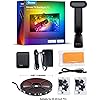
Light kit inlcuded

Features 7

  • Govee Patented Envisual Technology: Upgraded dual cameras provide more accurate color-matching along the edges. The striking visual effects from your favorite movies extend to the whole room, creating a private home theater and a truly immersive viewing experience.
  • Unlimited TV Content Compatibility: Govee TV LED backlights adjust in real time to TV content playing on the screen, such as TV shows, sports, and gaming sessions. Govee led lights for TV can create a festive atmosphere for indoor home decorations.
  • DreamView Light Show: The DreamView feature takes the TV LED lights to new heights of personalization, allowing movie lovers to connect multiple Govee lights together. Watch your entire space be bathed in a stunning array of vibrancy.
  • Functional App Control: Manage the Govee TV LED backlights with Govee Home App, which helps adjust brightness and color. Diverse modes include Energetic, Rhythm, Spectrum, and Rolling. Enjoy accessing multiple modes, including DIY, Holiday Party Mode, and Music Mode.

Description

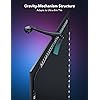
What’s the difference between Govee 3 Lite backlight H6099 and T2 backlight H605C? H605C is with dual-camera design and double the number of LED beads for improved color-matching performance, and the camera's gravity-stabilization structure allows for easier installation, including on ultra-thin TVs. Can other Govee lights sync with this backlight? This T2 backlight can be set as the main device via the DreamView syncing function in Govee Home App, allowing other Govee non-camera lights to sync with it via Bluetooth for full-room color-matching of on-screen content. Can the camera be placed at the bottom of the TV? Unlike T1 backlight (H6199), T2 backlight's dual camera uses a counterweight system that can only be mounted at the top of the TV. My color-matching is a little off. How can I improve performance? Firstly, adjust the saturation and white balance in Govee Home App. Next, make sure there are no other lights interfering with the camera, as bright direct light or on-screen light reflections can affect performance. Is the camera stable on top of the the TV? The dual camera uses a counterweight system, and once mounted, it does sit securly on the TV. Optional 3M stickers are included, and these can be placed on the counterweight's silicone grip for additional attachment strength. Govee TV Backlight T2 Govee TV Backlight 3 Pro Govee TV Backlight 3 Govee TV Backlight 3 Lite Govee TV Backlight 3 Lite Govee TV Backlight 3 Lite Govee TV Backlight T2

Specs 40

Color Multicolor
Brand Govee
Indoor/Outdoor Usage Indoor
Special Feature Color Changing
Light Source Type LED
Power Source Corded Electric
Light Color Multicolor
Theme Movie

Frequently asked questions

If you place your order now, the estimated arrival date for this product is: Thursday, Oct 29

Yes, absolutely! You may return this product for a full refund within 30 days of receiving it.

To initiate a return, please visit our Returns Center.

View our full returns policy here.

  • Klarna Financing
  • Affirm Pay in 4
  • Affirm Financing
  • Afterpay Financing
  • Zip Pay in 4
  • Financing through Apple Pay
  • Financing through Google Pay
Leasing options through Acima may also be available during checkout.

Learn more about financing & leasing here.

Top Amazon Reviews

🚀 Abunda's Overview

This is our summary and key points to consider based on customer reviews.


The majority of users highly rate the Govee product for its vibrant colors, versatility, and high quality. Despite minor challenges with installation on smaller or curved TVs and slight color calibration issues, the users found the product highly satisfactory. The T2 design was considered superior over the T1, with faster response speeds and a better overall effect.

Pros

  • 🌟 Very bright and vibrant colors
  • 🎨 Unlimited customization options
  • ⏱️ Less than 0.5 seconds delay for fast scenes
  • 🌈 Excellent color and brightness changes according to scenes
  • 🛠️ Easy and fun setup
  • 🎥 Innovative two-camera system in T2 design

Cons

  • ⚡LED calibration can sometimes be off
  • 📏 LED lengths may be too long for smaller TV sets
  • 🔧 Installation on curved screens or screens with irregular back surface might be challenging
  • 💡 Color match on pure whites and certain tones could be improved

Should I Buy It?

Yes, given the product's high quality, customizable options, and quick response times, it would be a worthwhile purchase. Despite minor drawbacks like slight issues with color calibration and installation, most users had positive experiences overall. The T2 design came highly recommended over the T1, especially for those who prioritize faster response speeds and a superior visual effect.


Well made for the price. More economical than the box they have now.
Size: 11.8FT
Does exactly what I expected and more! Since I bought this, Govee has released AI filters for movies and it does an even BETTER job with color accuracy than when I first set it up. It really is a sophisticated way of implementing AI into your product. Also, You can create scenes and custom profiles. Honestly I don't use 80% of that stuff because I have no need, but everything that I have tested at length works perfectly. Lights are responsive and the camera seems to be high quality. It even has a microphone so you can listen to music and the lights react to the beat. Caution: DO NOT press too hard on the light strips when applying them to the back of your TV. I think I pushed a single LED diode through the clear diffuser and the light did not look right when that specific LED was shining on the wall. I fixed this by placing a tiny amount of masking tape over that specific diode because all the light strips were already on the TV and I'm pretty sure that was my fault. I would suggest also plugging in the LED strips first to make sure they are working properly before applying them to your TV. Be careful when applying and the product is otherwise flawless in my opinion and well made. ... show more
Reviewed in the United States on June 21, 2026 by Eric

Colors don’t always match
Update: Excellent customer service. Look forward to trying their next generation of lights. I love Govee products overall. This one is hit and miss. In the dark, it’s fine and works great. But I noticed that depending on which lights are turned on in my living/dining room, the colors will not match. Whites come out as yellow and blues as green. Sometimes I can trick it by turning it on before the lights, but lately I find myself using just a single color instead of the camera integration. For the install, the lights on the corners don’t stick very well. Stronger adhesive and additional mounting tape/pieces would’ve been helpful. ... show more
Reviewed in the United States on March 30, 2026 by John R

⭐⭐⭐⭐⭐ Absolutely worth the upgrade!
Size: 11.8FT
I originally purchased the Govee TV Backlight T2 for the TV in my bedroom, and it has completely changed my viewing experience. The best way I can describe it is this: I was watching TV in my living room one night, and there was a scene that looked so visually stunning that my first thought was, “I need to see what this looks like upstairs with the T2.” I literally went to my bedroom, pulled up the same scene, and it looked incredible. The backlighting added so much depth and immersion that it felt like I was experiencing it in a whole new way. The dual-camera setup does an amazing job matching the colors on the screen. The transitions are smooth, the colors are vibrant, and it makes movies, shows, cartoons, and gaming feel much more cinematic. I previously owned one of Govee’s standard TV backlights, and while that was nice, the T2 is on a completely different level when it comes to accuracy and overall effect. Installation took a little patience, but once everything was calibrated, it was absolutely worth it. I’ve included a video in my review because photos don’t really capture how impressive it looks in person. Pros: • Excellent color accuracy • Responsive and immersive lighting • Huge upgrade over the standard backlight • Easy customization through the app • Makes movie nights and TV watching more enjoyable If you’re debating whether the T2 is worth the extra money, my answer is yes. It’s one of those purchases that makes you look for excuses to watch your favorite scenes all over again. ... show more
Reviewed in the United States on June 1, 2026 by Shannon

Great Visual Upgrade with Minor Quirks
I installed the Govee LED backlighting on my 98" TV, and overall, I'm really happy with how it turned out. Installation was pretty straightforward, but a couple things are worth noting. The adhesive clips used to secure the wires-especially around the corners-didn’t stick well at all. Even on my brand-new TV, I had to clean the surface thoroughly with alcohol before they’d hold at all (comes with small wipes). Definitely don’t skip that step. Out of the box, the lights along the top edge were noticeably brighter than the other sides, but thankfully that’s easily adjustable in the app. Speaking of the app-it’s packed with settings and controls. The color matching to on-screen content is decent. It struggles a bit during fast-paced action scenes or high-contrast changes, but overall, it still adds a great ambiance to the room and enhances the movie experience. One hiccup I did run into was the lights randomly resetting once, which wiped out my settings. I had to go back into the app and reconfigure everything. Not a dealbreaker, but a bit of a hassle. There’s also a power button on the physical controller that mounts to the back of your TV. Just make sure you place it near the side where you can actually reach it-otherwise, you’ll need to rely on the app to turn it off, since it doesn’t automatically power down when the TV shuts off. All in all, it’s a solid product that adds a premium feel to your setup, even with a few small quirks. Definitely worth it if you're looking to elevate your viewing experience. ... show more
Reviewed in the United States on June 25, 2025 by Brian

So much more than what I was expecting!
Size: 11.8FT
A while ago I bought an inexpensive screen backlight. It amounted to a generic strand of LED strip lighting that came with a cheaply-made remote control. All it really was was strip lighting, like what my teenage daughter put up in her bedroom. Well, there was one exception. The set I bought for my TV failed within a year. When this lighting set popped up as an almost-expired Lightning Deal, I bought it right away, only because of the good experiences I've had with other Govee products. When it arrived, I was amazed at its quality and capabilities. Unlike the previous strip of lights, the Govee lights were sealed. Also, instead of a single run of lights, which required some awkward bends at each corner, these lights consisted of four strips with built-in wires for corners, making the installation easier and more professional looking. The list of features is astounding. There are enough lights to make the result as bright as I need it, and everything is adjustable through their smartphone app. Thanks to the included camera, actually, there are three cameras built into the single sensor; I can have the lights around the TV change with the picture with no discernable delay. I also have the option to have the lights display a single color that matches the average color of the entire picture at that moment, and I prefer this: the color differs around the screen, depending on what is being displayed on that particular edge at any given moment. For example, if the TV is displaying a blue sky on top, a green field on the bottom right, and a house on the left, then the lighting will show blue on top, green on the right, and house-color on the left, And the match is not just the primary color, but the shade that matches the screen. The result is a picture that is easier to watch in a dark room because there is a smoother transition from the TV display to the darkness surrounding it. Installation took about an hour. It could have gone more quickly, but I was taking my time. However, I did learn one thing that would have made things go more quickly for me and might help you out as well. One installation step is to temporarily apply some large orange blocks to the edge of your TV screen and use the app to define the edges for the cameras by moving little dots to the edges of what the camera sees. What worked better for me was to have a brightly lit picture on my TV and move the dots to the edges without bothering with the blocks. Time will tell if these lights last longer than the previous set. However, based on what I've seen between the two sets and my experience with other Govee products, I expect they will, and by a good amount. And, until then, I have a much better set of lights and a more impressive TV. ... show more
Reviewed in the United States on March 24, 2025 by Bob Tobias

Hell yes
Size: 11.8FT
I was really, really hesitant about buying these. Since many "smart" things are overhyped, and ease-of-use issues and feature limitations often take away from marketing claims, and since every environment can be different, results can certainly vary and they might just possibly suck. In my case I have a very "busy" media room, where instead of a blank wall behind my television there's equipment, wires, pictures, objects, shadows, etc. So I was VERY wary about throwing these lights into the mix. Plus I was worried that the whole thing would just be distracting and annoying. Well I was wrong on all counts, these are awesome. Installation was a little tedious, but that was more because of my particular setup. My television has additional equipment and extensive wiring behind it, (a normal backlight for the tv area, three HDMI cables, network cabling, center speaker & wires, a projector, a power strip, power cables for all, etc.), so getting the light strips into place took two people to get it all measured, centered, and affixed correctly. This took the most time, (probably an hour total), but if it wasn't for the complexity of my own system, I think it would've been pretty painless. The light strips are affixed with double-sided tape already attached to the strips, (3M brand, good quality), so cleaning the adhesion areas on the television is key. Although Govee includes a couple of cleaning pads, it really isn't enough. I used some denatured alcohol and my own rag to get the areas fully cleaned. Once I measured the centerpoints of each strip and my television, attaching was easy with two people. The strips fit my television perfectly. Once attached, getting the Govee app installed and linked to Alexa was also easy. Figuring out the app features was a little tedious, as that section is rather bloated. There are quite a few "features" that I will never use, so it was all rather distracting there. Getting the lights on and into "video" mode was simple enough though. Included are numerous bright orange pads that are used to calibrate the camera sensor. It's an important step so don't forget it - putting the pads on the television and going through the calibration process gets the whole system dialed in correctly. Directions for this are included in the box, and also available in the app itself. The pads get placed in corners and centers of the television, and the camera remembers these spots so it knows the range of the television lighting. (Attached video shows the pads in place on the screen.) As for performance, my biggest hesitation was fearing that they'd be distracting and annoying, but they aren't at all. So far I've used these for movies, television shows, and Formula One races, both in daytime and at night, and I have zero complaints about any of it. They particularly shine in movies, as the immersion factor increases greatly. On the downside, my only real complaint is that the overall room lighting has a very substantial effect on how the lights perform - if there's any light reflections on the television screen it effects the brightness of the light strips. In my case - when the room lights were on, half the strips were at full brightness and the other half rather dim. I learned that shutting off the lights in the room gets it all back in trim, but that kind of sucks because I don't always watch the TV in darkness. But I guess it's no fault of the product itself because it does what it's supposed to do, (reads the light on the screen), and if that light balance is off, well... so are the light strips. Perhaps there's a way to counterbalance that in the app, but I haven't found it yet. Attached video shows a VERY color-intensive intro to the show Narcos Mexico. I suggest looking at the television itself instead of the lights, because that's what you'd normally be doing anyway. The video is an extreme case with all of the rapid color and scene changes, and I wish Amazon would still let you upload more than one video because I have other examples that aren't so intensive. (Really stupid, Amazon!) All in all, I'm totally satisfied and it's a definite positive addition to the media room. A side note for Formula One fans - anyone intending to use this with the lighting controls for the F1 Multiviewer app, well... they won't work. These lights don't have the LAN API feature necessary for the F1 app to change the lighting colors. (Boo!) ... show more
Reviewed in the United States on August 5, 2025 by ReyAce

Movie Theater Vibes at the Sound of My Voice! Your Guests Will Want One Too!
Size: 11.8FT
This has surprisingly helped lower my electric bill! I use these lights every evening while watching TV, and they provide the perfect amount of illumination, so I rarely need to turn on the room lights. The soft backlighting creates a cozy, movie theater-like ambiance that’s perfect for relaxing. The best part is the smart home integration. I have it connected to Alexa, and it’s always a hit with guests. Saying, “Alexa, turn the TV backlight on,” never fails to impress, and it works flawlessly every time. It’s one of those features you don’t realize you need until you have it and now I can’t imagine my entertainment setup without it. Highly recommended! ... show more
Reviewed in the United States on July 1, 2026 by Bre

Fantastic entertainment center addition but be ready to tinker with settings
Size: 16.4FT
Installation was a breeze on our 75" Vizio, but I recommend experimenting with the LED strip placement before sticking them down. On a 75" set the LED strips run the entire width and height of the outermost edges of the TV, so you want to be sure you have enough room to tuck away corner wires. The color performance is really impressive with almost zero lag between video and lighting updates. Be ready to do a lot of fiddling with the calibration and white balance settings to get them to your happy place (see screenshot for my final settings). It's not a perfect color match, but I was able to achieve a very pleasant, stylized complimentary color effect. The only color issue I've noticed is the sensor seems to have problems with green and almost always displays it in a yellow tone. As for gripes, there is a very hard division in colors along the bottom center of the screen... a spot where the colors don't always blend. I'm pretty sure it's something that might be corrected by adjusting the calibration squares, but I haven't found a sweet spot yet. Also, don't be afraid to try moving those calibration spots around outside the suggested areas... I found I could get better color response by moving the points in from the outermost edge of the screen. You'll also want to be aware of any light sources in the room as they'll affect colors... we had a table lamp reflection on the screen that caused an orange bloom in that corner. ... show more
Reviewed in the United States on December 19, 2023 by Rick in Colorado
Checking for best price...