

Search  for anything...

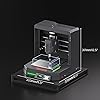
Genmitsu Cubiko Desktop CNC Router Machine with Enclosure for Beginners

  • Based on 11 reviews
Condition: New
Checking for the best price...
$399.00 Why this price?
Save $100.00 was $499.00

Buy Now, Pay Later


As low as / mo
  • – Up to 36-month term if approved
  • – No impact on credit to apply
  • – Instant approval decision
  • – Secure and straightforward checkout

Ready to go? Add this product to your cart and select a plan during checkout.

Payment plans are offered through our trusted finance partners Klarna, Affirm, Afterpay, Zip, Apple Pay, and Google Pay. No-credit-needed leasing options through Acima may also be available at checkout.

Learn more about financing & leasing here.

Free shipping on this product

FREE 30-day refund/replacement

To qualify for a full refund, items must be returned in their original, unused condition. If an item is returned in a used, damaged, or materially different state, you may be granted a partial refund.

To initiate a return, please visit our Returns Center.

View our full returns policy here.


Availability: In Stock.
Fulfilled by Amazon

Arrives Friday, Oct 23
Order within 18 hours and 49 minutes
Available payment plans shown during checkout

Protection Plan Protect Your Purchase
Checking for protection plans...

Features

  • Pre-Assembled Desktop CNC for Learning & DIY Projects: Ships factory-assembled to reduce setup time and help users get started faster with CNC workflows. Compatible with Genmitsu App, Fusion 360, Candle, Easel, and Carveco for flexible engraving and carving projects.
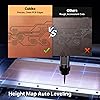
  • Auto Z-Probing & Height Mapping Support: Supports automatic Z-probing and surface mapping workflows to assist with PCB milling, engraving, and uneven material setup. Proper calibration and conductive probe connection are required for optimal probing performance.
  • Designed for Wood, Acrylic, PCB & Light-Duty Metal Projects: Suitable for engraving and light carving applications on wood, acrylic, PCB boards, plastics, and selected soft metals using appropriate tooling and machining parameters.
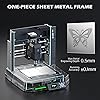
  • One-Piece Frame for Stable Engraving Performance: Built with a reinforced integrated frame structure to improve stability during desktop CNC carving and engraving operations. Ideal for hobby projects, prototyping, maker workshops, and creative CNC applications.
  • Enclosure Design with Dust & Noise Reduction: Includes a protective enclosure designed to help contain dust and reduce operating noise. The cover-open stop function pauses machine operation when the enclosure is opened for additional user safety.

Description

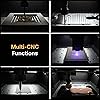
Comes pre-assembled to simplify initial setup and help users get started faster. Guided tutorials and community resources are included to support learning and project setup. Note: CNC carving requires proper calibration, tool setup, and material configuration for optimal performance. The Multi-Guard Enclosure keeps you safe and comfortable while you create — it stops instantly when the lid opens, lowers noise for a calm workspace, and blocks dust for a clean experience. The built-in probe automatically detects the perfect tool height. No guessing, no stress — just reliable results every time. Cubiko scans multiple points and automatically adjusts for perfectly even cuts — eliminating issues with uneven PCB boards. Choose fewer probe points for faster scans, or more points for higher accuracy. Expand your creativity with Cubiko’s wide compatibility. From drawing robot tool to 4th axis rotary module and polishing tools — one machine, endless ways to create. Is this CNC machine fully plug-and-play? The machine comes factory-assembled to reduce setup time, but CNC carving still requires basic calibration,software setup, and workflow learning. Guided tutorials are included to help beginners get started step by step. Is this machine suitable for beginners? Yes, beginners can learn with this machine, especially for wood and acrylic engraving projects. However, CNC workflows such as tool setup, zeroing, probing, and software configuration may require some learning and practice. Can this machine engrave metal? The machine supports light-duty engraving on selected soft metals using appropriate tooling and conservative cutting parameters. Performance may vary depending on material type, tool quality, spindle setup, and machining configuration. Does the machine require calibration before use? Yes. Like most CNC machines, proper calibration-including work zero, tool setup. material alignment, and probing is important for accurate carving results Which software is supported? The machine supports Genmitsu App, Candle, Fusion 360, Easel, Carveco, and other GRBL-compatible workflows. Small Footprint, Big Imagination. 4th Axis for Cubiko is now available! Finalist for the 2026 IEDA Awards Featured in German Make: Magazine

Manufacturer: ‎Genmitsu


Part Number: ‎185202102


Item Weight: ‎24.3 pounds


Product Dimensions: ‎13 x 13 x 12.48 inches


Item model number: ‎Cubiko


Material: ‎Metal


Power Source: ‎ac_dc


Voltage: ‎110 volts


Horsepower: ‎75 watts


Item Package Quantity: ‎1


Included Components: ‎Cubiko CNC Machine, Height Map Alignment Cable, Power Cord & Power Adapter, Tool Box, Wood Chip & Polycarbonate Sheet


Description Pile: ‎Corded electric


Date First Available: May 9, 2026


Frequently asked questions

If you place your order now, the estimated arrival date for this product is: Friday, Oct 23

Yes, absolutely! You may return this product for a full refund within 30 days of receiving it.

To initiate a return, please visit our Returns Center.

View our full returns policy here.

  • Klarna Financing
  • Affirm Pay in 4
  • Affirm Financing
  • Afterpay Financing
  • Zip Pay in 4
  • Financing through Apple Pay
  • Financing through Google Pay
Leasing options through Acima may also be available during checkout.

Learn more about financing & leasing here.

Top Amazon Reviews


  • yes its worth it. if you are deeply serious and passionate about this hobby
The Genmitsu Cubiko is an impressive piece of hardware, but labeling it strictly as a "beginner-friendly" machine is slightly misleading. While the physical setup and enclosure are approachable, the actual operation of a CNC router demands real foundational knowledge. I actually had to bring in my brother (who has years of experience as a 5-axis machinist running massive industrial shop machines) just to get it properly programmed and running. It works, and it works remarkably well, but only if you respect the process. The Reality of the Learning Curve This is not a plug-and-play gadget you unpack on a Saturday and master by Sunday evening. To get any meaningful work out of it, you have to invest serious time into learning the core mechanics of machining: Feeds and Speeds: Calculating the exact relationship between cutter RPM and feed rate to avoid snapping tiny bits or burning material. Workholding Mechanics: Understanding how to properly clamp and secure stock so it does not shift under lateral cutting forces, while using only the precise amount of pressure needed. Vibration and Rigidity: Managing chatter and harmonics, which is surprisingly complex on a desktop-scale aluminum chassis. The Software Pipeline: Mastering CAD (designing the part), CAM (generating toolpaths and G-code), and sender software simultaneously. Build Quality and Features Once programmed correctly, the Cubiko punches far above its weight class. Integrated Enclosure: Keeps noise levels manageable and contains wood dust and FR4 PCB shavings, making it ideal for a home workshop or garage desk. Auto Z-Probing: Takes the guesswork out of zeroing your tool height, saving tons of time on setup. Control Options: Offline and app-based options work seamlessly alongside standard GRBL control via USB. Precision: The frame holds tight tolerances for PCB trace milling and fine wood detail work once your parameters are dialed in. Who This Machine Is Really For This is not a bad product at all. The difficulty comes from the nature of CNC machining itself, not a defect in the Genmitsu design. If you already know how to program G-code (and have the software to do it) or run shop machinery, this is a brilliant, highly capable playground to prototype parts at home. If you are a complete beginner, it serves as an incredible, low-cost stepping stone toward understanding industrial-scale machining. Just be prepared to put in the study time, break a few bits, and treat it like a technical discipline rather than a quick craft project. ... show more
Reviewed in the United States on August 26, 2026 by b reviews

  • Solid Desktop CNC Hardware, but Software and Setup Are Frustrating for Beginners
The Genmitsu Cubiko is a compact, solidly built desktop CNC router with respectable cutting performance for its size and power. Once I got it working, it produced reasonably accurate cuts in wood, and the included bits, sample materials, quick-start material, and manuals provide a decent starting package. Tool changes are straightforward, the protective cover is useful, and the machine feels capable as a small learning platform for CNC basics. Unfortunately, the setup and software experience make this much harder to recommend to a true beginner. The manuals are printed nicely but are not clear enough to guide someone through the full process. The control panel is small, some interface labels are not in English, settings rely on unclear 1 and 0 values instead of plain on and off labels, and the included software provides vague error codes rather than useful explanations. I spent far too much time searching online and watching videos just to get a basic project running. The included demo G-code was another major problem. The sample files contained an unsupported tool-change command, which caused errors until I manually removed the line. That is an unacceptable issue for the first project intended to demonstrate the machine. I also ran into problems with Wi-Fi reliability, holding or stopping during jobs with certain control software, and a misaligned cover safety switch that initially prevented operation. A shorter, better-isolated cable improved reliability, but switching to Candle control software made the biggest difference. It is also important to understand the practical limits of the design. The bed is small, the spindle is not especially powerful, the clear cover must be removed completely rather than hinged out of the way, and there is no apparent option for a vacuum attachment. The included sample materials can be thinner than shown in the documentation, making them awkward to clamp with the supplied screws. I also found the optional laser head disappointing because I could not reliably control the 𝑍 Z-axis with it installed. This machine can be useful for an experienced CNC user who does not mind troubleshooting software, cables, G-code, and controller settings. However, despite being marketed toward novices, it does not offer the smooth, guided experience a beginner needs. The hardware has potential, but better documentation, compatible sample files, clear error messages, and a more polished control program are necessary to make it a strong entry-level package. Pros Compact, sturdy desktop CNC router with a solid overall build Produces reasonably accurate wood cuts once properly configured Useful for learning CNC workflows and testing smaller projects Includes cutting bits, sample materials, manuals, and a quick-start guide Tool changes are relatively easy Protective enclosure helps contain the work area Wi-Fi and driver setup may be straightforward in some configurations Compatible with alternative GRBL control software Cons Software is difficult to use and produces unclear error codes Instructions are incomplete, confusing, and sometimes misleading Included demo G-code may contain unsupported tool-change commands Wi-Fi and some control software can be unreliable during jobs May require troubleshooting cables, electromagnetic interference, and alternative software Not genuinely beginner-friendly despite novice-focused marketing Small bed and low-power spindle limit project size and material capability Cover is not hinged and must be removed completely for access No apparent vacuum attachment option Optional laser head may have limited Z-axis control Sample materials and supplied screws may not work well together ... show more
Reviewed in the United States on August 21, 2026 by Amazon Customer

  • Nice compact CNC for softer materials...
I'm a novice when it comes to CNCs but I'll try to give my honest opinion/take. I've used a lower-end '3018' style machine my friend gifted me and I have a higher-end Carvera Air I purchased a while back but haven't used very much so far. I'll let those serve to bound my comparisons. Except for the smaller working area, this is a step up from the open frame 3018 style machines... The enclosure does a good job 'containing' the mess should you be using it indoors and does a surprising job keeping the noise level reasonable. The rigidity is perhaps a little better than the lower cost open frame routers just due to the smaller size, but it still has a fair amount of flex compared to more professional machines. It's pretty easy to flex the spindle/gantry and the tooling plate. In terms of precision, it uses linear rods and basic lead screws (as opposed to linear rails and ball screws). In my opinion, this realistically limits the materials to very soft ones like wood, plastic and PCB routing... As far as the kit as a whole, it comes very well packaged/protected and it comes with the basic tools you need to clamp things down, change tools, etc. One thing that is lacking is the assortment of cutting tools it comes with--there are a few v-bits and a few drill bits--presumably to do the canned PCB examples and maybe to engrave the included wood/acrylic. You'll need more cutting tools even to do more basic projects. In my case, I already had a few around. Ditto for the sample materials--you get a couple small PCB blanks, a small piece of wood and a piece of plastic to start. The machine itself is fairly intuitive/easy to use. The interface module is pretty small and fiddly to use, but it serves its purpose and is an improvement over some others I've seen. The tether cable is really short which seems like an oversight. The element really missing and where there will be some learning curve is the CAM software. There are free options available, but there's no real guidance there for the new user. My summary take: if you want to work indoors and are OK with the limited working volume and OK sticking with softer materials (or PCBs) then this machine might be ideal for you. If you can work in the shop/garage, an open frame option might be better. If you want to primarily work with aluminum (or harder) materials, you may want to consider more rigid/expensive options. ... show more
Reviewed in the United States on August 9, 2026 by Fonzie Sanders

  • Quiet Enough for an Apartment
Twenty-four pounds of CNC came out of the box already put together, and on day one I had a test carve running in scrap wood inside an hour. Two months later it sits in the same 13 inch square of desk it started on, and nothing has loosened. The enclosure is the part I talk about most. I expected a dust shield with a marketing claim attached, and instead it's the reason I can run this thing at all. Not silent. At full tilt it's about as loud as a shop vac. Through a wall it reads as a hum, and my neighbors haven't said a word. Dust is the rest of it: my old setup threw chips across the room. Here I just vacuum the tray when I'm done. The cover-open stop works exactly as described, so if I lift the hood mid-job it pauses, and I've had to fuss with seating the hood square so that top switch stays down, but thats a small thing. On the cutting side, I've run wood and acrylic at sensible feeds, and soft metal too, and it holds position while doing it. For the price it's fair, and the enclosure alone would be worth it. This thing is super easy to use and a super durable design. Great product for the money. ... show more
Reviewed in the United States on August 13, 2026 by TC

  • Decent Hardware, but a Steep Learning Curve
The Cubiko works reasonably well as a CNC router, and the machine itself feels capable. Unfortunately, the software and instructions make it much harder to use than it needs to be. I already have experience with CAD and 3D printing, so I’m comfortable learning technical equipment, but I still found this machine incredibly difficult to set up and operate. There are many manual settings to adjust before doing anything, and even basic functions use values like 1 and 0 instead of clearly labeled on/off controls. The included instructions weren’t detailed enough, so I had to search all over the internet to figure out much of the setup. The Wi-Fi connection was also unreliable for me, and I ended up using a cable for stable control. I separately purchased the compatible laser head and managed to engrave a few items using LightBurn, but I couldn’t properly control the Z-axis with the laser installed. The only workaround I found was placing something thick underneath the material to bring it closer to the laser instead of lowering the Z-axis. For me, the laser-head purchase ended up being a waste of money. An experienced CNC user who enjoys troubleshooting may get good results from this machine. From a beginner’s perspective, however, it’s extremely difficult to learn. The concept and hardware are decent, but the software, documentation, and overall user experience need major improvement. Machine: 3.5/5 Software: 2.5/5 Beginner friendliness: 1.5/5 ... show more
Reviewed in the United States on July 24, 2026 by Arsen

  • Flawless PCB Isolation & Total Enclosure Control
If you handle custom printed circuit board isolation routing, miniature mechanical prototyping, or intricate wood and acrylic engraving layouts, you know that entry-level kit-built routers are an absolute bottleneck. They take hours to assemble, suffer from frame flexing that ruins fine trace paths, and throw high-velocity dust and noise all over your clean desk workbench. This Genmitsu Cubiko Desktop CNC Router Machine is an absolute engineering masterclass for makers, offering premium, pre-built structural isolation and zero-assembly deployment right out of the box.Why the Genmitsu Cubiko Dominates Standard DIY Kits:Zero-Assembly, One-Piece Rigid Frame: The best structural feature is the uncompromised out-of-the-box readiness. There are no loose rails to align or square up. It arrives completely pre-built within a robust, heavy-duty metal frame that delivers phenomenal mechanical rigidity. This rock-solid foundation keeps structural deflection and micro-vibrations to a minimum, preserving an impressive $\pm$0.1 mm precision threshold across your work coordinate space.Smart Auto Z-Probing & Height Calibration: Manual tool height calibration is a classic point of failure that breaks bits and ruins delicate copper clad laminates. The Cubiko features a highly integrated Auto Z-Probing system. With a single button press, the machine precisely references the cutter tip's physical position against the material surface, completely removing the guesswork from depth calibration for flawless isolation routing or engraving layers.Integrated Safety & Dust Enclosure: The fully enclosed chassis is a game-changer for indoor desktop operations. The built-in safety enclosure drastically drops spindle noise, seals in flying debris, and features an intelligent automatic stop function that immediately kills power to the 96W motor if the access door is opened mid-job. It allows you to run precise, high-speed jobs safely inside a home office, bedroom, or clean development lab.Advanced WiFi, App, & GRBL Control: The electronics layer is incredibly versatile. Moving past restrictive corded tethering, it supports direct WiFi and app control alongside classic, robust GRBL firmware compatibility. It pairs beautifully with industry-standard toolpath compilers like Fusion 360, Candle, and Carveco, letting you execute automated g-code streaming smoothly via wireless arrays or an offline terminal. ... show more
Reviewed in the United States on July 14, 2026 by Coolsh17

  • Quite capable little CNC unit
For a small desktop CND this machine is built pretty solid. It comes pre-assembled out of the box and sits in about a 13-inch square of desk space. I had a larger CNC that just took up too much room so I never really got it set up for more than a couple simple projects. The enclosure is the biggest advantage to this CNC. It keeps noise down to a reasonable level and keeps chips and dust contained enough to run indoors, though I still use it in my garage. The cover-open stop pauses the job for safety. Auto Z-probing takes the guesswork out of tool height, and once it's dialed in it holds tight tolerances on wood, acrylic, PCB, and soft metals. Using a CNC has a real learning curve (feeds and speeds, workholding, CAD/CAM/sender software), and this machine's own software and documentation are the weak spots. It's a whole different world from the 3D printing and lasering background I come from. If you already know some CNC (or are patient enough to learn), it's a capable, quiet, compact machine for the price. Overall a pretty affordable way to get into CNC without buying a huge, expensive unit that requires it's own room ... show more
Reviewed in the United States on September 12, 2026 by Words R Hard

  • It works ok, but not without struggling
I was very optimistic that this would be a fun experience, it’s been quite a struggle for someone with no experience. It has nicely printed manuals but the instructions didn’t get us off to a good start. The buttons on the control panel are difficult to use. The software isn’t very good. Error messages are just codes and the buttons are not in English (looked like German). I eventually found video on youtube showing how to get going on this very CNC machine - very helpful. The quality of the unit feels pretty good and our first test project looked “ok”. We clearly have a lot to learn before we get better results. I kept getting an error message every time we tried to run it, turns out the demo gcode file that came with the unit isn’t compatible with this unit. One of the first lines in the gcode file gives a command to swap out the tool, it generated an error because this unit doesn’t support that feature. So I manually edited the file and removed that one line and it worked. I only found the problem because I found an open source control program that showed me a useful error message in the logs. The included software might have had a way to view the logs, but I didn’t see them. The open source program made the log viewing very easy. Our first test job was using wood and it splintered a little but the result looked pretty good. We ordered this as a learning platform and I really think it will do a fine job for our needs. It comes with multiple cutting bits and swapping them out isn’t that difficult. We also had a problem with the cover switch - the metal part that pushed the switch wasn’t in position correctly, so it wouldn’t print. It took a little work to solve it. Sorry my review has jumped all over the place. The main takeaways: 1. The hardware seems pretty good and works well so far. 2. The software is not easy to use and the error messages aren’t helpful. 3. The sample pieces of material are thinner than the documentation shows, it wasn’t easy to get the screws to lock the wood down (the screws were too long). 4. Both sample gcode files won’t work on this machine unless you remove the line that is trying to change the tool. Sorry, I don’t remember the content of the line. 5. Find different software to control this machine - it’s much easier. Maybe this is cheap for a CNC machine, but for the price I expected it to go smoother. I shouldn’t be running in to so many problems before my first demo project - they really need to work out all the bugs before they ship a product. I would have to consider this a below average value based on all of the struggles we had to get it working. ... show more
Reviewed in the United States on July 3, 2026 by Amazon Customer

Can't find a product?

Find it on Amazon first, then paste the link below.
Checking for best price...