










$109.99
Save $9.91
was $119.90
Buy Now, Pay Later
As low as
$18.33
/ mo
Learn more
- – 6-month term
- – No impact on credit to apply
- – Instant approval decision
- – Secure and straightforward checkout
Ready to go? Add this product to your cart and select a plan during checkout.
Payment plans are offered through our trusted finance partners Klarna, Affirm, Afterpay, Zip, Apple Pay, and Google Pay. No-credit-needed leasing options through Acima may also be available at checkout.
Learn more about financing & leasing here.
Selected Option
Free shipping on this product
30-day returns
Learn more
FREE 30-day refund/replacement
To qualify for a full refund, items must be returned in their original, unused condition. If an item is returned in a used, damaged, or materially different state, you may be granted a partial refund.
To initiate a return, please visit our Returns Center.
View our full returns policy here.
Availability:
In Stock.
Arrives
Sunday, Nov 1
Recently Viewed



At a glance
- Condition
- New
- Color
- Black
- Size
- iPad Pro 12.9" (6th/5th/4th/3rd)
- Model
- 6B015
- Keyboard Description
- Ergonomic
- Style
- Contemporary
- Power Source
- USB power
- In the box
- USB Cable
- Works with
- Compatibility only for iPad Pro 12.9ʺ (6th/5th/5th/3rd)
Features 6
- Compatibility: only for iPad Pro 12.9 (6th/5th/5th/3rd)
- Work from Anywhere: upgrade your iPad to getting-stuff-done mode by transforming it into a portable productivity machine and be ready to work whenever, wherever
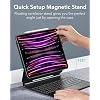
- Quick-Set Magnetic Stand: ultra-strong magnets seamlessly combine case and tablet to let you easily open the floating cantilever stand to the perfect angle for typing or browsing
- Multiple View Modes: back case detaches for instant hands-on access with full-body protection and can be set up in raised screen view, for better posture during use, and portrait mode, for the perfect way to FaceTime
- Quick and Easy Navigation: use every millimeter of the extended, ultra-sensitive multi-touch trackpad to tap, pinch, and swipe with perfect precision and navigate your iPad in a whole new way
- Complete Customer Support: detailed setup videos and FAQs, comprehensive 12-month warranty, lifetime support, and personalized help
Specs 28
| Brand | ESR |
|---|---|
| Connectivity Technology | USB |
| Keyboard Description | Ergonomic |
| Recommended Uses For Product | Office |
| Special Feature | Magnetic Stand, Multiple View Modes, Ultra-Sensitive Multi-Touch Trackpad, Compatibility with Multiple iPad Pro 12.9 Models |
| Color | Black |
| Style | Contemporary |
| Material | Aluminum, Polycarbonate, Polyurethane (PU), Thermoplastic Polyurethane (TPU) |
| Additional Features | Magnetic Stand, Multiple View Modes, Ultra-Sensitive Multi-Touch Trackpad, Compatibility with Multiple iPad Pro 12.9 Models |
| Power Source | USB power |
| Keyboard Layout | QWERTY |
| Hand Orientation | Ambidextrous |
| Water Resistance Level | Not Water Resistant |
| Minimum Required Operating System Version | iPadOS 13.4 |
| Compatible Operating System Family | iPadOS |
| Number of Keys | 78 |
| Style Name | Contemporary |
| Theme | Modern |
| Enclosure Material | Aluminum, Polycarbonate, Polyurethane (PU), Thermoplastic Polyurethane (TPU) |
| Antenna Location | Office |
| Built-In Media | USB Cable |
| Model Number | 6B015 |
| Model Name | 6B015 |
| Item Highlight | For Pro 12.9" 6/5/4/3th, Secure Magnetic Lock, Detachable Case, Precision Multi-Touch Trackpad, Rebound 360 Series, Black |
| Unit Count | 1 Count |
| Manufacturer | Electronic Silk Road Corp |
| Number of Packs | 1 |
| Number of Items | 1 |
No specs match.
Frequently asked questions
If you place your order now, the estimated arrival date for this product is:
Sunday, Nov 1
Yes, absolutely! You may return this product for a full refund within 30 days of receiving it.
To initiate a return, please visit our Returns Center.
View our full returns policy here.
To initiate a return, please visit our Returns Center.
View our full returns policy here.
- Klarna Financing
- Affirm Pay in 4
- Affirm Financing
- Afterpay Financing
- Zip Pay in 4
- Financing through Apple Pay
- Financing through Google Pay
Learn more about financing & leasing here.
Similar Products


Top Amazon Reviews
ESR Rocks! And This Keyboard Case for iPad Pro M5 is AMAZING!
Color: Black
Size: iPad Pro 11" (M5/M4)

I had the iPad Pro 11 M1 and decided to upgrade to the new for 2025, iPad Pro 11 M5. Not only did I have to buy the new Apple Pencil Pro to work with the new iPad, but my keyboard case for the iPad M1 was no longer compatible. I could have bought the new Apple Magic Keyboard, but really? It's over $300. So off to research new Keyboard cases and ESR, a company I trust (I have two ESR Cases for my iPhone 17 Pro Max and every device we own has ESR Armorite Screen Protectors) and this iPad Pro 11 M5 Rebound 360 case was very favorably reviewed. It comes nicely packaged and includes a USB C to USB A cable (though that's the only thing ESR should change as it should be USB C to USB C) with an easy to follow multi-language user guide and warranty card, you can scan to extend the warranty to two years. Setting up the Keyboard Case couldn't be simple. I did charge it out of the box, but it must have had a good charge to begin with as it was fully charged in about 20 minutes. Then press the power button for about 2 seconds to wake the keyboard. To pair it with your iPad, press the FN/Globe key and the B key until you see the Bluttooth blue pairing light flash. Open settings on your iPad > Bluetooth - look for the ESR Keyboard and tap there to pair. Boom, you're all ready to go. While the 11 inch keyboard case doesn't come with dedicated function keys (the 13 inch one does), you still have all the functions you need. Just tap hold the FN/Globe key and look at the number keys, where all the functions can be adjusted, like Volume Up/Down, Screen Brightness, Changing Audio Tracks, Etc. The Keyboard also has 12 RGB backlit key colors you can choose from or the ability to not use any backlit option. The case is very Apple Magic Keyboard-esque in its design. Of notable goodness is you put your iPad in a nice quality protective case and then attach the case with your iPad magnetically to the Keyboard case. The case doesn't take much effort to open and it offers significantly more flexibility in terms of where you can place your iPad. You can for example, raise the iPad higher if you want, which the Apple case can't accommodate. And you can even place the iPad in Portrait orientation, which the Apple case can't accommodate. Do note that if you place your iPad in a higher position, it needs to be on a very stable workspace as it could topple over. This case as mentioned is Bluetooth. I prefer that over the way Apple's case works, which powers the keyboard by three pins on the back of the iPad when attached to their case. The reason I prefer ESR's approach is if your iPad isn't plugged in when using Apple's case, the iPad is using the battery to power the keyboard. If you're out and about, it can drain your battery pretty quickly (and yes, I had an Apple Magic Keyboard). Since the ESR case isn't using power from your iPad to run your Keyboard, there's much less to worry about if you can't get to a power source to plug your iPad in to charge. Finally, ESR provides a magnetic flap to keep your Apple Pencil Pro safely stored on the case when you're not using it or traveling about virtually eliminating any risk of losing your Pencil. All the buttons on the case your iPad is in are clicky and responsive and all they cutouts for speakers and USB C charging port are perfectly aligned. I'm mightily impressed with this ESR Keyboard Case for iPad Pro M5. For less than a THIRD of the cost of the Magic Keyboard, you get a high quality, yet affordable option, which coming from ESR means it will stand the test of time.
...
show more
Reviewed in the United States on December 10, 2025 by RBrylawski
Exactly what I wanted
Color: Black
Size: iPad Pro 13" (M5/M4)

This review is for the ESR keyboard case for the 2024 M4 iPad Pro 13. So, let’s start by saying this case is Exactly what I wanted for my new iPad Pro. The M4 iPad is so new, its really hard to find a good aftermarket case, but ESR seems to have read my mind and made one… a really good one albeit. There are a few nitpicks from me, but overall, this is a 5 star case. Why do want this particular case? Because I want the iPad to have a case on at all times. When it is in the keyboard case and when it’s out. ESR has made a keyboard case just for that. The iPad is essentially in a slim black case at all times, so when I remove it from the keyboard case to game or use as an iPad again, I don’t need to worry about it or have another case on standby. ESR accomplished this by making the slim case with a metal backing, so the magnets from the hinged side lock onto the slim case, not the iPad, which makes the magnetic power extremely strong. Once you snap the iPad on, it doesn’t move nor slide around. You can open, close, adjust the hinge angle without fearing your iPad will move around. Oh the slim case will also accommodate the pencil and it even has a strap that will protect the pencil when the case is closed. Overall, the case is very sturdy, well designed and built. The touchpad is excellent and the keyboard has a firm feedback which I like. Oh, the keyboard battery, yes, it has its own battery, so you don’t have to drain your iPad to use it. Yes it needs to charged, but it is also an USB-C and the battery last a long time, for weeks of use. And No it does not have a battery gauge, which at first I thought it might be worrisome, but guess what, the native battery widget on the iPad shows the keyboard battery percentage!!! This is AWESOME, see attached screen shot! Now, let me nitpick a bit… wow is it heavy. I understand with all the metal, magnets and battery, it will be heavy. I think it’s heavier than my old clunker IBM Thinkpad! But it’s something I am ok with and can live with, for all of its features. Oh, due to the weight, the keyboard does not tip over when you are using it on your lap on the couch or in bed. The weight of the battery anchors down so the iPad is not heavier than the keyboard, which is an Issue with the Apple MK, its so light that it tips over easily. The keyboard, BTW I am writing this review with it as we speak. Why does this keyboard DOES NOT HAVE A DELETE KEY??? Instead there is a screen lock key! why? It’s very frustrating that I am so used to using the delete key and every time I hit it, the screen goes blank! I will have to bring up the onscreen keyboard to use the delete key! Ugh!!! This is probably my biggest gripe with this keyboard! My recommendation to ESR would be to put the delete key back and give us one more color on the keyboard lighting, white. It has every color but white. The closest to white is cyan, which is just a lighter shade of blue! Give us pure white please! Other than that, this is an awesome keyboard case at less than 1/3 of Apple MK price! Plus its 360 protection of the iPad and onboard battery feature, it is definitely a 5 star product!
...
show more
Reviewed in the United States on August 11, 2024 by Dieselboy
A fantastic keyboard case at an equally fantastic price
Color: Black
Size: iPad Pro 12.9" (6th/5th/4th/3rd)


The summary of this review can be found in the title: this is a great keyboard case! Let me walk you through my experience: I’d been in the market for a keyboard case, but wasn’t crazy about the price of the Apple Magic Keyboard Folio Case thingy. My son has one for his 12.9” iPad Pro, but I was willing to do without due to the cost. Having purchased (and been very happy with) ESR gear in the past, I saw an advertisement for this and wanted to give it a try. At best, I’d have found an amazing product; at worse, I could find someone to pawn it off on…er, purchase it from me. So the order was placed, and it arrived quickly. Upon opening the Amazon packaging, I found a very professional-looking ESR packaging which was easy to open and had clear instructions on how to do a quick set-up, along with a QR code for further information and such (see photos above). The case was quite sturdy and well-built upon first glance. The iPad device-specific portion of the “case” felt nice, though it’s more or less just the means to holding the iPad to the keyboard. If you’re looking for a more protective case, sans keyboard, I encourage you to check out some of ESR’s other fantastic products. Anyway, my iPad went very easily into the shell. There are kind of three ways you can use this: portrait-style, landscape style 1 (where you just open the device and go), or landscape style 2 (where you lift or slide the iPad up an inch or two to allow for a little different placement and angle; I prefer this way myself). The magnets hold the iPad incredibly well, and the hinge of the keyboard is very sturdy. Do be aware that this is a chonky piece of kit, so it’s going to add some bulk as well as considerable heft. In fact, the keyboard and iPad together weigh probably as much or just a smidgen more than my MacBook Air M2, and is thicker. However, if you’re looking to consolidate or just want to have laptop-type features with your iPad, then these things can be easily handled. But allow me to say that the MAGNETIC FLAP that helps hold the case closed (doesn’t really need it but it’s a great touch!) also holds the Apple Pencil securely! This feature alone was enough to tempt my son to ditch his Apple Magic Keyboard Case because his pencil is constantly falling off due to not having a secure way to hold it! Almost worth the price itself just for that! Connection is via Bluetooth and was very fast in connecting to the iPad. The battery came in at 96% straight out of the box. The USB-C charging port is on the side of the keyboard. Something to note is that the keyboard does not charge the iPad while in the case. But as a quick test, I used a charging cable to connect the iPad to the keyboard port and found that the iPad began charging the keyboard. So, should you ever run low on juice in your keyboard, you can charge it from the iPad. Still, I suppose if you have a cable to charge the iPad, you kind of have a cable to charge the keyboard directly. At any rate, I enjoyed that little discovery. On the the keyboard itself. It feels great. The keys are really responsive and have just the right amount of that satisfying resistance. It’s quiet when you use it, perhaps just ever-so-slightly louder than my MacBook Air keyboard, but with comparable feel. The backlights for the keyboard are a very nice touch. Light blue, dark blue, green, purple, magenta, red, orange, and white seem to round out the available colors, and there are four levels of brightness (including off entirely). All this can be changed by the touch of two buttons on the function row at the top of the keyboard. I wanted to specifically mention the touchpad. Due to the size of the keyboard itself being pretty much determined by the size of the iPad, the touchpad is somewhat small. I also find that it’s INCREDIBLY sensitive. Pressing the touchpad for mouse clicks makes a nice sound, but it’s very easy to push it more than you wanted or accidentally. Using the iPadOS multi-touch gestures is a little harder at times due to these issues (sensitivity and size) but it is responsive to be sure. It is possible to go into the iPad settings and adjust the scroll speed and such, but I use an external Apple Magic Trackpad which is much more suited to my workflows. Still, if you don’t want to carry another device, the touchpad on the keyboard will more than meet your needs. And as you can see in one of the accompanying photos, I used the keyboard to write my initial thoughts and it worked great. In the week I’ve had the device I’ve been very well pleased, and have written this review using the ESR keyboard. A Quick Summary: Pros - Feel/look, sturdiness, convenience, responsiveness, secure holding of Apple Pencil when it’s not being used, battery life, ease of setup and use, and GREAT PRICE! Cons - A bit heavy, sensitivity and size of the trackpad (but you quickly get accustomed to these things so they’re not problems at all). So basically, if you want a great keyboard that is great on battery, relatively inexpensive when compared to Apple-branded keyboards, sturdy, and gives your iPad the features of a laptop, do not sleep on this ESR Keyboard Case. You’ll be really glad you got it! And I will most definitely be recommending this to my friends and will be very willing to purchase more products from the ESR family!
...
show more
Reviewed in the United States on July 9, 2024 by PreacherManCK
Securely holds and protects iPad. Great Keyboard touch and feel.
Color: Black
Size: iPad Pro 13" (M5/M4)
This case is prefect for my iPad Pro 13 (M4). Just what I wanted. It is a bit heavy, but I have gotten use to it and like the weigh. I wanted an Apple Magic keyboard but no way I am paying $370 for one. Got this for a little over $100 and it works great. It is reliable. I like the way it times out when not being used to conserve battery. Battery seems to last a very long time. I have only had it go dead on me once and I only charge it once or twice a month. I like being able to rotate the iPad and reattach to the keyboard in a portrait vs landscape mode. I like that the iPad is magnetically attached and easy to pull off and use as a stand alone iPad. The magnet is plenty strong to hold the iPad and has never separated without my removing it. I tried a couple other brands sold on amazon. Those felt more cheaply made, they just did not make the cut. I like the keyboard touch and feel as well as the color and brightness adjustable back lit keys. I also like that it automatically comes on with a touch of the keys. There is a slight delay for the Bluetooth to connect, but then I am off and running. Only issue real issue I have is that rubberize coating is starting to separate just between the two hinges on the left side. I hope it holds together and will update if it worsens. So far everything else has been great. Have only had it for 5 months, since Mid-July 2025. I use it pretty much every day for at least a couple of hours. Some days I have been on it for 6-7 hours. Great purchase and I recommend this on if you want a keyboard attached to your iPad.
...
show more
Reviewed in the United States on December 15, 2025 by GoPackGo!
Great Quality Case/Keyboard and Value
Color: Black
Size: iPad Pro 13" (M5/M4)


Love this protective case and keyboard for my new iPad Pro 13” M5. Solidly built and all works fine. Way more affordable than the Apple keyboard and much better than my old Logitech Case/Keyboard that I used on my old iPad before this new one. I also love the lighted keyboard and multiple color options.
...
show more
Reviewed in the United States on September 23, 2026 by JLAB
NOT compatible with other ESR products!
Color: Purple
Size: iPad Pro 13" (M5/M4)
While this is a great alternative for the Apple Magic Keyboard, I have one simple, but deal breaking issue with this product. I am a huge fan of ESR products, and I use their screen protectors and cases for almost all of my tech. Ironically enough, this has led to my disappointment of this product: I have the ESR Shift Magnetic Case for my M4 iPad Pro 13 inch (the one that I bought this keyboard for). Similar to this keyboard case, it comes with a detachable inner case that serves as an extra layer of protection if you choose to remove the iPad from its stand at any time. This was a big selling point for me, and I have read numerous reviews that show it is a huge selling point for most of the product’s buyer-base. When searching for a keyboard case for my iPad, I ultimately chose to stick with the ESR brand and buy this keyboard, with the detachable inner case being one of my biggest “pros” in the decision making process. Upon its arrival, I was met with, however, a HUGE disappointment. You see, the inner sleeve cases for these two products are tight fits. (So tight, in fact, that it takes a bit of strength and manipulation to put on and take off the case. This isn’t an issue, however, since I have no need to remove it from the inner sleeve, as it serves as the main piece of protection for my iPad.) They are simple in their design, and are just a silicone slim-fit case with I assume a relatively strong magnet built into the back. This allows them to attach snugly to their case counter-parts without worrying about them falling out of its magnetic hold. It does this very well, as I am always impressed by the strength of the hold the case has on my iPad. Both of these inner sleeve cases are IDENTICAL. If it weren’t for the color, I wouldn’t be able to differentiate the two… until I try to use them. Because of the simplicity of the design of the inner cases, I had foolishly assumed that I would be able to seamlessly switch between the Magnetic Shift case and this Keyboard Case without ever needing to change out the inner sleeves. I was very, VERY wrong. If at any time I wish to switch from the keyboard case back to the Magnetic Shift case, I need to pry my iPad out of its inner silicone case and struggle to re-insert the iPad into the special silicone case that came with it. This is a huge pain, and I honestly will find myself choosing to not even use this keyboard case due to the sheer annoyance and irritation it brings me. ESR: PLEASE make your products interchangeable. I have never been more disappointed in one of your products. Your direction of product design is catered towards ease, accessibility, and variety of use. This should have been taken into consideration when designing an accessory for a product that was made for infinite possibilities. I should NOT have to go through the trouble of taking my iPad out of its snug case every time I want to switch between drawing on Procreate or writing a school essay. Needless to say, I am disheartened and will hesitate in the future when choosing to buy an ESR-branded product.
...
show more
Reviewed in the United States on August 19, 2025 by Abby Burkholder
Goated quality
Color: Black
Size: iPad Pro 11" (M5/M4)
Possibly best ipad case I’ve ever seen and used. Keyboard is good, the material itself of the case is high end and feels really nice. Really compact and holds apple pencil securely. Magnet is strong enough for stability either vertically or horizontal, and I like how you also have the case on the ipad as well that you can pull off and use independently in bed or on the go. Personally, I think it’s way better than the Apple one and a steal for the price. 10/10 recommend
...
show more
Reviewed in the United States on August 25, 2026 by Santiago
great alternative to the Apple keyboard
Color: Black
Size: iPad Pro 12.9" (6th/5th/4th/3rd)
I’ve been using this for several months now, and I can definitely say that I am very pleased with this. I love so much about this. My first keyboard was the official Apple version, which was extremely expensive. However, I did like it and its functionality so I was very skeptical about getting an offbrand keyboard. Overall, I would almost call this keyboard and upgrade over the Apple model with the exception of one or two details. First, the pros. This keyboard lights up! I absolutely love that there is an additional role button specifically for functions like playing or pausing music, adjusting the volume or the brightness as well as turning on the microphone. If I went back to my Apple keyboard, I would be missing these features considerably. I also love that I can choose which color to have the keyboard be I wish my eyes could handle the different colors better (I suffered a concussion couple years ago and have not been able to handle certain LED colors since but that’s on me). I also love the fact that there is an additional case that the iPad sits into. It gives me that peace of mind that my iPad is protected even when I disconnect it from the keyboard. The other super bonus, is the fact that I can turn the iPad into the portrait position and still be able to type. That feature alone, was a big selling point for me since one of the apps that I have to use for my business, only comes in portrait mode, and having to type those interactions on my phone before I got this keyboard was an absolute pain. Knowing that I can do that with this keyboard is such a thrill. you have a positive selling point for me was the fact that there is magnetic eye pencil shield that protects my pencil from being knocked off. Before I had to keep my pencil in my purse away from my iPad, which meant that it was never charged when I needed it. Thanks to this case, I can keep my iPencil on the case all the time and rest assured that it is always charged and where I need it. Now for the cons. The back of the attaches to the iPad is not as sturdy as the Apple model. It did take me a while to get used to that and to stop worrying about it, but now that I have gotten used to it and used it for several months without any issues with it, dropping my iPad or things like that, I can definitely say that while it isn’t as sturdy as the Apple model, it is more than sufficient. One other nitpick is the connectability. It connects decently enough via bluetooth, but I do have to tap my keyboard and wait a few seconds while it wakes up and connects. After having the Apple keyboard working instantly, it did take a while to get used to this. However, it does always connect, and I don’t have any issues with it. it never disconnects itself, unless I have left it alone for a while, and at that point, I’m glad it shut itself off because it’s saving the battery. Speaking of which, that is one other downside. I really miss how the Apple model would charge through the iPad itself with this model. I have to plug it in every week or so, but it does give me a warning when it’s getting low and it doesn’t take too long to charge. I’ve also found that I can see it’s battery level on the homepage if I put the battery widget on the homepage of my iPad. Overall, would I buy this keyboard again? Absolutely. Especially for the price. Its features outweigh the Apple keyboard, even if there are other features that it does not have the Apple keyboard specialized in. I’d say it was a good trade off.
...
show more
Reviewed in the United States on June 14, 2025 by Kristen