Search  for anything...

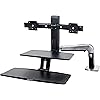
Ergotron – WorkFit-A Dual Monitor Standing Desk Converter, Sit Stand Workstation for Tabletops – Suspended Keyboard Tray

  • Based on 0 reviews
Condition: New
Checking for the best price...
$776.00 Why this price?

Buy Now, Pay Later


As low as / mo
  • – Up to 36-month term if approved
  • – No impact on credit
  • – Instant approval decision
  • – Secure and straightforward checkout

Ready to go? Add this product to your cart and select a plan during checkout.

Payment plans are offered through our trusted finance partners Klarna, Affirm, Afterpay, Apple Pay, and PayTomorrow. No-credit-needed leasing options through Acima may also be available at checkout.

Learn more about financing & leasing here.
Selected Option

Free shipping on this product

30-day refund/replacement

To qualify for a full refund, items must be returned in their original, unused condition. If an item is returned in a used, damaged, or materially different state, you may be granted a partial refund.

To initiate a return, please visit our Returns Center.

View our full returns policy here.


Availability: In Stock.
Fulfilled by PCNation

Arrives Mar 17 – Mar 19
Order within 17 hours and 23 minutes
Available payment plans shown during checkout

Protection Plan Protect Your Purchase
Checking for protection plans...

Style: Suspended Keyboard Tray


Features

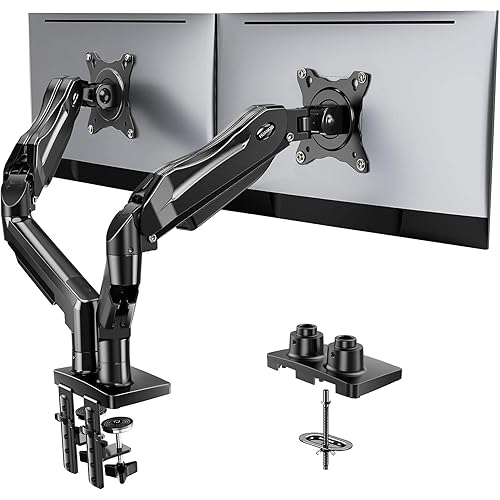
  • Dual-monitor compatibility: Fits two screens up to 24 inches diagonal and 4.5 to 10 pounds each; compatible with VESA patterns 75x75mm and 100x100mm
  • Room to work: 22 x 10-inch worksurface holds desktop essentials; large 27 x 10-inch suspended keyboard tray easily accommodates a full-size keyboard and mouse; keyboard tray folds up for space-saving convenience, moves in tandem with worksurface and is positioned 4 inches below it, promoting comfort and ergonomics
  • Ergonomic workspace: Fine-tune your sitting or standing position with 20 inches of lift plus 5 inches of independent screen height adjustment; adjusts smoothly from minimum monitor height of 8.2 inches to maximum monitor height of 33.2 inches; arm extends up to 47.2 inches from the back of the desk to the front edge of the keyboard tray
  • Easy setup: Includes arm, monitor riser, crossbar bow, two monitor pivots, keyboard tray support bracket, worksurface, keyboard tray, fasteners, Velcro, cable wrap and adjustment tools; desk clamp attaches to desktops 0.8 to 2.5 inches thick, or install with grommet mount through a desk surface hole up to 2.5 inches thick
  • Built to last: Extensive quality testing ensures your workstation holds up to rigorous daily use; Ergotron products set the standard for quality with a 5-year warranty and expert technical support

Description

Swing for the fences with the ultra-movable WorkFit-A with Suspended Keyboard. The arm-based design lets you swing your full standing workstation left, right, up or down to sit or stand while you work. One easy movement using Constant Force technology adjusts the complete workstation through the full 20"" (51 cm) lift range. Fine-tune your monitors with an extra 5"" (13 cm) of independent adjustment. The keyboard and mouse sit below the desktop for an ergonomics home run when sitting. Need extra space? Just fold the keyboard up and push the arm out of the way. · Versatile fit: Designed to accommodate a wide range of users with a 20-inch (51-centimeter) lift range · Personalized view: Offers an extra 5 inches (13 centimeters) of independent monitor height adjustment · Quick collaboration: Flexible arm design makes screen-sharing easy for group work · Extra workspace: Complimentary worksurface keeps your tablet, smartphone or notes nearby · Stay organized: Cable management controls the cable chaos for a neat workspace · Flexible installation: Choose between multiple install options to best fit your space Our professional-grade products undergo rigorous motion tests so you can enjoy trouble-free adjustments for the long-haul. WorkFit-A is factory-tested to withstand up to 4 times its weight capacity, so you don’t have to worry about sag or height- drop as you work. Plus, WorkFit-A is certified in compliance with ANSI/BIFMA indoor air quality standards for VOC emissions. Available in Polished Aluminum.

Color: "Black, polished aluminum"


Material: Aluminum


Brand: Ergotron


Item Weight: 47 Pounds


Item dimensions L x W x H: 35.75 x 21.88 x 10.5 inches


Finish Type: Polished


Shape: Rectangular


Base Type: Leg


Assembly Required: Yes


Load Capacity: 24.9 lbs


Global Trade Identification Number: 50


Manufacturer: Ergotron


UPC: 809099145445 800187919160 799198912812 809302458461 792745462068 766000623464 698833040050 714669507687


Product Dimensions: 35.75 x 21.88 x 10.5 inches


Item Weight: 47 pounds


Item model number: 24-392-026


Is Discontinued By Manufacturer: No


Date First Available: August 3, 2017


Frequently asked questions

If you place your order now, the estimated arrival date for this product is: Mar 17 – Mar 19

Yes, absolutely! You may return this product for a full refund within 30 days of receiving it.

To initiate a return, please visit our Returns Center.

View our full returns policy here.

  • Klarna Financing
  • Affirm Pay in 4
  • Affirm Financing
  • Afterpay Financing
  • PayTomorrow Financing
  • Financing through Apple Pay
Leasing options through Acima may also be available during checkout.

Learn more about financing & leasing here.

Top Amazon Reviews


  • I'm standing as I write this review
Style: Suspended Keyboard Tray
I keep reading about how bad sitting all of the time is. I priced replacement adjustable-height desks and I didn't want to spend that much--besides I like the desk I have. It matches the rest of my furniture and I wasn't in a hurry to replace it. This is the best of both worlds. I can stand some of the time, sit for some tasks, and swing this to the side to have access to my entire desk when needed. I mix it up now and have been for a few weeks now. I also bought a cushy pad to stand on to keep my feet from complaining. I didn't buy the ergotron one but I might choose to at some point. I chose this model because it clips to the back of the desk. My wonderful husband assembled it for me. He was very impressed with the quality of the product and said it was easy to assemble. (He recommends having an area with a lot of space--good thing he didn't try to do it in my office.) I was able to adjust it to have the keyboard be at a good height while sitting. I also bought the kit to convert the dual-monitor to a laptop and dual monitor setup. (At the time I bought this, the price for that kit from the vendor selling at Amazon was too high, and their wait time was too long--I chose one of the other vendors listed at the Ergotron site.) I have a 27 inch monitor on one side and the laptop next to it. You adjust it to handle the load you put on it and it's easy to move. I guess I'm a gentle typist--it feels secure enough--not bouncy. I wondered if it would feel funny to work on but it's fine--maybe a little movement compared to a stable desk but not enough to be an issue. I'm very happy with my new arrangement! ... show more
Reviewed in the United States on February 6, 2014 by Lynn Flink

  • Good product, a few minor gripes
Style: Suspended Keyboard Tray
Pros: - fairly easy to install on an existing desk (depending on desk layout); if you can follow Ikea instructions you can set this thing up - I was able to install it by myself - once adjusted it's a good sit-stand retrofit that's easy to use - fairly easy to adjust if you have the right tools (see install tip below) - pretty easy to move around once adjusted - two 24" monitors fit on the monitor bar - keyboard tray can be installed off center so you can be centered in front of the monitors Cons: - it's a little shaky when you really get going typing - I wish you could adjust the horizontal angle of the monitors (I.e. Pull the outside edges toward you like you were closing a large book) but having smaller monitors wouldn't be as affected by this Install tip: Use a power drill with a nut driver to both install and adjust the arm. I had a Snap-on ratchet screw driver so my install was technically by hand but it would have been easier and faster with the power drill. My coworker also got one of these and did the whole install with a normal flathead screwdriver she could fit into the end one of the tools provided in the box and it was a pain. The adjustments made with the hex wrench are easy to make by hand but the nuts are a pain to do by hand. Misc. ideas: - I command-striped a little cup to the front of the work surface to be a pen cup. (Not in the photo) Works great. - I also have headphones wired through the arm (via an extension) and I put two command strip hooks facing opposite directions on the front edge of the work surface and use them to wind the headphones around to keep them organized. (Not in the photo) Again, works great. - if I get gutsy I might try bending the monitor arm to more extreme angles to get the monitors to wrap more but I'm not there yet. :-p Would like to give this 4.5 starts but amazon won't let you do that and I do have a couple legitimate gripes so 4 it is. EDIT: I moved desks in my office so I wanted to provide a few updates. (1) DEFINITELY do the install with a power drill. It's SO much easier! And the arm feels more secured to the desk, too. (2) Go wireless on your keyboard and mouse. In my previous setup I had my CPU off to the left and my keyboard cord was juuuuuuuust long enough (I already had a wireless mouse), but changing desks meant that I either had to have the CPU away from the corner about 12" (as shown in the picture). The only way to accomplish this was to go wireless on my keyboard - and get a longer display port cable for one of my monitors, but that's a different story. (3) Either make sure your monitor cords will be long enough to put your CPU where you want or be willing to live with wherever you can put the CPU. (Excuse the cord confusion in the photo, I've gotten them more organized since I've taken the photo.) (4) I'm 5'-8" and I've found after a bit of use that I have to have the arm extended to it's maximum height in order to not get achy shoulders while I stand at my station, so keep this in mind if you're a taller person. Overall, I'd still give this 4.5/5 if I could. ... show more
Reviewed in the United States on December 15, 2016 by Karen Karen

  • Very nice product. As suggested by another review
Style: Suspended Keyboard Tray
Very nice product. As suggested by another review, this is not extremely simple to assemble if you are night mechanically inclined. You will need a 1/4 inch ratcheting socket wrench to easily adjust the tension. A appropriate sized socket is included with purchase I installed and adjusted it in less than 90 minutes - including drilling a hole in a desk top. It easily handle two 24 inches Dell monitor and the extra tray is fantastic for holding items like key, coffee cups and tablets without blocking the view of the monitors. The height adjusts almost effortlessly when moving from the seating to standing position as well as when adjusting down. Keep in mind that this will extend from your desk by the width of the keyboard tray. My back is already thanking me for this purchase! ... show more
Reviewed in the United States on November 1, 2014 by Paul

  • It was pretty easy to set up and love it
Style: Suspended Keyboard Tray
It was pretty easy to set up and love it. The only thing that I'm having issues on is adjusting it to stay up. The monitors might be too heavy, but not sure if I'm adjusting in the right place.
Reviewed in the United States on July 6, 2015 by Candace S

  • Disappointing
Style: Suspended Keyboard Tray
This unit did not work well for my work station design. The shelf above my desk prevented it from maneuvering properly, as well as the wall behind my desk. This made the unit stick out further than my desk and making it hard to reach my phone or anything else on my desk. The monitors are only adjustable to go up and down, not tipping it forward or backward, and my right monitor kept slipping to a crooked position so I had to put a pencil under it to keep it from doing that. The tension on my unit had to be tightened every couple of weeks (using a tool that I had to borrow from someone) and we were never able to make it anywhere close to perfect. The assembly required special tools and was much more involved than I would have liked. I just took my unit down, again dis-assembly was very involved, because I could no longer deal with the shortcomings and the headaches, literally, of dealing with the non adjustable monitors, after the 5 months of trying very hard to like this product. Of course, too late for a return. Very disappointed. ... show more
Reviewed in the United States on April 1, 2015 by Linda Knapp

Can't find a product?

Find it on Amazon first, then paste the link below.
Checking for best price...