


Search  for anything...

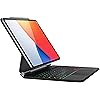
doqo Magic Keyboard Case for iPad Air 11 & iPad Pro 11 with Trackpad

  • Based on 130 reviews
Condition: New
Checking for the best price...
$49.99 Why this price?
Save $5.00 was $54.99

Buy Now, Pay Later


As low as $8.33 / mo
  • – 6-month term
  • – No impact on credit to apply
  • – Instant approval decision
  • – Secure and straightforward checkout

Ready to go? Add this product to your cart and select a plan during checkout.

Payment plans are offered through our trusted finance partners Klarna, Affirm, Afterpay, Zip, Apple Pay, and Google Pay. No-credit-needed leasing options through Acima may also be available at checkout.

Learn more about financing & leasing here.

Selected Option

Free shipping on this product

FREE 30-day refund/replacement

To qualify for a full refund, items must be returned in their original, unused condition. If an item is returned in a used, damaged, or materially different state, you may be granted a partial refund.

To initiate a return, please visit our Returns Center.

View our full returns policy here.


Availability: Only 5 left in stock, order soon!
Fulfilled by Amazon

Arrives Monday, Oct 26
Order within 21 hours and 3 minutes
Available payment plans shown during checkout

Protection Plan Protect Your Purchase
Checking for protection plans...

Color: Black


Features

  • Adaptation Model- Compatible with iPad Air 11 inch(M4 2026/M3 2025/M2 2024),iPad Air 5th/4th generation 10.9 and iPad Pro 11 inch 4th/3rd/2nd/1st Gen,Easy to carry anywhere, no matter you are in the office, at home, or on a go, transform your ipad into a Macbook within a second.
  • Multi-Trackpad - Cursor and multi-touch gestures designed for ipad pro 11inch and iPad Air 10.9". Simply put your ipad on the magnetic cover of the ipad pro 11/air 5th keyboard case, and you can use the tablet like a laptop, providing a new navigation mode for your ipad, making it easy for you to edit documents or presentation pages on the ipad pro and Browse the web,effectively improve work and study efficiency.
  • PU leather &Magic style - the iPad pro 11/air 5th 4th case with keyboard is made of PU leather, which can effectively protect the ipad and avoid scratches on the back shell.iPad pro 11 inch/ ipad air Case adopts a magnetic levitation arm design, which makes your ipad seem to be suspended in the air and provides you with a more perfect viewing angle.
  • Colorful Backlit/Scissor Keys - Using scissor keys, the ipad pro /air magic keyboard with 7 colors backlight, 3 brightness levels are adjustable, and the keys are illuminated in a dim environment to achieve a comfortable typing experience. A row of practical shortcut keys is designed in the keyboard, which can adjust the backlight brightness, volume control, multimedia switching, etc.
  • Easy to use - After strict quality testing, the doqo ipad case with keyboard is equipped with a large-capacity battery, which can last up to 90 days in standby time, and the keyboard has a service life of more than five million times. The smart wake-to-sleep function provides long-lasting protection for your tablet battery.
  • Package Contents: 1 x doqo Magic Keyboard Case (Keyboard case only, ipad and Pencil are NOT Included.) 1 x User Manual

Description

why choose doqo? Excellent quality and service are our constant goals. doqo is committed to scientific and technological research and development, and every component of the product has been repeatedly tested. After years of development, doqo now has a number of patented technologies, providing users with high-quality, high-end and fashionable products, which are loved by many users around the world. Keyboard is not working correctly,please check the following: 1. The Bluetooth function on the tablet is enabled; 2. The Bluetooth keyboard is charged; 3. Make sure the keyboard is turned on; 4. Press the key "FN+C" and check the Bluetooth status; 5. Make sure a keyboard has already paired via Bluetooth. Bluetooth pairing fails, please try the following steps: 1. Remove all Bluetooth devices on tablet; 2. Switch off the Bluetooth function on tablet; 3. Reboot the tablet,turn on the Bluetooth on tablet; 4.Press and hold the“L+S+Z” for 5 seconds to reset the keyboard. 5. Restart and Re-pair the keyboard. If you are encountering unwanted cursor move when typing, or some keys like7,8,9,U,O,J,K,L cannot be entered 1.On your iPad, go to Settings> Accessibility and select Touch. 2.Select Assistive Touch, then select Mouse Keys. 3. Turn Off Mouse Keys If the keyboard still does not work properly or you have any problems with the keyboard during use. Please contact doqo seller support Please go to [Setting>General>About] to confirm your iPad's model before placing order,Or check the back of iPad If iPad doesn't match the keyboard case's applicable ipad model, the iPad will fall off or the magnetic force between the devices will be very weak.

Brand: doqo


Compatible Devices: iPad Air 11(M2/M3) 2024/2025, iPad Air 5/4th Gen, ipad pro 11 inch 4th/3rd/2nd/1st gen 2022~2018


Connectivity Technology: Bluetooth


Keyboard Description: Wireless with trackpad, PU leather, multi-touch gesture, backlit adjustable brightness, scissor keys


Recommended Uses For Product: Office


Special Feature: Backlit, Lightweight, Magnetic, Portable, Trackpad


Color: Black


Keyboard backlighting color support: RGB


Style: Vintage


Product Dimensions: 11.1"L x 8.4"W x 1.18"H


Compatible Devices: iPad Air 11(M2/M3) 2024/2025, iPad Air 5/4th Gen, ipad pro 11 inch 4th/3rd/2nd/1st gen 2022~2018


Connectivity Technology: Bluetooth


Additional Features: Backlit, Lightweight, Magnetic, Portable, Trackpad


Keyboard Backlighting Color Support: RGB


Number of Batteries Required: 1


Switch Type: Tactile


Keyboard Layout: QWERTY


Hand Orientation: Ambidextrous


Button Quantity: 64


Water Resistance Level: Not Water Resistant


Minimum Required Operating System Version: iPadOS 13


Compatible Operating System Family: iPadOS


Compatible Tablet Computer Models: Apple iPad Air (4th generation), Apple iPad Air (5th generation), Apple iPad Air 11-inch (M2), Apple iPad Pro 11-inch (4th generation)


Number of Keys: 64


Number of Sections: 1


Color: Black


Style Name: Vintage


Theme: Gaming


Item Dimensions L x W x H: 11.1"L x 8.4"W x 1.18"H


Enclosure Material: leather


Brand: doqo


Keyboard Description: Wireless with trackpad, PU leather, multi-touch gesture, backlit adjustable brightness, scissor keys


Antenna Location: Office


Built-In Media: USB Cable, User Manual, tablet keyboard case


Model Number: SP01


Model Name: SP01


Series Number: 492780


Item Highlight: Floating Magnetic Design, Laptop-Style Typing, Precision Trackpad, Backlit Keyboard for iPad Pro 11 Gen 1-4,iPad Air 11,4,5th


Unit Count: 1 Count


Manufacturer: doqo


Number of Packs: 1


Number of Items: 1


Generation: 4


Mfr Part Number: SP01


Warranty Description: 1 year


Frequently asked questions

If you place your order now, the estimated arrival date for this product is: Monday, Oct 26

Yes, absolutely! You may return this product for a full refund within 30 days of receiving it.

To initiate a return, please visit our Returns Center.

View our full returns policy here.

  • Klarna Financing
  • Affirm Pay in 4
  • Affirm Financing
  • Afterpay Financing
  • Zip Pay in 4
  • Financing through Apple Pay
  • Financing through Google Pay
Leasing options through Acima may also be available during checkout.

Learn more about financing & leasing here.

Top Amazon Reviews


  • If you are looking for a Apple Magic Keyboard Dupe, look no further.
Color: Black
Pictures are in the review, just keep in mind I still had the protector on the trackpad for this keyboard. Apple Magic Keyboard on the left and this keyboard is on the right. I took a moment to write this review because I thought it was worth the time. Let me preface this with, I love all apple products and usually prefer their accessories no matter the cost but apple failed with their keyboard in contrast to this one. This keyboard in my opinion better than the apple Magic Keyboard in a couple different ways. The pro and con list is as follows; Pros: This price point is great for what you get. The keyboard is slightly bigger. Certain keys are bigger. The letters are bigger and brighter. The keyboard lights up and the colors are interchangeable. The trackpad is basically the same as the apple trackpad. The keys are not so loud, they are less clicky than Apple’s and more bubbly/ smooth, which I like. The keys are matte so your fingers hit the keys better whereas the apple keyboard is glossy so you can hit wrong keys often. At least I tended to. The case is just as sturdy and thick as Apple case. The bar that supports the spine of this case is actually better quality metal than the apple keyboard. The keyboard and trackpad work with your other Apple devices as long as you have your iPad as another display. Cons: The Magic Keyboard derives it’s power from the iPad and can charge the iPad while it is plugged in. Which is great for functionality but not worth 280 with tax… on sale… This keyboard does not use power from the iPad, you have to charge the battery separately, but the battery percentage shows on your device and it charges with a USB-C on the right side. The case is not as soft as Apple’s but is still great quality. The velvet behind the iPad is not as soft. Some of the letters on this keyboard are slightly smaller than the rest? Maybe it is just a mistake with mine, but the letters are U,D,W, and O. I only notice when I look really closely but it’s worth noting. Overall, this keyboard has much more functionality and ease of use than the Apple Magic Keyboard. Again, I love Apple products so I was super shocked when I preferred this keyboard over the Apple Magic Keyboard. Another thing that I found a little crazy is that for $280 Apple doesn’t even give you a USB-C cord to charge with or offer apple care for this product. If you are trying to decide between which one, if you are on a budget or just don’t want to spend so much on one keyboard, get this one and it is the same experience or better. If price isn’t a question and you prefer apple products, either keyboard will be sufficient it just depends on what you are looking for. Keep in mind, Apple is always going to be the more “premium” product so the cost is going to reflect that, it doesn’t mean the product will automatically be for you. Good luck guys. ... show more
Reviewed in the United States on February 19, 2024 by Cheyenne Gonzales

  • How to make keyboard discoverable
Color: Black
This keyboard is perfect! It is the second one that I have purchased and will be keeping both. For some reason the second one I purchased did not automatically connect to my iPad like the first one did and I thought I was sent a defective product. My iPad was recognizing the keyboard, but it wouldn’t pair (I was doing it all wrong). I am thankful to YouTube that I found out that there are hot keys you can push on the keyboard that will pair the keyboard with the iPad! If you are like me and tried to swipe where the Bluetooth/Pairing symbol is by the power button and got discouraged, try pressing the Fn & c at the same time, it worked like magic. Now that I take a second look, the c key actually has the pair symbol on it that I didn’t even think to look for. I hope you enjoy your keyboard as much as I do! ... show more
Reviewed in the United States on August 23, 2024 by Julia San Roman

  • Save your money….
Color: Black
Don’t purchase this case. The quality isn’t there. It took over any hour to get it to turn on and that was after I charged it till it was full. Then I struggled to get it to connect via Bluetooth. I finally got it to connect. But then after 2 days I could no longer get it to connect. There is not dedicated power button. ... show more
Reviewed in the United States on September 11, 2025 by Reuben . Thomas

  • Adulting in its finest!
Color: Black
I am obsessed with this product is exactly what I was looking for. The weight is perfect. Keyboard size is perfect. Keyboard quality amazing color love it. The fit is 100% accurate the bill Quality high high standards love it love it love it if I could change one thing of this I wish she had a 360 rotation head for when I don't need the keyboard, but other than that, I am in love with it. I can type on it right on my laps or on any surface connects to my iPad, super fast ... show more
Reviewed in the United States on August 14, 2025 by Nena M

  • Hola
Color: Black
No me gustó mucho
Reviewed in the United States on December 21, 2025 by Roxana nieto

  • Works well but case is starting to peel
Color: Black
I’ve had this case for a couple months, close to a year and it has worked really well for me. It is able to connect to my ipad with no problem and battery lasts for a good while. You do have to press down on the keyboard but it does move smoothly. The only issue I’ve had is with the outside of the case which has started to peel all around the sides. I’m not really sure how to fix it. ... show more
Reviewed in the United States on January 5, 2025 by Ashley C

  • Excelente opción para el Ipad
Color: Black
Esta opinión así: 1. Cumple con las especificaciones que aparecen en la descripción. Por lo que se ajusta a todo lo que dice 2. Soporta perfectamente el IPad en este caso IPad Air de 5 generación. Ósea es compatible. 3. El teclado es en ingles pero se adapta fácilmente a el idioma español, de hecho estoy haciendo esta reseña en el doqo. 4. El color es súper fiel a la fotografía negro mate. 5. El teclado es ingles, las teclas son súper cómodas y responden rápidamente a la escritura. 6. El trackpad es sensible y los atajos son bien. Solo para hacer click si se hace como click profundo o fuerte. No es de un solo toque o por lo menos hasta ahora en mi experiencia. 7. Se conecta fácilmente, y las instrucciones son fáciles para seguir. 8. El rendimiento hasta este momento va bien. ... show more
Reviewed in the United States on April 5, 2024 by rodrigo delgado canaria

  • Very nice
Color: Black
Like it
Reviewed in the United States on November 26, 2025 by OK.

Can't find a product?

Find it on Amazon first, then paste the link below.
Checking for best price...