




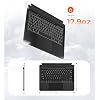
Doohoeek Surface Pro 11/10/9/X 13 Inch Keyboard, Bluetooth Keyboard with Touch Pad & Lighting Keys Compatible with Surface Pro 8 13" Copilot+, Pen & Tablets NOT Included




Buy Now, Pay Later
- – 4-month term
- – No impact on credit to apply
- – Instant approval decision
- – Secure and straightforward checkout
Ready to go? Add this product to your cart and select a plan during checkout.
Payment plans are offered through our trusted finance partners Klarna, Affirm, Afterpay, Apple Pay, and PayTomorrow. No-credit-needed leasing options through Acima may also be available at checkout.
Learn more about financing & leasing here.
Selected Option
FREE refund/replacement until Jan 31, 2026
To qualify for a full refund, items must be returned in their original, unused condition. If an item is returned in a used, damaged, or materially different state, you may be granted a partial refund.
To initiate a return, please visit our Returns Center.
View our full returns policy here.
Recently Viewed



Color: Orange
Features
- Watch Before Buy: Surface Pro 8 has 12.3-inch version, this keyboard dose NOT fit Surface Pro 8 12.3". The keyboard CAN'T charge pens. This keyboard ONLY works on surface pro 13-inch devices. WRONG models will cause magnet issue. The keyboard is charged via USB-C Cable, NOT supports official smart charge to tablet.
- Can't Connect the Bluetooth? Please reset the keyboard and then reconnect the Bluetooth: 1. Turn on the keyboard; 2. Press and hold the first and the last key at the top row of the keyboard until all indicators flash; 3.Press fn and C TO enter Bluetooth pairing mode; 4. Search and find "Wireless keyboard".
- Surface Pro Exclusive Precision: Smart magnetic alignment snaps perfectly to 13-inch Pro 11 / Pro 10 / Pro 9 / Pro X /Pro 8 13" edges. No bulky cases or tools needed just attach and type. NOTE: Surface Pro 8 has 12.3-inch version, this keyboard dose NOT fit Surface Pro 8 12.3".
- Stable Bluetooth Connection: Advanced chip and latest Bluetooth 5.3 reduces latency and stays connected even in crowded cafes.
- Win 11-Ready Smart Touch Pad: Swipe apps instantly, activate virtual desktop control, all Windows 11 gestures are supported. The smart trackpad also detects accidental touches - cursor stays rock-solid while typing.
- Lighting Keys for Late Night: Choosing from adjustable backlight, this keyboard allows easy input under low-light environments, combining style with practicality.
Brand: Doohoeek
Compatible Devices: Surface Pro 13-inch 10 Gen, Surface Pro 13-inch 11 Gen, Surface Pro 13-inch 8 Gen, Surface Pro 13-inch 9 Gen, Surface Pro 13-inch X Gen See more
Connectivity Technology: Bluetooth
Keyboard Description: Keyboard for Surface Pro 11 / 10 / 9 / 8 / X 13 Inch (USB-C Cable Charging)
Recommended Uses For Product: Connect the Bluetooth Press Fn + "C" for 3 seconds to enter Bluetooth pairing mode, Lock/ Unlock the trackpad Press Fn + space bar, NOTE Only Support USB-C Cable Charging, Reset the keyboard to default setting Press down the first key and the last key on the top row of the keyboard until the indicator flickers See more
Special Feature: Backlit, Lightweight, Portable, Rechargeable, Trackpad
Color: Orange
Keyboard backlighting color support: RGB
Material: Plastic
Included Components: USB Cable
Package Dimensions: 11.65 x 8.66 x 1.06 inches
Item Weight: 1.17 pounds
Manufacturer: Doohoeek
Batteries: 1 9V batteries required. (included)
Date First Available: January 15, 2025
Frequently asked questions
To initiate a return, please visit our Returns Center.
View our full returns policy here.
- Klarna Financing
- Affirm Pay in 4
- Affirm Financing
- Afterpay Financing
- PayTomorrow Financing
- Financing through Apple Pay
Learn more about financing & leasing here.
Similar Products


Top Amazon Reviews


