Search  for anything...

External PC Power Switch with 2M Cable, Mini Computer Power Button with Reset Switch & RGB Gradient Light, 1.5cm Thin Desktop ON Off Switch with Splitter Adapter for PC Case-M20
  • Based on 937 reviews
Condition: New
Checking for the best price...
$6.99 Why this price?
Save $1.00 was $7.99

Buy Now, Pay Later


As low as $1 / mo
  • – 4-month term
  • – No impact on credit to apply
  • – Instant approval decision
  • – Secure and straightforward checkout

Ready to go? Add this product to your cart and select a plan during checkout.

Payment plans are offered through our trusted finance partners Klarna, Affirm, Afterpay, Apple Pay, and PayTomorrow. No-credit-needed leasing options through Acima may also be available at checkout.

Learn more about financing & leasing here.

Selected Option

Free shipping on this product

FREE 30-day refund/replacement

To qualify for a full refund, items must be returned in their original, unused condition. If an item is returned in a used, damaged, or materially different state, you may be granted a partial refund.

To initiate a return, please visit our Returns Center.

View our full returns policy here.


Availability: In Stock.
Fulfilled by Amazon

Arrives Tuesday, Apr 28
Order within 9 hours and 35 minutes
Available payment plans shown during checkout

Protection Plan Protect Your Purchase
Checking for protection plans...

Size: Small


Color: Black


Number of Items: 1


Features

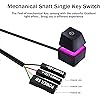
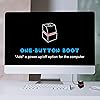
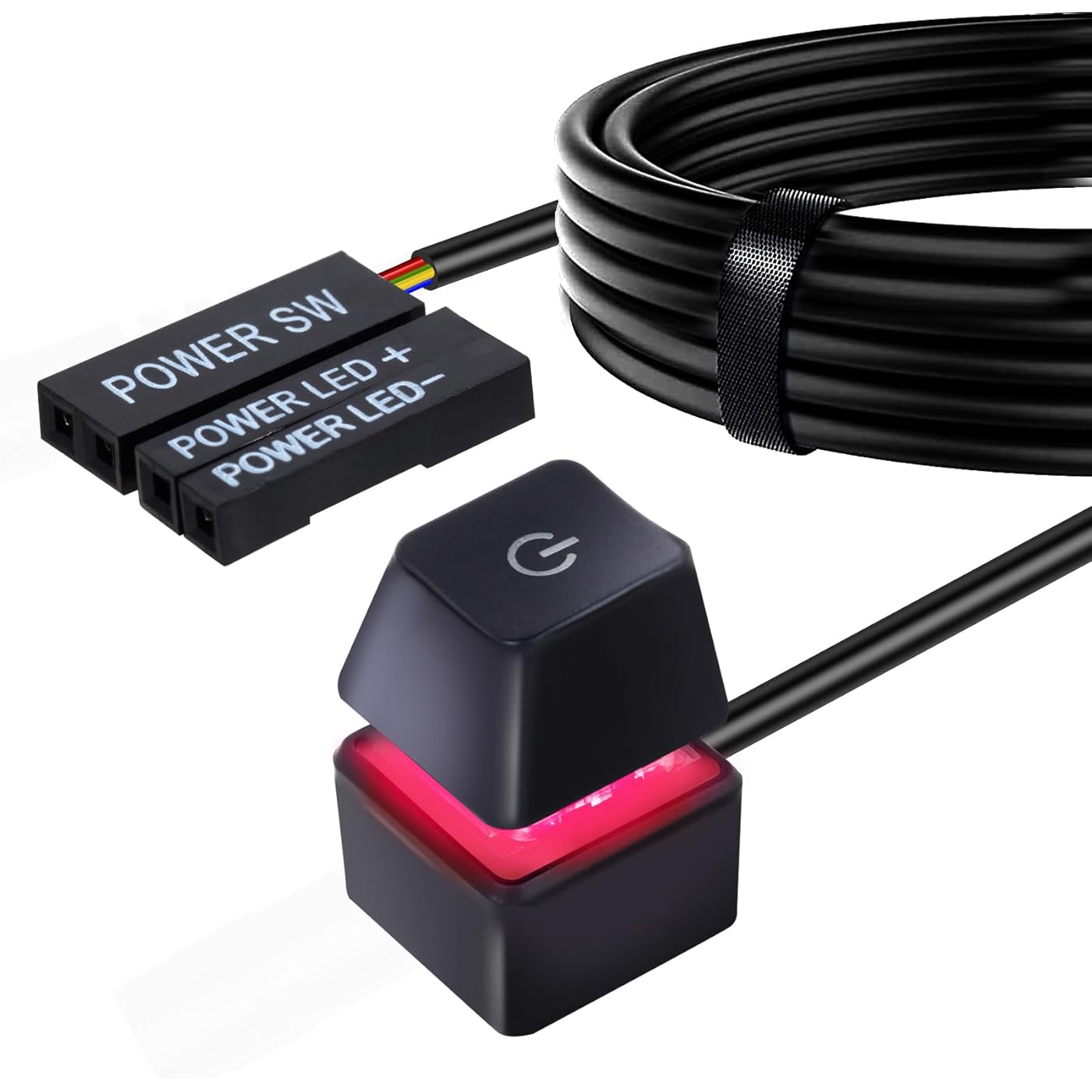
  • EXTERNAL PC POWER & RESET SWITCH: Designed for computers placed in hard-to-reach areas such as under the desk or inside cabinets. This external switch allows you to easily turn your desktop PC ON/OFF or perform a Reset from a convenient location, featuring a 2-meter (6.56 ft) long cable for flexible placement.
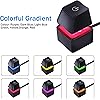
  • MECHANICAL SHAFT & GRADIENT RGB LIGHT: Equipped with a high-quality mechanical shaft key switch that delivers the same crisp tactile feedback as a mechanical keyboard. Paired with vibrant colorful gradient LED lighting, giving you a unique and premium power control experience.
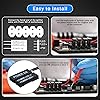
  • SIMPLE PLUG-AND-PLAY INSTALLATION: No complicated tools required. Simply connect the POWER SW and HDD LED connectors to the motherboard (instruction manual included). The included Power SW splitter adapter allows you to keep the original front panel button function while adding this external switch.
  • COMPACT & PORTABLE DESIGN: Ultra-lightweight at only 28g with a slim 1.5cm thickness. Perfect for home, office, hotel, or internet cafe use. Comes with strong double-sided adhesive tape on the bottom to securely fix the switch to your desk or wall.
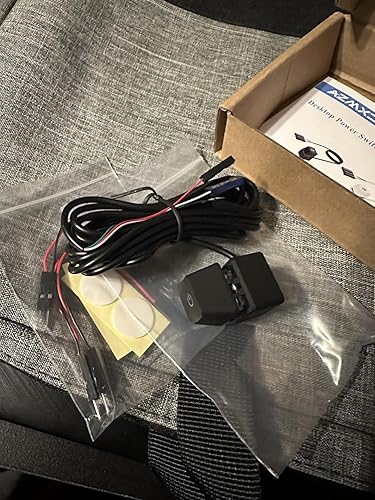
  • PACKAGE CONTENTS: You will receive 1 x Desktop Computer Power Switch with 2M Cable, 1 x Power SW Splitter Adapter, 2 x Invisible Double-sided Adhesive Pads, 2 x Cable Ties, and 1 x User Manual. Everything you need for immediate setup.

Operation Mode: ON-OFF


Current Rating: 2 Amps


Operating Voltage: 5 Volts


Contact Type: Normally Open


Connector Type: Screw Terminal


Brand: AZMXDVP


Switch Type: Push Button


Terminal: Through Hole


Material: Plastic


Item dimensions L x W x H: 78.74 x 0.59 x 0.59 inches


Operation Mode: ON-OFF


Current Rating: 2 Amps


Operating Voltage: 5 Volts


Contact Type: Normally Open


Connector Type: Screw Terminal


Switch Type: Push Button


Terminal: Through Hole


Circuit Type: 1-way


Mounting Type: Tabletop


Actuator Type: Push Button


Number of Positions: 2


Controller Type: Push Button


Control Method: Remote


Connectivity Protocol: X-10


Wattage: 5 watts


Color: Black


Item Dimensions: 78.74 x 0.59 x 0.59 inches


Unit Count: 1.0 Count


Number of Items: 1


Material Type: Plastic


Contact Material: Metal


International Protection Rating: IP40


Specification Met: Ip40


Brand Name: AZMXDVP


Model: M20


Manufacturer: Shenzhen Moming Technology Co., Ltd


UPC: 646690470855


Included Components: USB , INSTRUCTION MANUAL


Item Weight: 25 Grams


Warranty Description: 1Year


Frequently asked questions

If you place your order now, the estimated arrival date for this product is: Tuesday, Apr 28

Yes, absolutely! You may return this product for a full refund within 30 days of receiving it.

To initiate a return, please visit our Returns Center.

View our full returns policy here.

  • Klarna Financing
  • Affirm Pay in 4
  • Affirm Financing
  • Afterpay Financing
  • PayTomorrow Financing
  • Financing through Apple Pay
Leasing options through Acima may also be available during checkout.

Learn more about financing & leasing here.

Top Amazon Reviews


  • Works great
Size: Small Color: Black Number of Items: 1
Wire could be longer... But it works just like the button on the front of the tower would. Plug and play; looks great.
Reviewed in the United States on January 24, 2026 by Nick

  • Handy Power Switch Solution for Custom PC Setups
Size: Small Color: Black Number of Items: 1
I recently got a Desktop Computer Power Switch Power Supply Cable for my wall-mounted PC setup, and it's turned out to be a neat little addition. This cable is a game-changer if you're looking to add a hidden or more accessible power button to your system. The main appeal of this cable is the flexibility it offers in terms of where you can place your PC's power button. For my wall-mounted setup, I wanted to keep the look clean and uncluttered, and this cable allowed me to discreetly place the power button in a more convenient location. It's like having a secret switch, which is not only practical but also adds a cool factor to the setup. The quality of the cable and switch is solid. It was easy to install, connecting seamlessly with my motherboard. The length of the cable is adequate for most setups, offering enough reach to place the switch in a variety of locations. In terms of performance, the switch works reliably, and I haven't encountered any issues with it. It's a straightforward tool but does its job perfectly, allowing me to power up or reset my computer without having to reach for the main unit. In summary, the Desktop Computer Power Switch Power Supply Cable is a simple yet effective solution for those who have custom PC setups like wall mounts and want to add a bit of convenience and flair. If you're looking for a way to hide your power button or just want it in a more accessible spot, this product is definitely worth considering. ... show more
Reviewed in the United States on November 10, 2023 by Jason

  • Easy to install.
Size: Small Color: Black Number of Items: 1
Easy to install and works perfectly.
Reviewed in the United States on December 20, 2025 by Andy Rodriguez

  • Works but missing small detail
Size: Small Color: Black Number of Items: 1
Worked great but quality control might need to improve details. One box came with 2 splitter cables and the other only with one. Every box should have 2 for LED and for Power Switch. I couldn't find a way to contact the seller.
Reviewed in the United States on November 16, 2025 by SERG

  • Easy to setup and nice clicky power button
If you’ve ever wished for a more convenient way to turn your PC on and off—especially if the case button is hard to reach—the AZMXDVP Desktop Computer Power Switch Power Supply Cable offers a simple, practical solution. It provides an external remote switch that you can place on your desk, under a monitor, or anywhere else that’s easy to access, eliminating the need to stretch or bend down to reach your PC’s built-in power button. Design & Build Quality Sturdy Construction: The switch typically comes enclosed in a small, durable plastic housing with a tactile power button. It has a decent weight so it doesn’t slide around easily. Generous Cable Length: Most models include a sufficiently long cable—often in the range of 1–2 meters—ensuring you can route it neatly around your desk setup. This is a bonus if your computer tower is tucked under a desk or in a cabinet. Installation & Setup Locate Motherboard Pins: You’ll need to plug the switch’s connectors into your motherboard’s power switch pins (commonly labeled “PWR_SW”). These are usually found in the bottom-right corner of a standard motherboard. Unplug Existing Button (Optional): If you have a front panel power button already connected, you can either leave it connected alongside the external switch or remove it if you only plan to use the AZMXDVP external button. Secure the Cable: Once connected, route the cable out the back of your PC case or through a spare PCI slot cover. Depending on your case design, you can find a neat path for cable management. Simple and Quick: Overall, installation should take just a few minutes, even for beginners with basic PC-building knowledge. Everyday Use Convenience: With the external switch on your desk, powering on or off your PC is as easy as hitting a button—no more awkward stretches or bending to reach the case. Durable Button: The AZMXDVP switch gives a firm, satisfying click, providing confidence that each press registers. Reset/HDD LED Options: Some versions may include additional cables for the reset switch or HDD LED; check the specific model if you want those features. Pros & Cons Pros Enhanced Accessibility – Perfect for setups where the PC tower is difficult to access. Easy Installation – Straightforward plug-and-play into standard motherboard headers. Sturdy Construction – The button and housing typically feel solid and durable. Flexible Usage – You can still keep your case’s built-in power button functional if desired. Cons Cable Routing – Depending on your case, you may need to carefully plan where the cable exits. Limited Extra Functionality – This add-on only provides power button functionality (or, in some models, reset/HDD LED); it won’t provide more complex features. Potential for Accidental Presses – If placed on a crowded desk, there’s a slight chance of hitting the power button accidentally (though the button usually has enough resistance to minimize this). Final Thoughts For anyone who finds themselves straining to power on or off their PC, or for those who just prefer the convenience of a desktop-mounted power button, the AZMXDVP Desktop Computer Power Switch Power Supply Cable is a straightforward, cost-effective solution. Installation is a breeze, the build quality is solid, and it delivers on its promise of making computer power control more accessible. Highly recommended if you want a quick, hassle-free way to extend your computer’s power button right to your fingertips. ... show more
Reviewed in the United States on January 22, 2025 by ER

  • Very nice switch with an added bonus
Size: Small Color: Black Number of Items: 1
I do not usually write reviews. I order what I have researched and so long as it meets my expectations, it is exactly what I ordered. Which is the way it should be. However, I have to hand it to the vendor of this item for thinking ahead. The switch does exactly as shown in the images and works like a champ. The bonus part is that the vendor includes a splitter cable so that the switch can be used in tandem with any case switches. I got this switch due to the location of the switch for my case being a bit difficult to access, but due to that splitter cable, I can use either the extended switch I ordered or the case switch. Both work properly. To many times manufacturers or vendor cheap out on doing something proper. Not in this case. Well done! ... show more
Reviewed in the United States on June 27, 2024 by David Starcher

  • Lazy champ
Works as advertised, the cord rips from the module easily so be careful not to pull it with too much force - user error - but otherwise it perfect for the lazy person who shoves their desktop pc under the desk.
Reviewed in the United States on October 2, 2025 by Ryan W.

  • Great addition to help with basic power needs
Size: Small Color: Black Number of Items: 1
Works great as a power switch! Saves me from bending down under my desk to turn my computer on and off!
Reviewed in the United States on January 9, 2026 by Candace

Can't find a product?

Find it on Amazon first, then paste the link below.
Checking for best price...