Search  for anything...

Cricut Joy 2 Rainbow Essential Bundle – Compact Smart Cutting Machine with Smart Vinyl, Smart Iron-On, Cardstock, Insert Cards & Printable Vinyl – Create Up to 75 Projects

  • Based on 0 reviews
Condition: New
Checking for the best price...
$169.99 Why this price?
Save $9.01 was $179.00

Buy Now, Pay Later


As low as $28.33 / mo
  • – 6-month term
  • – No impact on credit to apply
  • – Instant approval decision
  • – Secure and straightforward checkout

Ready to go? Add this product to your cart and select a plan during checkout.

Payment plans are offered through our trusted finance partners Klarna, Affirm, Afterpay, Apple Pay, and PayTomorrow. No-credit-needed leasing options through Acima may also be available at checkout.

Learn more about financing & leasing here.

Free shipping on this product

FREE 30-day refund/replacement

To qualify for a full refund, items must be returned in their original, unused condition. If an item is returned in a used, damaged, or materially different state, you may be granted a partial refund.

To initiate a return, please visit our Returns Center.

View our full returns policy here.


Availability: In Stock.
Fulfilled by Amazon

Arrives Tuesday, Jul 14
Order within 8 hours and 15 minutes
Available payment plans shown during checkout

Protection Plan Protect Your Purchase
Checking for protection plans...

Features

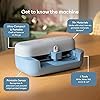
  • COMPACT AND POWERFUL: Cricut Joy 2 is the next generation of our ultra-compact cutting machine - perfect for quick, everyday projects like custom cards, simple decals & labels. Plus, it works with your home inkjet printer to help you create full-color stickers. It weighs just over 2 lbs (0.91 kg), making it the ideal machine for crafting - and storing - in any space. It has a 4.5 in (11.4 cm) cutting width, so it's perfect for smaller everyday projects.
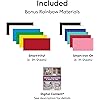
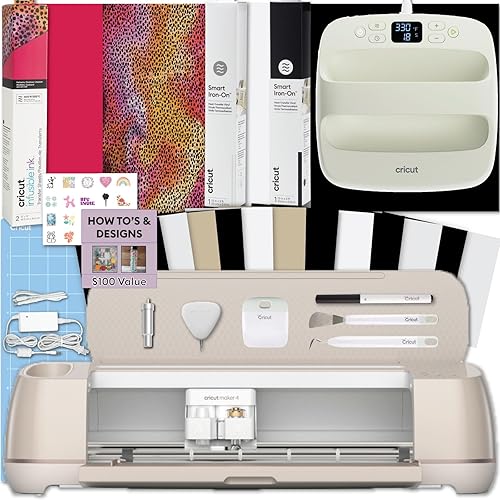
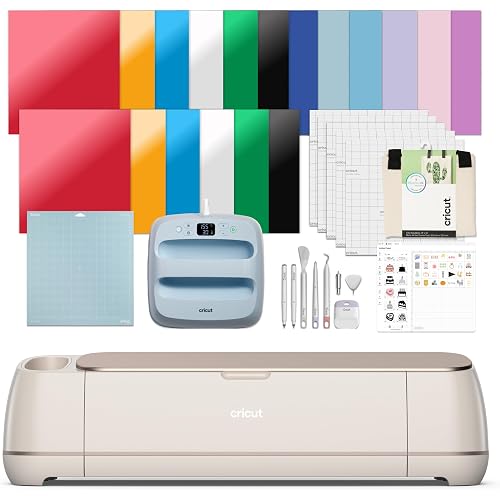
  • RAINBOW ESSENTIALS BUNDLE: Make a wide variety of projects right out of the box and save even more! The Rainbow Essential Bundle includes must-have tools and materials like Smart Vinyl, Smart Iron-On, Value Cardstock, Insert Card Sets, Printable Vinyl and access to over 400+ projects and how-to instructions in Cricut Design Space. It's enough supplies to create up to 75 projects.
  • ENDLESS POSSIBILITIES: The newest addion to the Cricut sticker making machine family, the Cricut Joy 2 now works with your printer to create full-color stickers. Print your design with your home inkjet printer, then your Cricut cutting machine automatically recognizes & precision-cuts around inkjet-printed images to create full-color stickers, decals, apparel & more.
  • COMPATIBILITY: Cricut Joy 2 works with 75+ materials, including popular materials like vinyl, iron-on, printable materials & cardstock, plus this machine writes, draws, foils, scores & cuts intricate designs with precision.
  • NO DESIGN EXPERIENCE REQUIRED: Use your mobile or desktop device and connect through Bluetooth to Design Space, our free, easy-to-use app that helps you turn your ideas into something one of a kind. With step-by-step design flows, customizable templates, AI-image generation, and a huge content library, it makes personalization feel effortless. Our free out-of-the box content library includes 3,000+ images, 100+ fonts, and 1,000+ projects to help get you started. Additional content can always be purchased a la carte, or go all in with a Cricut Access Subscription to unlock our ever-growing library for a small reoccurring monthly or annual fee.

Description

Add a pop of personality with Cricut Joy 2! At 4.5 inches, it's the next generation of our ultra-compact cutting machine - perfect for quick, everyday projects like custom cards, simple decals & labels. Available in a range of bold new colors, the machine works with your home inkjet printer to help you make full-color projects like stickers. The Essential Bundle comes with must- have crafting tools as well as an assortment of popular materials. This bundle has all the Essentials has to offer plus more! It is perfect for those looking to make a wide variety of projects right out of the box - and save. It's enough supplies to make up to 50 projects. Lightweight and easy to set up, Cricut Joy 2 is perfect for apartments, dorm rooms, classrooms and busy lifestyles. Whether you're organizing your home, making handmade cards or creating custom gifts, this bundle delivers everything you need to get started. 1 Based on 4 in x 6 in (10.2 cm x 15.2 cm) average size using included materials. 2 For compatible materials see Cricut website. 3 Additional tools & accessories sold separately. For compatible tools, see Cricut website. 4 Requires mobile phone, tablet, or computer with Bluetooth wireless and high-speed internet connection. System requirements may change. For details and updates on compatibility with all devices, browsers, and operating systems, see Cricut website. 5 Cricut Access is a paid subscription that automatically renews until cancelled. While some Digital Content available to all users by way of a la carte purchases, other Digital Content and certain software features only available through paid Cricut Access subscription. See Cricut website for all terms and details. 6 Limited Warranty. See Cricut website, or write to manufacturer or authorized region representative at applicable address, for full terms and conditions. Cricut Joy 2 is not intended for use by children 12 years and younger. The Bluetooth® word mark and logos are registered trademarks owned by the Bluetooth SIG, Inc. and any use of such marks by Cricut, Inc. is under license.

Brand: Cricut


Material: Plastic


Color: white


Product Dimensions: 8.75"D x 16.3"W x 7.25"H


Active Surface Area: 4.5 inches


Brand Name: Cricut


Manufacturer: Cricut


Warranty Description: 1 Year Limited Manufacturer Warranty on Cricut Machine


UPC: 093573277375


Part Number: 8003182


Model: 8003182


Included Components: Cricut Joy 2 Machine, Smart Iron-On and Vinyl


Operation Mode: Automatic


Print media: Card stock


Compatible Devices: Mobile devices (phones, tablets), Desktop devices (computers)


Item Dimensions D x W x H: 8.75"D x 16.3"W x 7.25"H


Active Surface Area: 4.5 inches


Material Type: Plastic


Color: white


Frequently asked questions

If you place your order now, the estimated arrival date for this product is: Tuesday, Jul 14

Yes, absolutely! You may return this product for a full refund within 30 days of receiving it.

To initiate a return, please visit our Returns Center.

View our full returns policy here.

  • Klarna Financing
  • Affirm Pay in 4
  • Affirm Financing
  • Afterpay Financing
  • PayTomorrow Financing
  • Financing through Apple Pay
Leasing options through Acima may also be available during checkout.

Learn more about financing & leasing here.

Top Amazon Reviews


  • Compact and Capable, But the 4.5" Cutting Width Is Very Limiting Compact and Capable, But the 4.5" Cutting Width Is Very Limiting
Bottom line: The Cricut Joy 2 performs well and is impressively compact, but the very limited 4.5-inch cutting width and relatively high price make it better suited for small craft projects rather than larger or more versatile design work. Pros: • Extremely compact and easy to store • Lightweight and portable • Clean, accurate cuts • Simple setup and connection process • Works well for small labels, cards, and compact craft projects • Can use custom SVG designs • Quiet compared to larger cutting machines Cons: • Only has a 4.5-inch cutting width • Easy to overlook the limited cutting area when ordering • Price feels high for such a small cutting space • Beginners may find the software and workflow confusing • Better suited for small-scale projects only I have owned an older Silhouette cutting machine for years, but eventually stopped using it because it was bulky and had to remain connected to my computer. One thing I always appreciated, however, was the ability to create and use my own SVG designs without relying on a subscription service. When I saw this Cricut Joy 2, I thought it looked like a fun and compact alternative for creative projects. What I failed to notice before ordering was just how small the actual cutting width is. The machine dimensions are listed as 8.75"D x 16.3"W x 7.25"H, but the usable cutting width is only 4.5 inches. To be fair, Cricut does clearly mention this in the description, but there is so much information in the listing that I simply overlooked it. Now technically, you can feed longer materials through the machine as long as they stay within that narrow width, so it is not limited by length as much as by width. Still, that cutting space feels very restrictive compared to larger machines. That said, I did not have any trouble setting the machine up or connecting it, though I suspect that is largely because I already have experience using similar cutting systems. I honestly think beginners could find machines like this somewhat confusing at first, especially when learning the software workflow and terminology. Performance-wise, the machine does very well. The cuts are clean and precise, and the compact size really is convenient if you do not want a large machine permanently taking up workspace. I can absolutely see the appeal for people doing small labels, cards, decals, and quick craft projects. Overall, I think it is a capable little machine, but the price point feels somewhat high considering the limited cutting width. ... show more
Reviewed in the United States on May 17, 2026 Reviewed in the United States on May 17, 2026 by Wendy Reviews

  • Tiny and powerful
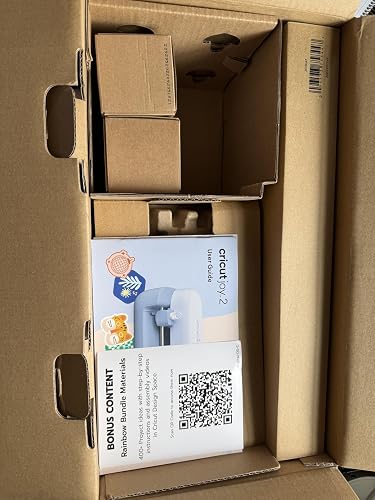
$169.99 when ordered. $169.99 now. I have had a Cricut from the very beginning. I was on teams, I have donated multiples when I upgrade. I understand how a Cricut works really well. I've wanted a Cricut Maker for years but I have never went for it because I just don't use what I have that often anymore. I saw this in my recommendations and had to grab it. I wasn't sure what to expect, because I have not been keeping up with it in the past few years. I should have looked at the size. This is so tiny.😄 When it comes to this type of tool, I am usually a bigger is better person. With that said, it is very compact. It comes with everything that they advertise. It's boxed extremely well. Instructions are included. I think it would be a nifty item to have if you are going somewhere and you know you're only going to want to cut small items. It includes the iron on things so if you're doing something for a cap or a mug I think this would probably come in really handy. I tend to create much larger. It's lightweight. It appears that it would be durable. I'm not sure what it means about compatibility. Of course it's compatible with your phones and your computer. Is it a good value for the money? I would need to do a bit of research and see what these are going for these days, but you do get a lot of items with it. Cricuts have never been inexpensive. It comes with a lot for you to play around and see what you like before you start investing if you don't already have a sizable stock of product. And it's not going to take up a lot of space. I think if you work on small items, you might really enjoy it a lot. ... show more
Reviewed in the United States on April 22, 2026 by AThoughtfulConsumer

  • Easy to use and accurate. Great addition to our crafting kit.
This is great for small craft projects, and the included materials make it easy to get your feet wet if you are new to craft cutting machines, which I am. My primary use for this is to make stencils, and it was great for a few projects with my son for his art class. I was able to cut the same patterns for both cardstock and vinyl to make a reinforced stencil, and it worked perfectly for both abstract "blobs" to layer colors for a camouflage design as well as repeatable flower designs to trace for outlines for a watercolor project. This obviously has plenty more uses that I look forward to using it for, but our projects did show us how easy it is to use and how good the results can be. The bundle is fantastic, especially the inclusion of the mat for cutting non "smart" materials, which makes ongoing costs much more palatable. ... show more
Reviewed in the United States on May 23, 2026 by Rainybeet

  • Easy from software installation through final product even for a newbie. Quality, ample materials. Easy from software installation through final product even for a newbie. Quality, ample materials.
Oh dear. And here we go. Just look what we've started. Like I need one more thing, but this is pretty cool. I am brand new to cutting machines, Cricut, etc. I've never touched one. I've created things by hand but never as easily as this! He gets the creative, crafty juices going. I opened it up and was surprised at everything that came with it and the quality especially. I won't go through all of it here, but see the video I took of it all sprawled out on my countertop! All of the contents are great quality, including the materials for projects, tools, instructions, software with step-by-step instructions as you go through a project, and, most importantly, the machine itself. I was walked through everything to produce my very first super basic project, a sign for a bumblebee house we built a few years ago that just had bumblebees move in. See picture! I didn't want to get too far over my head, so that's what I made. Pretty awesome. Can't wait to try iron-ons, cards, and other things. When choosing fonts and images do note that there are many for free. You do not have to buy the extras to get a decent project out of it. You can also buy a la carte fonts and images if there's one you just can't live without or, I think, you can sign up for a subscription as well. I found what I needed without buying anything in addition to what was already there for free. I gave this an excellent rating because it is so easy to use with wonderful instructions for someone who's brand new to it. A nice amount of material is also provided to get you on a path to creating a variety of things. I like how compact it's easy to store away it is and feel the value for the $$ is good. Plus? The machine and tools are just wonderful. 5-star all the way. ... show more
Reviewed in the United States on May 3, 2026 Reviewed in the United States on May 3, 2026 by McNatt

  • Compact and convenient for small projects, with a bit of a learning curve
I approached the Cricut Joy 2 with some hesitation, since in the past I had avoided Cricut machines due to concerns about subscription requirements. From what I can see now, it is possible to use the machine and upload my own designs without subscribing, which makes it feel more accessible. I suppose that the biggest advantage for me is the compact size. It’s small enough to take out, use for a quick project, and then put away without needing a dedicated workspace. That makes it much more practical for everyday use compared to larger machines. I’m not someone who gravitates toward vinyl projects, so I’ve been using it more for paper-based work and simple cuts. For those purposes, it performs well. The cuts are clean, and it handles smaller formats nicely. I see it as a tool for quick, contained tasks rather than large or complex designs. The machine does make some noise while operating — a light mechanical whirring — but in my experience it’s not overly loud or disruptive. I had been concerned about that, as I can be sensitive to noise. The workflow through Design Space takes some adjustment. It’s fairly guided, which can be helpful, but it does feel like part of a broader system. I prefer working with my own materials and designs, so being able to upload my own work without relying on the subscription library is important to me. At this price point, I find the value to be reasonable, especially with the included materials, though not all of them align with how I prefer to work. For me, the real value is in the compact size and convenience rather than the full bundle. It requires a computer or phone to interact with the software and an internet connection, so in terms of compatibility it is not a standalone set up. That's what may require a learning curve for people who don't take easily to technology. The unit is built for frequent casual use. I haven't used it long enough to know how durable it is, but it is lightweight and made primarily of plastic. I wouldn't use it for industrial-like workloads. It's just too small for that. It's like a good home printer, not a rugged workshop tool, but the precision is pretty good. . Pros/Benefits: * Compact and easy to store * Clean, consistent cuts for small projects * Works well for paper crafts and simple designs * Ability to upload my own designs without a subscription * Good starter bundle with a variety of materials * Uses Bluetooth so it should be compatible with many different devices and wireless interactions Cons/Limitations * Limited cutting width (best for small-scale work) * Design Space has a learning curve * Some reliance on Cricut’s ecosystem, depending on workflow * Not ideal for larger or more tactile mixed-media projects The Cricut Joy 2 is proving to be a useful, compact tool for small, quick projects. It works well when I stay within its scale and use my own designs, though it feels more like a convenience tool than a fully open creative system. As I understand the upgrade from the Joy to the Joy 2 is significant as you can now print a design and then cut it out on the Joy 2, a feature only available on the higher-end machines. This coincides with the newer sensor technology that allows for lining up print designs. Scoring is another new feature. I can happily offer a 4-star review for this product. ... show more
Reviewed in the United States on April 19, 2026 by fading swan

  • Everything you need to get up and running!
I have been curious about what I could do with a Cricut machine for a while now so I was thrilled to get the opportunity to try the new Cricut Joy 2. This thing is incredible. It's easy to get up and running in a few minutes and has everything you need to start cutting designs right away. This thing is small but mighty. I love how compact it is since it's not something I'll use every day. It's just under 2 pounds and is small enough to stow away in a cabinet when not in use. The sample materials it comes with gives you a variety of choices for different projects you want to take on and so far it's been really fun to try out. The machine isn't noisy at all. You know it's doing its thing but unlike my 3D printer, you don't really mind this one. The software has a bit of a learning curve and I was nervous about getting locked into a subscription model but found out you can upload your own designs which makes this little guy way more versatile than I was thinking it would be. The listing says it's compatible with over 75 different materials so once my starter pack runs out I'm looking forward to trying a bunch of different things. This thing is great for hobbyists and general crafts around the house. I can see this coming in handy for kids school projects as well. This is a really solid entry into the Cricut ecosystem and already has me looking at step up models to see what they can do. This is an excellent value for the money and I would recommend it! ... show more
Reviewed in the United States on April 21, 2026 by Amazon Customer

  • Great, easy to use, portable Cricut Great, easy to use, portable Cricut
This is the cutest, easiest-to-use, and most portable Cricut you'll find. It is compact and high-quality in cutting. I had no issues with connecting to my MAC and setting it up. It is fun to use as well. I can't wait to use it on t-shirts. I was also really impressed by its sticker-making abilities. Overall, highly recommend for the Cricut enthusiasts. ... show more
Reviewed in the United States on May 26, 2026 Reviewed in the United States on May 26, 2026 by Reviewer

  • Unexpected Error Unexpected Error
I was over the moon when I saw this pop up on vine, as I've been secretly wanting a cricut for years. I could not wait for it to arrive and open it up. That's literally where my excitement ended. Ever since opening this freaking disappointment, it's been nothing but a hassle. Yes, I am very new to cricut, I've never had any experience with one before. But I'm pretty tech savvy and figured it couldn't be that hard, if the reviews were all 5 stars. What a joke I downloaded the app, plugged in the machine and that's where my problems started. You can't design anything unless you're sitting in front of it, while it's on. I wanted to play with designing something while outside with my kids, but no, I had to sit tethered to this machine in order to use the app. I signed up for the free trial, and even though I opened and tried to use things available from the trial... it keeps telling me that I need to open and use the app or it'll delete my subscription. Um what? Ok..? First time trying to get it to work, holy eff. It took FOREVER. There's no buttons on it, you have to just *hope* that it connects. I got the spinning wheel of death for the longest time on the app. It didn't connect at all. I could SEE the machine name pop up, click on it, and it just said an unexpected error. That's what i call this stupid thing now, Unexpected Error. I unplugged it countless times, restarted my phone, and by some sheer luck, it connected. It prompted me to print the TEST project. Yup, it just sat there doing absolutely nothing. The feed rollers didn't accept that there was something sitting in front of them. With no buttons, there's no way to force it to accept it. After a few more times of restarting everything, reconnecting it idk how many times, I had to redo everything from step one and register it is as new all over again. FINALLY got it to connect and finish the prompt to print the test project. Mind you, this is now the next day. There are no paper directions, so you'll have to hope you can figure it out on the set up video it offers. Ya know, if you can even get that far because you may not be able to use the app. Whatever, start my first project. Couldn't figure out how to turn 2 objects into 1, so that you don't see the cut lines between the 2. I used a butterfly and placed it on a letter. You have to connect them in layers, similar to like photoshop. Alright, 3rd day, and I've got that figured out. I *FINALLY* printed what I wanted, and HOW i wanted. That's where what little joy i had... dissipated. Obviously, I don't keep it plugged in and logged in overnight, that's silly. I bought some sparkly rainbow vinyl so I could reprint the same 1 thing I've successfully printed twice already. Ha!!!! Nope. Back to square 1, restart the phone, restart the machine countless times, make sure I've got my layers, go to print... you guessed it... Unexpected Error. I've tried clicking on smart vinyl, vinyl with the mat, etc etc etc. Nothing is printing this project. All in all, I 1000% do not recommend this overglorified paper weight. Hopefully this review helps save someone from the constant frustration this thing has caused. Save your money, save your time. I've given this thing the benefit of the doubt for like 5 days now. I've sent more feedbacks every time I took a screenshot, than i could count. Absolutely nothing but problems ... show more
Reviewed in the United States on April 19, 2026 Reviewed in the United States on April 19, 2026 by Guess Who

Can't find a product?

Find it on Amazon first, then paste the link below.
Checking for best price...