Search  for anything...

Cooler Master Hyper 212 Black CPU Air Cooler – 120mm High Performance PWM Fan, 4 Copper Heat Pipes, Aluminum Top Cover, Low Noise & Easy Installation, AMD AM5/AM4 & Intel LGA 1851/1700/1200, Black

  • Based on 8,162 reviews
Condition: New
Checking for the best price...
$25.99 Why this price?
Save $3.99 was $29.98

Buy Now, Pay Later


As low as $6 / mo
  • – 4-month term
  • – No impact on credit to apply
  • – Instant approval decision
  • – Secure and straightforward checkout

Ready to go? Add this product to your cart and select a plan during checkout.

Payment plans are offered through our trusted finance partners Klarna, Affirm, Afterpay, Zip, Apple Pay, and Google Pay. No-credit-needed leasing options through Acima may also be available at checkout.

Learn more about financing & leasing here.

Selected Option

Free shipping on this product

FREE 30-day refund/replacement

To qualify for a full refund, items must be returned in their original, unused condition. If an item is returned in a used, damaged, or materially different state, you may be granted a partial refund.

To initiate a return, please visit our Returns Center.

View our full returns policy here.


Availability: Only 2 left in stock, order soon!
Fulfilled by Amazon

Arrives Friday, Aug 7
Order within 15 hours and 33 minutes
Available payment plans shown during checkout

Protection Plan Protect Your Purchase
Checking for protection plans...

Style: 212 Black


Features

  • Cool for R7 | i7: Four heat pipes and a copper base ensure optimal cooling performance for AMD R7 and Intel i7.
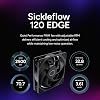
  • Quiet Cooling Fan: SickleFlow 120 Edge with Dynamic PWM control (6902,500 RPM), designed for low noise and peak cooling performance.
  • Simplify Brackets: Redesigned brackets simplify installation on AM5 and LGA 1851|1700 platforms.
  • Versatile Compatibility: 152mm tall design offers performance with wide chassis compatibility.
  • Easy Installation: Easy to install with included thermal paste for hassle-free setup and optimal cooling performance.

Description

Cooler Master's iconic Hyper 212 series makes a triumphant return in the form of the Hyper 212 Black, featuring a revitalized minimalist design Accompanying this evolution is the SickleFlow 120 Edge fan, equipped with enhanced blades that unlock unprecedented levels of cooling efficiency. Bundled with nanoparticle-powered CryoFuze Thermal Paste, it ensures peak performance. Compatible with the latest AMD and Intel sockets, embrace uninterrupted speed and precision with the Hyper 212 Black.

Product Dimensions: 4.84"L x 3.03"W x 6.25"H


Brand: Cooler Master


Power Connector Type: 4-Pin


Voltage: 12 Volts


Wattage: 2.4 watts


Cooling Method: Fan


Compatible Devices: Desktop


Noise Level: 26 Decibels


Material: Aluminum, Copper


Maximum Rotational Speed: 2500 RPM


Power Connector Type: 4-Pin


Voltage: 12 Volts


Wattage: 2.4 watts


Cooling Method: Fan


Compatible Devices: Desktop


Noise Level: 26 Decibels


Maximum Rotational Speed: 2500 RPM


Air Flow Capacity: 42 Cubic Feet Per Minute


Item Dimensions L x W x H: 4.84"L x 3.03"W x 6.25"H


Material Type: Aluminum, Copper


EU Spare Part Availability Duration: 2 Years


Brand Name: Cooler Master


UPC: 884102048654


Global Trade Identification Number: 54


Warranty Description: 2 Years


Manufacturer: Cooler Master


Number of Items: 1


Model: RR-S4KK-25SN-R1


Part Number: RR-S4KK-25SN-R1


Item Weight: 1.54 Pounds


Included Components: Hyper 212 Black, Install Kit


Unit Count: 1.0 Count


Frequently asked questions

If you place your order now, the estimated arrival date for this product is: Friday, Aug 7

Yes, absolutely! You may return this product for a full refund within 30 days of receiving it.

To initiate a return, please visit our Returns Center.

View our full returns policy here.

  • Klarna Financing
  • Affirm Pay in 4
  • Affirm Financing
  • Afterpay Financing
  • Zip Pay in 4
  • Financing through Apple Pay
  • Financing through Google Pay
Leasing options through Acima may also be available during checkout.

Learn more about financing & leasing here.

Top Amazon Reviews


  • Works great, no issues
Style: 212 Black
Very easy to install. Only issue was try to hold the bracket that it screws into on the back while also screwing it in from the other side. So I just had my dad hold it. Very quiet, and temps seem pretty good. Got it because I was upgrading from an i3 with a cooler to an i5 with no cooler included.
Reviewed in the United States on May 21, 2026 by Adam Mollenhauer

  • Saved My Build — Finally Working Perfectly!
Style: 212 Black
I was seriously starting to regret my entire build. I have an i9-12900KS and couldn't even get into the BIOS — just black screens and endless frustration. Tried reseating the CPU, swapping RAM, checking cables, you name it. Eventually realized the issue might be thermal-related, so I picked up the Hyper 212 Black after seeing solid reviews. Installation was smooth, especially for an air cooler this size. The mounting brackets for LGA 1700 worked without any fuss. Once it was on, temps dropped dramatically — like, instantly noticeable. And best of all? My system booted right up. BIOS, Windows, everything. The SickleFlow fan is surprisingly quiet, and the all-black design with the aluminum top gives it a premium look that blends nicely into my case. Honestly can’t believe this solved the issue, but I’m glad it did. If you're building with a high-end CPU like the 12900KS and running into weird stability or boot issues, don’t overlook cooling. This thing just works. ... show more
Reviewed in the United States on June 27, 2025 by S.b

  • There's a reason for the ridiculous rating.
Style: 212 Black
As of writing this review (12.24.25) It has a 4.7/5 star rating with well over 18,000 votes. That should tell you something. This baby is inexpensive, and it just works. If you're not running a super hot processor, this thing will absolutely do it's job and then some. I'm running just the single provided 120mm fan pushing air through it and exhausting out the back. It's a Ryzen 5 5500 inside a Thermaltake Versa H18 case. 3x120s up front sucking freshness in, with a matching 120 on the back farting the hot stuff out. I could sit here and ramble on, "blah blah this temp under load" "yada yada whatever on idle" but every system is completely different. As long as you're not trying to ice down a 14900K or R9 9950X3D, you'll be fine. Mine came with a syringe of generic thermal paste, but I had a stick of Arctic MX5 on hand, so I used it. I got the B550 motherboard, processor and Hyper 212 all at the same time, and when I got it all fired up and Windows 11 installed, I ran Prime95 for a couple hours to "break in" everything. No overheating, no thermal throttle. I forget the actual temp numbers, but they're irrelevant anyway. If you're reading so deep into the reviews that you find this one, you're already convinced to spend thirty bucks and snag this puppy. Just do it, dude. ... show more
Reviewed in the United States on December 24, 2025 by Doug Dennis

  • Very Nice! Very Nice!
Style: 212 Black
I purchased the Hyper 212 Black edition because the standard Evo clashed with the darker theme of the case. For starters, shipping was quick. I was home so I was able to receive my stuff as soon as the delivery person dropped it off. I ordered this particular cooler because I kept seeing great reviews about it. I was running the Corsair H60 sealed water cooling system but it was a few years old and I started to get a bit concerned with it leaking on my 1080ti and giving me a very expensive paperweight. I’ve included photos of how it looks, and my CPU temp during a game of Rocket League at 4K resolution. It was even if not better than my water cooler. Installation was pretty cut and dry, my system uses an AM3+ socket and I had no issues mounting the radiator stack. The only problem I had was my screw driver wasn’t the right kind to reach the screws so it took longer than it should have to get them threaded in. Mounting the fan was a bit of a pain but had I removed my upper exhaust fan it would have been much easier. I ended up removing it to connect the fan to my CPU fan header later on. As far as system specs, AMD FX-8350 processor ASRock 980de3 motherboard 16GB DDR3 ram, Hyper X Fury(I had no issues with clearance involving the ram) MSI Armor GeForce 1080ti video card All crammed into the very poorly designed Gamdias Talos M1 RGB case. The airflow in this case is totally dog poop so the fact that my temps are very reasonable is great. I did not use the supplied thermal paste, I opted for Arctic Silver 5, I have heard the supplied Cooler Master paste is not very good and will cause issues later on. Also, because of the cutout on the motherboard mounting surface, I didn’t have to remove the motherboard to put the X bracket on the back. Overall, I definitely recommend this cooler if you want a budget air cooler and you can support the size of radiator. ... show more
Reviewed in the United States on July 16, 2019 Reviewed in the United States on July 16, 2019 by Dylan

  • Decent CPU Cooler for the Price (for Folding at Home)
Style: 212 Black
Before I got this Cooler I used the stock cooler that came with my Ryzen 3600. I didn't apply any overclock so in games it worked well. When the COVID-19 Pandemic began, I learned I could donate my computer's power to the Folding@home project, who would use computing resources for COVID-19 research. Unfortunately, the stock AMD cooler was not up to the task of cooling my CPU when this program was running. Even when I set the folding program to only use "light" resources, my CPU was between 90 - 100 Celcius, even with all the fans set to maximum. Unfortunately, my case does not support water cooling and I don't think the Noctua D15 could have fit. I decided to go with the Cooler Master Hyper 212 Black Edition since it had four heat pipes and cost less than $40 US dollars. Overall the installation isn't too bad until you get to mounting fans to the heatsink. It's very easy to drop those fan brackets into your case because the holes on the fans are way bigger than the mounting bracket diameter. Getting the fan brackets to line up with the groves on the heatsink was also a struggle, especially when you are working in a cramped computer case. Once the fans were on the heatsink, everything fit. There is plenty to clearance for the ram on my motherboard and case but this may turn out differently for you. I also appreciated that the included fan cable included a fan header splitter for an optional second fan, which I took advantage of since I had a 2nd 120mm fan laying around. By the way, you don't have to use cooler master fans if you don't want to. I used an Arctic fan for the 2nd fan because that's what I had laying around and it works fine. Once I had the cooler installed I fired up Folding@home and was pleased by the temperatures I was getting now. Even when telling the program to use full power, this CoolerMaster cooler was able to keep the CPU between 70-80 C. I had the program running for over 30 mins and the highest temperature I'm getting is 77 C. I did not enable overclocking in the BIOS but the CPU is turboing to 3.9 GHz. I also have the CPU and Case fans set to maximum, but this CPU cooler is still very quiet. To summarize, this is a great value CPU cooler for its price and size, but don't expect installation to be easy. ... show more
Reviewed in the United States on April 17, 2020 by Ricky

  • 10/10 would recommend for the price
Style: 212 Black
Really impressed with quality and performance for this price point. I moved my Noctua Dh-15 to a new build and put this cooler, which costs a fraction the price, on my old build. It's rock solid on temps though not quite as good as the dh-15.
Reviewed in the United States on April 6, 2026 by Spike

  • Excellent CPU fan.
Style: 212 Black
Excellent CPU fan.
Reviewed in the United States on June 12, 2026 by gm

  • Much quieter than a stock AMD cooler but it took some work to install it.
Style: 212 Black
I like this product. Here's my day 1 experience... First you need to be ok with potentially removing the mother board, clearing thermal paste and reapplying thermal paste. If that is too much for you then find another solution! My stock AMD fan was driving me CRAZY! It was so loud that I didn't want to use the system for more time than necessary. I was not sure which fan was making all the noise but with a tooth pick narrowed it to the CPU fan. At that point I looked for a solution and here's my experience: Good: + Price to me was fair and Amazon arrived the same day! + Very Quiet (compared to my stock fan) + Keeping my cpu between 38 - 60C + Comes with thermal paste! + fits Intel/AMD (mine is AMD) + able to add a second fan but not included + directions with basic steps Not as good: - Installation took me about 90 minutes (I don't do this daily... so I am a bit slow) - If you're reapplying thermal paste you need 99% alcohol to clean the old paste (not included) - Installation required removing my system board- not a huge deal but takes time (case didn't allow access to under the system board) So this could be because I have an older case. Be ready. - If you have a small case it may not fit... check the case size, it's tall. Mine is full size Lian-Li and fit nicely. - second fan not included but can be added. - second fan may be tight against the memory on your system board. - split cable to power the first fan and add a second fan made my cpu fan speed unreadable. I added it so that the cable would be there for a future second fan. All in all, I like this solution. It's very quiet, inexpensive and working nicely. Happy Computing! ... show more
Reviewed in the United States on May 18, 2022 by Tony Bentivegna

Can't find a product?

Find it on Amazon first, then paste the link below.
Checking for best price...