Search  for anything...

CENMATE Aluminum 8 Bay 10Gbps Hard Drive Enclosure with Cooling Fan for 2.5“/3.5" SATA HDD/SSD with USB A/C 3.2 Gen 2, Support Hot Swappable, Daisy Chain Expansion, Tool-Free, DAS(NO RAID/NAS)

  • Based on 0 reviews
Condition: New
Checking for the best price...
$254.99 Why this price?

Buy Now, Pay Later


As low as $42.50 / mo
  • – 6-month term
  • – No impact on credit
  • – Instant approval decision
  • – Secure and straightforward checkout

Ready to go? Add this product to your cart and select a plan during checkout.

Payment plans are offered through our trusted finance partners Klarna, Affirm, Afterpay, Apple Pay, and PayTomorrow. No-credit-needed leasing options through Acima may also be available at checkout.

Learn more about financing & leasing here.

Selected Option

Free shipping on this product

FREE 30-day refund/replacement

To qualify for a full refund, items must be returned in their original, unused condition. If an item is returned in a used, damaged, or materially different state, you may be granted a partial refund.

To initiate a return, please visit our Returns Center.

View our full returns policy here.


Availability: Only 9 left in stock, order soon!
Fulfilled by Amazon

Arrives Wednesday, Mar 18
Order within 18 hours and 17 minutes
Available payment plans shown during checkout

Protection Plan Protect Your Purchase
Checking for protection plans...

Model: 8 Bay


Features

  • Note: When using this product, please first confirm that the hard drive loaded into this product is normal, otherwise it will lead to not out of the drive, such as loading more than one hard drive, it will only show one, can not confirm which one is bad, please load a hard drive, power on, out of the drive a, confirm that it is normal, turn off, and then load the second, in the power on, out of the drive two, to confirm that it is normal, and so on, one by one to load, until you find the The problematic hard drive. For example, if there is a problem with one of the 8 hard drives, only one drive will come out.If you have any questions, please contact me promptly.
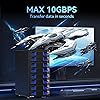
  • Up to 10GbpsThis 8 bay enclosure equips with ASM2074*3+ASM235CM*8 chip and USB C 3.2 output interface, Max 10Gbps under UASP control.Transfer 1G movie in 3-5 seconds with USB 3.2 Ports, which is 20 times faster than USB 2.0. 8 HDDs total R/W speed 70-150MB/s.NOTE:Read and write speeds are determined by factors such as hard drive version, computer version, etc...
  • Reliable External Storage System for IndividualsThe 3.5 hard drive enclosure supports 2.5/3.5inches HDD and SSD , max capacity up to 160TB( 20TB for each hard driveit's a ideal external hard drive enclosure for personal or enterprise using.
  • No heatThe 8 bay hard drive reader built in Aluminum-Alloy materials and two 2.9 inch Fans.Maximize the security of your data. NOTE:Fan noise is around 40-50 decibels, not recommended if you are very sensitive to noise.
  • Hot Swappable ConvenienceThe HDD enclosure supports hot swapping, allowing users to replace hard drives without powering off the device. This feature enhances convenience and efficiency in data transfer processes.
  • Daisy Chain ExpansionAdd a USB HOST port for external hard drive enclosure and daisy chain to expand capacity. Expansion 480TB storage through daisy chain up to 3 devices
  • Stable power supplyEquipped with DC 12V20A power adapter to provide stability for high-speed transmission.
  • Wide Compatibility, Plug and PlayEquipped with USB A/C Gen 2 Cable.Compatible with Windows 7 and above, Mac 9.1 and above, Linux.The Type-C interface supports various computer interfaces, including USB 3.0, USB 3.1, USB 3.2, Thunderbolt 3, and Thunderbolt 4.
  • Quality AssuranceCenmate provides technical support.If you have any questions about the product, please don't hesitate to contact us, reply and solve your problem within 24 hours.

Hardware Interface: USB 3.2 Gen 2


Brand: cenmate


Color: Black


Product Dimensions: 7.87"L x 5.12"W x 10.83"H


Hardware Platform: Mac Win Linux


Material: Aluminum


Memory Storage Capacity: 160 TB


Compatible Devices: Desktop, Laptop


Hard Disk Form Factor: 3.5 Inches


Max Number of Supported Devices: 8


Data Transfer Rate: 10 Gigabits Per Second


Manufacturer: cenmate


Product Dimensions: 7.87 x 5.12 x 10.83 inches


Item Weight: 7.26 pounds


Item model number: 8 Bay


Date First Available: September 10, 2024


Frequently asked questions

If you place your order now, the estimated arrival date for this product is: Wednesday, Mar 18

Yes, absolutely! You may return this product for a full refund within 30 days of receiving it.

To initiate a return, please visit our Returns Center.

View our full returns policy here.

  • Klarna Financing
  • Affirm Pay in 4
  • Affirm Financing
  • Afterpay Financing
  • PayTomorrow Financing
  • Financing through Apple Pay
Leasing options through Acima may also be available during checkout.

Learn more about financing & leasing here.

Top Amazon Reviews


  • Simple DAS that so far seems to do its job well.
Model: 2 Bay
I admittedly haven't had this DAS for long (at the time of writing this review), but I will keep this review in mind and edit it should any of the below change. I was running Ubuntu Server 24.04 with Frigate (Linux-based NVR software) at home, but as I added cameras over time, the old server was a little too weak. I moved the Ubuntu/Frigate install to a higher powered micro tower which solved the first set of problems, but of course I had no room for a 3.5" HDD for the video storage in the replacement system, which is where the Cenmate 2 bay unit comes into the picture. I have a single 6TB drive in it. It's USB'd right into my micro tower. Ubuntu mounts it via UUID on startup, and Frigate takes over recording footage to it without issue. So far, it's a very boring unit - which is exactly why I like it. I was concerned about throughput speeds, so for kicks I generated a bogus 10 GB file and transferred it from the onboard NVME SSD in the micro tower to the WD Purple within the Cenmate DAS. It sustained 170 MB/s transfer. According to random searches online, that WD Purple is expected to handle about 180-200 MB/s write speed, so seeing 170 MB/s sustained write made me pretty happy. I should note, I am not using the included USB cable. I read a few reviews that suggested the included USB cable is problematic for some folks, so I opted to use my own existing USB A/USB C cable from the get-go. Another concern I had was the behavior of the unit in the event that the power switch is left "on" but power is lost and then restored, as it's critical for my particular setup that the DAS simply always be on if power is available. I decided to test this right out of the gate, so once I unboxed the DAS, I put my HDD in it, flipped the power switch on, and then after that I plugged it into the wall outlet for the very first time. It lit up and I could feel the drive motor spinning up. I tested this in total 3-4 times, and each time it simply fired up the drive since the switch was set to "on" already. While this may seem like a "duh" thing, some different units I compared contained some reviews that suggested even if they had an explicit on/off toggle (like this Cenmate does), if power is lost, and then restored, some of these other units reportedly still required turning the switch off and then back on. This didn't seem to be the case with the Cenmate, which is great as this would have been an instant deal breaker where I would have returned it. In my setup, it's a requirement that if power is lost and then restored, that the DAS kick on automatically since the NVR micro tower is also simultaneously booting up which would be expecting the storage drive to be present to begin recording feeds. It was a relief to see that the Cenmate behaved as I hoped it would with auto-power-on after power is restored. I can't comment on using two drives in the unit as I haven't had a need to yet, but with a single drive it does the job well so far. It's simple, but I needed simple as well as predictability. Given I have an available bay open, it is tempting to pick up another matching HDD and doing some sort of Linux LVM group to span the two drives for more CCTV storage, but that's a project for another day. No issues with this relating to Linux. My Ubuntu Server install simply saw the drive when I ran "blkid", I added it as an automatic mount point, rebooted, and there it was - ready to be used. The jury is still out on long term reliability. For now, I rigged up a script on the Linux system using the Cenmate DAS along with my uptime monitor server which will check for the presence of the Cenmate/CCTV HDD every 5 minutes and email me if there's an issue. I'm hopeful this will reveal no surprises over time, but if it does, I'll update my review here. For now, it's serving my Linux/Frigate NVR micro tower just fine and ticks what few (but important) boxes I needed. ... show more
Reviewed in the United States on January 6, 2026 by Jason

  • Good for the right purposes, has some flaws
Model: 6 Bay
The enclosure works well so far. Install was easy, it's been running reliably for a month now, and speeds are good. I've run into two things that could be issues for some people 1: the included power supply doesn't give enough power to spin up all 6 disks. From a cold start, I have to pull one disc out, let it power the rest up, then insert the 6th. Not that big of an issue for my usage, as I keep it on for the most part, but a minor annoyance. 2: The fans are not particularly quiet. It's in a networking closet for me, so it's not an issue, but it may not be the best fit for a desk in a workspace. ... show more
Reviewed in the United States on May 20, 2025 by James M

  • rock solid
Model: 3 Bay
Based on other reviews I decided to use my own quality cables instead of the ones that came with the enclosure. Been running this enclosure with 2 HDs for over a month now. It's been rock solid with zero disconnects. I have it connected to my Macs via both a USB-C to USB-C cable (USB4), and also to another Mac via USB-C to USB-A cable (USB 3.2 Gen 2). Fan is a bit louder than other enclosures, but it's a constant hum (doesn't speed up and down like other enclosures) and not annoying. ... show more
Reviewed in the United States on January 14, 2026 by Andrew K

  • Exactly what I was looking for and so easy to use!
Model: 4 Bay
This is a DAS (Direct Attached Storage) device which means you can plug it directly into a desktop or laptop and the computer will see each hard drive in this just like it would if you had installed it into the computer. Because this uses the fastest USB version (at the time I purchased anyway) the transfer rates are even faster than what my old computer was via internal SATA connections. Either way I'm using mine on a laptop with 4 drives for a Plex server and its working excellent and can load and play 4K files from the 7200 RPM drives I have it in which my other computer wasn't capable of doing and only worked correctly on SSD drives. The huge storage capability of this made it a no brainer for my plex server and because there are no screws required for the drives to be installed that was super easy. I was a bit concerned about the noise level that people had mentioned in other reviews. In my case I put this in my office where it stays on 24/7 and its no different than having my other computer running fan noise wise. So you can hear it running but its nothing I would call loud. If you prefer silence though it might be best to put it in a room you aren't in constantly or maybe in a further back area of the room not as close to you. But it is absolutely not loud, just a low fan noise and doesn't bother me at all and I sit about 5 feet away. Setting this up was about as easy as it could possibly be. I just connected it to power and to the laptop with USB-C, popped my drives (WITH DATA on them still) out of my old computer and put them into this enclosure with no tools required, slid the sleds back in one at a time and they started showing up on the computer within seconds. IF you buy a brand new drive do the same thing but then go to Disk Management and initialize the drive and assign drive letter/etc. and you'll be good to go in no time! ... show more
Reviewed in the United States on March 27, 2025 by Verticies

Can't find a product?

Find it on Amazon first, then paste the link below.
Checking for best price...