Search  for anything...

Brother ScanNCut SDX125EGY Electronic DIY Cutting Machine with Scanner, Make Custom Stickers, Vinyl Wall Art, Greeting Cards and More with 682 Included Patterns, Grey

  • Based on 1,819 reviews
Condition: New
Checking for the best price...
$449.99 Why this price?

Buy Now, Pay Later


As low as / mo
  • – Up to 36-month term if approved
  • – No impact on credit to apply
  • – Instant approval decision
  • – Secure and straightforward checkout

Ready to go? Add this product to your cart and select a plan during checkout.

Payment plans are offered through our trusted finance partners Klarna, Affirm, Afterpay, Apple Pay, and PayTomorrow. No-credit-needed leasing options through Acima may also be available at checkout.

Learn more about financing & leasing here.

Selected Option

Free shipping on this product

FREE 30-day refund/replacement

To qualify for a full refund, items must be returned in their original, unused condition. If an item is returned in a used, damaged, or materially different state, you may be granted a partial refund.

To initiate a return, please visit our Returns Center.

View our full returns policy here.


Availability: In Stock.
Fulfilled by Amazon

Arrives Tuesday, Apr 28
Order within 19 hours and 31 minutes
Available payment plans shown during checkout

Protection Plan Protect Your Purchase
Checking for protection plans...

Color: Titanium/Grey


Style: Grey/Titanium


Features

  • SCAN DRAWINGS AND MATERIALS: Brother ScanNCut is the only cutting machine series with a built-in scanner. Directly cut printed stickers, precisely place designs without counting blocks, and scan your hand drawn designs, ideas and concepts to convert them to cut files
  • STUNNING DIY PROJECTS: Craft with 682 built-in designs including 100 quilting patterns and 9 fonts. Add custom designs and additional free patterns with the USB port and wireless capability, and customize and combine your projects with the easy-to-use 5" touchscreen LCD display
  • NO MATERIAL SELECTION REQUIRED: The included ScanNCut DX auto blade and auto blade holder uses true automatic material sensor technology to detect the thickness of the material with no blade adjustment or material selection required. Always perform a trial/test cut to confirm a successful cut
  • Cuts up to 3 millimeter (0.1 inch); Thickness: The Brother Home Electronic Cutting Machine effortlessly cuts materials up to 3 millimeter thick such as paper, vinyl, fabric, balsa wood, chipboard, foam and felt
  • PERFECT FOR HOBBYISTS AND BUDDING ENTREPENEURS: Create original designs for personal use, home decor and gift giving. The SDX125EGY is also whisper quiet, allowing you to cut materials with ease and without disturbing others
  • INCLUDED IN THE BOX: The ScanNCut DX comes with a 12" x 12" standard tack mat, black pen, pen holder, touch pen, spatula, accessory pouch, pattern collection with 76 additional patterns, auto blade, auto blade holder, Getting Started guide and 1pc sample cardstock
  • This product is intended for sale only in the US at 120 volts, and any other use or sale voids the warranty.

Description

The Brother ScanNCut DX SDX125EGY was designed for the hobby enthusiast who is looking for an efficient and clean way to cut materials such as felt and foam (up to 3MM thick) without frays or damage. Brother’s Auto Blade sensor technology automatically detects the thickness of your materials to cut precise custom and built-in patterns. The SDX125EGY comes with over 680 built- in designs, including 100 quilt patterns, and 9 letter fonts—these provide you with multiple ways to quickly create and edit designs on the 5” LCD touchscreen display, plus 76 SVG files included, Birthday Collection, Greeting Cards Collection, Flowers & Valentines Collection (Available with Canvas Workspace for web only).

Brand: Brother


Material: Plastic


Color: Titanium/Grey


Product Dimensions: 8.4"D x 20.9"W x 6.8"H


Active Surface Area: 11.7 inch


Brand Name: Brother


Manufacturer: Brother International Corp


Warranty Description: 1 year limited, free phone and technical support for the life of the product


UPC: 012502660927


Part Number: SDX125EGY


Model: SDX125EGY


Included Components: pen,pen holder,touch pen,spatula,acc pouch,auto blade,auto blade holder


Item Type Name: Brother ScanNCut SDX125EGY Electronic DIY Cutting Machine with Scanner, Make Custom Stickers, Vinyl Wall Art, Greeting Cards and More with 682 Included Patterns


Unit Count: 1.0 Count


Operation Mode: Semi-Automatic


Print media: Banner paper, Card stock, Labels, Paper (plain)


Item Dimensions D x W x H: 8.4"D x 20.9"W x 6.8"H


Active Surface Area: 11.7 inch


Item Weight: 18.2 Pounds


Material Type: Plastic


Color: Titanium/Grey


Frequently asked questions

If you place your order now, the estimated arrival date for this product is: Tuesday, Apr 28

Yes, absolutely! You may return this product for a full refund within 30 days of receiving it.

To initiate a return, please visit our Returns Center.

View our full returns policy here.

  • Klarna Financing
  • Affirm Pay in 4
  • Affirm Financing
  • Afterpay Financing
  • PayTomorrow Financing
  • Financing through Apple Pay
Leasing options through Acima may also be available during checkout.

Learn more about financing & leasing here.

Top Amazon Reviews


  • Cricut Maker & Design Space vs Brother ScanNCut SDX125EGY & Canvas Workspace... fight to the death!
Color: Titanium/Grey Style: Grey/Titanium
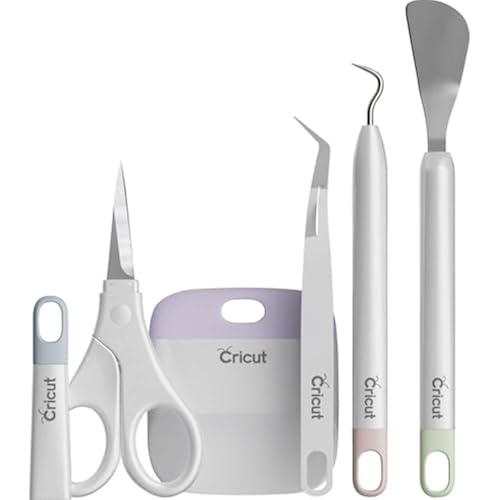
The media could not be loaded. I'm not quite sure how I got here. I am a polymer clay, sculpting, sketching, graphic design, and beading dabbler and have never understood the draw of paper crafts, being hunched over cutting out doo-dads, or making fantastical cards that will likely just get tossed out. And then I simultaneous bought a Cricut Maker and a Brother ScanNCut SDX125EGY. And vinyl. And tools. And foil. And transfer paper, and a scanning mat. And 110 lb weight cardstock. After watching so many youtube channels in research, I came to the conclusion that you have to be super perky, with super white teeth, bright lipstick, wear too many rings, and get too excited by new color palates, stickers, and sentiments to be associated with this stuff. So how did ***I*** get here. I think it started when I googled if you could cut stencils to use ON polymer clay with one of these machines. I found absolutely no proof anyone is/was doing this, but to my shock, I found many references to people using them to cut baked thin sheets of polymer clay itself, and a few, (Gasp), saying they cut unbaked/raw polymer clay with it (why would you gum up an expensive machine like that?!) I then knew if I was serious I'd have to watch and research tutorials on the software and design process for each of them. So I felt like I was at least partially prepared to go through with this test... UNBOXING: I picked up the Cricut in person at Joann's (or as my favorite morning radio show refers to them now- J-Fab). I felt like confetti and loud music was going to fall on me, the employee was so smugly congratulatory and genuinely happy for me, like I had passed through a sacred set of rites and been inducted into a super high echelon society now. She gushed about coming in for help and classes and that I was going to love-love-love it. It was hefty in weight and a length that is a tad bulky but the sturdy box and handle made it easy. The box was pristine. I got it home and opened it up and it was well-packed but with two irksome features- everything wrapped in plastic and the mats had been curved and wrapped around and under and were totally (and still are) wildly bent. The DX125 was delivered by a forlorn Amazon delivery driver who set it carefully on my porch in a timely fashion but did not seem excited for me and was not congratulatory (based on my house cam video and images). I think after the Cricut experience I was expecting him to at least give a thumbs up and toothy grin at the camera. Alas. It was a box in a box, thankfully there was no struggle induced by the negative air pressure box-in-a-box-a-hair-bigger, so it came out nicely and was in pristine condition as well. There was less plastic and while the mat was in a slightly curved position, it pulled out and immediately went nice and flat. SET UP: The Cricut came with many separate pages/booklets/leaflets in a disgusting waste of paper that all appeared to be helpful guides and how-to-start slips but none of them really were worth existing (A single sheet entirely with a link, another 3 whole sheets with once sentence on each). The Cricut Design Space program for my Windows Lenovo IdeaCentre AIO as well as the mobile app for my Samsung Note 10.1 2014 edition and Samsung Note 10+ phone all installed seamlessly. Start up and updates were very fast and instant and I was ready to go in minutes. I was expecting to have to do the "wifi/WPS button" marathon race up and down my steps to get it to work (like it always turns into when setting up a new voice controlled plug or a printer). But I sat on my butt and everything worked and talked before my eyes. I tested it first on some decorative vinyl, card stock, the minute piece of fabric included, and the drawing pen on plain paper. The Brother set up was also easy and I was not judged by my dog during wifi set up for this one either. The built in menu is yes, limited when compared to a $1100 smart phone, but it's not laggy and is fairly easy to understand (and you can learn as you go without it freezing, changing or deleting something irreversibly, or having it shoot blades at you for your stupidity). The Canvas Workspace was also as easy to install everywhere. I tested the Brother on all the same materials. SOFTWARE COMPARISON First let me start by saying, I've been working on computers since I was 8 when it was a word processor with just a blinking green cursor and getting floppy disk terribly pixelated games like Snarfs and Paganitzu was believed by me and my brother to be the BEST it could ever get. I like doing everything myself, use Nova Launcher on all my phones, was satisfied with Windows XP and hated everything after, I literally cried when I had to upgrade my computer and it forced me to give up Adobe PS7 (having grown up with earlier versions and not wanting any progression beyond that one), and I despise the most popular and most dumbed-down versions of everything. So I went into this having preconceived notions of which one I'd do best with and prefer. Yes, using both so far have just solidified my preference. Cricut Design Space is very easy, very simplified, and while it won't let you do everything you may want to do, it does force you to find your way to a conclusion. The ease of access to pre-made images and fonts and ideas is spectacular. It is the laggy-ier of the two by far and there have already been multiple times it stopped responding and I had to just close out and try again (my computer has the processing power and memory (and internet connection)to probably send a NASA shuttle up so it wasn't my system being bogged down). The way this software encapsulates and isolates everything you put into it or use is expected and annoying. Even if you want to print or view something on your computer not involving the actual program, it's virtually impossible (no luck with screen shots or anything). So while the newest version allows you offline access, it all can only be worked on in the program itself. I found one work around by using my phone's S-Pen screen write function but the image size is limited. I'm not going to really get into prices, but there's a lot of costs if a majority of your work is not from scratch. UPDATE AFTER SEVERAL WEEKS: It seems to freeze and I have to close out at least once per session but the restart speed of the program is fast at least. Brother Canvas Workspace has apparently gone through significant changes recently and it's a nice program. It's a bit more limited in things you can do as far as editing, but it shines in using and making your own/external ideas. It's a real DRAG that it doesn't come with the scanning mat because anyone who uses this machine should be doing so because of this feature. I got one for $23 on amazon (not available in stores near me) and waited 5 long days (2 days of waiting after the machine actually arrived). I never have hit into lags and while the file format for creations is limiting, it's very easy to send it places and edit. There can be a slight delay in seeing projects that you've sent from one device to the machine and then want to view on another device but it does all work. ACCESSORIES It's way easier to go bonkers with the Cricut. Partly because EVERYTHING is separate but also because Cricut stuff is available everywhere. I hadn't even gotten the Maker yet and I was monitoring prices of the foil transfer tool, the QuickSwap attachments, the Deep Blade tool, scoring tools, pens etc. I picked up the basic tools set for crazy cheap (Prime vs Premo days were cricut-acular!) This tool set is fine for no matter what cutting machine you use, they're decently well made they just look like space dental instruments designed by Apple (aesthetics get a 0 but function gets a 5/5). I got some decorative vinyl on clearance (2/3 were cricut brand). Sadly, the awesomely performing fabric cutting wheel is going to collect dust in my life since I don't work much with fabrics other than fixing my own clothes and taking things in and making my dog his bed cover (preferably ONE time thing). This tool is a deal-breaker for people that cut a lot of unbacked fabric, I've yet to find evidence that the Brother cutter can 100% hold a candle to it at this point. I also ordered an off-brand wide scraper tool here on Amazon since the one included in the kit was dinky. I bought the scoring pen, the deep cut blade, a 12x24 supergrip mat and that's it. The standard mat works well, albeit will never flatten. The lavender high grip mat is quite tacky but behaves. The Brother comes with a stylus I've still never used and a spatula thing that's mediocre. The free sheet of sparkly deep blue card stock paper was absolutely gorgeous though and worth everything in the Cricut's "to get started" envelope. The standard grip mat is absurdly sticky. I gave up after first use of ever getting some of the fuzzies, dog and human hairs and lint off of it. It also partially lifts/rips the backing of my Oracal 631 vinyl which is a major problem (I've tried every depth setting). Everything sticks to it even though I use it and immediately return it to it's plastic sleeve. After the second use it has things on it I can't get off that are causing lifts/bubbles for everything I try to put on it. My most immediate purchase was the scanning mat as mentioned above. Both mats read and feed first time every time so far. Baby wipes can help with loose lint/hair/debris after each use but more dog hair somehow floats on in the 30 seconds I allow it to dry before replacing the plastic. The low-tack mat was a god-send, it's going to be my go-to because the standard is just too tacky. PERFORMANCE: Both cut things crisply and equally well, other than the Brother insists on cutting through the vinyl AND backing on every setting. The Brother is much faster (both to initiate, design and actually do the work). They're both pretty quiet, the Brother is slightly quieter. The Brother's front tray is noticeably deeper which makes it nice when you don't have much of a workspace as far as depth because it's there to support the mat front and back. UPDATE: The winner for cutting vinyl so far is the Brother. It took some tweaking beyond just selecting HALF cut, but even after multiple test runs the Cricut Maker still cuts through everything more times than not. THOUGHTS SO FAR: They can both do the exact same plethora of things equally well with the exception of fabrics- the Cricut fabric cutting wheel is top notch. The Cricut's mats are easier to deal with. The Brother is faster and the auto blade setting is super convenient, you don't have to select all the right things it just knows and does. I had to invest more money into getting the Cricut to accomplish the same things and if you pay for monthly/yearly access, you'll always be paying something. The Brother is perfect for me and those that draw/design their own unique stuff a majority of the time and the ability to scan in ANYTHING is incomparable. I got the Maker when it was marked down to $369 from $399. I got the Brother when it was $314, from $399. The Cricut is sleek and shiny and modern and looks like something from Black Mirror's or Electric Dream's vision of the future. Anyone can use it and with the right tools, accessories, etc it can do anything. The brother resembles a printer from the 80's and 90's (do I feel almost nostalgia as a grimace?), the lighter grey body color is just a few shades off of that dingy tan they all seemed to be. It doesn't have the slow unfold of the cover or the drawer and the plastic of the draws doesn't feel as sturdy and sleek. On the inside, though, it's first class. The touch screen is an unfortunate requirement, but it responds fast and is easy to figure out. Even with the learning curve, the design time and establishing settings and inputting commands and running time were ALL faster compared to using the Cricut. I can really see why some people like one or the other, and many people have and use both. Regardless, this is going to be a fun trial period (til end of Jan 2021) to solidify the winner! UPDATE: This morning I put both machines to the test- I wanted business cards made of 100 lb card stock with my logo, my favorite font, etc. Both machines failed me to do everything start to finish. The cricut would not draw my little logo image (nothing I did and no file type allowed it to be edited to be a draw object). The Brother refused to export/transfer/keep the logo image and the periods in my text because they were all too small. So I looked to my trusty canon pixma ix6820. I made the business cards in a word document. Then I put in light outlines for each and transferred it into both canvas workspace and design space. It was very easy to just make a project on the brother that cut out the rectangle outlines nearly perfectly (I also scanned the word document in and did it that way too but my initial outline color was too light (it matched the light silver of the cardstock I was using) and it didn't pick out the only thing I needed- the outer rectangle the first time. The cricut failed in that it cut out the rectangles way off from where the card outlines actually were though I had aligned to the mat grid and the on-screen grid perfectly and did a test cut which aligned normally. Update 3/2021- the cricut is getting sold to a new home and I am very happy with the Brother. I acquired the Vinyl Auto blade kit and it works fantastically even on the sharpest and tiniest cuts. Superior to the cricut which ended up frequently snagging and clogging with some little cut out pieces. After doing more research and seeing some quilting stores test and display it's fabric cutting ability, I could presume (but without real personal evidence as I just don't cut fabric) that the Brother CAN hold a candle to the cricut. Yes the cricuts ready to make projects were handy when I wanted to do a quick not exactly personal gift for someone but I have never and will never use that feature enough to justify the costs. Also the cricut seems wasteful to me. It spreads cuts and objects out to use up more material and when you try to move objects closer together it will sometimes do it but often ignore your placement and spread them back out (and even off the grid) when you tell it to start. It took slightly more time to really get acquainted with all the tools and abilities with the brother but I retract my previous statement that it doesn't allow as much editing. I am very happy with going solo with the Brother. A small amount of supplies for it are available at places like Joanns, Amazon has the rest and I've gotten excellent deals from AllBrands website which carry EVERYTHING. Yes the Brother website itself is fairly useless for purchasing most things. I almost never use anything but the light tack mat. I am very happy with longevity and function of the blades and mats and machine itself with the Brother. ... show more
Reviewed in the United States on October 19, 2020 by J. Bush

  • Great investment
Color: Titanium/Grey Style: Grey/Titanium
The media could not be loaded. I absolutely love this machine!!!!! It is easier to use than my circuit maker3! I did not find this machine in stores and have no idea why! It's a game-changer! I don't have to use a device to print and then cut! I simply placed my items on the graph board and it scanned and cut ✂️ the image! I made perfect stickers and can not wait to make some awesome crafts! Custom everything! I encourage everyone to add this device to their collection! And hopefully, they will start to carry more products in store! 😇 I did find some Brother products at Joan Fabric in my state 😇 ... show more
Reviewed in the United States on November 22, 2023 by Queen Asha

  • Powerful machine - but needs constant attention
Color: Titanium/Grey Style: Grey/Titanium
You need to watch the machine as it cuts. Can't just walk away because if there is a small buckle in the paper, it could cause trouble for the whole sheet. Have to attend to the machine while it is cutting. And it is important to use high quality paper and to make sure the paper is tacked down completly. If you use cheap, thin knock-off paper it can buckle under the blade and cause rough edges. But this powerful machine provides very accurate cutting when the paper is firmly stuck to the mat. I love it! ... show more
Reviewed in the United States on February 5, 2025 by Agnes Jess

  • Awesome Cutter
Color: Titanium/Grey Style: Grey/Titanium
I was nervous purchasing the Brother because I have been using a Cricut for years, but kept running into issues with the roller pads.... which is why I decided to try a new brand. The Brother works great and met my expectations. The only issue I have is that the program to create more detailed designs is so confusing, and I find myself wishing that I could use the Cricut workspace for my Brother..... The touchscreen capabilities are a huge bonus! Makes doing quick projects a breeze! It did take me a bit to find the right pressure settings so that it wouldn't cut into my mat. I also love that I do not have to have my laptop connected to it through cords.... It is so convenient to be able to send my designs wirelessly from my laptop to the machine. ... show more
Reviewed in the United States on March 18, 2022 by Morgan Burns

  • Better than other cutting machines
Color: Titanium/Grey Style: Grey/Titanium
I had been debating buying this product for two years. I didn't know if I wanted a cricut, silhouette, or the cut and scan. The only thing that deterred me was the price for the cut and scan. But looking at the features that it has compared to silhouette and cricut I went with the cut and scan. It is not easy to use and there really are no directions on how to make crafts. You get step by step directions to make one thing. I joined some FB groups and watched some YouTube channels and learned to do HTV and permanent vinyl. I'm happy with my purchase and will probably create more projects over the summer. ... show more
Reviewed in the United States on January 24, 2021 by Davita Greer

Can't find a product?

Find it on Amazon first, then paste the link below.
Checking for best price...