




Brother BES Blue Edition Embroidery & Lettering Software - 199 Pre-Digitized Fonts, Monogram Designing, Editing and More!




Buy Now, Pay Later
- – Up to 36-month term if approved
- – No impact on credit to apply
- – Instant approval decision
- – Secure and straightforward checkout
Ready to go? Add this product to your cart and select a plan during checkout.
Payment plans are offered through our trusted finance partners Klarna, Affirm, Afterpay, Zip, Apple Pay, and Google Pay. No-credit-needed leasing options through Acima may also be available at checkout.
Learn more about financing & leasing here.
30-day refund/replacement
To qualify for a full refund, items must be returned in their original, unused condition. If an item is returned in a used, damaged, or materially different state, you may be granted a partial refund.
To initiate a return, please visit our Returns Center.
View our full returns policy here.


At a glance
- Condition
- New
- Color
- Blue
- Power Source
- Corded Electric
Features 5
- 800+ Embroidery Designs - There's a design for almost any occasion with BES Blue!
- 199 Built-In Digitized Fonts - add beautiful lettering to your designs using various BES Blue tools
- Word Collage Feature - create fun and unique Word Embroidery Designs, simply select your shape, type your words, and let the software generate your collage.
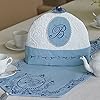
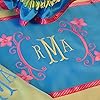
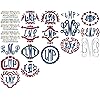
- Design Custom Monograms - Choose from different layout styles, fonts, and thread colors. Creating a custom, decorated monogram design is very easy.
- BES Blue can save as .pes, .jef, .dst, .sew, .xxx, .exp, .shv, .vip, .vp3, .dxf, .pat, .hqf, .iqp, .txt, .plt, .ssd
Description
Perfect for the embroiderer looking to start their journey with Brother Embroidery Software. BES Blue has lots of Embroidery and lettering features such as on-screen typing, sewing order, font categories, fills and underlay, and more! Resize Embroidery designs and merge multiple designs on to one page. Specialty features include: 199 pre-digitized fonts with editing and customization features, 800+ embroidery designs, Monogram designing, name drops, drawing tools to convert to applique, PLUS, its ScanNCut compatible, making cutting out applique a cinch! BES Blue has an onboard Word Collage Feature to create fun and unique Word Embroidery Designs, simply select your shape, type your words, and let the software generate your collage. Once completed, the Word collage can be further customized. BES Blue’s Color Match-on loading feature will automatically convert a design to the selected thread palette. You can also Create a Scatter Design using a selected design element to scatter copies of it randomly in the design workspace. Creating a custom, decorated monogram design is very easy with the Monogram Designer. Simply select one of the monogram layouts, type in the letters you want, choose a font and thread color, and click the OK button. The basic monogram will appear in your workspace, after which, you can save it to the appropriate file type. You can opt to output the monogram either as stitches or as artwork. Get creative with the ability to resize, rotate, center and flip designs. Align text in multiple lines or in a circle, add borders, and even import your own embroidery files and merge with the built-in designs. Even if you’ve never used embroidery software before, BES Blue is easy to learn and is compatible with most brands of embroidery machines. When you open BES Blue, you can immediately begin creating a new, untitled design in the design window. Select, copy, and paste particular components of a design. View the hoop or frame on the screen while you move and align items in your workspace to make sure designs fit properly when you run it on the machine. Then, combine lettering with other designs using the Merge Design Files feature. You can add beautiful lettering to your designs using various BES Blue tools. Generate unique embroidery text in an array of shapes and sizes using powerful Text tools. Create lettering with the text tools such as Follow Path, Vertical, Circle, Step and Spiral to create unique shapes. Design one-of-a-kind monograms in minutes with the built-in monogramming fonts. BES Blue gives you amazing flexibility to add what you want to your projects!
Specs 8
| Brand | Brother |
|---|---|
| Color | Blue |
| Power Source | Corded Electric |
| Brand Name | Brother |
| Model Number | 199 |
| UPC | 012502665120 |
| Manufacturer | Brother |
| Part Number | 199 |
No specs match.
Frequently asked questions
To initiate a return, please visit our Returns Center.
View our full returns policy here.
- Klarna Financing
- Affirm Pay in 4
- Affirm Financing
- Afterpay Financing
- Zip Pay in 4
- Financing through Apple Pay
- Financing through Google Pay
Learn more about financing & leasing here.


