Search  for anything...

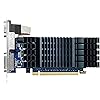
ASUS GeForce GT 730 2GB GDDR5 Low Profile Graphics Card for Silent HTPC Builds (with I/O Port Brackets), 3 Year Warranty

  • Based on 329 reviews
Condition: New
Checking for the best price...
$96.47 Why this price?
Save $8.52 was $104.99

Buy Now, Pay Later


As low as $16.08 / mo
  • – 6-month term
  • – No impact on credit to apply
  • – Instant approval decision
  • – Secure and straightforward checkout

Ready to go? Add this product to your cart and select a plan during checkout.

Payment plans are offered through our trusted finance partners Klarna, Affirm, Afterpay, Apple Pay, and PayTomorrow. No-credit-needed leasing options through Acima may also be available at checkout.

Learn more about financing & leasing here.

Selected Option

Free shipping on this product

FREE 30-day refund/replacement

To qualify for a full refund, items must be returned in their original, unused condition. If an item is returned in a used, damaged, or materially different state, you may be granted a partial refund.

To initiate a return, please visit our Returns Center.

View our full returns policy here.


Availability: Only 3 left in stock, order soon!
Fulfilled by Amazon

Arrives Monday, Jun 15
Order within 6 hours and 19 minutes
Available payment plans shown during checkout

Protection Plan Protect Your Purchase
Checking for protection plans...

Style: Graphic Card


Features

  • Silent passive cooling means true 0dB - perfect for quiet home theater PCs and multimedia centers.
  • Flexible I/O: 1x DVI-D, 1x S-Sub, 1x HDMI 1.4a, HDCP 2.2 Suppor
  • Auto-Extreme Technology uses automation to enhance reliability.
  • GPU Tweak II provides intuitive performance tweaking, thermal controls, and system monitoring.

Description

ASUS GeForce GT 730 is the fantastic graphics card from ASUS. Engineered with a highly-efficient 0dB thermal design, it dissipates heat in complete silence — making the GT 730 the perfect choice for your silent home-theater PC (HTPC) builds. Exclusive Auto-Extreme Technology for premium quality and best reliability.

Graphics Coprocessor: NVIDIA GeForce GT 730


Brand: ASUS


Graphics Ram Size: 2 GB


Video Output Interface: ['DVI-D', 'S-Sub', 'HDMI 1.4a']


Graphics Processor Manufacturer: NVIDIA


Graphics Coprocessor: NVIDIA GeForce GT 730


Graphics Card Ram: 2 GB


Video Output Interface: ['DVI-D', 'S-Sub', 'HDMI 1.4a']


Graphics Ram Type: GDDR5


Compatible Devices: Desktop


Graphics Card Interface: PCI-Express x16


Memory Clock Speed: 927 MHz


Display Maximum Resolution: 2560 x 1600


Display Resolution Maximum: 2560x1600


Item Dimensions L x W: 6.5"L x 2.7"W


Brand: ASUS


Video Processor: NVIDIA


Antenna Location: Monitoring


Built-In Media: 1-slot LP Bracket(2), GT730-SL-2GD5-BRK Graphics card, Speedset up manual


Model Name: GT730 SL 2GB D5 BRK


Graphics Description: NVIDIA GeForce GT 730 with 2GB GDDR5 memory, 927MHz GPU clock speed, and 927MHz memory clock speed


Manufacturer: ASUS


UPC: 195553250122


Mfr Part Number: GT730-SL-2GD5-BRK


Model Number: GT730-SL-2GD5-BRK


Item Type Name: computer graphics cards


Warranty Description: 3 Year Warranty


Item Weight: 476 Grams


Frequently asked questions

If you place your order now, the estimated arrival date for this product is: Monday, Jun 15

Yes, absolutely! You may return this product for a full refund within 30 days of receiving it.

To initiate a return, please visit our Returns Center.

View our full returns policy here.

  • Klarna Financing
  • Affirm Pay in 4
  • Affirm Financing
  • Afterpay Financing
  • PayTomorrow Financing
  • Financing through Apple Pay
Leasing options through Acima may also be available during checkout.

Learn more about financing & leasing here.

Top Amazon Reviews


  • Great little card!
Works well no complaints and very small with no fan to fail.
Reviewed in the United States on February 7, 2026 by Jason

  • Works Great for Intended Use
I'm currently running an old Dell T710 Server in my home lab. I'm repurposing it into a movie server/media center where I can organize and edit media, so the onboard graphics wasn't gonna cut it. As a matter of fact the onboard GPU is pretty much useless unless your just running CLI. Anyway, I did some research into it and it turns out the PCIe slots are only rated for 25 watts since Dell never intended high end GPUs to be used in the early generation servers. Well that's why I found this little guy rated at just 25 watts. I'm running Xubuntu 20.04 LTS and to my surprise, the native drivers picked up the GT 730 without an issues and I didn't have to mess with anything. I'm currently running on 1920x1080 on a 27'' monitor and it's smooth as can be. I thought I'd for sure be spending hours trying to get this GPU to work with the kernel, but nope. Just plug and play. Which NEVER happens, especially with Linux. So needless to say, I'm extremely happy with the outcome of this purchase. I plan on adding another display, which I'm hoping goes just as smoothly. Just make if you're buying this, you're using it for a realistic purpose. It's lower profile and low power, which fit my needs, but it probably can't handle modern video games very well. ... show more
Reviewed in the United States on July 25, 2022 by rbickert

  • Nice compact video card
I liked the cost and performance rating. Nice and quite since it doesn't have fan. I liked it so much that I purchased a second one for my other computer.
Reviewed in the United States on August 18, 2022 by Carl

  • Does not fit Dell Optiflex 7070.
Does not fit Dell Optiflex 7070. Heat sink is too big to fit next to power supply.
Reviewed in the United States on February 15, 2026 by Harold L Gaines Jr

  • What I needed
I do not play many games but I wanted a little more performance from my old PC. This did it and it's silent! The most difficult thing was removing the large mounting plate and installing the 2-low profile plates. That took < 5 minutes. It WILL NOT perform like a $200-$300+ card but it does well for what I need. Definitely a good value. ... show more
Reviewed in the United States on February 2, 2023 by Dan G.

  • A Nightmare to Set Up
It used to be with "Plug 'N Play," that you just inserted the card and connected the outputs to your monitor and were off and running. No longer. It took me about 24 hours of wrestling to get this card to work. Initially, I could not get the HDMI port to recognize my 4K TV. In the nVidea firmware documentation, they admit that this is a problem. And also admit that "overscanning" of the HDMI port is both routine and also "a problem." There is no written documentation provided with the card [outside of a visual indicator of parts]. When I could not get the HDMI to recognize the monitor, I tried the Asus "chatline," where I was asked such questions as "What are the inputs to your motherboard?" Huh? Power? OS? Keyboard/mice? Ethernet? This proved utterly useless. Unlike many devices with an HDMI output, after much experimentation I discovered that this card absolutely refuses to recognize ANY HDMI port which is not HDMI-Arc-1. Does anyone at the factory know that? No. Is this requirement listed or printed ANYWHERE? No. Secret. Even though they admit, in the bowels of their firmware instructions, that connections to an HDMI of an HD TV cam be a "problem," they nowhere state that the HDMI-Arc-1 port of the TV is the ONLY port which will be recognized by the card. Secret. My Dell laptop does quite well on my HDMI3 port. Not here. Secondly, while it says that two images can be sent out simultaneously, this is only sorta true. The impression is that the SAME image will be sent to both. I have been unable to verify that. The VGA will transmit your Desktop. But the HDMI port will give a grossly overscanned image of "something," but nothing actually useful. However, one needs the VGA to navigate the menus to set the HDMI port settings since the HDMI output is initially useless. However, after hours and hours of messing around, finally a screen with large green arrows in the corners appeared in the HDMI monitor. When you are there, you can adjust the overscan and everything seems to be over after that. Asus/nVidea: Please have this overscan arrows screen popup IMMEDIATELY on the HDMI port. It is impossible to set the HDMI port without the VGA monitor for navigation. This should be completely unnecessary. This card is used on an HP 6000 with 16G of ram and fits the "X16PCEXP" slot perfectly. The System says that 10G of this ram is used for "video," so I have 12G of video ram. Colors are better and images sharper than with the Dell output. Most importantly, even with VPN On, I was unable to force any "buffering" while watching YT's "4K" video series. The card is like a magic carpet in that respect. For No Documentation, not telling anyone about the mandatory Arc-1 port requirements, and not having a sensible setup, I take away 1*. Wish I had those 24 hours of waste back. ADDENDUM: This product is extremely sensitive and needs a fresh 18GB/sec. or higher HDMI cable to operate properly - it most likely will appear "dead" otherwise. When booting up, if it cannot initially "handshake" with the receiving device properly, then the Output is shut off and is difficult to re-initiate. I had used an ordinary HDMI cable and found that even when I got it working properly, if I rebooted, the card would often not initiate properly and it would appear that the card was "dead." Tried an auto HDMI switcher, and could not get it to work, since the native output of this card is 4096x2160x60Hz and apparently beyond the capabilities of the auto switcher. Had to go back to my Monoprice manual switcher [no longer available]. With a new 18GB/sec or higher HDMI cable, the card should work reliably every time. So, if you have connection problems, before "Returning," try a new HDMI 18GHz or higher cable first. It worked for me. ... show more
Reviewed in the United States on April 20, 2022 by Semi in Tampa

  • Great card
This card easily plays my video games and video files.
Reviewed in the United States on June 15, 2025 by M. Duncan

  • It solve the problem
I have a Dell Desktop that has something wrong with its integrated graphics. The monitor with VGA port flickered badly when I switched frequently between two monitors. This graphic card immediately solved this problem. I don't play games. I use this graphic card for video and music editing work. It works well with 4k monitor too. Color looks a bit warmer. Desktop seems to be faster after I installed this card. ... show more
Reviewed in the United States on June 8, 2022 by Amazon Customer

Can't find a product?

Find it on Amazon first, then paste the link below.
Checking for best price...