Search  for anything...

ARCTIC Liquid Freezer III Pro 240-240 mm AIO CPU Cooler, Water Cooling, 38 mm Radiator, PWM Pump, VRM Fan, AMD AM5/AM4, Intel LGA1851/1700 Contact Frame - Black

  • Based on 1,054 reviews
Condition: New
Checking for the best price...
$75.98 Why this price?
Holiday Deal · 34% off was $114.90

Buy Now, Pay Later


As low as $12.66 / mo
  • – 6-month term
  • – No impact on credit
  • – Instant approval decision
  • – Secure and straightforward checkout

Ready to go? Add this product to your cart and select a plan during checkout.

Payment plans are offered through our trusted finance partners Klarna, Affirm, Afterpay, Apple Pay, and PayTomorrow. No-credit-needed leasing options through Acima may also be available at checkout.

Learn more about financing & leasing here.

Selected Option

Free shipping on this product
This item's return window has been extended for the holiday season: FREE refund/replacement until Jan 31, 2026

To qualify for a full refund, items must be returned in their original, unused condition. If an item is returned in a used, damaged, or materially different state, you may be granted a partial refund.

To initiate a return, please visit our Returns Center.

View our full returns policy here.


Availability: In Stock.
Fulfilled by Amazon

Arrives Sunday, Dec 14
Order within 1 hour and 8 minutes
Available payment plans shown during checkout

Protection Plan Protect Your Purchase
Checking for protection plans...

Model: ACFRE00178A


Features

  • Contact Frame for Intel LGA1851 | LGA1700: Optimized contact pressure distribution for longer CPU lifespan and better heat dissipation.
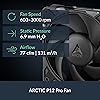
  • ARCTIC's P12 Pro fan: More performance at every speed especially more powerful and quieter than the P12 at low speeds. Higher maximum speed for optimal cooling performance under high load.
  • Native offset mounting for Intel and AMD: Shifting the cold plate center toward the CPU hotspot ensures more efficient heat transfer.
  • Integrated VRM fan: PWM-controlled fan that lowers the temperature of the voltage converters and ensures reliable performance.
  • Integrated cable management: The PWM cables of the radiator fans are integrated into the sheathing of the hoses, so that only a single visible cable is connected to the motherboard.

Product Dimensions: 10.9"L x 4.7"W x 2.6"H


Brand: ARCTIC


Power Connector Type: 4-Pin


Voltage: 12 Volts


Wattage: 3.96 watts


Cooling Method: Water


Compatible Devices: AMD, Intel


Material: Aluminium (Radiator), Copper, Micro Skived Fins (Cold Plate)


Maximum Rotational Speed: 3000 RPM


Air Flow Capacity: 77 Cubic Feet Per Minute


Product Dimensions ‏ : ‎ 10.91 x 4.72 x 2.6 inches; 3.69 Pounds


Item model number ‏ : ‎ ACFRE00178A


Date First Available ‏ : ‎ March 15, 2025


Manufacturer ‏ : ‎ ARCTIC


Best Sellers Rank: #9 in Water Cooling Systems


Customer Reviews: 4.3 4.3 out of 5 stars 1,054 ratings


Frequently asked questions

If you place your order now, the estimated arrival date for this product is: Sunday, Dec 14

Yes, absolutely! You may return this product for a full refund within 30 days of receiving it.

To initiate a return, please visit our Returns Center.

View our full returns policy here.

  • Klarna Financing
  • Affirm Pay in 4
  • Affirm Financing
  • Afterpay Financing
  • PayTomorrow Financing
  • Financing through Apple Pay
Leasing options through Acima may also be available during checkout.

Learn more about financing & leasing here.

Top Amazon Reviews


  • Quiet, effective, and easy to install if you know the right tricks.
Model: ACFRE00178A
It's quiet, sturdy, and cheap. Offers the same thermal performance as the 360mm triple fan version, so save yourself some money and buy this one! Consult ARCTIC's motherboard compatibility list before you buy, and use PC Part Picker's website to determine compatibility with all your PC parts. As for installing, I recommend using the triple header wire and NOT the all-in-one so that your performance will be more optimized. Pay attention: 1. FAN cable gets plugged into the motherboard slot that says CPU_fan 2. PUMP cable goes into the motherboard slot that says PUMP. If not available, use CPU_OPT or a SYS_FAN header. 3. VRM goes into any SYS_FAN header. As for installing the unit itself, the ARCTIC youtube channel has easy to follow video guides on how to install them. However, you should know that your CPU backplate will fall out after you remove the original bracket. To make installation a lot easier, make sure you open your case's side panel so you don't have to remove the motherboard for installation. Way quieter than stock intel fan, and better performance, too. Stays quiet even when doing high-res video editing. Buy with confidence. ... show more
Reviewed in the United States on September 25, 2025 by Levi Rodriguez Levi Rodriguez

  • Easy recommend.
Model: ACFRE00178A
Just installed the cooler and I have to say it was incredibly easy for AM5. Temps are sitting at about 50 with a 9800x3D so on par with other AIO’s I’ve used but this one cost less than half. Looks pretty nice, cools well, fans aren’t loud for me (yet), and the all in one connector seems to work great. No issues for me and it’s an insanely good value so 5 stars for now! Always check your mobo compatibility before buying! ... show more
Reviewed in the United States on November 14, 2025 by Dok McB

  • Great AIO Cooler
NZXT N7 B650-E motherboard - Fits AMD 7800X3D Azza Cast 808 (I removed the outer shell to get a better view for this picture) So I've seen a lot of reviews stating this was difficult to install...I honestly didn't think so and I'm the type that struggles with the little front panel connectors. Best tips I can offer is to go to YouTube and search for AIO name and include "installation". That is super easy to follow and you can just pause the video as needed. The other thing is to have your PC laying down on its back (if you already have the motherboard installed into the PC). I could be wrong but I think with AMD AM5 boards the Bracket is fixed to the board itself so you don't even have to worry about holding the bracket the same time as trying to install the mounting parts. While you have the PC laying down also be sure to have access from the top of your PC case so you can use both hands. The last tip is to take your time. Between those 3 things it was a relatively easy install. Now for my actual thoughts on it. TBH I am not impressed by the look of the pump cover, the Deepcool AK620 Zero Dark, that this Arctic Freezer III replaced, was much better looking. (If I can ensure not to impact performance, I might 3d model and print my own cover). Unlike the aforementioned Deepcool cooler this is however much better at cooling and noise. The idle and task temps are about 10° better, and the noise levels are way better. When my Deepcool was idle it was just a bit quieter than the Arctic is under load. I might eventually swap out the fans for Noctua fans but as is I'm ok with it. BTW check your case recommended specs for radiators, as this radiator is quite thick. I could see this being challenging for an ITX build where every spare millimeter counts. Only concern I have so far, and I don't know if this is a "break in" type thing, but I noticed my pump is kind of noisy here and there...it sounds like water trying to path through a weird opening (kind of hard to explain), but it's not a constant thing. It just does it here and there for a few seconds then everything is quiet again. I just hope it goes away and doesn't get worse while I'm still in my exchange period. So overall it's a 5 star with me so far, but the minor things make this more like a 4.7 for me ... show more
Reviewed in the United States on December 3, 2024 by Andy M Andy M

  • Pretty impressive performance; a tad frustrating to install on AM5 (& check mobo compatibility)
The good news is: a great cooler -- effective and quiet, with good VRAM/mobo airflow coverage -- for the size. So for what you buy an AIO for, if 240mm is your size target -- and it fits, see below -- then you can hardly go wrong. It is rather nice that Artic does not over-price this unit. BUT . . . if you have an AM5 mobo, be prepared for some frustration in the install. There are two major issues: firstly, Artic's cold plate mounting is "offset" a few mm from the center of the socket, and that is done for a VERY good engineering reason: the offset assures that pump's cold plate is centered on the heat-producing part of the CPU's die. BUT that offset means that, with some mobos, aluminum cooling blocks/fins for VRMs or M2 drives conflict with the edge of the pump housing. You do not want to have this problem, so check the Artic website for compatibility; mine was. It is possible to mount the pump "backwards"/upside down, but that brings some other problems in your install like conduit routing/bending. Secondly, Artic intentionally "warps" their pump's coldplate so that the center slightly bows out, and the two binding screws torque down the plate firmly across the CPU's heat spreader. This is a good thing and, for example, it pretty much assures no air bubbles in the thermal paste. BUT that means that the binding screws slightly point out and are not parallel to the path of the threaded mounting holes. So it is a pain to get the "second" screw threaded (the first one goes in). On a mobo you never want to force things, so you have to be careful and take your time. Mine took 15 minutes and a little cussing; i do not look forward to re-applying paste in a few years. But all works now, quite wonderfully. My 7900x is running quite comfortably on all practical applications (LLMs and large advanced image processing) without throttling and with PBO enabled. The only benchmark that i could get it throttle on is extended Prime95 sessions, which is a rather severe and synthetic test in my opinion. So i am happy indeed. -- gary ray ... show more
Reviewed in the United States on August 16, 2024 by Gary R. Bliss

Can't find a product?

Find it on Amazon first, then paste the link below.
Checking for best price...