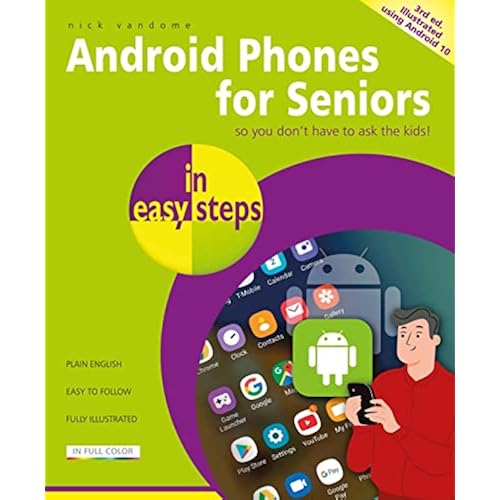
Android Smartphones for Seniors Made Easy: Connecting with Friends & Family (Computers for Seniors Made Easy)


Buy Now, Pay Later
- – 4-month term
- – No impact on credit to apply
- – Instant approval decision
- – Secure and straightforward checkout
Ready to go? Add this product to your cart and select a plan during checkout.
Payment plans are offered through our trusted finance partners Klarna, Affirm, Afterpay, Zip, Apple Pay, and Google Pay. No-credit-needed leasing options through Acima may also be available at checkout.
Learn more about financing & leasing here.
FREE 30-day refund/replacement
To qualify for a full refund, items must be returned in their original, unused condition. If an item is returned in a used, damaged, or materially different state, you may be granted a partial refund.
To initiate a return, please visit our Returns Center.
View our full returns policy here.
Description
Updated for 2026 Not just for seniors! Android Smartphones for Seniors Made Easy: A Simple, Step-by-Step Guide for Beginners In today’s fast-paced digital world, smartphones have become essential tools for staying connected, informed, and entertained. But for many seniors, learning how to use an Android smartphone can feel overwhelming, especially without a manual. That’s where Android Smartphones for Seniors Made Easy comes in. This user-friendly guide is designed specifically for older adults who want to confidently navigate their Android devices without frustration or confusion. Whether you're brand new to smartphones or looking to sharpen your skills, this book walks you through everything you need to know, in plain English and with helpful pictures every step of the way. What You’ll Learn:Smartphone Basics: Understand the key features and functions of your Android phone.Setting Up Your Phone: Learn how to activate your device, connect to Wi-Fi, and customize your settings.Using Your Phone: Make calls, adjust volume, manage contacts, and more.Installing and Using Apps: Discover how to download apps from the Google Play Store and use them with ease.Text Messaging: Send and receive texts, photos, and emojis with confidence.Browsing the Internet: Search the web, bookmark pages, and stay safe online.Taking Photos and Videos: Use your camera like a pro and organize your memories.Navigating with Google Maps: Get directions, explore new places, and never get lost again. With large print, plenty of illustrations, and step-by-step instructions, this book makes learning Android smartphones simple and stress-free, no tech experience required. Perfect for seniors, baby boomers, and anyone who wants to master their Android phone without the tech jargon. Empower yourself or a loved one with the knowledge to stay connected and make the most of modern technology.The chapters in the book cover the following topics:Chapter 1 – Smartphone Basics Chapter 2 – Setting Up Your New Phone Chapter 3 – Using Your Phone Chapter 4 – Installing New Apps Chapter 5 – Texting Chapter 6 – Searching the Internet Chapter 7 – Using the Camera Chapter 8 – Google Maps Navigation About the AuthorJames Bernstein has been working with various companies in the IT field for over 20 years, managing technologies such as SAN and NAS storage, VMware, backups, Windows Servers, Active Directory, DNS, DHCP, Networking, Microsoft Office, Exchange, and more.He has obtained certifications from Microsoft, VMware, CompTIA, ShoreTel, and SNIA, and continues to strive to learn new technologies to further his knowledge on a variety of subjects.He is also the founder of the website OnlineComputerTips.com, which offers its readers valuable information on topics such as Windows, networking, hardware, software, and troubleshooting. Jim writes much of the content himself and adds new content on a regular basis. The site was started in 2005 and is still going strong today. Read more
Publisher : Independently published
Publication date : May 11, 2022
Language : English
Print length : 191 pages
ISBN-13 : 70
Item Weight : 13.8 ounces
Dimensions : 7 x 0.44 x 10 inches
Book 5 of 15 : Computers for Seniors Made Easy
Best Sellers Rank: #513,588 in Books (See Top 100 in Books) #197 in Handheld & Mobile Devices #3,722 in Computer Science (Books)
Frequently asked questions
To initiate a return, please visit our Returns Center.
View our full returns policy here.
- Klarna Financing
- Affirm Pay in 4
- Affirm Financing
- Afterpay Financing
- Zip Pay in 4
- Financing through Apple Pay
- Financing through Google Pay
Learn more about financing & leasing here.