Search  for anything...

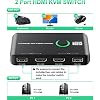
4K KVM Switch HDMI 2 Port Box, USB HDMI KVM Switches for 2 Computers Share Keyboard Mouse Printer and one HD Monitor, Support UHD 4K@60Hz, with 2 USB Cables and 2 HDMI Cables

  • Based on 1,124 reviews
Condition: New
Checking for the best price...
$18.98 Why this price?
Save $1.00 was $19.98

Buy Now, Pay Later


As low as $4 / mo
  • – 4-month term
  • – No impact on credit to apply
  • – Instant approval decision
  • – Secure and straightforward checkout

Ready to go? Add this product to your cart and select a plan during checkout.

Payment plans are offered through our trusted finance partners Klarna, Affirm, Afterpay, Zip, Apple Pay, and Google Pay. No-credit-needed leasing options through Acima may also be available at checkout.

Learn more about financing & leasing here.

Selected Option

Free shipping on this product

FREE 30-day refund/replacement

To qualify for a full refund, items must be returned in their original, unused condition. If an item is returned in a used, damaged, or materially different state, you may be granted a partial refund.

To initiate a return, please visit our Returns Center.

View our full returns policy here.


Availability: In Stock.
Fulfilled by Amazon

Arrives Tuesday, Oct 20
Order within 1 hour and 19 minutes
Available payment plans shown during checkout

Protection Plan Protect Your Purchase
Checking for protection plans...

Style: KVM Switch


Features

  • USB KVM HDMI SwitchThis HDMI KVM Switch allows you to control 2 computers with only one set of controls (Monitor, Mouse, Keyboard). You can easily switch between two displays. Makes your work and life much more simple and efficient. LED light color(Green or Blue) indicating the active computer.
  • Ultra HD 4K@60Hz Visual EnjoymentThis HDMI USB KVM switch supporting resolution 4K@60Hz, makes the image display more exquisite and realistic, color is more bright and moving, really giving a feast for your eyes. Of course, Jancane KVM switches also supports 4K@30Hz, 3D and 1080P or lower resolution.
  • Support Multi Devices & Widely appliedKVM switch supports many kinds of input devices or signal sources switch, such as PS4, PS4 Pro, PS3, Xbox One, TV Box, PC, laptop, Nintendo Switch, and most HDMI capable devices. It is widely applied for Enterprise, Office, Multimedia Teaching, Meeting Room Gaming Room, Home Theater, Research Tests, etc.
  • Great Compatibility & One Button SwitchThis KVM switch works with great compatibility, driver-free for Windows 10/8/8.1/7/Vista/XP and Mac OS, Linux, and Chrome OS, simply plug and play, No external power required. Easily switch between 2 displays by a single click on the button.
  • What you will GetJancane provides lifetime technical support for this KVM switcher. Package includes 1*kvm switcher, 2*1.2m*USB 2.0 Cable, 2*1.2m*HDMI cables, 1*User Manual. Any problem, pls contact us to solve it.

Description

How to set up the KVM switch? 1. Connect HDMI and USB cables between PC1 and KVM switches, PC2 as the same; 2. Plug Keyboard Mouse receiver to the USB ports (near the monitor); 3. Press the Switch button to select the computer you need to use. My PC is not HDMI interface, will it work when I use an adapter for HDMI? If you have a Macbook with USB-C ports, you won't be able to connect it directly using USB cables. It's recommended to use a USB-C (male) to USB-A (female) adapter to connect the Mac and KVM switch, but not use usb c to usb cable. If only 1 laptop and 1 monitor is powered up while connected to this KVM, will the KVM switches still works? Works, but if you plug the PC 2 HDMI and USB part, you may need to press button to choose the PC. The KVM switch doesn't have automatic switching function. Which occasions need this KVM switches? Great for PC test/burn-in computer control, saving the desk space required for two monitors, keyboards, and mouse. Perfect for sharing computers and attached peripherals in the home, office, dual system control for single-user workstations. Is this a great gift choice for office-man or who need to use 2 computers switch? Yes, this KVM switch helps to save desk space and improving your working efficiency. Really a great present option for dad, office-man, people who work with 2 computers. About us: Devoted to research and making advanced KVM switches! With a "user-first" mentality, we improve the products' quality and wide compatibility to meet user requirements. With less money, you can still buy things as good as well-known brands.

Operation Mode: ON-ON


Current Rating: 1 A


Operating Voltage: 5 volts


Contact Type: Normally Open


Connector Type: Hdmi,usb


Brand: Jancane


Switch Type: Push Button


Terminal: Screw


Material: Polycarbonate


Item dimensions L x W x H: 7.87 x 4.72 x 1.18 inches


Operation Mode: ON-ON


Current Rating: 1 A


Operating Voltage: 5 volts


Contact Type: Normally Open


Connector Type: Hdmi,usb


Switch Type: Push Button


Terminal: Screw


Circuit Type: 1-way


Mounting Type: Panel Mount


Actuator Type: Push Button


Number of Positions: 2


Upper Temperature Rating: 50 °C


Controller Type: Push Button


Control Method: Touch


Connectivity Protocol: Hdmi


Wattage: 5 watts


Control Type: Switch between two computers


Compatible Devices: PS4, PS4 Pro, PS3, Xbox One, TV Box, PC, laptop, Nintendo Switch, and most HDMI-capable devices


Color: Black


Item Dimensions: 7.87 x 4.72 x 1.18 inches


Unit Count: 1 Count


Number of Items: 1


Material Type: Polycarbonate


Contact Material: Plastic


International Protection Rating: IP67


Specification Met: CCC


Brand Name: Jancane


Model: V806-A1


Manufacturer: Jancane


UPC: 768497618398


Included Components: KVM Switch *1, HDMI cables *2, USB cables *2, Manual *1


Part Number: V806


Frequently asked questions

If you place your order now, the estimated arrival date for this product is: Tuesday, Oct 20

Yes, absolutely! You may return this product for a full refund within 30 days of receiving it.

To initiate a return, please visit our Returns Center.

View our full returns policy here.

  • Klarna Financing
  • Affirm Pay in 4
  • Affirm Financing
  • Afterpay Financing
  • Zip Pay in 4
  • Financing through Apple Pay
  • Financing through Google Pay
Leasing options through Acima may also be available during checkout.

Learn more about financing & leasing here.

Top Amazon Reviews


  • Great value!
Style: KVM Switch
Excellent switcher. I just needed to go from my personal laptop to my work laptop with both sharing a monitor and keyboard and this thing works like a charm. Switching between devices is quick and smooth and I have had no issues connecting any of my devices. It's east to set up and comes with all the necessary cords which is a huge bonus in my book. For less than $20, you can't beat this value. ... show more
Reviewed in the United States on August 22, 2026 by Dkraz

  • Works perfect after I was able to figure out the connections
Style: KVM Switch
Product works perfectly for my 2 laptop one monitor set up. It took me a while to figure out how to connect the cords. I use to have 2 HDMI cords coming out of the back of the monitor to connect to each laptop, but now with this connector I only needed to plug the HDMI from the back of the monitor into the front of the switch where it has "monitor" then in the back i connected the USBs and HDMI cords they provide into each of the laptops. Then the monitor was able to switch between the two laptops smoothly and my mouse switches with them also. Game changer for WFH or Gaming! ... show more
Reviewed in the United States on September 8, 2026 by Hazey

  • Simply works great!
Style: KVM Switch
This is a great device that allows me to use my own laptop, my work laptop, and use the same keyboard, video (monitor), and mouse (i.e., KVM). It comes in a small box that contains the switch itself, two USB cables, and 2 HDMI cables. I admit I was a bit overwhelmed when shopping for a KVM switch as all the connections seemed very confusing. But it's really quite simple. The front of the switch contains two USB ports (one for your USB keyboard, one for your USB mouse) and one HDMI port (goes to your monitor). The back of the switch contains 2 sections, 1 for PC1 and one for PC2. Each section contains 1 HDMI and 1 USB. Just use the provided cables to connect the HDMI and USB cable to each PC, with PC1 being your default PC (probably your personal PC) and PC2 being your work PC. I think what was confusing is that I forgot that a single USB cable could connect multiple devices. But then I remembered USB hubs. So even though there's only a single USB cable going to each PC, that is all that is needed to connect both your keyboard and mouse (i.e., the inputs on the front of the switch). I did have a minor scare, when starting to type out this review, I noticed the keyboard wasn't properly responsive. It would repeat letters, miss letters I typed, etc. I unplugged the keyboard from the KVM switch and plugged it back in, and the problem seems to be solved. Perhaps I didn't plug it in properly the first time around. The connection to the switch itself doesn't feel terrific, there is some looseness, but for now it seems to function. If it has that keyboard issue again, if I can't open it to correct the looseness, it may go back. But all is good for now. It takes about 3-4 seconds to switch between PCs. Great little device! ... show more
Reviewed in the United States on July 6, 2024 by Dave R.

  • Amazing for the price
Style: KVM Switch
I've had this for 2 months now and still no issues, it works exactly like it should. I love how small it is and how its got the switch button on top which lights up green or blue letting you know if you're on PC1 or PC2. The button is easy and satisfying to click. It comes with its HDMI and USB cables so you're set. ... show more
Reviewed in the United States on July 23, 2026 by Amazon Customer

  • Works, but there are better products out there
Style: KVM Switch
This box works as advertised. Setup was no problem, just plug everything in. It works through machine sleep cycles, and allows for keyboard wakeup of the machine. In retrospect, I wish I had purchased a different unit, with all the monitor and PC-USB connections in the rear. That allows for cleaning routing on the desk. It would also free up space for more USB connections on the front, so that other devices beyond mouse/keyboard could be connected without an additional hub. A funky thing about the design of this unit...the USB cables to the PC's are USB A-to-A cables, which are NOT compliant with USB specs. The USB connectors on the back of this switch should be type B, and the cables should be standard A-B cables. After I bought this, I noticed other products that perform similar function but address the above concerns. I'll live with my choice on this one, but I wish I had shopped around a bit longer and thought it through more before clicking "buy". ... show more
Reviewed in the United States on December 13, 2025 by Weed Whacker

  • Outstanding Product! A Must-Have for Multitaskers
Style: KVM Switch
I recently purchased the 4K KVM Switch HDMI 2 Port Box, and I am absolutely thrilled with its performance. Let me share why this product deserves a solid five stars: Sleek and Space-Saving Design: The compact form factor of this KVM switch is perfect for my clutter-free workspace. It doesn’t take up unnecessary space, and the built-in cables keep everything tidy. Seamless Switching Between Computers: Whether I’m working on my MacBook or my ThinkPad, the switch transitions flawlessly. No more juggling multiple keyboards and mice—just a simple press of the button, and I’m on the other computer. Crystal-Clear 4K Video Quality: The 4K@60Hz resolution support is a game-changer. My large HDMI monitor now displays stunning visuals, making multitasking a breeze. Whether I’m editing videos, coding, or designing, the clarity is unmatched. Plug-and-Play Convenience: Setting up the KVM switch was a breeze. The integrated USB and HDMI cables meant I didn’t have to hunt for extra wires. Plus, it’s bus-powered, so no need for an external power supply. Audio Included: The built-in audio switch ensures that I can seamlessly switch both video and audio between my computers. It’s like having a complete workstation at my fingertips. Bonus: The inclusion of two USB cables and two HDMI cables is a thoughtful touch. I appreciate not having to purchase additional accessories. ... show more
Reviewed in the United States on February 25, 2024 by Ryan Roberts

  • The 4K HDMI KVM does exactly what it says on the box
Style: KVM Switch
The 4K HDMI KVM does exactly what it says on the box: it lets you connect two PCs and control both with a single keyboard, mouse, and monitor. That said, there are a few downsides: When I connect 1TB or 2TB external hard drives, they don’t get enough power through the KVM. As a result, they either won’t read or start acting up. This thing turns into a cable nightmare really fast. Because of all the cords involved, you pretty much have to hide the KVM unit out of sight. What it really needs is a power switch with a cable, so only the switch sits on your desk and the box itself stays tucked away. As it is, the unit just creates a bulky, ugly mess of wires. The green (or blue) status light is way too bright and stays on constantly. It’s honestly annoying—they should’ve made it much more subtle. ... show more
Reviewed in the United States on May 2, 2026 by Oscar López

  • You MUST connect 2x usb, 2x HDMI
Style: KVM Switch
If you don't connect an hdmi AND a usb into both machines, the switch will basically not work. All the cables are provided, but it's not clear. I'm sure it's in the manual, but for those of us who have handled switches before we probably wont look at the manual :). Once you get that right, it seems to work great. ... show more
Reviewed in the United States on April 28, 2026 by Kindle Customer

Can't find a product?

Find it on Amazon first, then paste the link below.
Checking for best price...