Search  for anything...

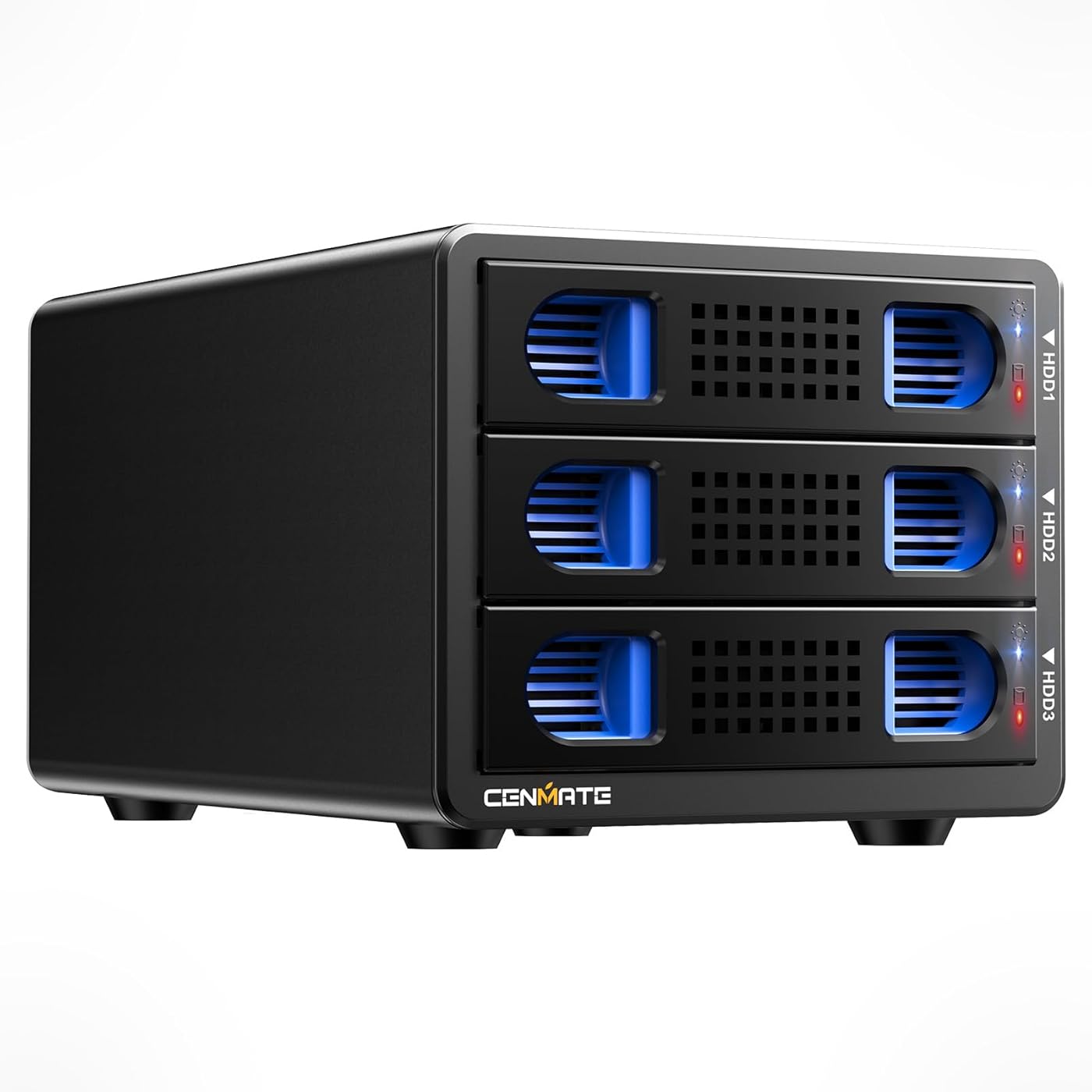
CENMATE Aluminum 3 Bay 10Gbps HDD Enclosure with Cooling Fan for 2.5“/3.5" SATA HDD/SSD with USB A/C 3.2 Gen 2, Support Hot Swappable, Tool-Free Hard Drive Enclosure
  • Based on 507 reviews
Condition: New
Checking for inventory...

Notify me when this product is back in stock

$69.98 Why this price?
Save $30.01 was $99.99

Buy Now, Pay Later


As low as $11.66 / mo
  • – 6-month term
  • – No impact on credit to apply
  • – Instant approval decision
  • – Secure and straightforward checkout

Payment plans are offered through our trusted finance partners Klarna, Affirm, Afterpay, Zip, Apple Pay, and Google Pay. No-credit-needed leasing options through Acima may also be available at checkout.

Learn more about financing & leasing here.

Selected Option

Free shipping on this product

FREE 30-day refund/replacement

To qualify for a full refund, items must be returned in their original, unused condition. If an item is returned in a used, damaged, or materially different state, you may be granted a partial refund.

To initiate a return, please visit our Returns Center.

View our full returns policy here.


Availability: Unavailable
Fulfilled by Amazon
Available payment plans shown during checkout

Model: 3 Bay


Features

  • Up to 10GbpsThis dual bay enclosure equips with VL822+ASM235CM chips and USB 3.2 output interface.Transfer 1G files in 3-5 seconds with USB 3.2 Ports, which is 20 times faster than USB 2.0. 2 HDDs -Total R/W speed 500MB/s,1 SSD-510MB/s R/W speed. NOTE:Read and write speeds are determined by factors such as hard drive version, computer version, etc...
  • Reliable External Storage System for Individuals and businessThe 3.5 hard drive enclosure supports 2.5/3.5 inches HDD and SSD, max capacity up to 20TB for each hard drive, it's a ideal external hard drive enclosure for personal or enterprise using.Save space on your desktop or laptop.
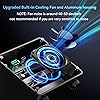
  • No heatThe 2 bay hard drive enclosure built in Aluminum-Alloy materials and 2.7 inch Fan.Maximize the security of your data. NOTE:Fan noise is around 40-50 decibels, not recommended if you are very sensitive to noise.
  • Hot Swappable ConvenienceThe HDD enclosure supports hot swapping, allowing users to replace hard drives without powering off the device. This feature enhances convenience and efficiency in data transfer processes.
  • Daisy Chain ExpansionAdd a USB HOST port for external hard drive enclosure and daisy chain to expand capacity. Expansion 180TB storage through daisy chain up to 3 devices
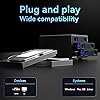
  • Wide Compatibility, Plug and PlayEquipped with USB A/C Gen 2 Cable.Compatible with Windows 7 and above, Mac 9.1 and above, Linux.The USB Type-C interface supports various computer interfaces, including USB 3.0, USB 3.1, USB 3.2, Thunderbolt 3, and Thunderbolt 4.
  • Quality AssuranceCenmate provides friendly technical support.If you have any questions about the product, please don't hesitate to contact us, reply and solve your problem within 24 hours.

Hardware Interface: USB 3.2 Gen 2


Brand: cenmate


Color: Black


Product Dimensions: 7.95"L x 5.2"W x 4.41"H


Hardware Platform: Windows Mac Linux


Hardware Interface: USB 3.2 Gen 2


Hardware Platform: Windows Mac Linux


Memory Storage Capacity: 60 TB


Compatible Devices: Desktop, Laptop


Hard Disk Form Factor: 3.5 Inches


Supported Devices Quantity: 3


Data Transfer Rate: 10 Gigabits Per Second


Color: Black


Enclosure Material: Aluminum


Item Dimensions L x W x H: 7.95"L x 5.2"W x 4.41"H


Item Weight: 1.06 Kilograms


Brand: cenmate


Manufacturer: cenmate


Mfr Part Number: 3 Bay


Model Number: 3 Bay


Warranty Description: 1 year


Built-In Media: 3 Bay 10Gbps Hard Drive Enclosure(NO RAID) USB A/C 3.2 Cable User Manual Power adapter


Frequently asked questions

This product is currently out of stock. Please check back later for shipping info.

Yes, absolutely! You may return this product for a full refund within 30 days of receiving it.

To initiate a return, please visit our Returns Center.

View our full returns policy here.

  • Klarna Financing
  • Affirm Pay in 4
  • Affirm Financing
  • Afterpay Financing
  • Zip Pay in 4
  • Financing through Apple Pay
  • Financing through Google Pay
Leasing options through Acima may also be available during checkout.

Learn more about financing & leasing here.

Top Amazon Reviews


  • Simple DAS that so far seems to do its job well.
Model: 2 Bay
I admittedly haven't had this DAS for long (at the time of writing this review), but I will keep this review in mind and edit it should any of the below change. I was running Ubuntu Server 24.04 with Frigate (Linux-based NVR software) at home, but as I added cameras over time, the old server was a little too weak. I moved the Ubuntu/Frigate install to a higher powered micro tower which solved the first set of problems, but of course I had no room for a 3.5" HDD for the video storage in the replacement system, which is where the Cenmate 2 bay unit comes into the picture. I have a single 6TB drive in it. It's USB'd right into my micro tower. Ubuntu mounts it via UUID on startup, and Frigate takes over recording footage to it without issue. So far, it's a very boring unit - which is exactly why I like it. I was concerned about throughput speeds, so for kicks I generated a bogus 10 GB file and transferred it from the onboard NVME SSD in the micro tower to the WD Purple within the Cenmate DAS. It sustained 170 MB/s transfer. According to random searches online, that WD Purple is expected to handle about 180-200 MB/s write speed, so seeing 170 MB/s sustained write made me pretty happy. I should note, I am not using the included USB cable. I read a few reviews that suggested the included USB cable is problematic for some folks, so I opted to use my own existing USB A/USB C cable from the get-go. Another concern I had was the behavior of the unit in the event that the power switch is left "on" but power is lost and then restored, as it's critical for my particular setup that the DAS simply always be on if power is available. I decided to test this right out of the gate, so once I unboxed the DAS, I put my HDD in it, flipped the power switch on, and then after that I plugged it into the wall outlet for the very first time. It lit up and I could feel the drive motor spinning up. I tested this in total 3-4 times, and each time it simply fired up the drive since the switch was set to "on" already. While this may seem like a "duh" thing, some different units I compared contained some reviews that suggested even if they had an explicit on/off toggle (like this Cenmate does), if power is lost, and then restored, some of these other units reportedly still required turning the switch off and then back on. This didn't seem to be the case with the Cenmate, which is great as this would have been an instant deal breaker where I would have returned it. In my setup, it's a requirement that if power is lost and then restored, that the DAS kick on automatically since the NVR micro tower is also simultaneously booting up which would be expecting the storage drive to be present to begin recording feeds. It was a relief to see that the Cenmate behaved as I hoped it would with auto-power-on after power is restored. I can't comment on using two drives in the unit as I haven't had a need to yet, but with a single drive it does the job well so far. It's simple, but I needed simple as well as predictability. Given I have an available bay open, it is tempting to pick up another matching HDD and doing some sort of Linux LVM group to span the two drives for more CCTV storage, but that's a project for another day. No issues with this relating to Linux. My Ubuntu Server install simply saw the drive when I ran "blkid", I added it as an automatic mount point, rebooted, and there it was - ready to be used. The jury is still out on long term reliability. For now, I rigged up a script on the Linux system using the Cenmate DAS along with my uptime monitor server which will check for the presence of the Cenmate/CCTV HDD every 5 minutes and email me if there's an issue. I'm hopeful this will reveal no surprises over time, but if it does, I'll update my review here. For now, it's serving my Linux/Frigate NVR micro tower just fine and ticks what few (but important) boxes I needed. ... show more
Reviewed in the United States on January 6, 2026 by Jason

  • Exactly what I was looking for and so easy to use!
This is a DAS (Direct Attached Storage) device which means you can plug it directly into a desktop or laptop and the computer will see each hard drive in this just like it would if you had installed it into the computer. Because this uses the fastest USB version (at the time I purchased anyway) the transfer rates are even faster than what my old computer was via internal SATA connections. Either way I'm using mine on a laptop with 4 drives for a Plex server and its working excellent and can load and play 4K files from the 7200 RPM drives I have it in which my other computer wasn't capable of doing and only worked correctly on SSD drives. The huge storage capability of this made it a no brainer for my plex server and because there are no screws required for the drives to be installed that was super easy. I was a bit concerned about the noise level that people had mentioned in other reviews. In my case I put this in my office where it stays on 24/7 and its no different than having my other computer running fan noise wise. So you can hear it running but its nothing I would call loud. If you prefer silence though it might be best to put it in a room you aren't in constantly or maybe in a further back area of the room not as close to you. But it is absolutely not loud, just a low fan noise and doesn't bother me at all and I sit about 5 feet away. Setting this up was about as easy as it could possibly be. I just connected it to power and to the laptop with USB-C, popped my drives (WITH DATA on them still) out of my old computer and put them into this enclosure with no tools required, slid the sleds back in one at a time and they started showing up on the computer within seconds. IF you buy a brand new drive do the same thing but then go to Disk Management and initialize the drive and assign drive letter/etc. and you'll be good to go in no time! ... show more
Reviewed in the United States on March 27, 2025 by Amazon Customer

  • Nice multi-disk enclosure, but lots of fan noise.
Nice multi-disk enclosure, easy to install HDDs, and worked as advertised. I loaded 4 HDDs I had on-hand, two 4TB and two 2TB, and it read each one without any problem. But (and there's always a "but"), the fan makes a lot of noise. I read the reviews by others that mentioned the fan noise, but thought they might be exaggerating. They weren't. My wife said she could hear it from another room. I ended up returning it and purchasing an 8TB HDD. ... show more
Reviewed in the United States on April 21, 2026 by Amazon Customer

  • Erased Hard drives.
Model: 3 Bay
I don’t usually leave reviews but I wanted to give a bit of warning on this. It is entirely possible I got a bad unit and all others are fine but here is the scenario: Purchased as DAS for Plex Server. Very nice build quality for the price. The lights are fun and it feels solid. Not a huge fan of the plastic clips to hold the drives (especially in my case when I had to swap 3 drives, which I’ll get to). The more you take off and remove the plastic clips the more likely they are going to bend and break. Had the unit for about a month with 2 14TB seagate exos. During the first couple weeks I’d have intermittent drop outs where the drives would eject from windows 11. Drivepool would notify me a missing drive occurred. Restart. G2G. After a couple weeks one drive ejected and completely self wiped. All data loss. I chocked this up to bad drives (purchased refurb although had only been using for 1 month as purchased same time as DAS unit). Ran some tests on drive to verify however drive kept ejecting. Decided it was a dud and replaced via warranty (thanks GoHardDrive, you da best). Waited for replacement and also ordered a 3rd drive with duplication in mind in case this happened again. Placed all 3 drives in (all same 14 TB seagate). Began replacing data and duplicating. Within one week the original drive (not the new 3rd or the replacement drive) ejected and self wiped. Ok. That’s crazy. I’ve heard folks get duds in refurb but usually it’s one or two for every ten. Not 2 for 2. At that point I decided to replace this unit with what I originally wanted to get which was a Terramaster D4-320. Booted up. Began the duplication and data gathering process again. Immediately noticed not only a better speed but also not one drop out (and I was riding these drives hard with quite a bit of data movement and duping all at once). The D4 is louder than the CENMATE, however it seems to be a much better product. Also as a side note all of these results were with the same computer and same USB c to a cable. Again, could have just been a bad unit, and hopefully it doesn’t happen to anyone else. ... show more
Reviewed in the United States on January 30, 2025 by St

  • Great for home use
Model: 3 Bay
I’ve been using this hard drive bay with my home computer for a few months. It has worked flawlessly. The speed is sufficient for backing up to the Western Digital 8 TB drives I use. There is a constant low level of fan noise when located on my desktop. I expect the noise to not be noticeable once I move the bay to underneath the desk. I like the disk mounting trays as they are easy to use and don’t require tools. The trays are not very sturdy, but acceptable for home use. Connection to my Mac mini was simple without any issues. ... show more
Reviewed in the United States on April 2, 2026 by Fastcar

  • Faster than expected
Model: 3 Bay
I think this is a great product. It seems very well constructed and includes everything you can think of. I am replacing my tower desktop that has multiple SATA hard drives, and purchased this device to attached similar drives (2TB and 8TB) via USB 3.2 instead of SATA. I was concerned about the speed of the device, but I did some benchmarking and the USB connected drives on the Canmate and MiniPC actually operated maybe 5 to 10% better than the similar SATA-mounted drives on the old desktop. The new MiniPC has a faster CPU, not sure how that affects disk benchmarking performance. So, being concerned about performance bottleneck on USB to the drives, is a non-issue. I also tested an SSD drive in the device, and all the scores were noticeably better than the HDD, except for the sequential writes actually dropped about 5%. I am using one drive for backups, so I think sequential right speeds are important, but the other is for scratch data where I think random read/writes are more likely. In otherwords, changing one drive to an SSD will most likely, but not always, offer me better performance. If I had to make one complaint, the fan can get a little loud. While initially setting it up, I had the fan facing me, and it was noticeably loud. Turning the device around to it's normal position helps, and being in an office environment helps drown it out. I suppose if I really wanted to I could upgrade the fan myself to a silent drive, but I don't want to void the warranty. Over all, I am pleased with the cost, construction, performance and operation of the device. It seems like a simple device, so I'm hoping that it will be lasting several years. ... show more
Reviewed in the United States on February 20, 2025 by SomeNYCGuy

  • OK if you don't want RAID or Storage Spaces
Model: 2 Bay
This works if you do not expect RAID or Storage Spaces. Both drives are displayed with the same ID, so they can't be addressed separately by mirroring software. It works fine as a drive array for two separate disks. It's quiet and we've had no issues with transfer speed or reliability.
Reviewed in the United States on March 24, 2026 by ManaMath

  • Great for a low-activity backup solution
Model: 6 Bay
Using two of these connected via USB-C to a NUC computer running Unraid to backup relatively static data from my main file server. I know Unraid says it doesn't like USB disks but the disks here show up with their serial numbers as the id, so even quick disconnections don't kill my pools. I don't know that I'd run a frequently accessed server with these as main storage, but for a backup it seems to work great. Been running for about a month now without issues. Speeds seem fine. Was able to load up about 45 TiB in a couple of weeks. ... show more
Reviewed in the United States on May 2, 2026 by Gyakusetsu

Can't find a product?

Find it on Amazon first, then paste the link below.
Checking for inventory...