Search  for anything...

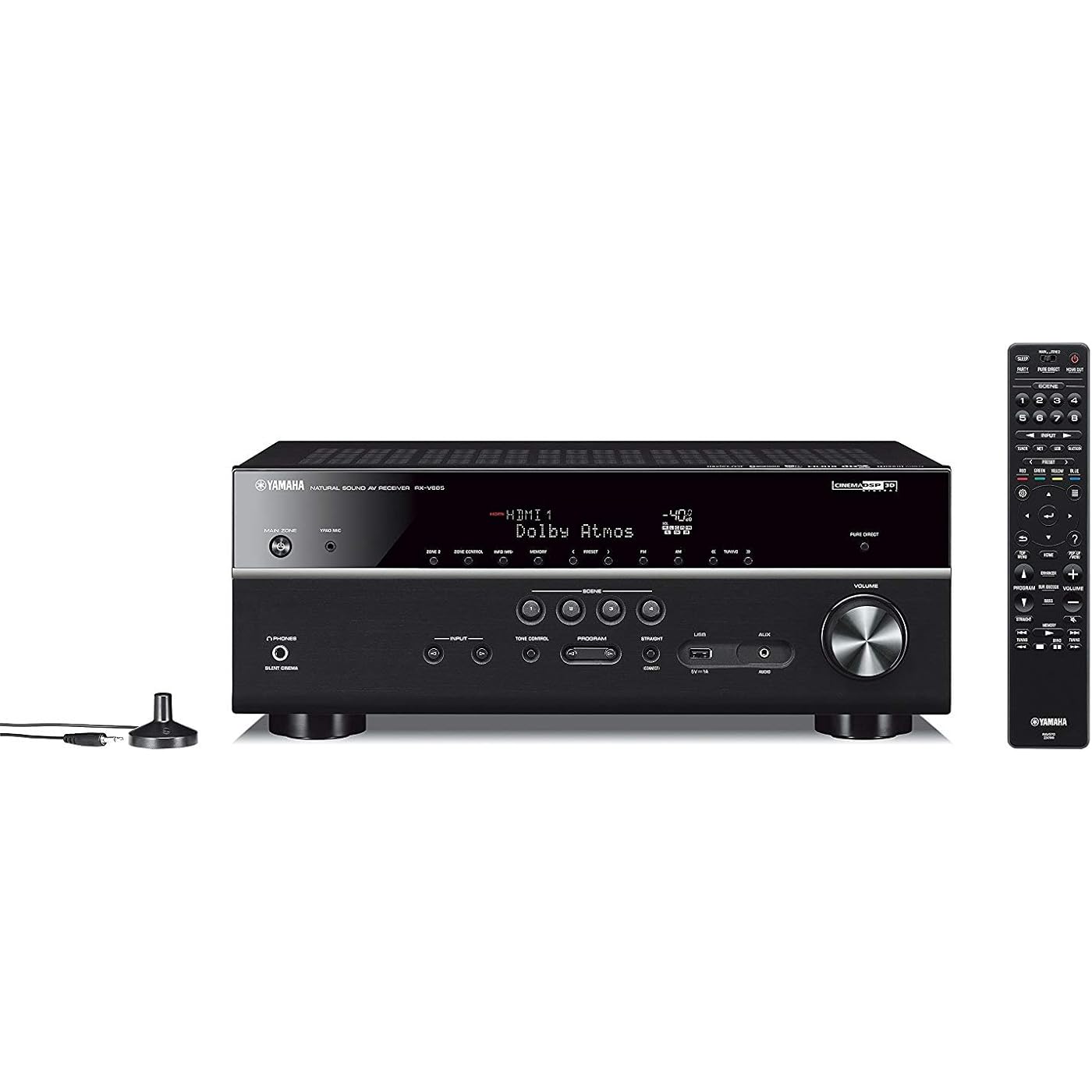
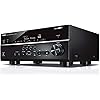
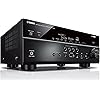
YAMAHA RX-V685 7.2-Channel AV Receiver with MusicCast

  • Based on 1,346 reviews
Condition: Used - Very Good
Checking for the best price...
$1,006.48 Why this price?

Buy Now, Pay Later


As low as / mo
  • – Up to 36-month term if approved
  • – No impact on credit to apply
  • – Instant approval decision
  • – Secure and straightforward checkout

Ready to go? Add this product to your cart and select a plan during checkout.

Payment plans are offered through our trusted finance partners Klarna, Affirm, Afterpay, Zip, Apple Pay, and Google Pay. No-credit-needed leasing options through Acima may also be available at checkout.

Learn more about financing & leasing here.

Selected Option

Free shipping on this product

This item is eligible for return within 30 days of receipt

To qualify for a full refund, items must be returned in their original, unused condition. If an item is returned in a used, damaged, or materially different state, you may be granted a partial refund.

To initiate a return, please visit our Returns Center.

View our full returns policy here.


Availability: Only 1 left in stock, order soon!
Fulfilled by US Seller/We ship from USA

Arrives Sep 13 – Sep 27
Order within 12 hours and 29 minutes
Available payment plans shown during checkout

Protection Plan Protect Your Purchase
Checking for protection plans...

Style: Receiver Only


Features

  • Unrivaled experiences; Boldly explores entertainment possibilities for an advanced home theater with the latest in video and Audio, including Dolby Atmos, DTS: X, Wireless streaming, dual HDMI outputs and more
  • Wi-Fi, Bluetooth, airplay 2, Spotify connect and music cast multi-room
  • Spotify, Apple Music via airplay 2, Pandora, Sirius internet radio, Tidal, Deezer, Napster, Qobuz and more
  • 4K Ultra HD, HDR10, Dolby vision, hybrid log-gamma and BT.2020 HDMI (5-in/2-out) with HDCP 2.3 and eARC
  • Voice control using your Alexa device like echo or echo dot
  • Music cast multi-room: Wirelessly expand your Audio to other rooms over time
  • Music cast surround-capable: Add 2 music cast 20 speakers to provide wireless surround sound for a 5.1-Channel or 5.1; 2-Channel setup

Description

Unrivaled experiences. This 7.2-Channel AV receiver boldly explores entertainment possibilities for an advanced home theater with the latest in video and audio including Dolby Atmos, DTS: x, Wireless streaming, dual HDMI outputs and more. Audio file format: MP3/ WMA/ MPEG-4 AAC: up to 48 kHz/ 16-bit, ALAC: up to 96 kHz/ 24-bit, FLAC: up to 192 kHz/ 24-bit, WAV/ AIFF: up to 192 kHz/ 32-bit, DSD: up to 11.2 MHz. Easily Experience 9.1-channel Realism.

Brand: Yamaha


Connectivity Technology: Bluetooth


Special Feature: Equalizer, Tidal, eARC


Compatible Devices: Speaker


Total HDMI Ports: 7


Connector Type: HDMI


Audio Encoding: Surround


Audio Output Mode: Surround


Surround Sound Channel Configuration: 7.2


Connectivity Technology: Bluetooth


Other Special Features of the Product: Equalizer, Tidal, eARC


Compatible Devices: Speaker


Total Number of HDMI Ports: 7


Connector Type: HDMI


Audio Encoding: Surround


Audio Output Mode: Surround


Surround Sound Channel Configuration: 7.2


Video Encoding: HEVC Main 10


Output Power: 100 Watts


Number of Channels: 2


Supported Internet Services: Deezer, Internet Radio, Napster, Pandora, Qobuz, Spotify, TIDAL


Control Method: Voice


Audio Output Type: Speakers


Wireless Technology: BluetoothAM/FM


Format: WAV, WMA


Color: Black


Brand: Yamaha


Model Number: RX-V685BL


Manufacturer: Yamaha Electronics


UPC: 027108956077


Global Trade Identification Number: 77


Mfr Part Number: RX-V685BL


External Testing Certification: Works with Alexa


Warranty Description: 2 Year Manufacturer


Item Type Name: Yamaha RX-V685BL 7.2-Channel 4K Ultra HD AV Receiver with Wi-Fi Bluetooth and MusicCast Works with Alexa Black


Built-In Media: AM antenna, FM antenna, Remote control, YPAO microphone, batteries ( 2), power cord


Item Dimensions D x W x H: 14.88"D x 17.13"W x 6.73"H


Item Weight: 23.1 Pounds


Frequently asked questions

If you place your order now, the estimated arrival date for this product is: Sep 13 – Sep 27

Yes, absolutely! You may return this product for a full refund within 30 days of receiving it.

To initiate a return, please visit our Returns Center.

View our full returns policy here.

  • Klarna Financing
  • Affirm Pay in 4
  • Affirm Financing
  • Afterpay Financing
  • Zip Pay in 4
  • Financing through Apple Pay
  • Financing through Google Pay
Leasing options through Acima may also be available during checkout.

Learn more about financing & leasing here.

Top Amazon Reviews


  • Do you want or need this receiver review
Okay im going to start with the delivery, Which was great the driver paid attention to the label left on the door and put them inside and out of view of the public. Which was great for us because we live on a busy street. now as soon as i got it i started to set it up it was my b-day all over again. So setting it up was a breeze, although if your paying this much for a stereo ($599) do your research first. After setting it up speakers and all i was up and running. Pros.. Don't be fooled this thing has power in all 7 channels playing at once just be reasonable. I thought it wouldn't be enough to push the speakers i selected all which are 200watts rms each but these aren't expensive, quiet cheap about $150 for all of them not including the sub which i had and replaced the woofer to a skar but i will fill in the details and specs at the end. Now I'm no audiophile but it sounds great. The receiver on its own is nice i haven't used the MusicCast yet but this thing rocks, now remember this is not for people who want to blast at full volume nor have I tried -8 on the nobb is good enough for me. but I will say this thing makes me want too. (in my Usher voice) Really though, you might want to hold some restraint my speakers sound like there asking for more, lol really. If your on a budget then this is it, the bee's knees for under $600 before taxes. So I did some homework before buying it if Atmos is what your looking for the start here. Other than that 2.1 speaker setup is nice as well i left the crossover at 80hz the blend is seamless from bookshelf to subwoofer and the bass, those lows that my sub puts out cant wait to get another. Cons.. Well there is a static sound that i get from switching apps on my TV and Cable box, and i wish i got a better center channel speaker it just goes hollow under the right conditions. Oh and the Disney app also from time to time gives me the same static so others need not worry it don't do the same thing on hbo. When ever I use the controller for volume from my cable tv i have to lower it slowly instead of quickly like the remote that came with it. So that is pretty much it if your into stereo's have fun if not and your just getting into it do your homework online and youtube plenty of places to look. So specs for speakers: 2 Orders of Acoustic Audio 251B rms 200watts and Acoustic Audio by Goldwood Acoustic Audio AA35CB rms 200watts, Pyle Home PDMN48 rms 200watts, DS18 MD12 Car Subwoofer to replace the blown sub in an old powered sub box from Velodyne who remembers them huh? i use the pyle speakers for fronts and the others for surround and its a great blend for me, I love the sound i can move up in speakers when ever i want or my budget allows till thenim going to love basking in the frequency output of my stereo and you should to any questions feel free to ask im sure i can answer them i will update this post in a week or two just to make sure people know about its longevity or lack there of, til then happy listening... ohh and just to note atmos does not work correctly on Disney plus atleast on xfinity and the app on samsung 65 in tv^^^^ ... show more
Reviewed in the United States on April 15, 2021 by isaac p.

  • Too many features!
Is it possible to have too many features? We enjoy watching movies at home where we can pause the show and get popcorn or whatever for kids without missing any of the action. Much easier than going to the theater - which we still do but as a special treat. We've had a circa 1994 all-in-one shelf unit that provided extra sound with left-right stereo sound but never true surround sound. That device finally died and it was time for something new. I probably would have been happy with another radio/tape/CD unit but those don't seem to be as available as they were 20 years ago. Funny that. So after a little research I kept coming back to this unit. It just seemed to have everything I wanted - and then some. I set this up with the same old speakers, used the little do-hicky mic thing to let the unit figure out the sound profile of the room and then.... MAGIC! Those speakers never sounded so good! It was absolutely amazing to hear the difference in quality from the same speakers we used all this time. Lots of HDMI inputs that automatically switch on the receiver and TV when engaged. I'm sure everyone has been used to this for some time now but these are new features to me! So no built in tape deck or CD player - but you knew that already. It does have Internet Radio so you can find just about anything you want to listen to. J-Pop? K-Pop? Indie Rotterdam Punk Reggie? Well, maybe not that last one, but if it exists I'm sure someone made a radio station for it. Have a Bluetooth speaker that you want to use in the kitchen? Set it up and listen to music. Connect your favorite mobile communication device as a source and listen to your tunes in the house just as easily as in the car. The point is, there are a ton of inputs, outputs, and ways to listen to music or movies. The ONLY thing - and this is really a stretch - that could be considered a negative is that the Wii (not a Wii U, not a Switch - a 10-plus year old composite video Wii) looked absolutely HORRIBLE when passed through the receiver. That will remain directly connected to the TV. I imagine that any composite video DVD or VHS player would be just as bad. Time for another upgrade! ... show more
Reviewed in the United States on April 23, 2019 by James Drury

  • Awesome sound as long as you DO NOT upgrade the firmware from the stock v1.31
This receiver has three great features: 1) Sound Quality w/Sound Retriever feature turned on and using firmware v1.31- If you set everything flat (don't do no auto calibration, turn off pure direct and straight) and just turn on Compressed Music Enhancer, the sound quality of the original v1.31 stock firmware is awesome! The image it projects is unreal - you can hear nuances that you would normally not hear because most compressed music (MP3/WMA) reduces the dynamic range of the audio, so you rarely hear any true silence during a song. But with this receiver, it expands the dynamic range to the original level so you can actually hear the distinct instruments because their sound isn't melted into all the other instruments - and you might even hear sounds that you had not heard before because they were virtualy stripped from the song during compression. One other quality of the sound is that any "sibilance" passages of the music is so crystal clear. Sibilance is the parts of the music when high-frequency tones are presented - these include when a singer says the "S" in works like "Sorry", or when cymbals are hit. The sound quality of sibilance on this receiver is just one of the many jaw-dropping qualities of the sound quality this thing produces. HOWEVER, if you upgrade the firmware (from it's original stock version v1.31), you can forget about the sound quality. After I did a firmware update to v1.43, I immediately noticed the harshness and distortion of the sibilance pages and dynamic range, and it just ruined the whole magical experience of listening to this receiver. Luckily, I was able to downgrade back to the version 1.31 and things are good again. Please understand that I am FAR from an "audiophile" and my ears are 50+ years old, so I am not someone that can hear things that many others can't. But I could easily hear the difference between version 1.31 and 1.43 (and newer versions) just by listening to the sibilance passages of the songs. Don't believe me, well listen to a few songs when you get the unit (make sure it is running firmware v1.31) then do an update of the firmware and listen again - you should easily hear the difference - the sound quality of the sibilance passages is harsh and full of distortion. I notified Yamaha of this issue and they said they didn't make any changes. But I know that is not what happened because the firmware version 1.31 is 90k in size and all the newer firmware versions are only 45k in size, so after v1,31 they took out a lot of code which was probably some sound processing code - maybe the original v1.31 used some third-party sound enhancer code that they had to pay a royalty on for each 685 they sold, and they then came out with their own processing code in subsequent firmware versions which is not as good sounding (and that's why the newer code is 1/2 the size of 1.31) so they would not have to pay a license fee going forward. But this is just a wild guess. They also said that nobody else has reported this issue and my only guess is that either most people don't upgrade their firmware, so they just keep enjoying version 1.31, or maybe the firmware now being included in the box is version 1.43 or higher, so these users have no idea that their receiver could sound so much better if they downgraded to 1.31. 2) This receiver has an EQ with an adjustable center frequency and Q factor. You may not know this but many square or rectangle rooms often have "standing wave" problems. This means that some parts of music, specifically the lower bass range of sound, will often be over-amplified by the room because the sound waves bounce off one wall, then reflect back onto the wall opposite of it and then it gets bounced back and forth and so one. This produces the result that some bass parts of a song will sound like the volume is turned up just for that bass note - making it sound too BOOMY or HOWLING, while the rest of the song is playing at an enjoyable level. The "Frequency" of a rooms standing wave (the precise note that is too boomy) varies form room to room. Since this receiver has an advanced EQ in it, you can adjust the center frequency of one of the EQ bands to the exact frequency of the standing wave frequency of your room. You can then adjust the Q factor of the EQ band to be as narrow as you can go so that any changes you make with this band, it will only effect the standing wave frequency and nothing else of the song. Then simply adjust the volume of that band lower and lower until the boomyness/howling go away. 3) The Compressed Music Enhancer feature (in the firmware version 1.31) enhances all types of music to sound so much better then you ever heard them sound. It expands the dynamic range of a song no matter if it is an MP3/WMA file, streaming Bluetooth or simply the radio. Once you turn this feature on, the music would just sound so much better. For example, you probably know that MP3's sound better then the radio because the radio's sound is compressed so much. With this feature, it helps make the radio sound like an MP3, and it make and MP3 sound like music playing on a turntable. This receiver has a lot of other cool features, but the above three is what stood out to me. ... show more
Reviewed in the United States on May 30, 2020 by John

  • Weird problems but the receiver was OK. 1 star off for not providing complete manual.
This product arrived to me with the language set to a logograph language that I do not read, perhaps Chinese or Japanese, and Memory Guard was turned on (Blocking you from changing the language or anything else). This effectively shut me out of all menus and selections making the whole device inaccessible and useless. My only guess is that it was a joke from a factory worker. I contacted the support line provided by Amazon and they were baffled and suggested I contact Yamaha Support. It has been four days and Yamaha has not responded. So Customer Support rates at zero. The problem sounds bad but I eventually figured out that it was easy. I did a factory reset from instructions found on the web >>>missing from the quick start guide that they call a manual<<< and it fixed everything. Now that it's running I give it 5 stars. The menus are easy to navigate and the settings are much easier to adjust and there are far more available settings than on my my old Marantz. The only negative I found is that you can only select internet radio stations that they provide for you, there is no mechanism to enter a station that is not already listed, but then, the "manual" is almost worthless so maybe there is a way I have not found yet. Aside from my initial scare, I like this very much and am happy with my purchase. ... show more
Reviewed in the United States on July 3, 2020 by Thomas

  • Musiccast 20 speakers as surround works great, setup easy once I figured out what to do
I bought this to upgrade-replace my 15+ year old Sony receiver. The room I am putting it in is not wired for surround sound, and I don't feel like putting holes in the wall etc. I wanted to potentially upgrade my speakers to Atmos at some point, so I wanted the option. I am re-using my old speakers except the old surround speakers. Also, puttong the wires across my floors, say stapled to the trim, will not work for me as there is a door to the room in the way. So I bought this receiver and the musiccast 20 speakers to be my new surrounds. I use a blu-ray player and streaming apps for tv watching, no cable. Setting up musiccast as surrounds was the most difficult part, but it only took a few minutes to figure it out. I did not have to follow all the steps that others did. Setting up musiccast 20 as surrounds: 1. Setup receiver with wired speakers 2. Setup hdmi, radio antennas 2.a optical audio out from tv to receiver worked fine with hulu, netflix, and tv general sounds (sony 900f tv) 3. Power up and connect receiver to musiccast app on phone. 4. Firmware update receiver. 5. Power up each speaker and do firmware update 6. Close musiccast app 7. Click and hold receiver on app 8. Select room settings 9. Select surround settings 10. Select musiccast 20 speakers to use as left and right That was it and it worked fine. I just could not find easily the way to access the setting in the musiccast app. It was not in the manual. After that, I used the manual to tune the surround sound with the YPAO thing which I think worked great. I tested with Star Wars ep4 on blue ray, Netflix (last Kingdom, Indiana Jones : Raiders...), and Hulu (Star trek First Contact). It all sounded great. I did have to tune the audio on the TV to power both the TV speakers and the optical output. I also had to tell it to support surround sound. It all sounded great. I am very happy. In case you are curious, I am reusing the old receiver and the old surround speakers for stereo sound for my computer gaming. It all works so why not? ... show more
Reviewed in the United States on September 1, 2019 by Hador_NYC

  • Steps for adding Wireless Surround Speakers (not in Manual)
Great Receiver, and love the Music Cast 20 speakers as well once you get them connected, the problem is that was a huge headache for me (at first). So much so, that I spent 3 days tinkering with everything, including my wireless network settings to no avail, only to box everything up in frustration with the intent on sending it all back. Fortunately, once I cooled off and waited for the holiday weekday to pass I called Yamaha, and thankfully they got me working. Initially, I could only get the receiver and one speaker to add to my wireless network, but the second speaker simply would not add. I thought maybe it was a bad speaker, so I exchanged it at the store, but sure enough the new speaker also would not connect. After 3 days of trying, I finally called Yamaha, and they said it was common, and that a better method was available (though not in any manuals or guides). SO, if you are pulling your hair out trying to get your receiver and two speakers to connect for wireless rear surround sound, here is the EASY way (using a receiver and two speakers): 1) HARD WIRE the receiver over Ethernet and add it to the music cast app. 2) Temporarily HARD WIRE the first music cast speaker via ethernet cable and add the device in the music cast app as well (give it a specific name like “Surround Left”) 3) Click on the SPEAKER in the app, and go to information > network settings (notate the IP address) 4) Open a browser and go directly to the IP address of the speaker 5) Click on network settings 6) Click on "wired" and it should let you change it to "wireless" 7) Enter the SSID, security type, and password of your wireless network, then click OK 8) Disconnect the ethernet cable, & reboot the speaker (it should reconnect over wireless now) 9) Now REMOVE the speaker from the music cast app 10) Now that the speaker is connected wirelessly, you should be able to connect it back to the music cast app again (by holding down “connect” for 5 seconds). 11) Repeat steps 2-10 with the second speaker 12) Once the receiver and two speakers are added, close the music cast app completely (swipe up on iOS device) 13) Re-open the app, click on the receiver, choose "music cast surround speakers" and add the two speakers. 14) Once you see the “successful” message you can now enjoy wireless surround. Why the speakers have so much trouble being added wirelessly, or why Yamaha does not add the above steps in their manual is beyond me, but now that everything is connected properly it all works flawlessly! ALSO: While the advertisement of the wireless speakers says they only work with a 5.1 setup on the receiver, they DO allow adding two extra "front presence" (i.e. height) speakers, making for 5.1.2 ....... (which is basically like 7.1), FYI ... show more
Reviewed in the United States on November 27, 2018 by Stephen

  • What a great value for the money!
I bought this receiver after having endless problems with a Denon I had purchased about a year and a half ago (random loss of speaker signals, overheating, etc.). The Yamaha RX-V685 seemed like the nearest thing in price and features to my failed Denon, so I purchased it about two months ago. What a difference. Great sound, easy setup, flawless performance. I especially liked that the Yamaha has a true "phono" input for my turntable (something the Denon did not have). Though the remote control is large, I found I really like the tactile feel of the keys and its ease of use. After setting up the Yamaha and using it for a few weeks, I thought I would try out the Yamaha Receiver Controller App on my IPad (got it free from the App Store). I am happy to report that the app deserves a rave review and perfectly complements this excellent receiver. It takes a while to learn how to use all of its features, but you can control almost every function of the receiver directly from the app and can work through most of the set up menus without having to turn on the TV. The app provides excellent graphical cues for many receiver functions (especially the "scenes" functions) and even provides direct access to the user manual for your receiver. The app is so good, it almost makes the remote control unit unnecessary. I could say a lot more, but I really think this Yamaha receiver is a super value and recommend it highly. ... show more
Reviewed in the United States on February 15, 2019 by Gary M.

  • What an upgrade...
This is an extreme upgrade from my 1995 Bose lifestyle system. I was able to integrate a Wii and Xbox One seamlessly into it. It gives my Xbox one a whole new life.. I am also using that now as my Blu-ray player since it's now able to have 5.1 sound. The old system had limited inputs and was all RCA so I had to plug those units directly into my TV. This unit does upconvert HDMI out so my Wii is able to go thru it also using the composite inputs. I also bought a new speaker package. Actually, a Definitive Technology 5.1 system. The speakers are just a little larger than the Bose bookshelves ones and sound great also. They were purchased from a local brick and mortar store that matched the price on Amazon. I was looking for something similar in size to what I had. Just the sound compared to the Bose? Definitely upgraded.. I would say just on sound, probably about 40% better.. However, the flexibility and ridiculous amount of settings, sounds and inputs on this AV receiver is perfect. I'm still adding stuff and messing with the settings.. The owner's manual that comes with the unit does not have everything in it.. Just a little more than the basics for getting you going. There is a full one online from Yamaha I would recommend downloading and/or printing.. It goes into depth much deeper on settings for setting it up.. Also gives more information on the music cast app which I am not having any issues with.. Along with the music cast app there is an AV controller app from Yamaha also that allows you to do more with your tablet or phone.. I find myself using Bluetooth through my phone for Spotify and/or Pandora. Also bluetooth speakers instead of the music cast speaker stuff. Also it has Alexa and Google home that I don't use on it.. I don't plan right now on using this as a 7.1 system. I'm not sure if I would be able to do that using Bluetooth speakers. I haven't investigated that yet but something tells me no and may have to purchase the music cast speakers If it were intended to be used for that. The more I mess with this the more I'm dialing in the sounds.. It's awesome.. Anyway, 4 days in I'm a pretty dang happy little camper.. For the price you can't go wrong.. I would highly recommend this unit.. ... show more
Reviewed in the United States on April 18, 2020 by Bodocki

Can't find a product?

Find it on Amazon first, then paste the link below.
Checking for best price...