Search  for anything...

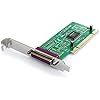
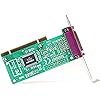
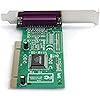
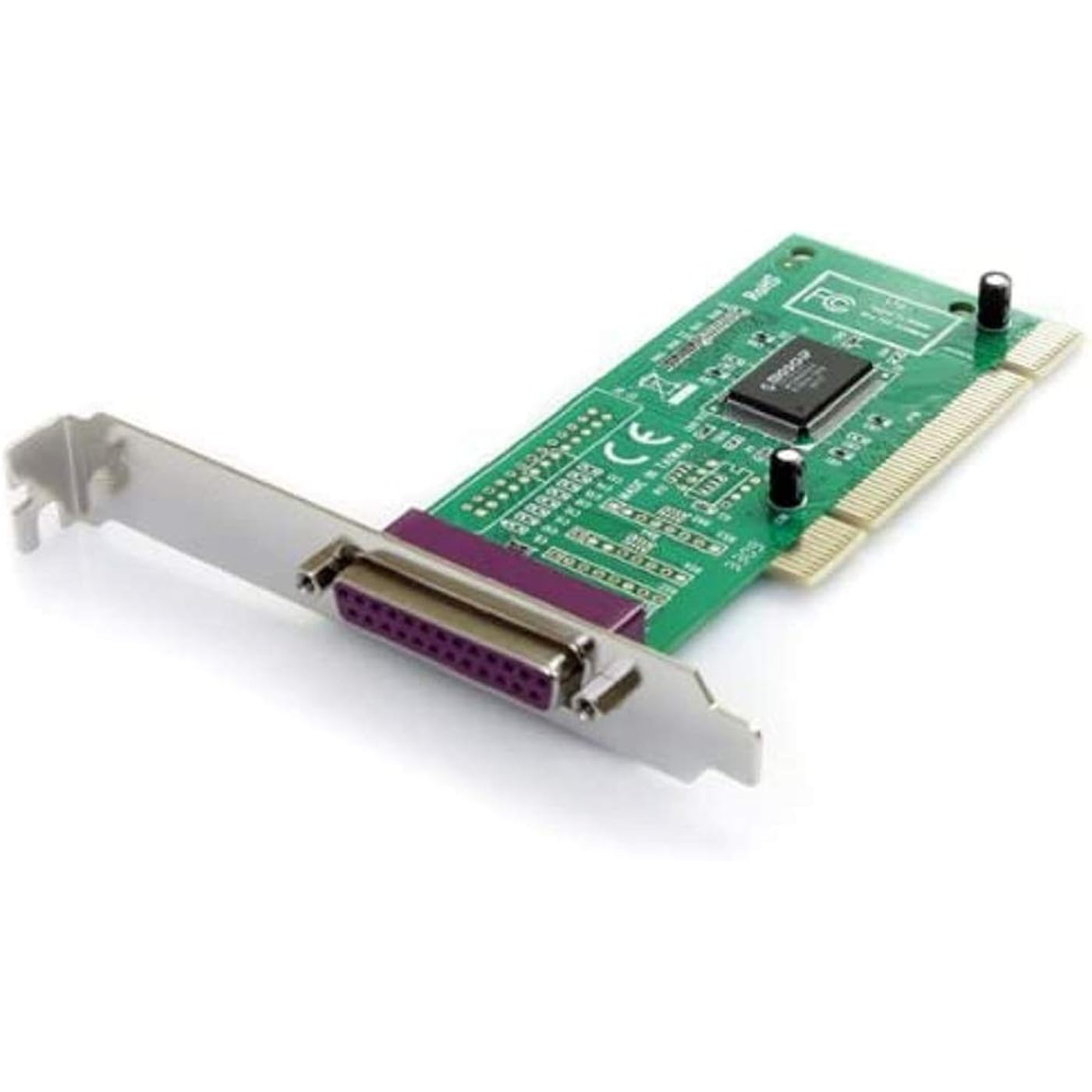
StarTech.com 1 Port PCI Parallel Adapter Card - Parallel adapter - PCI - IEEE 1284 - PCI1PECP
  • Based on 84 reviews
Condition: New
Checking for the best price...
$9.99 Why this price?
Save $29.97 was $39.96

Buy Now, Pay Later


As low as $2 / mo
  • – 4-month term
  • – No impact on credit to apply
  • – Instant approval decision
  • – Secure and straightforward checkout

Ready to go? Add this product to your cart and select a plan during checkout.

Payment plans are offered through our trusted finance partners Klarna, Affirm, Afterpay, Zip, Apple Pay, and Google Pay. No-credit-needed leasing options through Acima may also be available at checkout.

Learn more about financing & leasing here.

Selected Option

Free shipping on this product

FREE 30-day refund/replacement

To qualify for a full refund, items must be returned in their original, unused condition. If an item is returned in a used, damaged, or materially different state, you may be granted a partial refund.

To initiate a return, please visit our Returns Center.

View our full returns policy here.


Availability: In Stock.
Fulfilled by Amazon

Arrives Sunday, Oct 25
Order within 21 hours and 17 minutes
Available payment plans shown during checkout

Protection Plan Protect Your Purchase
Checking for protection plans...

Style: PCI-X


Features

  • Add a high-speed parallel port (EPP/ECP) to your desktop computer through a PCI expansion slot
  • PCI Parallel Card
  • IEEE 1284 Card
  • Parallel Adapter -PCI DB25 Card
  • EPP / ECP / SPP / BPP Parallel Adapter Card

Description

This high performance PCI based EPP/ECP parallel adapter card can be installed in a computer PCI slot to add one IEEE 1284 parallel port to your PC. A cost- effective way to connect parallel devices to the computer, with data transfer speeds of up to 1.5 Mbps (up to 3 times faster than on-board parallel ports). The adapter card supports EPP, ECP, SPP and BPP parallel communications, and is simple to install in virtually any PC. The card supports Windows and Linux. hassle-free connections to any parallel peripheral. A complete dual profile solution, the PCI parallel adapter card provides both standard bracket and low profile/half-height brackets for adapting to slimline or small form factor system applications. Backed by a StarTech..

Brand:


Hardware Interface: IEEE 1284, PCI


Style: PCI-X


Item Weight: 0.05 kg


Compatible Devices: Desktop


Brand: StarTech.com


Model Number: PCI1PECP


UPC: 065030777520 031112758671 163120769155 851975698989 898029621227 031112187464 777785527069 172302673753 014445569367 112840343954 803982821560 806291814735 065030782005 777787361890 666670077829 778888168104


Number of Items: 1


Number of Packs: 1


Global Trade Identification Number: 65


Manufacturer: StarTech.com


Unit Count: 1 Count


Built-In Media: 1 Unit


Mfr Part Number: PCI1PECP


Warranty Description: Lifetime warranty


Hardware Interface: IEEE 1284, PCI


Compatible Devices: Desktop


Operating System: Linux, Windows


Item Weight: 0.05 kg


Style Name: PCI-X


Frequently asked questions

If you place your order now, the estimated arrival date for this product is: Sunday, Oct 25

Yes, absolutely! You may return this product for a full refund within 30 days of receiving it.

To initiate a return, please visit our Returns Center.

View our full returns policy here.

  • Klarna Financing
  • Affirm Pay in 4
  • Affirm Financing
  • Afterpay Financing
  • Zip Pay in 4
  • Financing through Apple Pay
  • Financing through Google Pay
Leasing options through Acima may also be available during checkout.

Learn more about financing & leasing here.

Top Amazon Reviews


  • Windows 7 Dongle Friendly
Style: PCI-X
I needed to install a software application in Win7 32-bit which is protected by a printer port dongle. My motherboard (MSI P55GD65) does not even have a pin header so I came across this PCI1PECP card. I was initially reluctant as no mention was made of Win7 support (here or at the StarTech site). My system recognized the card but I needed to manually install the drivers which were on the supplied CD (it had versions for Win7 32-64, Vista 32-64 and earlier). The port defaulted to LPT3 which can be renamed. Installation with a restart took under 10 minutes. Software & port lock all happy now and running fine (your mileage may vary depending on application/dongle type). For me it was worth a gamble considering that the USB port lock offered by the software vendor was going for $250. I previously tried a USB/Parallel cable adapter with no luck. This card did the trick. ... show more
Reviewed in the United States on July 3, 2010 by daralykt

  • Does not work for Mach3 Windows 7
Style: PCI-X
This item works as designed, however it will not support Mach3 software if you are running 64 Bit Windows 7. I actually had to buy a Windows XP machine, which already had a parallel port in it of course.
Reviewed in the United States on April 9, 2014 by Michael L. Nicholas

  • Works well, easy install
Style: PCI-X
I initially was going to purchase the "value" version of this card (same manufac, but a few bucks cheaper) but read on the Dell boards that the value card will not work with the Dell Vostro line. So, bought this version since I was using it with a Dell (right now an XPS, but will be moving the card in a few months to my Vostro 410). Very easy install -- just pop it into an open slot, power up, and the new hardward wizard came up. The CD has 2 drivers for XP -- not sure of the difference (if there is one). Windows pulled in the driver, although it did pop up a warning saying the driver was not verified with XP. No problems installing it, and it works perfectly. Using it with an old HP laserjet (a 4M) and a DOS application (yes, DOS. It's a legacy app that can't be ported to Windows). Wanted to get some use out of the old printer, plus DOS can't print to a USB port unless you go through all sorts of twists and turns. An old-fashioned LPT1, on the other hand, can be used with zero drama. Love it when plug and play actually means plug and play! ... show more
Reviewed in the United States on August 8, 2008 by Comdet

  • Did not work
Style: PCI-X
Item did not work in a new (10/2012) server (Lenovo TS430) running Windows Server 2008 R2. Did not specifically have drivers for 2008 R2. CD did have drivers for Windows Server 2003. Actually interfered with the bus on the motherboard causing other devices to fail. Used another board from another manufacturer and it worked fine. ... show more
Reviewed in the United States on November 2, 2012 by Ron

  • Worked great with Windows 7 and LaserJet 2100
Style: PCI-X
I needed a solution to get a new Windows 7 Home Premium PC without a parallel port connected to a LaserJet 2100 which only has a parallel port. I looked at various USB-to-parallel cables/solutions, but the reviews on these were not great. So I decided to take the plunge and add this parallel i/o card. The product box contained not only the card itself, but also documentation and a driver CD. The CD contained drivers for virtually all versions of Windows including Windows 7, both 32- and 64-bit versions. Installation was easy and with the driver CD, the PC quickly recognized and installed the card. When I then plugged in the LJ2100 and turned it on, plug-and-play recognized the new device and installed the correct driver. I thought that I might have to reconfigure the new i/o card to become LPT1, but this wasn't necessary. The printer works fine with the i/o port on LPT3. Very pleased with this solution! ... show more
Reviewed in the United States on January 12, 2011 by User

  • Requires Manual Intervention with Windows 7
Style: PCI-X
I bought this card because my new (home-built) Windows 7 computer had no parallel port integrated into the motherboard, and I still wanted to use my perfectly serviceable HP Laserjet. I began by installing the card, but not attaching the printer. On my setup, Windows obviously detected the new card since it showed up in Device Manager, but Windows did not offer to install any drivers. In Device Manager, the card was shown with a yellow exclamation point, indicating that it wasn't working properly: Of course not, since the drivers had not yet been installed! At that point I installed the drivers manually from Device Manager, and that went quickly on my Win7 Professional 64-bit machine -- fortunately, 64-bit drivers are included on the CD that accompanied the card. On my computer, the card defaulted to LPT3 rather than LPT1. That caused a problem when I attempted to install my Laserjet 6p printer; Windows was unable to find any drivers for it. However, once I changed the card's port to LPT1 (again in Device Manager) and tried again, Win7 was able to locate the proper drivers and install them right away. It seems odd that Windows could recognize the attached printer when the port was set to LPT3, but couldn't find any drivers until the port was changed to LPT1. In any case, once that issue was sorted out, there was smooth sailing. (Possibly Windows would have installed the drivers automatically after the port setting was corrected; I didn't wait to find out the answer to that.) Before long, Windows Update offered to install newer drivers for this printer, but I'm resisting that offer since the original ones are working fine at this point. When it comes to drivers offered by Windows Update, I'm of the "If it ain't broke, don't fix it" school. In conclusion, the item under review isn't quite a "plug 'n' play" device, but if you're comfortable fiddling with the above-mentioned settings, it should do the job. ----------------------- UPDATE (3-20-2018): After 6.5 years, this card stopped working; it no longer appeared in Device Manager. I ordered another one, which was exactly the same model, but the drivers would not install. StarTech online chat support was helpful, but their suggestions did not work, so I returned the new card and stuck the old one back in my computer. To my surprise, the old card then showed up in Device Manager, but with a driver issue. I tried updating the driver, using the files that I had just downloaded from StarTech, and -- amazingly -- this procedure worked. I suppose that the old card needed nothing more than to be re-seated, which of course was accomplished by the card-swapping. I should have tried that before ordering the new card, which didn't work anyway. ... show more
Reviewed in the United States on November 17, 2011 by BluegrassPicker

  • Didnt work with my scanprisa 640P
Style: PCI-X
I bought it with great hopes that it will help use my old Acer 640P scanner with Windows. The card was recognised by windows7 and was listed as LPT1 port in device manager. But the scanner when connected thro that was not. I tried even XP mode inside windows7 without success. Could not find a suitable driver for the scanner to work in win7. The scanner works with a dedicated XP PC alright but not in win7. Either I have to replace my scanner or have a dedicated laptop with XP and a parallel port, if i wish to use the scanner as it is. ... show more
Reviewed in the United States on July 26, 2012 by Nivas

  • Finally printing, yay!
Style: PCI-X
I have Windows 7 Home Premium, 64-bit and an older HP PSC 500 with a homebuilt computer. The other mobo went out and the new one didn't have a parallel port. I like this HP printer and really didn't want to replace. The parallel to USB adapters will not work with this particular HP. And Win 7 wont recognize the scanning ability of the HP PSC 500 either, but that has nothing to do with this card... I put the card in the new motherboard, booted up and all the drivers downloaded and installed automatically. First attempt at trying to print, got a printer offline error. Went into Device and Printers, manually removed the printer, manually added it again and changed it to LPT3, which is what the Device Manager says the PCI card was on, and printed a test page. Yay! It works! Thank you previous reviewers. They helped me, so hopefully this review will help some one else. ... show more
Reviewed in the United States on November 30, 2011 by Spin360

Can't find a product?

Find it on Amazon first, then paste the link below.
Checking for best price...