Search  for anything...

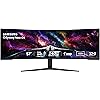
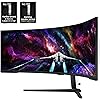
Samsung 57" Odyssey Neo G9 (G95NC) Series Dual 4K UHD 1000R Curved Gaming Monitor, 240Hz, 1ms with DisplayPort 2.1, Quantum Mini-LED, DisplayHDR 1000, AMD FreeSync Premium Pro, LS57CG952NNXZA

  • Based on 399 reviews
Condition: New
Checking for the best price...
$1,699.99 Why this price?
Save $399.99 was $2,099.98

Buy Now, Pay Later


As low as / mo
  • – Up to 36-month term if approved
  • – No impact on credit to apply
  • – Instant approval decision
  • – Secure and straightforward checkout

Ready to go? Add this product to your cart and select a plan during checkout.

Payment plans are offered through our trusted finance partners Klarna, Affirm, Afterpay, Apple Pay, and PayTomorrow. No-credit-needed leasing options through Acima may also be available at checkout.

Learn more about financing & leasing here.

Free shipping on this product

30-day refund / replacement

To qualify for a full refund, items must be returned in their original, unused condition. If an item is returned in a used, damaged, or materially different state, you may be granted a partial refund.

To initiate a return, please visit our Returns Center.

View our full returns policy here.


Availability: In Stock.
Fulfilled by Amazon

Arrives Sunday, Jun 7
Order within 19 hours and 30 minutes
Available payment plans shown during checkout

Protection Plan Protect Your Purchase
Checking for protection plans...

Features

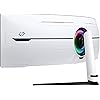
  • WORLD'S 1ST DUAL UHD MONITOR: 57" DUHD resolution brings you a display as wide as 2 UHD monitors with incredibly detailed, pin-sharp images and a wide field of view; See more of the action and play with conviction, knowing you won't miss a thing
  • WRAP YOURSELF IN ADVENTURE: Experience the next level of heart-pounding gaming with even more intensity as the vivid scenes wrap around you
  • 240HZ and 1ms (GTG) w/ DP 2.1 INPUT: 240Hz refresh rate reduces lag; 1ms (GTG) response time and minimized ghosting enables you to game with precision; All new DisplayPort 2.1 support provides the same blazing performance in DUHD with variable refresh rates
  • AMD FREESYNC PREMIUM PRO: Hyper-fast action made seamless; Complex and fast-moving game scenes are projected smoothly and stutter-free with AMD FreeSync Premium Pro to power your competitive edge
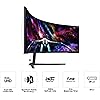
  • QUANTUM MATRIX TECHNOLOGY: Revolutionary Quantum Matrix Technology w/ Quantum Mini LEDs creates controlled brightness and improved contrast; 2,392 local dimming zones combine w/ the highest 12-bit black levels to create unmatched picture quality
  • VESA DISPLAYHDR 1000: 1,000 nit peak brightness and 1,000,000:1 contrast ratio enable enhanced color expression and depth; Spot enemies hiding in dark corners, giving you the competitive edge needed for a win
  • YOUR STATION YOUR WAY: Tap into a multitude of input options; DisplayPort 2.1, HDMI 2.1 and USB Hub let you hook up to your favorite devices to easily and conveniently elevate your game with no mess
  • CORESYNC and CORE LIGHTING plus : With CoreSync technology, the game's on-screen colors are projected into your real world to further immerse you into the setting; New Core Lighting plus adds amazing color to your set-up for an instant vibe shift
  • ERGONOMIC STAND: Find your winning position; Swivel, tilt, and adjust the height until you're set up for victory; Fully compatible with VESA-standard monitor arms, the screen can be moved effortlessly to your ideal position
  • PICTURE-BY-PICTURE: Game, watch, chatall at the same time; With PBP, view video from two sources simultaneously in their native resolution; Use PIP to resize the second source on up to 25% of the screen

Description

Elevate your game with the world's first Dual UHD Monitor – Samsung's 57" Neo G9 Curved Gaming Monitor. Features 57" screen size, 1000R curve with Quantum Matrix Technology powered by Quantum Mini LEDs for astounding levels of visual accuracy and unparalleled definition. 240Hz Refresh Rate, 1ms response time and FreeSync ™ Premium Pro, for stutter-free, hyper-fast action with all new DisplayPort 2.1. DisplayHDR 1000 with 1,000 nit peak brightness and 1,000,000:1 contrast ratio for enhanced color expression and depth. Cutting- edge design with CoreSync & Core Lighting+, ergonomic stand, and a multitude of convenient input options provide instant access to the game action. With Auto Source Switch+, your monitor detects when connected devices are turned on and instantly switches to the new source signal. For the world's first full DUHD and 240Hz ultra high performance support, the graphics card being used must support DP 2.1 (UHBR 13.5 and above) or HDMI 2.1 (FRL 12Gbps). Actual specifications and support may vary by graphics card. Please refer to your graphics card specifications for more details. The actual response time may vary by content and monitor settings. Image simulated for illustrative purposes. AMD FreeSync™ Premium Pro is supported by Radeon Rx 200 graphic cards and subsequent models.

Brand: Samsung


Screen Size: 57 Inches


Resolution: Dual 4K


Aspect Ratio: 329


Screen Surface Description: Matte


Aspect Ratio: 329


Screen Finish: Matte


Contrast Ratio: 1,000,0001


Refresh Rate: 240 Hz


Display Type: LED


Display Technology: VA


Viewing Angle: 178 Degrees


Brightness: 420 Candela


Pixel Pitch: 0.18


Color Gamut: 99


Has Color Screen: Yes


Picture Quality Enhancement Technology: Quantum Matrix Technology, DisplayHDR 1000


Screen Size: 57 Inches


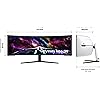
Item Dimensions D x W x H: 19.7"D x 52.3"W x 24"H


Item Weight: 41.9 Pounds


Resolution: Dual 4K


Display Resolution Maximum: 7680 x 2160 Pixels


Native Resolution: 7680x2160


Power Consumption: 140 Watts


Voltage: 240 Volts


Total Number of HDMI Ports: 3


Total Usb Ports: 2


Number of Component Outputs: 3


Total USB 2.0 Ports: 2


Additional Features: 1000R Curved Screen, AMD FreeSync™ Premium Pro, Auto Source Switch+, Black Equalizer, Eye Care, Flicker-Free, FreeSync, Picture-By-Picture, Quantum Matrix Technology, VESA DisplayHDR 1000


Specific Uses For Product: Gaming


Color: Black & White


Mounting Type: VESA Mount


Compatible Devices: Desktop, Gaming Console, Laptop


Warranty Type: 1 Year Manufacturer Warranty


Shape: Curved


Brand: Samsung


Model Number: FBASAMLS57CG952


Model Name: FBASAMLS57CG952


Warranty Description: 1 Year Manufacturer


UPC: 887276756738


Manufacturer: Samsung


Unit Count: 1.0 Count


Built-In Media: DisplayPort Cable, HDMI Cable, Power Cable, USB Cable


Response Time: 1 Milliseconds


Connectivity Technology: HDMI


Hardware Connectivity: DisplayPort, HDMI, USB


Adaptive Sync: FreeSync Premium


Frequently asked questions

If you place your order now, the estimated arrival date for this product is: Sunday, Jun 7

Yes, absolutely! You may return this product for a full refund within 30 days of receiving it.

To initiate a return, please visit our Returns Center.

View our full returns policy here.

  • Klarna Financing
  • Affirm Pay in 4
  • Affirm Financing
  • Afterpay Financing
  • PayTomorrow Financing
  • Financing through Apple Pay
Leasing options through Acima may also be available during checkout.

Learn more about financing & leasing here.

Top Amazon Reviews


  • Excellent replacement for two 32" 4K monitors
**purchased for $1900 with my own money** (maybe a double flash sale, $2000 on sale for December, additional $100 off for a few hours one day) So I've used this monitor for about a week, 12-16 hours a day (work during the day and online MBA school at night). Here are my initial thoughts. 1. HDMI was very buggy. When the monitor went to sleep, it would try a few times to wake up. Then, it eventually crashed (rebooted) my M2 Ultra Mac Studio (a great machine). Switching to a DisplayPort from the USB-C port (back of Mac) has been flawless. (I was hoping to get that port back by using the HDMI, but my previous setup took two USB-C ports, so it's still a net win of one port for me. The screen itself is bright and clear (what you would expect) no dead pixels, artifacts, or flaws of any kind. For work and school, 120Hz is more than good enough, as I didn't see a difference when I switched to 240hz. 2. The curve works great about two feet from my face. Since it's on a desk against the wall, it goes out a little further than the previous setup, it was doable, and I got back some desk space undernead having one base instead of two previously. The "wrap" around my field of view is definitely worth the extra space but see the next point. 3. The rear lighting and futuristic design were useless since they were against the wall. There's some extra bulk back there that could have been saved (and money) and made the profile slimmer had they not built all that. 4. I don't play games much, but Angry Birds was great. Getting the whole screen to show the entire landscape without having to scroll around horizontally was nice. Any side-scrolling games would benefit, assuming they programmed the game to use the extra space. 5. I would have liked them to integrate booming loudspeakers (like the other Samsung gaming monitors) so I don't have to use external speakers. 6. Also, for this price range, I would have liked to have a high-quality built-in 4K WebCam (even snap-on in the back, but still included) and mic for Zoom calls as well so I can work with two fewer peripherals on the desk. 7. Using the Mac Spaces feature, I can have three windows per space and one space per activity (work, school, reading, file management, photos, etc. It's a game-changer, for sure. All without a fat bezel in between the middle of the screen. (If Mac fixed the full-screen function to allow for three full-screen apps instead of two, that would be even better) Multi-page docs or wide spreadsheets are a huge benefactor of this super wide screen. Overall, this was a great purchase for me. I last bought monitors when the Dell 4K ultrashare UP3216Q came out (8 years ago, and they still work great, BTW) and spent $2000 each, so paying $1900 for this monitor was a great deal. ... show more
Reviewed in the United States on December 11, 2023 by Evan Shaw

  • Best Monitor EVER Best Monitor EVER
If you are looking for a monitor for productivity/working and gaming, this is unequivocally without hyperbole the best monitor that you can buy, and for a great price. I purchased it recently and have nothing about amazing things to say. The size of this thing is so perfect that once you start using it you'll never want to go back to any other sized monitor. And the resolution and pixel density is absolutely stunning, this thing looks better and more dense than most 27 or 32 inch monitors which is a feat with how big it is. I use mac and although you can only get max 120 HZ, you still can get full native resolution 7680 x 2160 as long as you use DP2.1, which is more than enough for just working which I presume is what most mac users will be doing. The brightness, colors, contrast and HDR on this thing is also amazing everything looks so vibrant and this monitor has an extremely high max brightness. And for work it is SO convenient having literally two 32 inch screens side by side and having this much screen space, you can have so many applications open at once. As long as you have the money to afford this monitor, the desk space to have the monitor on your desk (which is important because the stand takes up a lot of space and this monitor is very heavy so I wouldn't trust it with an arm), and a rig that can run this at full resolution with good FPS/refresh rate, it is an absolute no brainer in my opinion and is one of my favorite purchases that I've ever made. The build quality does feel a bit flimsy I will admit, but honestly it doesn't matter when the monitor works and performs as well as it does. Just make sure out the box that you calibrate the picture settings, enable HDR, set your Display port/HDMI input to 2.1 (by default it is on 1.4), and tweak the settings to your liking. For me I am using original picture mode, 50 brightness, 50 contrast, 10 sharpness, 22 color, local dimming on HIGH (very important setting), contrast enhancer off, active HDR tone mapping, natural color tone, and native color space settings with the rest of settings on default. Make sure to DISABLE any eye care settings for best quality. ... show more
Reviewed in the United States on July 30, 2025 Reviewed in the United States on July 30, 2025 by Oliver Khan

  • Outstanding productivity monitor for Mac users (not just gamers)
I took a chance on this monitor hoping it would work well with my setup, and I’m very glad I did. I don’t game at all. This is used 100% for business and productivity. My setup: • MacBook Pro M2 Max • 32GB RAM, 1TB SSD • macOS Tahoe 26.2 • OWC Thunderbolt Dock • Apple wireless keyboard with Touch ID and Apple Mouse Connection-wise, you can use HDMI, but I strongly recommend DisplayPort to USB-C. In my case, I already had the OWC Thunderbolt dock from a previous setup, so this was an easy upgrade. I only needed to buy a DisplayPort-to-USB-C cable. The result is exactly what I wanted: one cable to the MacBook, running in clamshell mode at all times. The monitor drives full native resolution at 120Hz, which is perfect for macOS. Everything is smooth, sharp, and stable. I did need to update the firmware. Fair warning: the firmware update failed a few times (three, to be exact). After resetting the monitor and trying again, it succeeded on the fourth attempt. My advice: be persistent, once it updates, everything works as expected. As for daily use: this monitor is awesome. The amount of screen real estate completely changes how you work. I can keep multiple applications and windows visible at the same time without constantly switching between desktops or displays. That alone has been a huge productivity boost. The image quality is excellent. Crisp text, very bright, and incredibly immersive. For serious work, this feels far more efficient than running dual or even triple monitors. Bottom line: if you’re a Mac user looking for a high-end productivity display and are willing to spend a little time dialing it in, this monitor is absolutely worth it. Once set up, it’s rock solid and a joy to use. ... show more
Reviewed in the United States on December 20, 2025 by Braelyn

  • Wow... It's so nice. Samsung 57 + Linux
My old widescreen crapped out so I needed another one. My old one started flickering AFTER black Friday and Cyber Monday... So turns out it was still on sale for the same price. This monitor is huge and amazing. I use it for work mostly with my laptop (which does do the full resolution though the hdmi. I use the PIP with KVM to show on screen my personal PC for youtube or looking up stuff NOT on my work PC. I tried it some with my gaming PC from Lenovo i9 RTX 4080 Super and I would get about 180 FPS in COD with medium settings. I use Zorin OS (Linux) for my personal PC and it's also an i9 3090 and it also does the full resolution and works GREAT! The monitor: It is huge. Picture is best I have seen and near oled quality. I like the simple controls and easy setup. I got a desk arm ULTRARM MA20P-S and it works great. I was a bit worried it would not hold it up, but this arm is great quality. The stand for the 57 is nice but the legs are so long... I almost kept it on the stand it came with but figured I would try the arm and it works great. For 1600 you can't go wrong with this monitor. Side note: It does take some time to get used to, even coming from another ultrawide. Figuring out where to put things on the screen and how to layout for best work use. But all in all, I love it. Using the PIP for my personal PC saves me another monitor, however I do still need to use one other monitor because I always leave teams and outlook up on the side. I would buy this one again, without blinking. Hope this helps. ... show more
Reviewed in the United States on December 20, 2024 by Amazon Customer

  • Stunning Display but Make Sure Your Desk Can Handle It
The Samsung Odyssey NEO G9 is an absolute powerhouse when it comes to immersive gaming and productivity. The 49-inch curved display with Quantum Mini LED technology delivers incredible picture quality, with deep blacks, vibrant colors, and exceptional contrast. Whether you're gaming or working, the 5120x1440 resolution provides crystal-clear visuals, and the 240Hz refresh rate ensures smooth, responsive gameplay. One of the standout features is the HDR2000, which makes everything look incredibly lifelike. The G-Sync and FreeSync Premium Pro support eliminate screen tearing, making it perfect for high-intensity gaming sessions. The ultra-wide screen is like having two monitors in one, which is great for multitasking without the need for multiple displays. However, there’s one big drawback: its size. The monitor is so large that it overwhelms my 23-inch deep desk, making it difficult to position comfortably. If you don’t have enough desk space, you might find it challenging to fit this beast into your setup. Despite this, if you have the room and budget, the Odyssey NEO G9 is a top-tier monitor that delivers an unrivaled experience in both gaming and productivity. Just be sure to measure your desk before making the investment! ... show more
Reviewed in the United States on August 20, 2024 by EatSleepAmzn

  • Best monitor for the next 5-10 years. UPDATE: Or is it?
Expensive? Yes, but it's also the best monitor you can get and that you will need until some 4D future "display". Why best monitor? Perfect size. bigger will NOT be better. This is maximum in width and perfect vertical size you will ever want. Resolution? Finally crispy txt, no compromise, maximum resolution that you will ever want, more pixel will NOT look any better than this. Refresh rate? 240hz, more than you need, everything above 120hz is done deal. Display? Its a micro led screen, closest to OLED without having to think every time you use a monitor if that taskbar is going to burn in. Too many zones to notice any blooming. Immersion? Again, Samsung gave you maximum there too, 1000R. This is it. All in one, all the best monitor and it performs just like that, I love it. So why 4 stars then? Because... Samsung. I don't understand the top management not firing weak people that dont see the big picture. Such a big monster monitor, it will take all the space on the table and more, you will not be able to have a tower next to it... yet again somehow someone thought shipping SHORTEST dp cable ever would be totally ok, to be expected for a monster $2500 monitor. It's a 3ft cable! 3ft! You preorder a $2500 monitor, get excited, wait for it.... get it and you will NOT be able to set it up that day. You have to spend another $30 for a cable and wait more so you can finally set it up the way you like it, meaning without a desktop tower sitting on the monitor so cable reaches it. Such a cheap way to take away customer satisfaction which is so important nowdays as products become more and more similar and overall experience is the only thing to make yourself stand out. EDIT: Still great monitor if it was not Samsung. This brand is seriously losing it on QC. When you turn the monitor on, it makes popping sound. Imagine those old mechanical clocks you hate... well now you have one built in I guess. It pops every few seconds and it's so annoying every time it pops you think about $2500 you spent on it. And yes, returned it, bought one from Samsung.com so they get the hit if they send me another annoying one. The new batch is coming at the end of December, hopefully its because they are woking on the issues. ... show more
Reviewed in the United States on October 6, 2023 by Stefan

  • Told myself I'd never buy another Samsung product again...
I've been running with mostly Samsung products for literally the past 10 years, from their smartphones, to earbuds, to even an 8K TV. They are always at the forefront of cutting-edge technology, and for that part, they are hard to beat in that regard. Where they fail is their manufacturing & craftsmanship. After 3.5 years, my expensive world's first 8K TV died and was irreparable from my own efforts. And then my only 2-year-old Galaxy S23 Ultra started acting wonky following one of Samsung's software updates, not unsuspiciously. I told myself I was done with Samsung --- never again... When it came time for me to downscale & downsize from three 4K 32" OLED monitors, it was necessary for me to still maintain the vertical height of a 32" monitor. And, unfortunately or fortunately, that's where this monitor (the Samsung Odyssey G9 57"), and only this monitor, came into play. At the time I was looking (6 months ago), this was the only 57" super ultrawide screen monitor in existence -- the 57" is the equivalent to two 32" monitors, which is the perfect compromise for me. As much as I scoured the web for 57" current & future alternatives from OTHER manufacturers including LG & ASUS, this Samsung was the only thing on the horizon. (Looks like Acer made a 57" -- that one is only 120Hz though, and I don't know much about their reliability, either.) Luckily, this has been an amazing monitor -- SO FAR, of course. Coming from OLED's, this Samsung is as good as it's going to get for an LED VA panel -- the closest thing you are going to get to OLED picture quality, without actually being an OLED. Very good blacks, very good contrast, great features/options: 7860x2160 resolution, 240Hz, DP2.1, local dimming options. Is the shadow detail in games as good as OLED? Of course not...but it's still pretty damn good. Are dark scenes/images a bit milky and washed out? A little. But again, I would still categorize the image as "great", even if not the best possible. The huge positive of this monitor not being an OLED is there is zero threat of burn-in. (As a person who has actually experienced burn-in on early OLED's.) I can accidentally leave this monitor on for hours with a still image & not worry about the screensaver not turning on for some reason; I can keep my Windows taskbar on 100% of the time; I don't need to worry about moving windows around periodically so the pixels are not sitting in the same position for too long; I don't need to worry about game HUD's being on the screen too long. That, along with the great picture, just might be enough for me to be okay with not having an OLED... I've seen some reviewers complain about this monitor having a matte screen instead of glossy -- well, there's positives and negatives to that. Is the image 100% as sharp/clear on a matte screen? No -- but you probably would not even notice the difference. But then again, with a matte screen you won't need to worry about the image clarity degrading due to the direct reflections of a glossy screen, either... That said, I will always have my doubts about this Samsung's reliability. I have already experienced a handful of times when I woke up the monitor, but the screen remained black. (I could actually faintly see my desktop on the screen, as if the monitor was at 1% brightness.) Luckily, unplugging the monitor power plug, waiting, and plugging back in got it working properly. (That, of force shutting down my PC.) I've seen reports of this monitor no longer powering on & dying for good, for some users... Well, and that is why I chose to purchase the extended warranty, because I *do* really like this monitor, and I plan to have it for a very long time. If it dies within the next 4 years, I can get it repaired or replaced. And if it's after 4 years, I might be ready to upgrade by then, anyway. It's a Samsung, so buy with caution -- or with an extended warranty -- but it is indeed a very good monitor. ... show more
Reviewed in the United States on October 4, 2025 by illeagle45

  • G9 is the monitor I've ever owned. Wish I bought sooner. Replaces triple 32"
I was originally in the market to replace my triple 32" monitor setup. Frustrated with the price now days for a decent quality triple setup, I saw this Neo G9. I was worried I would not like having one physical monitor as opposed to three, but I took the gamble and bought it anyways. Best monitor I've ever had and am loving the screen real estate with no bezel. My gamble was worth it, I wish I had bought this years ago. Amazing for productivity (Davinci, Lightroom, Solid works). Amazing for gaming (7680 x 2160). The game world immersion is unreal... Best colors I've ever had. Dynamic range is some of the best I've had. The blacks are very black and really make the images pop. Gama seems to be a little off according to some web based gamma calibration websites, but I don't notice it and the color reproduction is still the best I've had of any monitor I've owned before. More than good enough for my ammeter photography. I have the monitor paired with a desk mount monitor stand so that it floats above my desk and am very happy with that. ... show more
Reviewed in the United States on December 25, 2025 by Blake Warner

Can't find a product?

Find it on Amazon first, then paste the link below.
Checking for best price...