Search  for anything...

Razer Gigantus V2 XXL Gaming Mouse Pad: Textured Micro-Weave Cloth Surface - Thick, High-Density Rubber Foam - Anti-Slip Base - Pokemon Gengar Edition

  • Based on 0 reviews
Condition: New
Checking for the best price...

Buy Now, Pay Later


As low as $8.33 / mo
  • – 6-month term
  • – No impact on credit
  • – Instant approval decision
  • – Secure and straightforward checkout

Ready to go? Add this product to your cart and select a plan during checkout.

Payment plans are offered through our trusted finance partners Klarna, Affirm, Afterpay, Apple Pay, and PayTomorrow. No-credit-needed leasing options through Acima may also be available at checkout.

Learn more about financing & leasing here.

Selected Option

Free shipping on this product

FREE 30-day refund/replacement

To qualify for a full refund, items must be returned in their original, unused condition. If an item is returned in a used, damaged, or materially different state, you may be granted a partial refund.

To initiate a return, please visit our Returns Center.

View our full returns policy here.


Availability: Only 10 left in stock, order soon!
Fulfilled by Amazon

Arrives Saturday, Mar 7
Order within 20 hours and 17 minutes
Available payment plans shown during checkout

Protection Plan Protect Your Purchase
Checking for protection plans...

Color: Gengar Pokémon Edition


Size: XXL


Features

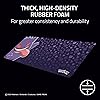
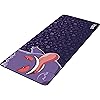
  • OFFICIALLY LICENSED BY POKEMON It's mischief time with Gengar, get a dream start to your adventure with our eye-catching mouse mat officially licensed by Pokemonspecially designed for the aspiring Pokemon Master
  • TEXTURED MICRO-WEAVE CLOTH SURFACE Optimized across all mouse sensors for pixel-precise accuracy and total tracking responsiveness, the weaves high thread count let the mouse glide with ease across the mat for quick, fluid swipes
  • THICK, HIGH-DENSITY RUBBER FOAM At 3mm thick, the mats remain uniformly flat even over imperfect surfacesa sturdy foundation for consistent mouse movements
  • ANTI-SLIP BASE When things get chaotic, pull off clutch plays with a stable base thats crucial to competitive gaming

Description

Gengar’s always a step ahead—and now you can be too! Pair your mouse with a silky-smooth gaming mouse mat designed for spectral speed and shadowy precision in every swipe. Woven for speed and crafted for control, this oversized mouse pad gives you the space to make huge plays with pixel-perfect accuracy. Featuring a textured micro-weave cloth surface, it’s optimized for all mouse sensors, allowing for fluid swipes and responsive tracking. Whether you're flicking for a clutch headshot or gliding through your next raid, the high thread count ensures effortless movement. At 940 mm x 410 mm, the XXL size covers your entire desk setup, while the 4 mm thick, high-density rubber foam provides a cushioned feel and stays flat—even on uneven surfaces. The anti-slip base keeps the mat firmly in place during intense ging sessions. Level up your battle station with a mat that’s as bold and stealthy as Gengar himself. Perfect for Pokémon fans and competitive gamers alike.

Brand: Razer


Color: Gengar Pokémon Edition


Special Feature: Non-slip


Recommended Uses For Product: Gaming


Material: Cloth, Rubber


Brand: ‎Razer


Item model number: ‎RZ02-03334200-R3M1


Hardware Platform: ‎PC


Item Weight: ‎0.16 ounces


Product Dimensions: ‎37.04 x 16.15 x 0.1 inches


Item Dimensions LxWxH: ‎37.04 x 16.15 x 0.1 inches


Color: ‎Gengar Pokémon Edition


Manufacturer: ‎Razer


Date First Available: ‎October 7, 2025


Frequently asked questions

If you place your order now, the estimated arrival date for this product is: Saturday, Mar 7

Yes, absolutely! You may return this product for a full refund within 30 days of receiving it.

To initiate a return, please visit our Returns Center.

View our full returns policy here.

  • Klarna Financing
  • Affirm Pay in 4
  • Affirm Financing
  • Afterpay Financing
  • PayTomorrow Financing
  • Financing through Apple Pay
Leasing options through Acima may also be available during checkout.

Learn more about financing & leasing here.

Top Amazon Reviews


  • Completes my set up
Color: Zenless Zone Zero Edition Size: Medium
I have Razer everything other than the mousepad and it was the time and I’m so happy I got it. It’s very sturdy yet lightweight, larger in size than the average pads and absolutely fun and sleek looking. Fantastic print, comfortable material and mouse speed is just what I need. Perfect for gaming but also for work, I use this set up when I have to work from home and super happy. Absolutely worth the money, it’s such a great quality and I’m certain it will last me years to come! ... show more
Reviewed in the United States on February 8, 2026 by ClintCO ClintCO

  • Razer BlackWidow V3 Mini HyperSpeed Review
Color: Classic Black Size: XXL
The Razer BlackWidow is one of the most iconic gaming keyboards of all time. It’s undergone numerous revisions over the years but today’s release marks new territory for the series with a new 65-percent compact form factor. If you found the ultra-compact Huntsman Mini too small but still like the idea of saving space on your desktop, this is a keyboard you won’t want to miss. If you’re coming from a full-size keyboard, expect a short learning curve. The V3 Mini doesn’t feature a function row and continues to hide less-used functions on secondary layers. This also applies to media controls and macros. To aid the learning curve, a number of the keys have side legends so you won’t need to guess what they do when pressed with Fn. These aren’t backlit, however, so you can’t see them in the dark. As a HyperSpeed product, the BlackWidow uses Razer’s latest wireless gaming technology to deliver wired-like performance without the need for a cord. This is the same tech found on some of the company’s premier wireless peripherals like the Orochi V2, one of our best gaming mice of 2021, and BlackWidow V3 Pro. Gone are the days of wireless peripherals lagging behind their wired counterparts. The BlackWidow V3 Mini was just as responsive whether it was connected over USB or with the 2.4GHz dongle. The new dongle has another trick up its sleeve: multi-device support. If you also happen to use a compatible Razer HyperSpeed mouse, you can pair it to the dongle inside Synapse and control both with a single USB port. This doesn’t apply to all HyperSpeed products yet (my Basilisk Ultimate wouldn’t work), but if you happen to own an Orochi V2, DeathAdder V2 Pro, or Naga Pro, you can store that dongle back in its compartment. Given its size and relatively steep price, you might want to take it on the go and the V3 Mini is ready to connect in any scenario. In addition to HyperSpeed wireless, it also features Bluetooth and wired USB support. Bluetooth has noticeably more latency than HyperSpeed or wired, so isn’t the ideal choice for gaming. Instead, I used it to quickly switch my laptop and desktop. Unfortunately, it’s not possible to use the bluetooth connection when charging, which is disappointing. I also wish there were a key combination to enter bluetooth mode instead of being forced to flip the switch on the back. First world problems, but when up and coming brands like Epomaker make swapping modes easier, it stands out. Despite multiple connection options, the V3 Mini sports an impressive battery life up to 200 hours. That’s a best case scenario with backlighting disabled and drops substantially depending on your lighting settings. Unlike some wireless keyboards, the Mini doesn’t cap the brightness of the backlight when wireless. At 100% brightness battery life drops all the way to 17 hours on spectrum cycling mode. Cut that brightness to 30% and it jumps back up to 48 hours. If you do happen to run dry, plugging in for 30 minutes will recharge the keyboard to 50% to get you back in the game quickly. Like the BlackWidow V3 Pro, the Mini HyperSpeed uses Razer’s doubleshot ABS keycaps (PBT is reserved for the Huntsman line) and your choice of clicky green or linear yellow Razer-branded switches. I was able to briefly test both versions but settled on the yellow switches. Razer’s new yellow switches feature internal dampers to cut down on key noise, so you won’t need to worry about bothering others around you. They’re also a speed switch. With an actuation force of 45 grams, they’re similar to Cherry MX Reds but trigger at 1.2mm instead of 2.0mm. That’s 40-percent faster and you can feel that sensitivity. My first day with the keyboard was frustratingly typo-filled until I got used to the lighter touch it requires. The keycaps are great and do an effective job of showing off the RGB. The legends are crisp and high-quality without the gamery feel and lettering gaps found on cheaper sets. They’re also much thicker than standard gaming keycaps and feel solid under the finger. Since they’re ABS, they will shine over time, but Razer has applied a light texture to their surface to ward off early wear and tear and to hide finger oils. Since this is a Razer gaming keyboard, you can look forward to all manner of programmability through its Synapse software. Of course, you have total control of the per-key RGB backlighting through a selection of good-looking presets or can customize or sync your own lighting animations through the Photoshop-esque Chroma Studio module. If you’d rather not use the software, the preset options are also stored on the keyboard’s memory, though avoiding Synapse will drastically reduce your customization options. No matter which you go with, it’s sure to be an eye-catching display of light and color thanks to the floating key design which exposes the translucent switch housings. The software also allows you to customize the layout of the keyboard with custom remaps, shortcuts, and macros. There are three onboard memory profiles to store settings for individual games, which is especially useful given the already compact layout. Creating your own keymaps is easy and intuitive thanks to key recording and an array of preset options for features like Windows shortcuts. Synapse has come a long way over the last several years and is well worth spending time with, but I still wish the BlackWidow V3 Mini HyperSpeed were not so dependent on it. For example, “on the fly” macro recording simply won’t work without it. Likewise, even though the keyboard is capable of producing 16 million colors, you can only choose between six for the three customizable presets built into the board. This simply pales in comparison to keyboards like the Ducky One 2 SF which has a similar form factor and doesn’t require software at all despite costing far less. Thanks to its small size and excellent connectivity, the BlackWidow V3 Mini HyperSpeed makes for an excellent travel keyboard. Over the course of my testing, I used it at work during the day and took it home for gaming at night. I had to send the clicky switch version back after two days, so the bulk of my testing was done using the Razer Yellow switches. Right off the bat, the Razer Yellow switches were a joy to type on. They’re smoother than Cherry MX Red, don’t have any spring noise, and feature internal sound damping to cut down on noise. They’re quiet enough to use in an office and softer to bottom out without feeling mushy. My first day was full of typos due to their increased sensitivity but by the time I got home to play games, I was used to the lighter touch they required. These are switches that will trigger simply from resting your fingers too heavily, but I found that actually taught me to bottom out less and made the keyboard even quieter to use. On the other hand, the larger keys were much louder than the rest due to poorly lubed stabilizers. Razer did apply a small amount but it wasn’t enough and there didn’t seem to be any in other places generating rattle, really defeating the purpose of the silenced switches on these keys. The backspace and spacebar were the worst offenders. I was able to fix this by adding some additional lube myself, but given how good the stabilizers have been on some of Razer’s other recent keyboards, and how expensive this board is, it really shouldn’t have been necessary. With both gaming and work, the 65-percent form factor was excellent. For navigating spreadsheets, word documents, and even browsing social media, the additional arrow and navigation keys were a godsend. 60-percent keyboards usually require advanced customization to make them fully and easily functional in these contexts. The Razer BlackWidow V3 Mini was easy to use, right out of the box, no programming required. Gaming with it was also easy and fun. Since it’s only one column wider than a 60-percent and roughly two columns narrower than a TKL, I was able to keep my hands closer together which made PC gaming more comfortable. Having the right-side keys double as macro buttons was also useful in World of Warcraft and let me keep my hands on the movement keys even when firing them off. Aesthetically, the smaller keyboard also fit right into with my PC gaming setup and looked clean due to the lack of wires. Dual-mode connectivity was useful but has room for improvement. I found myself switching between 2.4GHz and bluetooth regularly to work, game, or chat between my laptop and my desktop. Swapping connections is fast with only a couple seconds of delay but needing to flip a switch every time got old fast. HyperSpeed was reliably excellent no matter what game I was playing but bluetooth would occasionally feel sluggish with noticeable latency. Infrequently, it would miss keystrokes as if the connection had momentarily gone to sleep. It was usable but not something I wouldn’t attempt to game with. ... show more
Reviewed in the United States on May 28, 2021 by Ryan

  • Top-Tier Mousepad For Great Value, Might upgrade to 3XL
Color: Classic Black Size: XXL
I’ve been using the Razer Gigantus (2XL) for a while now, and it’s easily one of the best mousepads I’ve owned. The quality feels top-tier right out of the box, with clean stitching, a consistent surface, and a premium feel as soon as you lay it down. The 2XL size is already huge and comfortably fits my keyboard and mouse with room to spare, but I’m honestly considering upgrading to the 3XL since it would cover my entire desk instead of just the main setup area. The surface is super smooth and makes mouse movement feel effortless, striking a great balance between speed and control whether I’m gaming or just browsing. For the price, it offers excellent value and feels like something that should cost more given the materials and overall build. Functionally, it’s pretty much perfect, it stays in place, doesn’t bunch up, and provides a stable, reliable surface every time. It also has a sleek, clean look that gives my desk a minimalist, professional gaming vibe without being flashy. Durability has been great so far, with no fraying or peeling, and it still looks almost new after regular use. There was a slight chemical odor when I first opened it, but it only lasted a few days and completely went away. Overall, I’d highly recommend it, especially if you’re debating between sizes. ... show more
Reviewed in the United States on February 14, 2026 by Dan khalili

  • its a quality mouse pad
Color: Classic Black Size: XXL
Right out of the box, the quality stood out—smooth fabric surface, stitched edges, and a rubber base that actually grips the desk (no annoying sliding around). I opted for the XL version to fit both my keyboard and mouse, and the extra space has made my setup look and feel much cleaner. What I like most is the balance between speed and control. My mouse glides effortlessly for quick movements in games, but there’s enough resistance to allow for precision when working on detailed tasks like photo editing. It's also been great for wrist comfort; it doesn't have built-in padding, but the fabric is soft and easy on the skin. If I had to nitpick, it did have a slight chemical smell when I first unboxed it, but that faded within a day. Overall, this is one of the best mousepads I’ve used—durable, comfortable, and excellent performance-wise. Definitely worth the price. Rating: 5/5 ... show more
Reviewed in the United States on May 13, 2025 by anita

  • Great for Gamers, but Slightly Bigger Than Advertised
Color: Classic Black Size: XXL
This mousepad is one of the best I’ve ever used hands down. First off, the size is massive, and is exactly what I needed to cover my entire desk space. It easily fits both my keyboard and mouse with room to spare. This gives my setup a clean, unified look. The only downfall with the size is that it is slightly larger than advertised on the depth front to back. For a lot of people this probably doesn't matter, but for me, it causes the pad to slightly hang off of my desk. The surface is incredibly smooth and optimized for precision. It is absolutely great for gaming. The foam gives it a premium and cushioned feel that’s comfortable for long gaming sessions, and the nonslip rubber base has kept it in place very well so far. It also looks very professional. It is very clean and would work great in a business office setting as well. I haven't had this mousepad for very long, but it has held up extremely well so far. If you’re in the market for a good XXL mouse pad that is durable and comfortable, this mousepad is a great option. Just make sure that your desk space planned for it is bigger than the mousepad itself, as the mousepad is slightly larger than advertised. ... show more
Reviewed in the United States on June 3, 2025 by Trent L.

Can't find a product?

Find it on Amazon first, then paste the link below.
Checking for best price...