


Search  for anything...

ProtoArc KM100-A Backlit Bluetooth Keyboard and Mouse for Mac, Space Gray | Full Size Mac Layout with Numeric Keypad, Wireless Keyboard Mouse for Mac, Multi-Device, Rechargeable, for MacBook Pro/Air

  • Based on 1,926 reviews
Condition: New
Checking for the best price...
$47.99 Why this price?
Save $12.00 was $59.99

Buy Now, Pay Later


As low as $8.00 / mo
  • – 6-month term
  • – No impact on credit to apply
  • – Instant approval decision
  • – Secure and straightforward checkout

Ready to go? Add this product to your cart and select a plan during checkout.

Payment plans are offered through our trusted finance partners Klarna, Affirm, Afterpay, Zip, Apple Pay, and Google Pay. No-credit-needed leasing options through Acima may also be available at checkout.

Learn more about financing & leasing here.

Selected Option

Free shipping on this product

FREE 30-day refund/replacement

To qualify for a full refund, items must be returned in their original, unused condition. If an item is returned in a used, damaged, or materially different state, you may be granted a partial refund.

To initiate a return, please visit our Returns Center.

View our full returns policy here.


Availability: In Stock.
Fulfilled by Amazon

Arrives Thursday, Aug 20
Order within 14 hours and 48 minutes
Available payment plans shown during checkout

Protection Plan Protect Your Purchase
Checking for protection plans...

Color: Space Gray


Features

  • Bluetooth Keyboard for Mac: Bluetooth keyboard and mouse for Mac resembles magic keyboard in full size layout with numeric keypad. Compatible with Mac OS 10.12 or later, iOS & iPadOS(13.0 or above), for MacBook, MacBook Pro, MacBook Air, Mac Pro/Mini, iPad, or iPhone, supports Bluetooth 5.1 version or above. Note: Macs before 2013, Windows, Linux are not compatible
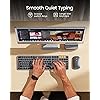
  • Backlit illuminated Keys: This backlit wireless keyboard for mac comes equipped with soft white LED backlighting and boasts three adjustable brightness levels (low-mid-high) to suit your individual needs. Perfect for use in dimly lit environments, the gentle illumination won't strain your eyes, and the brightness can be easily customized to your liking
  • Switch Up To 3 Devices: Bluetooth keyboard mouse for mac can connect to three different devices simultaneously through its triple Bluetooth channels. You can easily switch between the devices by clicking on the mode switch button. Note: Connection is established solely through Bluetooth. USB dongle is not included
  • Responsive Keys and Quiet Typing: This keyboard boasts a responsive scissor switch, allowing for efficient and hushed typing. The low-profile design and soft-touch keys elevate the typing experience to a new level of fingertip comfort and The mouse features three adjustable DPI levels of 1000/1600/2400, providing you with customizable sensitivity options
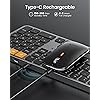
  • Rechargeable and Power Saving: The keyboard and mouse for mac feature built-in rechargeable batteries, 1200mAh for keyboard, 300mAh for mouse. If the keyboard and mouse are idle for 60 minutes, the system enters sleep mode. Press any key to wake it, but note that keyboard's backlighting must be turned on again
  • Flat Keyboard: ProtoArc keyboard for mac is intentionally designed to be flat for neutral wrist position, allowing you to hold your wrists level with your fingers while typing. This design minimizes the risk of discomfort and potential issues such as carpal tunnel syndrome
  • Notice: Utilize a full-size keyboard and mouse to enhance your work efficiency for Mac. However, please be aware that they may require more desk space compared to compact options

Description

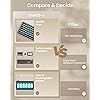
Mission At ProtoArc, our mission is to deliver innovative workspace solutions that enhance comfort, boost productivity, and foster overall wellness. Vision We believe that everyone deserves a workspace that not only meets their functional needs but also empowers them to thrive. Our vision is a world where work environments promote health, happiness, and high performance. Note: KM100-A Keyboard is designed primarily for macOS and may not be fully compatible with Windows. The media keys and function keys don't work on Windows Perfect for home office, accounting, programming, or anyone who types for hours and wants to avoid hand cramping Flat keyboard design, similar to the magic keyboard, for neutral wrist position, allowing you to hold your wrists level with your fingers while typing. This design minimizes the risk of discomfort and potential issues such as carpal tunnel syndrome that can arise from elevated or tilted keyboards Meet the KM100-A bluetooth keyboard and mouse for iPad designed to supercharge your productivity. Compatible with iPad, iPad Air, and iPad Pro, the KM100-A effortlessly transforms your tablet into a powerful alternative to a traditional MacBook Length: 16.5 inches / Width: 4.7 inches – Similar size as Magic Keyboard with Numeric Keypad. Please check your desk space before ordering Designed for Wellness, Built for Mac, Certified for Earth ProtoArc KM100-A wireless keyboard and mouse for Mac are perfect for work, general tasks, and everyday use. However, gaming is not recommended KM100-A Full-Size Combo K100-A Full-Size Keyboard K110-A Aluminum Keyboard K90-A Compact Keyboard KM110-A Aluminum Combo KM90-A Small Combo Is KM100-A Bluetooth Keyboard compatible with Windows PCs? No. This KM100-A keyboard and mouse set is designed exclusively for macOS 10.12 and above, iOS & iPadOS 13.0 and above. Macs before 2013, Windows, Linux are not compatible The keyboard/mouse cannot connect to your device 1.Ensure that the keyboard/mouse is fully charged. 2.Confirm that the keyboard/mouse is in the correct mode. 3.Delete the keyboard/mouse's Bluetooth pairing from your device's Bluetooth listing. 4.Repair the keyboard/mouse with your device Some keyboard keys do not work / Keyboard keys have typing delay / Keyboard keys repeat typing: 1. Ensure that the keyboard is fully charged. 2. Delete the keyboard's Bluetooth connection from your computer's Bluetooth connection history. After deleting the Bluetooth connection, restart your computer. 3. Re-pair the keyboard with your computer How to Use Multimedia or F1-F12 function? The Bluetooth keyboard comes preconfigured with multimedia functions. The F1-F12 functions need to be activated by pressing Fn + F1-F12 keys. Or you can set the keyboard to the F1-F12 functions by default on your Mac After the device restart that required login, the keyboard and mouse wouldn't reconnect? The reason is FileVault On Mac. To disable FileVault: 1. Go to System Settings/System Preferences 2. Click Privacy & Security 3. Click FileVault 4. Click the lock icon in the bottom left and enter your password. 5. Click Turn Off Encryption Because the "Mouse Keys" feature is enabled, to disable this feature on MacBook, iMac, and Mac Mini, follow these steps: ○ Go to Settings > Accessibility > Pointer Control > Mouse Keys. ○ Toggle the Mouse Keys switch to the off position.

Brand: ProtoArc


Compatible Devices: MacBook, MacBook Pro, MacBook Air, iMac, Mac, Mac Pro, Mac Mini, iPad, iPad Pro, iPad Mini, iPad Air


Connectivity Technology: Bluetooth


Keyboard Description: Multimedia


Recommended Uses For Product: General & Everyday Use, Home Office Use, Multi-Device Switching, Work Usage


Special Feature: Backlit, Full Size, Hotkeys and Media Keys, Numeric Keypad, Rechargeable


Color: Space Gray


Keyboard backlighting color support: Single Color


Power Source: Battery Powered


Switch Type: Mechanical


Compatible Devices: MacBook, MacBook Pro, MacBook Air, iMac, Mac, Mac Pro, Mac Mini, iPad, iPad Pro, iPad Mini, iPad Air


Connectivity Technology: Bluetooth


Additional Features: Backlit, Full Size, Hotkeys and Media Keys, Numeric Keypad, Rechargeable


Keyboard Backlighting Color Support: Single Color


Power Source: Battery Powered


Switch Type: Mechanical


Keyboard Layout: QWERTY


Hand Orientation: Right


Button Quantity: 104


Minimum Required Operating System Version: Mac OS 10.12 Sierra


Compatible Operating System Family: Windows


Number of Keys: 109


Color: Space Gray


Brand: ProtoArc


Keyboard Description: Multimedia


Antenna Location: General & Everyday Use, Home Office Use, Multi-Device Switching, Work Usage


Model Number: KM100-A


Unit Count: 1 Count


Manufacturer: ProtoArc


Number of Packs: 1


Number of Items: 1


Item Weight: 390 g


Mfr Part Number: Protoarc B0CSSQ8ZCF


Warranty Description: 2 Year


Frequently asked questions

If you place your order now, the estimated arrival date for this product is: Thursday, Aug 20

Yes, absolutely! You may return this product for a full refund within 30 days of receiving it.

To initiate a return, please visit our Returns Center.

View our full returns policy here.

  • Klarna Financing
  • Affirm Pay in 4
  • Affirm Financing
  • Afterpay Financing
  • Zip Pay in 4
  • Financing through Apple Pay
  • Financing through Google Pay
Leasing options through Acima may also be available during checkout.

Learn more about financing & leasing here.

Top Amazon Reviews


  • Quality at a less expensive price point - Has the right feel
Color: Space Gray
This was the right keyboard for me. I've tried 3 or 4 others. Even one of this same brand (the mechanical feeling one with thicker keys). I loved it, but the keys were too soft surprisingly, causing a lot of typos. Then with other brands, I went through literally 3 different keyboards because keys would stop working, or work intermittently when pressed. They were nice enough to replace for me, but just didn't work out. Finally ordered THIS keyboard, and it is on the money. Nice backlighting you can easily turn on, off, or dim. The feel is just stiff enough and has a nice rebound. And it's plastic but still feels heavy and nice like an Apple or other brand name would. This is better than most Logitech lower end stuff. If you want something like the NICE expensive Logitech models, this would be it at a lower price point. Worth it! The mouse I am not using on this set, it wants to be nice, and is okay, but on my particular desk surface is a little whacky. If I had a mouse pad I'm sure it would be great. But I'm using the Apple Magic Mouse for better precision on my desk. The keyboard alone is worth it for me in this though. Very good quality and connection. Arrived charged up and still haven't had to plug it in yet after 4 or 5 days of use :D. ... show more
Reviewed in the United States on July 23, 2026 by David

  • Five Stars!
Color: Space Gray
I am extremely happy with this keyboard and mouse combo. I recently switched to a MacBook Air setup with an external monitor and wanted something wireless, compact, and easy to use. This set has been perfect. The keyboard has a very clean, modern design and feels solid and responsive while typing. The mouse is comfortable to use and glides smoothly. I also really like the ability to connect through multiple Bluetooth channels. Setup was straightforward, and once connected, everything has worked reliably. The rechargeable feature is a huge plus and helps me keep. my desk uncluttered. What impressed me most was the customer service support. I had a question during setup, and ProtoArc responded quickly, professionally, and very patiently. Overall, this feels like a high-quality at a very reasonable price. Highly recommended. ... show more
Reviewed in the United States on May 18, 2026 by stam peden

  • Decent weighted keyboard with good travel, a step beyond the no-name keyboards.
Color: Space Gray
A company specializing in Ergonomics started by Joey He, the company is based in Texas, Hong Kong, China and Germany, but I'm not sure where they are HQ'd. This is a mfr that is serious about their branding enough that they have a website and look to be launching much in the way of the major brands and others, the quality rivaling that of Msft whom as of a few years back stopped making Keyboards and Mice focusing on their core products. The packaging is a step beyond, with an envelope as if you purchased a luxury vehicle. They even include a silicon cover, they didn't have to, but they did. This is quality. So the only Zonk (hats off to my fav Youtuber for that word) is the exclusion of a screenshot key. They do have it on their Windows version. The travel is satisfying, and unlike 90 percent of keyboards out there, the light stays on as you type, it doesn't just fade out after a few minutes and you have to hit the light again. This might be the reason why there is some heft in the keyboard as I suspect the battery has to support this feature. I have a vision issue and I can tell you, this is very easy to see and use. As an excel user, the separate page up and page down home and end keys are an added plus, Also the light button is on its own, mfr's often stick that in with another key and I don't like that at all, make it easy to see. You can use this on 3 separate devices. I plan to get their Ergo keyboard, it's pricey, around $90, for work, but with this level of quality it should work for quite a while, plus no need to use a USB, it has a persistent BT which means I don't have to keep telling it to connect to my iMac 27". USB chargeable on both this and the Mouse. The Mouse- One up on Apple it charges front facing so you can use it. However the Apple Magic Mouse doubles as a gesture driven device whereas this one does not. Still this is functional, I prefer my Skulpt side wrist mouse, but use this sometimes as well. Not a bad add on as it comes together, plus it's travel friendly. Doesn't come with a USB dongle. Color is sort of Space Grey. ... show more
Reviewed in the United States on May 21, 2026 by T. Stepp

  • Great value, good keyboard, backlighting not so good.
Color: White Silver
Having switched to a Mac Mini from my Windows machine, I wanted a quiet keyboard that had a slim profile. This ProtoArc KM100-A is really good in my opinion. I had done research and not ready to pay the Apple rice on a full-size keyboard so I decided to give this one a try.It looks like a well built keyboard and solid construction. The keys have a good travel and feel. They are very quiet compared to my old mechanical keyboard. The size is just right for my desktop. Coming from a Windows keyboard I have to get used to the placement of certain keys, but it works well with my Mac. Battery life is undetermined as I thought I would get a battery life reading in the OS, but it doesn't show up like my ProtoArc EM01 NL trackball which is a great trackball. I have not used the mouse with this keyboard as I have the trackball, but my wife has it on her computer for now. She does like the buttons and scroll wheel feel. The included keyboard skin is nice, but does change the feel of typing. It also seems to disperse the backlighting to a glow that I am not a fan of for sure. Speaking of backlighting - that is where my rating falls one star short. It looks great when you view it from directly above, but when viewed from my desk angle, it is inconsistent in coverage and the letters on the keys fade into the white. I attached some pictures in an effort to explain better. At this point i don't know if I will ever use the backlighting, unless I can tilt the key board more towards my angle of view. All-in-all I would say it is good value for the money I spent especially on discount. ... show more
Reviewed in the United States on August 16, 2025 by James Brunet, Jr

  • Almost a year using it daily - Wonderful!
Color: Space Gray
I made this purchase on 08/2025. I use it for work, 8+ hours a day and it has been working flawlessly. I can bluetooth connect both the keyboard and & mouse to 3 different computers and interchangeably switch them anytime. BY THE WAY- this product DOES work for my Windows laptop via Bluetooth. Switching them for use is very easy. The battery life has been so-so. I turn the keyboard off every use. But that's a given since I use it 8+ hours weekdays and I max out the LED backlit. That's one of the best features. I'm a night owl and keep my room dark & hate desk lamps. The back-lit keyboard feature has been my favorite and lights each button to precision. One of the best things about this keyboard is it's identical to the Apple keyboard model A1843 so you can find a keyboard cover that fits accurately. This has been a great purchase. Any cheap-overseas product goes defective for a few months. ... show more
Reviewed in the United States on June 6, 2026 by Eva Sidera

  • Excellent Product, Great Price!
Color: Black
6 Month Update (Still 5 stars!!!) I am still beyond happy with this keyboard and mouse combo! Battery life has been more than enough; so much so that I will travel to different presentations, and I am comfortable that I will have zero issues as long as the keyboard and mouse have been charged within the past few days. The power buttons make traveling a breeze, and the sleek design allows the keyboard to fit in my backpack or briefcase. Gone are the days of presenting and being tied to my laptop, I can present from across the room if needed. Something I find fun, swapping between devices with the press of a button! If I am packing light and just want to bring my iPad? I switch to the 2nd option. I have even tested the connection with my phone… and though I rarely use it for this due to iOS continuity, it works very well! Dare I say someone could type up an entire presentation on their phone? (They could!) I am confident in this product, and it continues to stand out in price point, functionality, and quality! Original Review: So far, so good! I am enjoying the ease of use this keyboard provides. I am currently using my GI Bill to get a BS degree and the efficiency this keyboard provides is beyond my expectations. The keyboard is sturdier than I expected, and the mouse has an aesthetically pleasing, sleek, low profile, and both pair well with both my MacBook and my iPad. I have yet to have any issues with battery life as the set stays charged for days and I just charge it on occaision with no connection issues. For the price point? You can't lose. The only slight drawback, which was so miniscule I see no reason to deduct a star, is the keyboard is completely flat, so if you want adjustment, you will need to angle the keyboard with something to your comfort level. All in all, this has been a great purchase! ... show more
Reviewed in the United States on September 18, 2025 by Bravo

  • Amazing quality! Excellent product!
Color: Space Gray
I very rarely give customer reviews - I can't even remember the last time I did. I felt like I needed to give one regarding this product though, the ProtoArc Backlit Bluetooth Keyboard and Mouse (KM100-A). I accidentally spilled coffee on my previous wireless/bluetooth keyboard and it stopped working so I needed a new one quickly. I found this one (to be fair, I considered a few others as well), and it seemed it had everything I needed. Honestly, I wasn't looking for anything more over the top from the keyboard. I was sincerely surprised (in a good way) with the quality packaging - not just the box in came in, but inside there is a "Thank You for choosing us" envelope and card from Howard (the designer), a mini-foldout with other products, a quick start guide/card, and an actual user manual. Again, all these seemed to be of thoughtful quality. Keep in mind, I haven't even opened the actual product at this point. When I did, I noticed the keyboard was wrapped quite nicely in a sort of a soft plastic type of covering. When I removed it from the wrapping, I saw right away that the keyboard also comes with a type-able keyboard cover to prevent damage from spills (exactly the kind of thing I need - 😁) as well as normal wear and tear. It also comes with a mouse that I didn't necessarily need but it is also of high quality, and wrapped similarly. To be fair, I haven't used the mouse yet as I didn't really need it. So I can't reply on mouse lag, etc. I've been using this keyboard for about a week or so now, as of the writing of this review and I couldn't be more pleased. I feel like I paid far less for this keyboard than my previous keyboard and got far more quality. It feels high end. The keys are smooth to type. Zero lag from keyboard to screen when typing. The backlight is brilliant (and has a few different brightness options. My previous keyboard also required a bit of a tap on a key to sort of wake it up before being able to use it. This keyboard doesn't seem to require that, it just works as I begin to type, despite however long I am away, or how long it's in sleep mode. I also love that it allows the ability to connect to 3 separate devices via bluetooth. I could honestly go on and on. I believe this is specifically for Mac/Apple products only, so it may not work with Microsoft products, etc - not 100% sure about that though, to be fair. Excellent product! ... show more
Reviewed in the United States on January 16, 2026 by Chris

  • Really good keyboard and mouse combo with some scope of improvement.
Color: Space Gray
Really good keyboard and mouse combo that is almost on-par with the Apple Keyboard and Mouse. It is vertanly cheaper than the official hardware but it doesn't compromise in quality and has the premium feel of the hardware. Battery life is fairly good too. I also love the fact that it as numpad on the keyboard and easy switching buttons to switch between 3 already paired hardware. The scrolling roller on the top of the mouse is also good to use. Also Apple, if you are seeing this - learn from this hardware maker - *this* is how you implement mouse charging workflow: on the *top* of the mouse, not at the bottom where the mouse is useless when you are charging it. 4 stars because it could use a few improvements: 1. I wish I could see how much battery the keyboard or mouse has when it is connected to any of the macbooks so that I know when to charge. Right now I just have to wait till it's drained off or proactively charge the hardware so that I don't have to wait for it to drain down. 2. I wish that the mouse would have the buttons to switch between different Macs on the side or on the top: I don't like to lift my mouse to switch between different laptops. The DPI button on the top can be safely moved to the bottom or other side. Personally I don't find it using as often as switching between laptops. ... show more
Reviewed in the United States on June 22, 2026 by Dhruv

Can't find a product?

Find it on Amazon first, then paste the link below.
Checking for best price...