




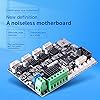
Official Creality New Upgrade Motherboard Silent Mainboard V4.2.7 for Ender 3 Customized and Non-Standard Matchingl Ender 3 Silent Mother Board, Also for Ender 3 Max/Ender 3 Neo/3 V2 Neo/3 Max Neo
Condition: New





$42.99
Save $456.00
was $498.99
Buy Now, Pay Later
As low as
$10
/ mo
Learn more
- – 4-month term
- – No impact on credit to apply
- – Instant approval decision
- – Secure and straightforward checkout
Ready to go? Add this product to your cart and select a plan during checkout.
Payment plans are offered through our trusted finance partners Klarna, Affirm, Afterpay, Zip, Apple Pay, and Google Pay. No-credit-needed leasing options through Acima may also be available at checkout.
Learn more about financing & leasing here.
Selected Option
Free shipping on this product
30-day returns
Learn more
FREE 30-day refund/replacement
To qualify for a full refund, items must be returned in their original, unused condition. If an item is returned in a used, damaged, or materially different state, you may be granted a partial refund.
To initiate a return, please visit our Returns Center.
View our full returns policy here.
Availability:
Only 5 left in stock, order soon!
Arrives
Thursday, Oct 29
Recently Viewed

At a glance
- Condition
- New
- Size
- Ender3 Silent Mainboard
- Model
- CA-3ZB
- Storage
- 8 GB
- CPU Socket
- LGA 775
- RAM Memory Technology
- DDR3
- Compatible Processors
- Intel Core 2 DUO
- Works with
- Printer
Features 5
- Creality new release silent motherboard V4.2.7,32bit, compatible with Ender 3.
- Super quiet by TMC2225 drivers , Bootloader installed,copy the firmware file to a formated SD card with no other files in it. Turn off the printer and unplug the power cord. Insert the SD card & power cord, and turn on the printer. Wait 10s to complete the firmware updating process., easier to flash the firmware.
- Thermal runaway protection is enabled. The Board is Optimized by Circuit, effectively solve Heating Problem.
- Firmware comes pre-installed, pre-configured for the Ender 3, makes it totally plug & play.
- This silent mainboard preinstalls the Ender-3 firmware. If you want to install it in your Ender 3 Pro/Ender3 v2/ Ender-5/Ender 3 Neo/3 V2 Neo/3 Max Neo, need to flash the Ender 3 Pro/Ender 3 v2/Ender-5/Ender 3 Neo/3 V2 Neo/3 Max Neo firmware from Creality download website.
Specs 23
| Brand | Cregrant3D |
|---|---|
| CPU Socket | LGA 775 |
| RAM Memory Technology | DDR3 |
| Compatible Processors | Intel Core 2 DUO |
| Chipset Type | Intel H61 Express" or "AMD A55 |
| Memory Clock Speed | 2133 MHz |
| Platform | Linux |
| Model Name | Ender-3PRO |
| CPU Model | Intel Core 2 Duo |
| Processor Socket | LGA 775 |
| Memory Storage Capacity | 8 GB |
| Ram Memory Maximum Size | 8 GB |
| Main Power Connector Type | 24-Pin |
| Graphics Card Interface | PCI Express |
| Memory Slots Available | 2 |
| Number of Ports | 1 |
| System Bus Standard Supported | SATA 3 |
| Total Usb Ports | 1 |
| Model Number | CA-3ZB |
| Manufacturer | Creality |
| Number of Items | 1 |
| UPC | 738634348617 |
| Mfr Part Number | CA-3ZB |
No specs match.
Frequently asked questions
If you place your order now, the estimated arrival date for this product is:
Thursday, Oct 29
Yes, absolutely! You may return this product for a full refund within 30 days of receiving it.
To initiate a return, please visit our Returns Center.
View our full returns policy here.
To initiate a return, please visit our Returns Center.
View our full returns policy here.
- Klarna Financing
- Affirm Pay in 4
- Affirm Financing
- Afterpay Financing
- Zip Pay in 4
- Financing through Apple Pay
- Financing through Google Pay
Learn more about financing & leasing here.
Similar Products





Top Amazon Reviews
Yes, it is quieter
Size: Ender3 Silent Mainboard
Bought this upgrade for the base Ender 3. It had the board 4.2.2 with the noisier drivers. Removing the board was annoying. I'm not sure why there were globs of hot glue on the connectors. It's not like they could disconnect themselves, they have snap fits. I used tweezers and an angled pick to remove them. Just have to be delicate and patient while taking them off. Sometimes I would press down gently while prying off the glue. Removing the glue side ways seemed to work some times too. The cables and board are marked but taking a picture of the connections help remind you of where they should go. I found that pulling the harness inward a little bit helped get the wires closer to the connections. It was pretty straight forward once the glue was removed. You still need to flash the firmware, whatever they have on there doesn't work for the base Ender 3. Just grab the 4.2.7 firmware without accessories, download, extract, copy the bin file to an empty card and install into the printer, turn it on and wait a few seconds and done. I have to admit, it is pretty quiet. Now it's just the noisy fan which I can put up with easily. My test prints came out the same as before, pretty good. The printer was just quieter while doing it. Update: Ok, so I got a second for my second machine since the first one worked out well. It's not quite plug and play since I had to flash the firmware. And again with the hot glue but at least whoever assembled it glued it so it was easy enough to remove. I know it's the 4.2.7 board but I wished it came with the software 2.0.8.6, I really like that version that was on the 4.2.2 board. Other than those issues. The quietness (minus the fans) is really nice since I print a lot.
...
show more
Reviewed in the United States on March 11, 2025 by Joe
Great upgrade to control noise
Size: Ender3 pro Silent Mainboard
There were 2 reasons I wanted to purchase this to upgrade my Ender 3 Pro. My printer was purchased back in 2020 (so about a 3 year old printer now). I have upgraded many parts on it and this has been a great addition for a small price point. Installation: Installation was easy. The hard part was transferring the cables from the old board to the new board. I chose to have both boards in the same area at the same time and transfer the wires 1 at a time. This helped to get every wire transferred to the correct location. The only change was for the fan that cools the board; the plug was moved near the fan that cools the hot end. If you are not familiar with working with the connectors, take your time so you get it right. First Prints: The first print worked but I had problems at first. Octoprint didn't like how the temperature was being sent out by the firmware so I had to get a plugin on the Octoprint side. After getting the plugin, the printer started reporting the temperature correctly to Octoprint. When I printed a part, I noticed the temperature for the bed took longer to heat up. I also noticed the hot end temperature was fluctuating +/- 9C which really concerned me. Even when I had disconnected Octoprint and had the firmware control the temperature (which really is being controlled when Octoprint is being used), the temperature would still fluctuate. To get Octoprint to start printing, I would have to select the cancel print from the printer because it would be stuck on heating the hot end. A couple of times, I got an E1 error because the firmware would not recognize the hot end heated correctly. Firmware Upgrade: After searching for a solution to the temperature problem, I found information about "PID Auto Tuning". This helps to control the power being sent to the hot end to maintain the temperature. The firmware that is included with my board was Marlin 1.0.1 which does not include a setting to perform a PID Auto Tuning. Other information on the Internet showed that the Marlin 2.x.x firmware was needed. Some of the sites showed a way to compile my own firmware which looked a bit more than I wanted to do for now. In the end, I found "ShinyUpgrades-2.0.9.3-With-Mesh-7x7-427-235x235--20220205-200949.bin" which allowed me to perform the PID Auto Tuning. Once the tuning completed and I saved the settings, the hot end temperature was +/- 1C. Final Thoughts: My final thoughts are positive. I like this upgrade. If I listen close, I can hear the stepper motors. The fan noise is the most noise now. I get nervous when I start a print because I have to visibly inspect the printer to make sure it started printing. The Shiny firmware puts the hot end in the middle of the bed when heating up (and I hope I can change that). I hope Creality will release a firmware that will allow for PID Auto Tuning but until then, Shiny will work.
...
show more
Reviewed in the United States on April 1, 2023 by Matt
Very quiet and a nice upgrade from 4.2.2
Size: Ender3 pro Silent Mainboard
This board is quite literally plug and play. The motor drivers are very quiet so the only thing you'll hear are your fans. There's an occasional driver noise but it's usually when there's a big movement of an axis. This still comes nowhere near the noise on my last board. Flashing firmware was very straightforward and easy and I was off to the races. The one thing I will warn you of is this: if you decide to try and adjust vref on your stepper motors using the on board potentiometers, they are VERY FRAGILE and require VERY LITTLE TURN. The Phillips pattern you see is essentially made out of aluminum foil and doesn't need much umph. Don't be like me and think that your X vref is permanently stuck at 2.311V.
...
show more
Reviewed in the United States on May 10, 2024 by Jason
Works great and quiet
Size: Ender3 pro Silent Mainboard
Definitely quiets down the printer and works well. Can be a little tricky to install if you haven’t messed with electronics much. Plug and play is nice and is a great upgrade over the older board.
Reviewed in the United States on April 23, 2024 by Alvin Ogea II
Simple upgrade & completely quiet!
Size: Ender3 Silent Mainboard
I bought this upgrade simply so I could flash new firmware to my printer without any special equipment but the bonus was that my printer runs completely quiet now! Incredible! All I can hear now are the cooling fans; the motors are silent! Installation is simple but fussy just because there's not a lot of slack in the wires. It's doable, though. Just connect the wires before securing the new MB in place. It makes it a lot easier than the other way around.
...
show more
Reviewed in the United States on April 5, 2024 by Rush
Completely silent steppers but the stock calibration is unusable .
Size: Ender3 Silent Mainboard
The default setting for the extruder is 400 steps/mm, which is a little over 4 times what it should be, but once that was changed and the PID was calibrated using Pronterface (if the PID isn't calibrated, I keep getting E1 errors), it works amazingly well; the steppers are dead silent, and the only noise is the fan, which is much easier to tune out than constantly changing stepper noise.
...
show more
Reviewed in the United States on March 8, 2025 by Frank Desplancke