




New Voice Replacement Remote Control for Verizon FiOS TV All in One, Compatible with MG3-R32140B & VRC4100 BLE




Buy Now, Pay Later
- – 4-month term
- – No impact on credit to apply
- – Instant approval decision
- – Secure and straightforward checkout
Ready to go? Add this product to your cart and select a plan during checkout.
Payment plans are offered through our trusted finance partners Klarna, Affirm, Afterpay, Zip, Apple Pay, and Google Pay. No-credit-needed leasing options through Acima may also be available at checkout.
Learn more about financing & leasing here.
FREE 30-day refund/replacement
To qualify for a full refund, items must be returned in their original, unused condition. If an item is returned in a used, damaged, or materially different state, you may be granted a partial refund.
To initiate a return, please visit our Returns Center.
View our full returns policy here.
Recently Viewed


Features
- Compatibility This all-in-one smart voice replacement remote control work with 2019 models MG3-R32140B & VRC4100 BLE(NOTE - NOT work Frontier. Work with Verizon)
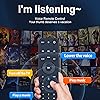
- Smart Voice Search Built-in microphone allows you to search channels, open apps, and control your TV hands-free with simple voice commands (Tips: the microphone function can only be used after successful pairing with the device.)
- Remote Finder & Motion Activated Light If you lose your voice remote, press the power button on your Fios TV One twice. The voice remote paired with this device will beep. Once you find it, press any button on the remote to turn off the beep. Additionally, there is a sensor on the back of the voice remote. When it detects movement, an indicator light on the remote will illuminate, making it easier to find the remote in the dark
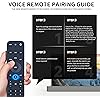
- Easy to Pair - 1) Point the voice remote toward the Fios TV One or One Mini you wish to pair ti with. 2) Press and hold the [Play/Pause] and [0] buttons at the same time for 3 seconds. 3) Release the buttons when the blue light starts flashing on the remote. 4) When the blue light stops flashing, your voice remote is connected, paired and ready for use
- How to Control your TV or Audio using your voice remote - Option 1: 1)Go to Menu > Settings > Voice control > Fios TV Voice Remote > Program Voice Remote > Automatic Setup. 2)Once the automatic setup completes youll see a Success message in the top right of the TV screen. Option 2: 1)Go to Menu > Settings > Voice control > Fios TV Voice Remote > Program Voice Remote > Manual Setup. 2)Select your TV or Receiver Brand and Model and follow the steps.
Description
WDZP New Voice Replacement Remote Control for Verizon FiOS TV All in One, Compatible with MG3-R32140B & VRC4100 BLE
Brand: WDZP
Special Feature: Ergonomic
Color: Black
Max Number of Supported Devices: 1
Compatible Devices: Television
Additional Features: Ergonomic
Maximum Number of Supported Devices: 1
Compatible Devices: Television
Connectivity Technology: Infrared
Button Quantity: 3
Controller Type: Voice Control
Maximum Range: 40 feet
Battery Type: CR2032
Color: Black
Brand: WDZP
Model Name: WDZP-RC-MG3-R32140B
Warranty Description: 6-Month
Unit Count: 1 Count
Manufacturer: WDZP
Frequently asked questions
To initiate a return, please visit our Returns Center.
View our full returns policy here.
- Klarna Financing
- Affirm Pay in 4
- Affirm Financing
- Afterpay Financing
- Zip Pay in 4
- Financing through Apple Pay
- Financing through Google Pay
Learn more about financing & leasing here.
Similar Products

Nintendo Switch 2 System





PlayStation DualSense Wireless Controller – Galactic Purple


