


Search  for anything...

Microsoft Surface Type Cover 2 (Cyan)

  • Based on 3,450 reviews
Condition: New
Checking for the best price...
$174.99 Why this price?

Buy Now, Pay Later


As low as $29.17 / mo
  • – 6-month term
  • – No impact on credit
  • – Instant approval decision
  • – Secure and straightforward checkout

Ready to go? Add this product to your cart and select a plan during checkout.

Payment plans are offered through our trusted finance partners Klarna, Affirm, Afterpay, Apple Pay, and PayTomorrow. No-credit-needed leasing options through Acima may also be available at checkout.

Learn more about financing & leasing here.

Selected Option

Free shipping on this product

This item is eligible for return within 30 days of receipt

To qualify for a full refund, items must be returned in their original, unused condition. If an item is returned in a used, damaged, or materially different state, you may be granted a partial refund.

To initiate a return, please visit our Returns Center.

View our full returns policy here.


Availability: Only 1 left in stock, order soon!
Fulfilled by Vavvi Co.

Arrives Dec 28 – Jan 2
Order within 1 hour and 51 minutes
Available payment plans shown during checkout

Protection Plan Protect Your Purchase
Checking for protection plans...

Color: Cyan


Features

  • Type Cover 2 for Microsoft Surface - N7W-00002

Description

Surface Type Cover 2 The cover you can type on just got better with illuminated keys you can use anytime. Work and play, day and night.Introducing the next generation of classic and colorful keyboards. Backlit so you can work or play in any lighting conditions, you'll enjoy the same super-thin lightweight design of the original Type Cover. One of the thinnest mechanical keyboards available, it features a QWERTY keyboard, full row of Function keys, Windows shortcut keys, media controls and a trackpad, giving you lots of ways to navigate your Surface. FeaturesEnjoy the speed and functionality of a classic laptop keyboard, with illuminated keys to help you continue working even after the lights go out.Choose from black, cyan, purple and magenta to make your Surface even more vibrant.Navigate Windows easily with Windows shortcut keys.The built-in trackpad gives you the touch screen experience, without having to take your hands off the keyboard.When you’re not working, close the cover to shut down your display and help protect your screen from bumps and scratches. Supported Platforms: Surface, Surface 2, Surface Pro, Surface Pro 2 Dimensions: 7.4" x 10.9" / 2.5 mm thin Weight: 0.55 lbs. Available Colors: Black, Cyan, Purple, and Magenta Interface: Magnetic 2013 Microsoft Inc. All rights reserved.


Brand: ‎Microsoft


Item model number: ‎N7W-00002


Hardware Platform: ‎Laptop


Item Weight: ‎8.8 ounces


Product Dimensions: ‎7.4 x 0.1 x 11 inches


Item Dimensions LxWxH: ‎7.4 x 0.1 x 11 inches


Color: ‎Cyan


Manufacturer: ‎Microsoft


Is Discontinued By Manufacturer: ‎No


Date First Available: ‎October 28, 2013


Frequently asked questions

If you place your order now, the estimated arrival date for this product is: Dec 28 – Jan 2

Yes, absolutely! You may return this product for a full refund within 30 days of receiving it.

To initiate a return, please visit our Returns Center.

View our full returns policy here.

  • Klarna Financing
  • Affirm Pay in 4
  • Affirm Financing
  • Afterpay Financing
  • PayTomorrow Financing
  • Financing through Apple Pay
Leasing options through Acima may also be available during checkout.

Learn more about financing & leasing here.

Top Amazon Reviews
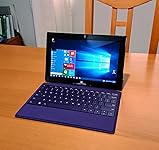

  • With This Price ($36), It Is A Good Investment!
Color: Purple
I have Surface RT with Touch Cover and while it is OK, I can't type on it for a long time. And 5 years ago, Type Cover was expensive, so I passed it. But last week, I accidentally came across Type Cover 2 (backlit keyboard) in Amazon and the price was cheap ($36 for a purple one) so I jumped on it. And I like it a lot. Much much better than the Touch Cover: 1. FUNCTION: It feels better to type and with backlit (adjustable) keyboard you can type in the dark. All the keys and functions work fine (if it doesn't work after initial connection with the Surface, then restart the Surface while the keyboard is attached). 2. QUALITY: The plastic keys and the fabric cover are very nice to touch and they are strong. 3. PRICE: For $36.00, this is very good choice for your Surface RT. A comparable Bluetooth keyboard (with backlit) does not have the thinness, tactile feel, convenience [that connects to RT directly] or touch pad. I give 4 stars, because touch pad is just average. It works, but not always responsive as you would like. So you might want to use a mouse of your choice (either Bluetooth or USB optical mouse). So if you type a lot on your Surface RT, then this Type Cover is perfect for you. Recommended! ... show more
Reviewed in the United States on March 7, 2018 by Aletheia Aletheia

  • Really enjoyed typing on it.
Color: Black
I'm only getting around to reviewing this device after getting the Surface 4 keyboard. So I'll try to keep my review in perspective. Either way it is a very nice keyboard. The mouse is absolutely godawful, barely useable, you don't even know where the buttons are and it isn't sensitive in the least. But the keyboard itself is absolutely delightful! The keyboard is illuminated, making for good typing in the darkness. I like flat keyboards, and this keyboard allows you to easily glide from key to key for very fast typing. I can reach my prime typing speed of 100WPM with this keyboard. It's a little thicker than the touch keyboard but the touch keyboard is rubbish. The only downside to using the Surface Pro 2 with a Type Cover instead of a regular laptop is that you can't actually have it in your lap like a real laptop, but for all other purposes it's great. - I am no longer using the Surface Pro 2 keyboard as I now have a Surface Pro 4 with its own keyboard, and my wife is using my old one. However, there were a lot of people on here who said the Type Cover 2 worked with the Surface 4 and IT DOESN'T. So if you get a Surface 4 you'll have to use the onscreen keyboard until you get the keyboard cover. On the new one they improved the mouse by the way. ... show more
Reviewed in the United States on July 10, 2017 by Tristan R. Carter

  • Even though it is expensive, if you want practicality, this is it. And, you'll sound really cool while typing.
Color: Black
Overall, this product is good. I think I would have rated it a 4.5 actually instead of a 5, but there is no such thing. Every since I saw it in stores I wanted one but figured I could find one similar for far cheaper. This keyboard, in my opinion, beats the others. I like hearing how the buttons sound when I'm typing and it has to sound a certain way. NOT that this has anything to do affecting the product, but this keyboard makes me sound professional, if you know what I mean. The things that I do like about it are: -Typing accuracy. I find that I don't make much mistakes and typing on it is actually pleasing. The buttons are placed in comfortable areas for working. -Backlit buttons. This is great for when I'm working, because currently my workroom has only one bulb and the backlit lights on the keyboard help oh-so-much. There are also 3 brightness levels, so it depends on your preferences. It even goes to sleep, but if you wave your hand over it, it turns on, which was kinda cool when I discovered that. -(For lack of a better simpler description) Convenient buttons. Some of the things that are available on this keyboard are the volume, play/pause, and other features that you would normally find on a normal keyboard or a laptop. Most of the Bluetooth keyboards that would be standard size for this tablet just didn't have it. Or, if it did, it didn't have this feature... -The mouse pad. The mouse pad helps a lot, in this case, because it just allows more control. Especially when this tablet has a main screen face like a desktop. Sometimes I feel that it doesn't respond as quickly as I'd like for it to go, but I think that in this case, it's my tablets fault. (I have the Microsoft Surface RT) CONS: -Probably the mouse pad. But, well, it's isn't that annoying. I wont die. But again, that's me. -Price. The first time I saw this product online was the purple one for $40. I figured it would go lower, so I waited for the past year and it did not... I wanted to buy the black one for neutrality and all, but it also turns out to be the most expensive, yaay... :( Anyways, I waited long enough and finally got the black keyboard for $65. Expensive, but hopefully with my taking care of it, it will last me a long long time. -Greasy fingerprints. The first thing I noticed when I first tried this keyboard was that it left obvious fingerprints. It looked like I just ate something fried and didn't wash my hands. I often take this to work and the little prints are kinda embarrassing... But, what evs, it gets the job done, so I try not to mind so much. So overall, I really do feel that if you are looking for a keyboard, even though it is pretty expensive, I feel that it's totally worth the price. This keyboard and the Microsoft surface tablets were meant to be together. They just sync so nicely. :) ... show more
Reviewed in the United States on June 2, 2016 by NoemiBel

  • Worth it.
Color: Purple
This is a good, basic version of the really nice one you see everywhere. It's specific to the Surface, no Bluetooth. It snapped on, and I began typing. I am running it on my RT. There's no overhang when it's closed. I believe my screen is the 10.6". It doesn't lock closed or anything, but it does snap onto your Surface with good magnets. I am not able to control the volume from the keyboard except for mute, and you can only play/pause audio/video. There's two buttons to adjust the keyboard brightness that don't really seem necessary. I did notice it stopped the screen keyboard from popping up all the time, which is really nice on the RT version. If you like your shortcut keys (cntl+C), you'll need to use that from the left side. Control button is not on the right, only on the left and the Fn button is only on the right, not the left. I'm happy the Shift key is big on each side as some Surface keyboards have made them smaller and easier to make typos. The keys are a little on the larger side, but it's been easier to get used to than I anticipated. The mouse pad does work on it. It stays charged with it just being connected to your Surface, so you don't have to worry about batteries dying or recharging not to mention no USB wires needed. Overall, I'm quite happy with it especially for the price. I've paid more for worse. It would get 5 stars if the control key was on the right side, and I could control my volume from the keyboard. Still, no complaints. ... show more
Reviewed in the United States on February 1, 2017 by ToniMarie

Can't find a product?

Find it on Amazon first, then paste the link below.
Checking for best price...