




Makeblock mBot2 Coding Robot for Kids, Code Learning Support Scratch & Python Programming, Robotics Kit for Kids Ages 8-14 and up, Building STEM Robot Toys Gifts for Boys Girls





Buy Now, Pay Later
- – 6-month term
- – No impact on credit to apply
- – Instant approval decision
- – Secure and straightforward checkout
Ready to go? Add this product to your cart and select a plan during checkout.
Payment plans are offered through our trusted finance partners Klarna, Affirm, Afterpay, Zip, Apple Pay, and Google Pay. No-credit-needed leasing options through Acima may also be available at checkout.
Learn more about financing & leasing here.
Selected Option
FREE 30-day refund/replacement
To qualify for a full refund, items must be returned in their original, unused condition. If an item is returned in a used, damaged, or materially different state, you may be granted a partial refund.
To initiate a return, please visit our Returns Center.
View our full returns policy here.
Recently Viewed


At a glance
- Condition
- New
- Size
- Set of 1
- Set
- mBot2
- Model
- P1010132
- Dimensions
- 5.91 x 3.54 x 7 in
- Weight
- 1.15 kg
- Color
- Blue
- In the box
- Makeblock mBot2 coding robot pack*1Standard coding project cards*4USB cable*1Screwdriver *1. Line-following track map *1
Features 5
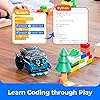
- Learn Through Play: Kids can ask mBot2 about the weather, make it sing, change the lights to make it move, or flip it over to watch it get grumpy! There are endless fun interactive features to explore with this smart coding robot for kids ages 8-12. (Coding guides included.)
- Easy to Use: Build mBot2 robotics kit from scratch following step-by-step guide. Play the STEM toys mBot2 with 8+ modes (Drive, Draw and Run, Musician, Voice Control, Code, Build, WIFI and etc.) through APP and Use blocks to code without taking care of syntax. Enjoy up to 5 hours of playtime on a single charge and switch between Bluetooth, USB and WIFI control ways. Use mBot2 robot kit anytime and anywhere.
- Coding Learning Path: Program mBot2 with 4 coding project cards and see it moves the way you wants! (No coding experience needed before). Learn 24+ cases and 8+ courses to master Scratch and Python programming, robotics, computer science, game development and data science. With ever-evolving curriculums and lifelong free programming software (with more than 16 million satisfied users), create your own unique STEM robot and projects.
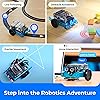
- The Best in Its Class: Designed from Makeblock's mBuild platform, mBot2 coding robot comes with 10+ advanced sensors (allowing for line-following, obstacle avoidance, color identification and etc.) and expandable with 30+ modules, all supporting Internet of Things (IoT) learning. For classroom use, the WIFI module allows multiple mBot2 to complete tasks together and sharing the same programming at the same time.
- Great Gift for Kids: Simple structure, kids can easily build a robot toy for 8-12 years old kids in 30 minutes. The robot kit can help kids learn more about robotics components and toy mechanical design. Great robot assembly kit gift for graduation, birthday, Christmas, Children's Day or family entertainment time. If you have any questions while using this robotics kit for kids ages 8-12 and up, please feel free to contact us. We will reply to you as soon as possible.
Description
Meet Makeblock mBot2 mBot2 helps kids learn coding, electronics, and robotics in an intuitive way, building hand-eye coordination, focus, logical thinking, and creativity as they assemble, program, and play. It’s well-suited for family fun, classroom education, or as a thoughtful gift. With rich sensors and support for block-based or Python coding, kids can design projects that simulate real-world applications in AI, IoT, and data science. An inspiring path for young creators to explore and discover. When mBot2 tilts over, it senses the angle change, calls for help, and tries to escape — showing kids how AI robots detect and respond to the environment. A fun, hands-on way to learn about sensors, reactions, and intelligent behavior. Utilize your body language to command mBot neo to sing and dance. Ask mBot2 about the weather and it instantly searches online to reply — showing kids how AI robots understand requests and access real-time information through the Internet of Things (IoT). A practical example of voice interaction and connected technology. Tell mBot2 “Boring” and it will sing a song — a playful, personalized response that shows kids how AI can interact and express emotion. A fun way to explore communication, creativity, and emotional intelligence with robots. When mBot2 detects low light, it automatically moves to a brighter area so the plant can get enough sunlight. This hands-on activity helps kids see how coding robots use sensors to gather data and make independent decisions. By training CyberPi, the smart controller of mBot Neo, kids can teach it to recognize different cat sounds and sort them into categories. With the right mapping between sounds and meanings, they can explore what their pet is trying to say. Boost Hands-on Skills 30 minutes to build mBot2 from scratch, with guides every step of the way! Develop Logical Thinking Program the mBot2 with coding cards to see how it performs tasks according to your instructions! Spark Curiosity with Fun With the Makeblock app, play Voice Control, Draw-Run, Musician, and more with the mBot2! Master Coding Skills Learn Scratch and advance to Python in a fun and easy way with mBlock coding software. Cultivate Growth Mindset More add-on packs are available to further utilize mBot2 for fun activities and STEM projects. After one mBot2 pushes a block from point A to point B, it can issue instructions to another to continue pushing the block from point B to point C. mBot2 has up to 10 expansion ports. Up to 10 mBuild modules can be plug-to-play for in-depth creation. The mainboard of the mBot2 can be used for individual programming. With a wealth of on-board sensors, creative innovation is a breeze. mBot2 can be moved and rotated according to the specified distance and angle. Drawing precise pentagrams? Not hard at all. mBot Neo AI Camera 2.0 for mBot2 mBot Ranger mBot Ultimate 2.0 mBot2 Rover mBot Codey Rokey I'm a parent without any knows about coding. Could l use mBot2 at home schooling? Of course! The mBot2 robot is designed for schools and homeschooling. In addition to lesson plans for educators, each mBot2 comes with paper-based tutorials for zero programming and a wealth of online resources. l'm an teacher/ educators. ls mBot2 robot a great fit for classroom use? mBot2 robot kit's combination of clear assembly instructions, visual programming software, standard-aligned lesson plans, long-lasting endurance, and ongoing educator support make it an excellent choice for classroom use. What kind of learning resources would you offer for mBot2? Makeblock is dedicated to taking teachers' and parents' stress out of preparation. We've already provided 8 standard-aligned lessons, 24 online cases, teaching session plans, and well-designed class activities to level up your STEM class.
Specs 23
| Brand Name | Makeblock |
|---|---|
| Age Range Description | Kid |
| Number of Packs | 1 |
| Global Trade Identification Number | 15 |
| Set Name | mBot2 |
| Manufacturer | Makeblock |
| Unit Count | 1 Count |
| Model Number | P1010132 |
| Manufacturer Part Number | P1010132 |
| Manufacturer recommended age | 8 years and up |
| Number of Players | 1 |
| Educational Objective | Learn electronics, robotics and Scratch / Python programming |
| Power Source | battery |
| Supported Battery Types | AAA and Lithium Ion |
| Operation Mode | Semi-Automatic |
| Number of Batteries | 1 AAA batteries required. (included) |
| Theme | Architecture, Christmas, Construction, Easter, Halloween |
| Color | Blue |
| Subject Character | Robot |
| Size | Set of 1 |
| Item Weight | 1.15 kg |
| Item Dimensions | 5.91 x 3.54 x 7 inches |
| Material Type | Aluminum |
No specs match.
Frequently asked questions
To initiate a return, please visit our Returns Center.
View our full returns policy here.
- Klarna Financing
- Affirm Pay in 4
- Affirm Financing
- Afterpay Financing
- Zip Pay in 4
- Financing through Apple Pay
- Financing through Google Pay
Learn more about financing & leasing here.
Similar Products



Top Amazon Reviews
