Search  for anything...

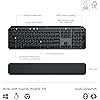
Logitech MX Keys S Combo - Performance Wireless Keyboard and Mouse with Palm Rest, Customizable Illumination, Fast Scrolling, Bluetooth, USB C, for Windows, Linux, Chrome, Mac,Color Graphite.

  • Based on 0 reviews
Condition: New
Checking for the best price...
$179.99 Why this price?
Save $20.00 was $199.99

Buy Now, Pay Later


As low as $30.00 / mo
  • – 6-month term
  • – No impact on credit
  • – Instant approval decision
  • – Secure and straightforward checkout

Ready to go? Add this product to your cart and select a plan during checkout.

Payment plans are offered through our trusted finance partners Klarna, Affirm, Afterpay, Apple Pay, and PayTomorrow. No-credit-needed leasing options through Acima may also be available at checkout.

Learn more about financing & leasing here.

Selected Option

Free shipping on this product

FREE 30-day refund/replacement

To qualify for a full refund, items must be returned in their original, unused condition. If an item is returned in a used, damaged, or materially different state, you may be granted a partial refund.

To initiate a return, please visit our Returns Center.

View our full returns policy here.


Availability: Only 10 left in stock, order soon!
Fulfilled by Amazon

Arrives Sunday, Feb 22
Order within 21 hours and 30 minutes
Available payment plans shown during checkout

Protection Plan Protect Your Purchase
Checking for protection plans...

Color: Graphite


Size: Combo


Features

  • Engineered for Speed and Precision: MX Keys S Wireless Keyboard features fast fluid laptop-like typing combined with the fast, precise scrolling of MX Master 3S Wireless Mouse
  • Fluid Typing Experience: Laptop-like profile with spherically-dished keys shaped for your fingertips delivers a fast, fluid, precise and quieter typing experience
  • Scroll 1000 Lines Per Second: With MagSpeed, Logitechs fastest and most precise scroll wheel (3), and an 8K DPI sensor, this Logitech Mouse tracks anywhere even on glass (4)
  • Automate Repetitive Tasks: Easily create and share time-saving Smart Actions shortcuts that perform multiple actions with a single keystroke with the Logi Options+ app (1)
  • Smarter Illumination: Backlit keyboard keys light up as your hands approach and adapt to the environment; now with more lighting customizations on Logi Options+ (1)
  • More Comfort, Deeper Focus: Mouse and keyboard engineered for hours of work; stable keyboard with an optimum angle, and mouse sculpted for your hand for better wrist posture
  • Multi-Device, Multi OS Combo: Pair with up to 3 devices on nearly any operating system (Windows, macOS, Linux) via Bluetooth Low Energy or included Logi Bolt USB receiver (5)
  • Both MX Keys S and MX Master 3S include certified post consumer recycled plastic MX Master 3S (27% for Graphite, 22% for Pale Grey); MX Keys S (26% for Graphite and 11% for Pale Grey) (8)
  • In case of wireless keyboard or combo (keyboard and mouse), the USB receiver is usually provided either inside the mouse (under the battery cover) or attached within the product packaging

Description

Master your flow with the MX Keys S Combo Wireless Mouse and Keyboard — the ultimate combo that combines the power of the fluid, fast precision typing of MX Keys S Wireless Keyboard with the precise, fast scrolling experience of MX Master 3S Wireless Mouse. Product details MX Keys S Keyboard: Weight: 810 g Dimensions : 20.5 x 430.2 x 131.63 mm Rechargeable Li-Po (1500 mAh) battery Optional Customization app(1): Logi Options+ Important: FileVault might be enabled on your macOS computer, which could prevent you from entering your password at start or reboot when connected to Bluetooth. In this case, use the Logi Bolt USB Receiver. Product details MX Master 3S Mouse: Weight: 141 g Dimensions: 51 x 84.3 x 124.9 mm Rechargeable Li-Po (500 mAh) battery Sensor Technology: Darkfield high precision Buttons: 7 buttons (Left/Right-click, Back/Forward, App-Switch, Wheel Mode-Shift, Middle click), Scroll Wheel, Thumbwheel, Gesture button Optional Customization App (1): Logi Options+ Both devices are compatible with Windows, macOS, Linux, Chrome OS, iPadOS, Android operating systems (6). (1) Requires Logi Options+ app, available for Windows and macOS. (2) Compared to Logitech Master 2S mouse with Logitech Options installed and Smooth scrolling enabled. (3) Compared to regular Logitech Mouse without an electromagnetic scroll wheel. (4) 4 mm minimum glass thickness. (5) The combo is not compatible with other Logitech USB receivers. (6) Device basic functions will be supported without software for other systems than Windows and macOS. (7) Battery life may vary based on user and computing conditions. (8) Excludes plastic in printed wiring assembly (PWA), receiver, wire, FFC cable, and packaging.

Brand: Logitech


Color: Graphite


Connectivity Technology: Bluetooth


Special Feature: Rechargeable


Movement Detection Technology: Optical


Brand: ‎Logitech


Item model number: ‎920-011889


Operating System: ‎Multi-OS


Item Weight: ‎3.57 pounds


Product Dimensions: ‎17.91 x 5.75 x 3.15 inches


Item Dimensions LxWxH: ‎17.91 x 5.75 x 3.15 inches


Color: ‎Graphite


Power Source: ‎Battery Powered


Batteries: ‎1 Lithium Polymer batteries required. (included)


Manufacturer: ‎Logitech


Date First Available: ‎May 31, 2023


Frequently asked questions

If you place your order now, the estimated arrival date for this product is: Sunday, Feb 22

Yes, absolutely! You may return this product for a full refund within 30 days of receiving it.

To initiate a return, please visit our Returns Center.

View our full returns policy here.

  • Klarna Financing
  • Affirm Pay in 4
  • Affirm Financing
  • Afterpay Financing
  • PayTomorrow Financing
  • Financing through Apple Pay
Leasing options through Acima may also be available during checkout.

Learn more about financing & leasing here.

Top Amazon Reviews


  • Best mouse I've used so far
Color: Graphite Size: Mouse w. USB Receiver
This mouse is a nice upgrade from my previous one, also a Logitech mouse. The design feels more comfortable to use compared to the previous mouse I was using. The thumb wheel is very convenient when I need to scroll left or right in a spreadsheet. The left and right buttons have a satisfying quieter sound and the metal scroll wheel is great for scrolling quickly. This mouse has many options for assigning tasks for the buttons depending on your needs. It's well built, has a bit of weight to it which makes it feel more premium in my opinion. I've only had the mouse for close to a month, but I have not experienced any issues with it at all. The battery life is more than sufficient in my experience, and charging the mouse doesn't take hours. The option to connect via the USB connector or Bluetooth makes it easy to use on multiple devices, up to 3. ... show more
Reviewed in the United States on December 16, 2025 by Johnny H.

  • Good mouse though very expensive
Color: Graphite Size: Mouse w. USB Receiver
I like using it a lot. It's a comfortable shape. The clicks are very quiet. The scroll feels good and the side buttons are easy to use. My hands are shaky so I need a mouse with a little bit of weight to it, and this works well. And of course, I love that it is rechargeable AND can still be used while it is plugged in. CONS: - It is very expensive for a mouse. - I would have appreciated more side buttons. - The side scroll wheel is too high up to be comfortable to use. I also wish it had a 'lock' mode like the top wheel. ... show more
Reviewed in the United States on January 6, 2026 by II

  • Love this mouse. So many features.
Color: Graphite Size: Mouse w. USB Receiver
I have been a fan of the MX Performance mouse for quite a few years, and was bummed when I found out it was no longer available. I am one that wants more than a 3-button mouse and loves having the option of setting up various buttons to simplify various tasks. I decided to try the Logitech MX Master 3S mouse, and have been using it over 2 months. I love it even more than the MX Performance mouse. This mouse connects with the supplied Logi Bolt Receiver and configured using the Logi Options app which shows Logitech products connected to both the Bolt receiver and the Bluetooth receiver. I have the Logitech MX keys keyboard that is connected to the Bluetooth receiver that is internal on my computer but can still be configured using the Logi Options software. So, why do I love this mouse and prefer it over the MX Performance mouse? 1) The MX Master 3S mouse is covered with a soft rubberized covering that does not show fingerprints or collect oils from fingers. The MX Performance mouse is plastic and eventually collects oils that look grubby which needs cleaning. 2) After installing the Logi Options software, the Logi Bolt receiver was instantly seen on my computer and the MX Master 3S mouse was easy to install on my computer. 3) Using the Logi Options app, this mouse is so much easier to configure for different programs that may use the buttons differently. For the MX performance mouse, I had to configure it for different programs by entering a combination of keys. This is all supplied in the Logi Options app. You need only to select the apps you want the mouse to be compatible for. Some of the pictures are some of the Logi Option app screens. 4) The Logi Options app can also be used to configure Logitech products connected to the Logitech Bluetooth receiver. 5) There is no need for a mouse pad. This mouse works equally well on any surface. 6) The battery charge lasts for much longer than the MX Performance mouse. I have had this mouse over 2 months and use it for at least 5 hours or more every day. I have charged it once in that time. The only downside I can think of comparing this mouse to the MX Performance mouse is that the rechargeable battery is not replaceable. When the battery goes, you have to buy a new mouse. Other than that, this model is far superior to prior models for both performance and battery longevity between charges. If you need a new mouse and like to have options, I highly recommend this mouse. If my opinion changes, I will update this review. I hope this review was helpful for you. ... show more
Reviewed in the United States on June 27, 2023 by Judy L. Judy L.

  • Should Have Bought Sooner
Color: Graphite Size: Mouse w. USB Receiver
When I tell you, DO NOT Hesitate to order, just order the damn thing. I used to have the cheapest mouse I could find. But one day I was tired of barely feeling a click in that mouse and constantly having wrist issues/comfort issues using that mouse. Well, one day I did research and damn near every article point right back at this mouse. Looking back, I completly understand why. The mouse just fits in your hand perfectly and the extra buttons, especially the scroll wheel on the side have made going through emails and pdfs much much easier. The freely spinning wheel is also very nice as it makes no noise and scrolls almost faster then the speed of light. I really can't recommend a better mouse and is worth every penny. Overall, the quality is just perfect, it looks great, easy to connect to many devices, and just glides so easy over any mouse pad. The only drawback is the weight but as for me, using a mouse for work it doesn't need to be light as a feather as I am not gaming at work. I would also recommend buying a case just to make sure you don't damage or get it dirty especially if you travel. ... show more
Reviewed in the United States on December 2, 2025 by Dru Hilvers Dru Hilvers

Can't find a product?

Find it on Amazon first, then paste the link below.
Checking for best price...