Search  for anything...

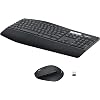
Logitech MK850 Performance Wireless Keyboard and Mouse Combo for Windows, macOS & ChromeOS, Bluetooth & 2.4 GHz USB Receiver, Full-Size Ergonomic Keyboard, Multi-Device, Cushioned Palm Rest – Graphite

  • Based on 704 reviews
Condition: New
Checking for the best price...
$89.99 Why this price?
Save $10.00 was $99.99

Buy Now, Pay Later


As low as $15.00 / mo
  • – 6-month term
  • – No impact on credit to apply
  • – Instant approval decision
  • – Secure and straightforward checkout

Ready to go? Add this product to your cart and select a plan during checkout.

Payment plans are offered through our trusted finance partners Klarna, Affirm, Afterpay, Zip, Apple Pay, and Google Pay. No-credit-needed leasing options through Acima may also be available at checkout.

Learn more about financing & leasing here.

Free shipping on this product

FREE 30-day refund/replacement

To qualify for a full refund, items must be returned in their original, unused condition. If an item is returned in a used, damaged, or materially different state, you may be granted a partial refund.

To initiate a return, please visit our Returns Center.

View our full returns policy here.


Availability: In Stock.
Fulfilled by Amazon

Arrives Saturday, Aug 29
Order within 9 hours and 24 minutes
Available payment plans shown during checkout

Protection Plan Protect Your Purchase
Checking for protection plans...

Features

  • Type quietly and comfortably for hours at your desk on a full-size keyboard with cushioned palm rest and carefully-crafted keys
  • Contoured right-handed mouse with hyper-fast scroll wheel enables you to fly through documents and web pages
  • Both keyboard and mouse are fully multi-device and multi-OS friendly for powering through projects. Start typing on your computer, then switch and type on your tablet, phone or on a second computer(1). Pair your mouse with up to 3 screens
  • (1) Any USB-equipped or Bluetooth Smart ready device that supports an external keyboard (HID profile)
  • Logitech DuoLink software links the mouse and keyboard together for custom functionality and smarter navigation. Download Logitech Options to enable this feature
  • Dual connectivity lets you choose the best way to connect the device you own today and the ones you'll own in the future
  • In case of wireless keyboard or combo (keyboard and mouse), the USB receiver is usually provided either inside the mouse (under the battery cover) or attached within the product packaging

Description

Comfortable keyboard and mouse with advanced multi-device functionalities Experience next-level comfort and productivity with the MK850 Performance. Hyper-fast scrolling and a full-size keyboard help you get more done at your desk – and a cushioned palm rest, curved keyframe and contoured mouse let you power through in comfort. Type and switch seamlessly between your computer, tablet, and phone¹. And pair your mouse with up to 3 devices. The combo has been optimized for use with all your operating systems – including Windows, Mac, and Chrome. Quiet, comfortable typing for hours The full-size keyboard features carefully-crafted concave keys and a curved keyframe so you’re always in a natural typing position. Adjustable tilt legs give you the perfect typing angle and an oversized, cushioned palm rest offers the comfort you need to power through. Contoured mouse with hyperfast scroll wheel Fly through documents and web pages with the hyperfast scroll wheel and get more done with custom buttons. The large-sized, right-hand design fits comfortably in your palm – and rubber surface making it extra soft to the touch. Easy-switch keyboard and mouse Type and switch seamlessly between your computers, tablet, and phone. Then pair your mouse with up to 3 devices for the ultimate workspace. A true power combo Enable Logitech DuoLink through Options software to link your combo together for custom functionality and even smarter navigation. For example, hold the Fn key on your keyboard and control your music by simply moving your mouse. Reliable and hassle-free Stay productive for the long run with ultra-long battery life. Type as long as 3 years between battery changes and use your mouse for up to 2 years before replacing the battery². Connect wirelessly to your devices with Logitech Unifying™ USB receiver or pair via Bluetooth® low energy technology. The 10m/30ft wireless range³ keeps you connected even in large work spaces. ¹Any USB-equipped or Bluetooth® Smart ready device that supports an external keyboard (HID profile). ² Keyboard battery life based on two million keystrokes per year in an office environment; however battery life for both keyboard and mouse may vary based on user and computing condition. ³ Wireless range may vary depending on operating environment and computer setup.

Brand: Logitech


Color: Graphite


Connectivity Technology: Radio Frequency, Usb


Special Feature: Wireless, Ergonomic Design, Rechargeable


Compatible Devices: Laptop, Personal Computer


Connectivity Technology: Radio Frequency, Usb


Other Special Features of the Product: Wireless, Ergonomic Design, Rechargeable


Compatible Devices: Laptop, Personal Computer


Movement Detection: Optical


Are Batteries Required: Yes


Power Source: Battery Powered


Keyboard Layout: QWERTY


Number of Batteries: 1 Nonstandard Battery batteries required. (included)


Compatible Operating System Family: Windows


Minimum Required Operating System Version: ChromeOs 134, Windows 10


Hand Orientation: Right


Operating System: Chrome OS, Linux kernel 2.6+ USB port, Windows 10 or later, macOS 10.15 or later


Color: Graphite


Item Weight: 30.56 Grams


EU Spare Part Availability Duration: 7 Years


Brand: Logitech


Keyboard Description: Membrane


Antenna Location: Office


Manufacturer: Logitech


Unit Count: 1.0 Count


UPC: 097855200020


Model Number: 920-013269


Mfr Part Number: 920-013269


Warranty Description: 1Year Limited Hardware Warranty


Frequently asked questions

If you place your order now, the estimated arrival date for this product is: Saturday, Aug 29

Yes, absolutely! You may return this product for a full refund within 30 days of receiving it.

To initiate a return, please visit our Returns Center.

View our full returns policy here.

  • Klarna Financing
  • Affirm Pay in 4
  • Affirm Financing
  • Afterpay Financing
  • Zip Pay in 4
  • Financing through Apple Pay
  • Financing through Google Pay
Leasing options through Acima may also be available during checkout.

Learn more about financing & leasing here.

Top Amazon Reviews


  • Superb!
Size: One Size
Works brilliantly with all of my bluetooth devices. Though technically limited to 3 devices, simply holding a single button for a second or 2 pairs it with whatever device you're trying to control at that moment and vice versa when you switch back to whatever device had been programmed into 1 of its 3 right before. I have not had to change the single AA battery in either the mouse or keyboard since I've owned this (almost 2 years now), Windows indicating both batteries are still at 100%. You will never have to change it in your lifetime at this rate. And yes, I use this mouse and keyboard exclusively for hours daily. AI will have destroyed us before a battery ever needs replacing! ... show more
Reviewed in the United States on June 24, 2026 by Nick P.

  • Good product
Size: One Size
Great combo, all my employees have switched to this. Comfy, good battery life, and never have issues with them.
Reviewed in the United States on May 10, 2026 by JML

  • Perfect Keyboard & Mouse
Size: One Size
This set is awesome, and be programmed to 3 separate computers iOS or PC, seamlessly transfer between the devices including file sharing.
Reviewed in the United States on June 1, 2026 by B. Ocean

  • Good looks and ergonomics, serious performance issues
Size: One Size
I've had problems with it from the first month. It typically will randomly not be responsive, and sometimes it acts like I'm pressing a letter key down and it just keeps going. I also will keep scrolling indefinitely. I have to turn machine off to get is to stop. Our very good IT company tested it out today and told me today to get rid of it and it's only six months old. My computer works fine with a different keyboard. The size and ergonomics are good but whatever's going on inside of it is not good. ... show more
Reviewed in the United States on May 26, 2026 by J. E.

  • Cost effective Cost effective
Size: One Size
It's really comfortable and shaped good way to typing. Especially come up with mouse, more cost effective.
Reviewed in the United States on June 23, 2026 Reviewed in the United States on June 23, 2026 by Manny Tega

  • Not as you would expect, but read my review
Size: One Size
I have had a love-hate relationship with Logitech combo Keyboard and Mouse kits. I'm stretching it to even give this kit 4 stars. Use the unifying USB plug and don't setup as a bluetooth device. I have had this kit for 2 weeks and every single day there have been more than two dozen times I have wanted to launch my super-deluxe mouse off the top of a 20 story building. Brand new Lenovo P3 computer and this brand new wireless keyboard and mouse, and I have been screaming at the mouse all day, every day for 2 weeks. Mouse scrolling 1 page at a time, even though all settings are set to 1 line at a time. You can't move the mouse with precision, it lags or just goes away for a few seconds then comes back. Uninstalled and reinstalled - HORRIBLE. Finally, after two weeks, I downloaded the Unifying drivers, plugged in the USB dongle and FINALLY!!!! I have a mouse that works. I noticed that every few seconds, in my Windows 11 Pro Bluetooth settings window, the dang mouse would disconnect and reconnect 20 times in a minute. For testing I still have my keyboard connected via bluetooth and so far it is holding up well, but NEVER, Ever, ever, never, connect this nice- but garbage mouse via Bluetooth. You know, it seems to be typical of Logitech. I have never had a wireless combo set where eventually the keyboard and mouse become projectiles across my office. But at least when I want to scroll down with the mouse wheel, it does move down instead of scrolling down will scroll down, then up then down again like a different name-brand manufacturer's wireless mouse does. Oh that really bothers me. So I typically don't do lengthy reviews, but what a garbage mouse when you connect via bluetooth (with all drivers up to date), just save yourself the frustration and use the Unifying usb dongle to at least connect the mouse. It works perfectly as advertised and I am now, finally, able to enjoy this wonderful combo set (but I'm keeping the wired mouse close by for a while). ... show more
Reviewed in the United States on August 21, 2025 by Don B.

  • Excellent design, functionality, can use on up to 3 devices at 1 time
Size: One Size
This is a comfortable keyboard with the perfect cupped area on each key which will make you a speed typer and all the function buttons are easy to find and use. Wish it had backlit keyboard, The Mouse is a dream - No hand cramps and you can scroll through pages quickly with you mouse's roller - fastest one I've ever had -- I use it at work for 10-14 hour days no hand cramping. BONUS: use the keyboard and mouse on up to 3 different devices ie; Laptop, IPad and Phone to send a text etc just set them up. Worth the $ , ... show more
Reviewed in the United States on August 21, 2025 by Renee R

  • Average combo, mouse is not great - Keyboard is acceptable. Recommend.
Size: One Size
This is a pretty great keyboard + mouse combo. I have zero problems with the keyboard, although the mouse includes these issues: 1. Often it will drift on its own when I am moving it, this may be because I use it without a mousepad on a somewhat textured desk. So, this may be my fault but I thought it was worth mentioning because I have used many other mouses the same way like Roccat and have never had this issue. 2. The scroll wheel is rather loud! While the r/l clicks are average, scrolling definitely has an above average scroll volume which is definitely something to consider. Despite these issues, it is still a great price for a combo and I would still recommend it, especially for that multi-device button as I use two computers. For future revisions, making it so these keyboard and mice connect so when I click 1,2,or 3 on one it does the same on the other would be a great QOL feature! Currently you have to press it on both which is not horrible but I feel like they could unify it, especially with Logi options+ on both computers or something like that. ... show more
Reviewed in the United States on April 15, 2026 by Zach

Can't find a product?

Find it on Amazon first, then paste the link below.
Checking for best price...