Search  for anything...

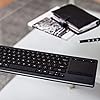
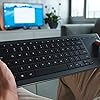
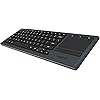
Logitech K830 Illuminated Living-Room Keyboard with Built-in Touchpad – Easy-Access Media Keys and Shortcut Keys for Windows or Android

  • Based on 4,183 reviews
Condition: New
Checking for the best price...
$395.00 Why this price?
Save $54.99 was $449.99

Buy Now, Pay Later


As low as / mo
  • – Up to 36-month term if approved
  • – No impact on credit to apply
  • – Instant approval decision
  • – Secure and straightforward checkout

Ready to go? Add this product to your cart and select a plan during checkout.

Payment plans are offered through our trusted finance partners Klarna, Affirm, Afterpay, Zip, Apple Pay, and Google Pay. No-credit-needed leasing options through Acima may also be available at checkout.

Learn more about financing & leasing here.

Free shipping on this product

FREE 30-day refund/replacement

To qualify for a full refund, items must be returned in their original, unused condition. If an item is returned in a used, damaged, or materially different state, you may be granted a partial refund.

To initiate a return, please visit our Returns Center.

View our full returns policy here.


Availability: In Stock.
Fulfilled by WM TECH DEALS (SN RECORDED)

Arrives Thursday, Sep 10
Order within 22 hours and 32 minutes
Available payment plans shown during checkout

Protection Plan Protect Your Purchase
Checking for protection plans...

Features

  • Easy typing, even in the dark - Type effortlessly in all lighting conditions. A sensor detects the amount of light in the room and automatically dims or brightens the backlight to suit your needs
  • Keyboard and mouse all in one -The K830 streamlines navigation in the living room by combining these two devices into one. The touchpad is smooth and responsive with accurate cursor control and enhanced gesture functions.
  • 10 m (33 ft) wireless range - Lean back and browse from your couch or bed with Logitech Unifying or Bluetooth Smart technology. Compatible : Windows 7, Windows 8, Windows 10 or later Android 5.0 or later Chrome OS USB port or Bluetooth Smart enabled computer.
  • Easy-access controls - The keyboard layout is optimized for a seamless, lean-back navigation. It has media hot keys like mute, volume up or down for quick entertainment control. Shortcut keys simplify navigation with Windows or Android.
  • Worthy of the living room - designed to complement the modern living room with a combination of premium textures, metal-like finish and a unique key design crafted into a compact, solid form.

Description

The Logitech Illuminated Living-Room Keyboard K830 was designed to enhance your TV entertainment experience. This HTPC keyboard is the best way to wirelessly control your connected TV, even in the dark, thanks to the bright backlit keys and a built-in touchpad

Brand: Logitech


Compatible Devices: PC, Smart TV


Connectivity Technology: wireless


Keyboard Description: Illuminated


Recommended Uses For Product: Office


Special Feature: Bluetooth, Lighting, Wireless


Color: K830


Keyboard backlighting color support: Single Color


Style: Keyboard


Product Dimensions: 15.1"L x 5.59"W x 1.65"H


Compatible Devices: PC, Smart TV


Connectivity Technology: wireless


Additional Features: Bluetooth, Lighting, Wireless


Keyboard Backlighting Color Support: Single Color


Power Source: Battery Powered


Switch Type: toggle


Keyboard Layout: QWERTY


Hand Orientation: Ambidextrous


Button Quantity: 87


Minimum Required Operating System Version: Android 5.0 Lollipop, Windows 7


Compatible Operating System Family: ChromeOS, Windows


Number of Keys: 80


Number of Sections: 1


Color: K830


Style Name: Keyboard


Theme: living room, home entertainment


Brand: Logitech


Keyboard Description: Illuminated


Antenna Location: Office


Built-In Media: USB range extender, USB recharge cable, Unifying receiver, User information


Model Number: 920-007182


Model Name: 920-007182


Series Number: 920007182


Global Trade Identification Number: 66,


Manufacturer: Logitech


UPC: 097855113566


Item Weight: 495 g


Mfr Part Number: 920-007182


Item Dimensions L x W x H: 15.1"L x 5.59"W x 1.65"H


Enclosure Material: Metal


Frequently asked questions

If you place your order now, the estimated arrival date for this product is: Thursday, Sep 10

Yes, absolutely! You may return this product for a full refund within 30 days of receiving it.

To initiate a return, please visit our Returns Center.

View our full returns policy here.

  • Klarna Financing
  • Affirm Pay in 4
  • Affirm Financing
  • Afterpay Financing
  • Zip Pay in 4
  • Financing through Apple Pay
  • Financing through Google Pay
Leasing options through Acima may also be available during checkout.

Learn more about financing & leasing here.

Top Amazon Reviews


  • Great error-free wireless typing, decent touch pad, excellent backlight
Style: Keyboard
So far I have tried USB on Win10 PC and bluetooth on iOS14 iPhone. Both connections provide excellent debouncing for typing. No issues at all with CTRL-C or anything like that. I expect Logitech to be experts in this. I have tried many other wireless keyboards from various brands which all suffer from double types and missed keys. This unit has not skipped or double typed anything at all woohoooo success! I am not using it for gaming so take that into consideration. The touchpad single-finger mousing is a little tiny bit jumpy from time to time. But it's not a show stopper and I suspect it can be solved by antenna reorientation. Two-finger scrolling is very jumpy and it's a bit annoying. Other reviewers have reported the same. So in conclusion Logitech may not be the king of touchpads but for typing this unit is excellent. The scrolling issue could be resolved by adding a scroll wheel (or by fixing the touchpad problems). The backlight is the major reason for my purchase, that coupled with the touchpad and volume controls sold me. Mouse left and right buttons are a little hard to find because those are not backlit. I like the fact that the battery is not completely impossible to replace as this thing ages out. Only time will tell how long the battery lasts. But so far it's been fine for my purposes. The single touch mute and volume buttons is a huge selling feature for me. One last thing I like is that the F1-F12 keys are activated through the red FN key. I like that they put the media and shortcut keys as the foreground buttons and put the F1-F12 keys in the background. Overall this is a great compact style keyboard for browsing and light typing. Do not expect amazing ergonomics. Definitely expect lightweight compact error free typing. There is no need for a number pad because numbers are located in their standard positions above the QWERTY area. Up, down, left, right are a little small but with practice it will be fine. Like any other new keyboard you have to gain practice time. All of the above works perfectly without special drivers or software installs. ... show more
Reviewed in the United States on January 4, 2021 by JK

  • Best HTPC keyboard I've ever used!
Style: Keyboard
I am a tech guy and I know my tech products. I've used dozens of keyboards over the years for my Home Theater PC. I used IOGEAR's GKM571R mini lighted keyboard for years. It has a good trackball but it's keyboard is awful for typing. So I wanted a large keyboard for when I'm doing more then just selecting videos. It had to be lighted and it had to have good navigation. This is by far the best fuller sized keyboard I've used for HTPC use. The keys are well spaced and have great travel and feel. The touchpad is by far the best one I've used in 20 years of computing. I've had an integrated touchpad in my desktop keyboard since way back in 1997 and I've always liked them IF they perform well. This one is very sensitive and responds to gestures perfectly. You just have to lightly glide across it and gently tap. No frustrating intermittent responses from the keyboard. I wish it had 3 finger gestures for back and forward paging but it only has 2 finger scrolling and pinch zooming. I does have a back key on the left side top row to use with your thumb as well as the standard back key right next to the touchpad. I've been using it for over a month now and I've completely abandoned my IOGEAR mini. This keyboard rocks! The rechargeable battery lasts a couple weeks of fairly heavy use. I now just charge it overnight about once a week so I don't get stuck. It will warn you when it's getting low. There are 3 light settings off, low and high. The lighting is bright white and very easy to see in a dark room. My only cons to this keyboard are the function lock keys use a dark red type that is so difficult to see even in the daytime and I have excellent vision. Forget about seeing them in the dark, it's not happening. The good news is they are only the F keys. The default is your media controls which are lighted so it really hasn't been a problem. But why Logitech would make this excellent keyboard and then choose dark red instead of a neon high contrast color baffles me. The other thing is this keyboard is a fingerprint magnet. It will look like it was passed around at a pizza party in no time. I clean it every few days because it looks dirtier then it is. But they are small knocks. My search for the best HTPC keyboard has finally ended! ... show more
Reviewed in the United States on February 10, 2017 by John S

  • Worth it for $60, maybe $70
Style: Keyboard
It's an upgraded keyboard when comparing to the smaller cousin. Thile smaller cousin will last 10x more on battery life at least then this one. Only main difference is that this have bluetooth, rechargeable built in 1,100mah battery, and backlite. Mine work fine, I got it for $60, now it's almost double the price, which is a shame.. Not sure if it worth double the price. Battery life is about 12 days with no backlight and moderate use of 3 hrs a day. I use it for gaming on my bed lol (I know I shouldn't) but I use it 4 hours a day with backlight on and it last about 3 days. Connectivity sometime drops and act up when gaming. This is really more for multimedia/regular computer or tablet use. I bought a magnetic charging port so the micro usb wont break as some has stated. Mirco usb is not as robust as it should be. The weight is on the heavier side when compared to its little cousin because of the side aluminum panel, it is about 30% more weight about half a pound more. Is it worth it, yes at $60-$70. NO at $100+ You better give me wireless charging if you are going to charge $100+ lol. I needed it for my PC in my bedroom. I wish the battery was twice as long, 1100 mah is very weak, it should be 2,500 mah. 2x AA is around 3,000 mah. You would figure since this is an upgrade keyboard they would have better battery life. I will probably solder a new battery on it later on, doubling it. I guess you have to cut some corner for pricing. ... show more
Reviewed in the United States on July 27, 2021 by Golden Ticket

  • So far, great
Style: Keyboard
I've bought a lot of Logitech equipment over the years and some have been great at the outset and slowly began to fail like some of the Wave Keyboard Mouse combos with sticky keys and erratic mice. However, I've bought this keyboard brand new and have to say it's just great. Couple of the Pros: 1) Trackpad is silky smooth and on point 2) Backlight has an off, low, and high setting 3) Keys feel excellent when typing 4) Size and weight are near perfect 5) Color choice is a dark gray almost bluish tiny so it will go nicely with almost any color entertainment setup 6) Rechargable Battery, Cons 1) Backlight only has two lighted settings for low and high 2) Backlight doesn't have an option to respond to when the keyboard is moved, only when the keys or trackpad are used So for the use part of the keyboard, I've been using it for a couple of days since it arrived and have had no issues as I sit about 15 - 20 ft away from my home theatre pc and the keyboard receiver. The backlight feature having an off setting is very nice as it can save on batteries and we have skylights in our living room so we only use the feature when its very dark at night. Keyboard is very short height-wise but, it doesn't lack any keys you might need for average home theatre use. It weighs more than I had expected but its a nice feature since its size was a bit surprising. Some have complained that its very thin and difficult to pickup which I did find it was thing but not difficult to pickup at all since both the top and bottom of the keyboard have an inset layer of silver/gray plastic that allow you to pick it up with one hand quite easily. I have no complaints about this device and hope it stands the test of time. I also feel $60 is a good price for this keyboard so if you can find it brand new and cheaper by all means buy it. ... show more
Reviewed in the United States on September 5, 2017 by Stock

  • Excellent, almost perfect full sized keyboard
Style: Keyboard
The Logitech K830 is about as premium as a home theater keyboard can get. This keyboard is a perfect fit for those full keyboard typist like myself who prefer a standard keyboard like the one you would find on a laptop pc. Your ten fingers will find the home keys easily and stay put. To be completely upfront. It is slightly smaller than a standard keyboard layout. From the left shift key to the right shift key, the keyboard measures 10-1/4" inches. A standard keyboard measures 11" inches. The loss of 3/4" of an inch is bearly noticeable. It has a full-sized ENTER (RETURN) key and both the left and right shift keys are a standard 1-3/4" wide keys. Tabs are also standard sized. The spacebar, however, is slightly smaller than normal, 3-1/2" side. I added two full-sized keyboards for comparison. The Keytronics bluetooth keyboard and a wired Dell Mechanical keyboard. Despite being 3/4" of an inch less wide, it does have a generous touchpad for mouse navigation. The pad measures 3-1/8" wide by 2-1/8" tall. The pad is as good as those found in a good quality laptop touchpad. Furthermore, this keyboard is backlit making it easy to use in a darkened living room without the need to switch on a lamp. Perfect for the 5.1/7.1 surround home theater. One other thing. The keyboard is capable of entering input to two devices at once. Since the keyboard can pair with any Bluetooth device and pair with Logitech's own Unifying micro USB dongle, you could add the dongle to your smart tv, and Bluetooth connects the keyboard with your FireTV, Android TV (eg: Nvidia Shield TV), Apple TV box or even a PC computer and then switch the active device using a special keyboard combination on the keyboard itself. Nice eh? ... show more
Reviewed in the United States on December 27, 2017 by SnugglesTheHusky

  • Function++ Sensory++ Quality++
Style: Keyboard
This thing is so amazing I just want to cry. I got this for my laptop, which I have a regular TV plugged into as a second monitor to extend the screen. Trying to type on my laptop when it’s plugged into the other monitor is ridiculously hard, and I’ve been trying to write a book while letting my kids use the other screen for Netflix. I also like to play the Sims. So I was holding this in both hands, and using my right thumb to scroll around as if it was a video game controller. And then I was kinda sad, I was thinking “man. If there was only buttons on the other side for me to click stuff, then this would be perfect.” And then I started looking around AND THERE WAS A CLICK BUTTON ON THE LEFT SIDE ON THE TOP and that’s when I decided to write this review. Another awesome thing about it is the volume control! I know that seems small, but when I play the sims, I have to completely close out of the game every single time to adjust the volume of Netflix on the other screen. It gets really annoying. But this adjusts all of it with a simple button! It types really smoothly and feels good when I’m trying to get the vision from my mind out and onto the computer. Also if you like sensory stuff like me, these keys feel and sound good. Not the satisfying clicky noise of an older keyboard, but a satisfying smooth sound that just feels clean. The matte finish feels really good on it, and it’s a good weight. It’s not uncomfortably heavy, but it’s also not light like cheap plastic. It feels solid and well built. It also has a button to control the brightness of the keys. I didn’t see that feature when I was looking for it. It has off, low, and high controlled by one of the function keys up top. I’d say the only thing that could make it absolutely perfect was if there was a left, middle, and right click button on the left side (maybe near the tab button?) and if it had little retractable props underneath in case you want to set it on a desk to type. Also, the mousepad is a lot smaller than I imagined, but it wasn’t really a bad thing, just a strange thing that I’ll have to get used to. But I’m not even going to say that any of those thing makes this product any less than amazing. It’s definitely 5 stars!!! You will not regret buying this!!! ... show more
Reviewed in the United States on May 21, 2018 by Laughing Turtle

  • First one faulty. Second works just fine.
Style: Keyboard
The first one I received in the mail had the absolute worst mouse on a trackpad I've ever used. It's jittery, randomly right-clicks, gets stuck on some invisible force field, randomly selected while scrolling. It was just worthless. I tried on multiple devices with the unifying receiver and Bluetooth. Just terrible on everything. I own MANY Logitech products and I couldn't be more let down by such a piece of trash. Where is QC? Requesting a replacement, The new one works well enough. Not nearly as responsive as the DiNovo Edge (greatest HTPC Keeb ever made, REALLY wish they'd bring it back), but it also isn't over $200. The Edge didn't go out without a fight, but my toddler thoroughly smashed it while I was getting his breakfast. So I needed a replacement, and it looks like their best model right now for the category is this. First off, this is NOT as good as the Edge, but we'll let it stand on its own merit, not just a long-winded side by side. Construction quality is so-so. It feels too plastic-slick. VERY light, which is great for carrying around, but terrible for it staying in place. Every time you hit a key or barely nudge it, the whole thing gets pushed around. The keys are less than optimal, not concaved and therefore really weird to touch type on, which is what you need to do when looking across a room at a TV or projection screen. Also, it's a bit spongy on the feel, but this reduces the sound, which is positive when using for media. I'm typing on it right now, and it isn't too bad for accuracy, but absolutely not preferred for usage due to the shape of the keys. I'm a proficient touch typist and there are still moments I doubt if I'm aligned properly. Sure, there's the homing bumps on F and J, but the rest of my fingers could be slightly off center, so I find myself second-guessing. I think they went for looks over functionality on a lot of the features. I'm not expecting Signature Plastics keycaps or mechanical switches, but just a bit more attention to the part of the keyboard you actually interact with--the keys--might be a good idea. The left-click mouse button on the top left corner is clever, but you'd think they'd have the right click close by...yet it is the primary function of the F5 key. Weird. I get that you still have the dedicated buttons next to the pad, but if you are standing or in some way--not resting the board on your lap--it makes it unwieldy. The battery life, insofar, is spectacular. They did a great job there. I have a feeling it will be weeks before needing charging. I haven't found any hardware indicators, but as long as you don't forget to charge it a couple times a month you'll be fine. Connectability works (being recognized when turned on). There really isn't a way to make "it does the job" sound like it's something amazing. Either it works or it has issues or just doesn't work at all. This is the first of the three. Range. VERY good. Even on Bluetooth, I was able to use it 60+ feet, with 2-3 basic walls in between, not a hickup. Could probably go further. If one was using this to teach a class with a projection system and the PC it was connected to was at the back of a medium theatre or college classroom, I think it'd still work just fine. The backlighting is pretty good, though I think they missed something with making the Functions pretty much invisible (just the alphas, modifiers and media keys light, not F1-F12, sleep/power and Bluetooth connect) as they are not backlit. Worse yet, they are a reddish brown, making them hard to see in even moderate lighting conditions. I touch type, but I don't have all the spacing memorized for the sleep button, blue tooth connecting and whatnot. Hitting the sleep button accidentally while watching a movie or with a presentation would kind of spoil the moment. Maybe have a button like that be off to the side or completely separate. Like the Edge...(again, so perfect). The mouse touchpad on the new model I received was acceptable. It lags a tiny bit and isn't exactly precise, but it serves its functions. With gesture controls, it's pretty easy. The dedicated mouse buttons serve their function, but otherwise, they are pretty much unused with the ability to just tap on the pad or tap with two fingers for right-click. Dedicated (and lit) volume controls are nice. I like that they are separate and would be very hard to accidentally hit. The media keys are kind of "meh." Take them or leave them. As long as I can assign them to whatever I want, it's a non-issue. Seen one, seen them all. Overall, this is an okay HTPC keyboard/mouse combo. Even with its shortcomings, I would find it average and worth what it costs. Not a great value, as I think it's pricing could be a little lower to make it punch up for its weight class, but it does the job. 3 solid stars. Would give it 3.5 if that was an option. 4 is reserved for something that goes a bit beyond the norm, while 5 is for best in class. I think some people think 5 should be for "if there's nothing wrong with it", but that means it's average, IMO. A solid C+ grade in this case. Like this. ... show more
Reviewed in the United States on October 25, 2017 by Z. Cherry

  • Great tactile feel, solidly built
Style: Keyboard
This is a very solidly built keyboard - one of the best in the Logitech line. I buy keyboards like this to use instead of my laptop's keyboard - far easier to replace an external keyboard than the one inside your laptop! Also I'm not crazy about the keyboard that comes with my Dell XPS 13 - I feel the keys have kind of a squishy feel. I was searching for one to replace my Logitech K810 keyboard (which I loved because it was backlit, lightweight, portable and fit right over the laptop keyboard; several keys detached from the K810 after a few years and I needed a replacement.) Anyway, I was once again looking for a backlit, cordless, battery-powered, fairly compact keyboard and this was the closest I could find. I really like it, it works well and it's solidly built. My ONE complaint - and I hope Logitech is listening - is that I don't need a touchpad nor do I need a numeric keypad. I just want the smallest possible keyboard I can take with me in my computer case. There are very few keyboards that meet these requirements. The K810 did and I cannot, for the life of me, understand why they discontinued that model. ... show more
Reviewed in the United States on December 25, 2020 by SMP

Can't find a product?

Find it on Amazon first, then paste the link below.
Checking for best price...