




Search  for anything...

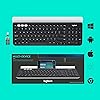
Logitech K780 Multi-Device Wireless Keyboard for Computer, Phone and Tablet – Flow Cross-Computer Control Compatible - Speckles, White

  • Based on 3,345 reviews
Condition: New
Checking for the best price...
$57.74 Why this price?
Save $12.24 was $69.98

Buy Now, Pay Later


As low as $9.62 / mo
  • – 6-month term
  • – No impact on credit to apply
  • – Instant approval decision
  • – Secure and straightforward checkout

Ready to go? Add this product to your cart and select a plan during checkout.

Payment plans are offered through our trusted finance partners Klarna, Affirm, Afterpay, Zip, Apple Pay, and Google Pay. No-credit-needed leasing options through Acima may also be available at checkout.

Learn more about financing & leasing here.

Selected Option

Free shipping on this product

FREE 30-day refund/replacement

To qualify for a full refund, items must be returned in their original, unused condition. If an item is returned in a used, damaged, or materially different state, you may be granted a partial refund.

To initiate a return, please visit our Returns Center.

View our full returns policy here.


Availability: Only 10 left in stock, order soon!
Fulfilled by Amazon

Arrives Saturday, Sep 5
Order within 21 minutes
Available payment plans shown during checkout

Protection Plan Protect Your Purchase
Checking for protection plans...

Pattern Name: Single


Style: Speckles Version


Features

  • Multi-device wireless keyboard: beautiful type-on-everything keyboard for any computer, tablet and smartphone via USB or Bluetooth smart wireless connection
  • Type and switch between devices: Type on up to three devices and switch between them at the touch of an easy-switch button
  • Comfortable typing: full size, fully equipped keyboard with large, quiet keys and convenient Number pad
  • Integrated phone and tablet stand: Holds your devices at the perfect angle to Type and read
  • Wide compatibility: works with Windows, Mac, Chrome OS, iOS and Android devices
  • In case of wireless keyboard or combo (keyboard and mouse), the USB receiver is usually provided either inside the mouse (under the battery cover) or attached within the product packaging

Description

The K780 multi-device is a fully equipped, beautifully finished computer keyboard that also works perfectly with smartphones and tablets. enjoy quiet, comfortable typing, switching easily between three devices you enter text on. Works with PC, Mac, Android, Chrome OS and iOS. USB-equipped or Bluetooth Smart ready device that supports an external keyboard (HID profile)

Brand: Logitech


Compatible Devices: PC


Connectivity Technology: Bluetooth + USB Unifying Receiver, USB


Keyboard Description: Membrane


Recommended Uses For Product: Office


Special Feature: Rewrite the Rules of What a Desktop Keyboard Can Do


Color: White


Keyboard backlighting color support: Single Color


Style: Speckles Version


Product Dimensions: 14.9"L x 6.2"W x 0.9"H


Compatible Devices: PC


Connectivity Technology: Bluetooth + USB Unifying Receiver, USB


Additional Features: Rewrite the Rules of What a Desktop Keyboard Can Do


Keyboard Backlighting Color Support: Single Color


Number of Batteries Required: 2


Power Source: Battery Powered


Switch Type: Membrane


Keyboard Layout: QWERTZ


Hand Orientation: Ambidextrous


Button Quantity: 78


Water Resistance Level: Not Water Resistant


Mechanical Keyboard Switch Model: Membrane


Minimum Required Operating System Version: ChromeOS 137


Compatible Operating System Family: ChromeOS, MacOS, Windows


Processor Count: 1


Is Electric: No


Number of Keys: 96


Number of Sections: 3


Color: White


Style Name: Speckles Version


Theme: Computing


Brand: Logitech


Keyboard Description: Membrane


Antenna Location: Office


Built-In Media: keyboard, quick start user guide 2 AAA pre-installed batteries, USB receiver


Model Number: 920-008025


Model Name: Logitech K780


Series Number: 920


Global Trade Identification Number: 76, 34


Unit Count: 1.0 Count


Manufacturer: Logitech, Inc


UPC: 097855121776


Mfr Part Number: 920-008025


Item Type Name: Logitech K780 Multi-Device Wireless Keyboard for Computer, Phone & Tablet, Speckles (920-008025)


Item Weight: 1.92 Pounds


Generation: 1


Warranty Description: 1 - year limited warranty


Item Dimensions L x W x H: 14.9"L x 6.2"W x 0.9"H


Enclosure Material: Plastic


Frequently asked questions

If you place your order now, the estimated arrival date for this product is: Saturday, Sep 5

Yes, absolutely! You may return this product for a full refund within 30 days of receiving it.

To initiate a return, please visit our Returns Center.

View our full returns policy here.

  • Klarna Financing
  • Affirm Pay in 4
  • Affirm Financing
  • Afterpay Financing
  • Zip Pay in 4
  • Financing through Apple Pay
  • Financing through Google Pay
Leasing options through Acima may also be available during checkout.

Learn more about financing & leasing here.

Top Amazon Reviews


  • Great keyboard with a great look & feel Great keyboard with a great look & feel
This keyboard is great. I got this for someone else in my home after they tried my K380 (Which is basically the same keyboard minus the aluminum holder at the top and no numpad on the right). They're super happy with it and loves how the keys feel and operate. This isn't a mechanical keyboard but still super nice. One of the best things about the keyboard is the ability to pair it with 3 different devices. To change between devices you just have to push the corresponding button that matches the device you want to use. The keyboard is Bluetooth and also comes with 2.4Ghz Logitech unifying usb receiver. It's powered by two AAA Batteries. To remove the battery cover you slide the door towards the center of the keyboard and not to the edge like you would imagine. The keyboard does have a power switch on the right narrow edge that you can manually power down with but typically you won't need it as they keyboard does go to sleep after not being used. If the keyboard goes to sleep you will want to press the button that corresponds to the numbered item you want to use, you will need to wait a moment until the button stops blinking. To pair the device to something using bluetooth simply press and hold the numbered button until it blinks rapidly then open your bluetooth settings and locate the keyboard in the list of devices. This keyboard is labeled for both a Windows computer and a Mac. I personally use the keyboard with a Mac. Pros: Great keyboard Very well made Comes with Duracell batteries Comes with a unifying receiver for devices that may not have bluetooth or if you don't want to use it that way Keys feel good when typing and are a good size for small or large hands Can be used with a total of 4 devices Easily switchable between multiple devices with the push of a button Switch to manually power off, this would be good if you need to take it with you and need to toss it into a bag Cons: If you must have a device with its own built in rechargeable battery this one may not be the keyboard for you. No way to remove the aluminum stand if you don't plan to use it Has a bit of extra weight from other keyboards but that's likely due to the aluminum ... show more
Reviewed in the United States on August 14, 2024 Reviewed in the United States on August 14, 2024 by MyOpinion

  • Great reliable keyboard that comes with some good software.
This is a great keyboard. The hardware is reliable, I like the customization features that come with the Logitech software you can download with it, it looks great, feels good to type on, the little shelf/divet thing is a great place to rest a phone or tablet device— allowing you to turn any portable device into a tiny laptop. It's great. It lasted me 3 years, and I think it would have lasted me longer if it weren't for a few unfortunate coffee spills it took over the years. Ordering a new one, and planning on treating it much better than my first one. The price is a little more than I'd like to pay for a keyboard, but it's honestly worth it if you need a solid multi-device keyboard. ... show more
Reviewed in the United States on April 15, 2026 by Anthony Kramer

  • OUTSTANDING Keyboard! OUTSTANDING Keyboard!
Simply an OUTSTANDING keyboard! I pair this with a Logitech M720 mouse, and they work great. Battery in both last for weeks (and I am on the computer for hours each day). No wires, no lag, excellent quality and feel. I like how this full size keyboard is compatible with everything, and is comfortable. I have used this pair on multiple computers, and the FLOW system allows you to use the same keyboard and mouse on multiple computers at the same time. It has controlled both computers (and my 4 monitors) with ease. I have had these for several years, and these are my personal favorites. I have had to replace both the keyboard and mouse over time (spilled coffee on the keyboard once). Looking at my amazon history, I replace them about every 5 years (nothing lasts forever, but these take a beating before giving up!) In 5 years or so, when I wear this keyboard out, I'll be replacing it again with the exact same model. You cannot go wrong with this keyboard (and the M720 mouse). ... show more
Reviewed in the United States on August 13, 2025 Reviewed in the United States on August 13, 2025 by Phil D

  • Very Nice Keyboard - Works well and cleaned up a mess! Very Nice Keyboard - Works well and cleaned up a mess!
I recently started working from home. This has brought about a few hurdles, one being I have my personal PC, which is also used for doing some work for my job. I also have a personal laptop PC, with it's own mouse, which I use for photo viewing out in the field. Then I have two dedicated PCs for my job. I have two monitors on my desk and was using two keyboards and two mice. When I had both PC's fired up it became a bit confusing and I was constantly trying to use the wrong mouse and/or keyboard for the wrong computer! Even when I would move one keyboard out of the way, intending to use one PC, I found, at times I needed to use both simultaneously. So I began looking for options...enter the Logitech K780. When I first took it out of the box and checked it out I was going to return it, due to the fact it has no Caps Lock or Num Lock lights on the keys. I boxed it back up and set it on the counter to return. Then I decided to see if I could find some videos on the use of this keyboard. I did and I decided to give it another try after watching a couple of good reviews on the use of it. I also ended up buying the Logitech M720 Mouse in conjunction with the keyboard. I have been using this set up since April 25th, 2021. Here is what I have found: Positives: 1. It really cleaned up my keyboard/Mouse nightmare and saves me space! 2. Downloading the software for these devices makes them extremely useful. The ability to copy a file from one computer to the next is awesome! 3. Moving the mouse from one desktop to the other allows the keyboard to switch automatically, which is pretty convenient. 3. I am a horrible typist and this keyboard certainly helps me out with the exception of a few things, due to the fact this is a compact keyboard. The keys are nearly silent and the way they press down is fairly effortless yet positive. They bounce right back after pressing them down...something my last keyboard for my work PC was horrible at! 4. Battery life seems to be excellent. After one month of a lot of use, typically seven days a week and probably 8-10 hours per day the keyboard battery is still indicating a full charge. Negatives: 1. There is no Delete, Home, End, Insert or Pause/Break, Pg up or Pg dn keys above the arrow keys. The delete Key is at the end of the row of F Keys above the large Back Key. I use back and Delete a lot! 2. Num Lock and Caps Lock have on-screen indicators, but no lit keys. Somebody that types well may not be bothered by this, but I need to focus on my keyboard, very intently or my sentences come out like somebody that is extremely drunk. 3. When moving between desktop I have to allow the keyboard to switch and there is around a 2 second delay. The F1, F2 and F3 keys indicate what device the keyboard has connected to, so you have to pay attention. 4. When using the Volume Down key, it will go to Mute and then will not allow me to turn the volume back up until I switch from the desktop to the other desktop and back and/or close out my browser and re-open. I find this annoying at times, but it may be something I am not paying attention to. Over all, I would definitely recommend this keyboard with the mouse to aid in the use of 2-3 devices. I have opted to not connect to my 3rd PC as it is not integral to what I do with the other two. I do have a third monitor which I use as to view Construction Plans on a 43" 4K TV. I have not connected any of my devices via Bluetooth and prefer to use the Logitech Unifying Receivers. If I have both PCs on and the big screen I have to scroll all the way across the work PC, then the big screen to get back to my personal PC. So I leave the big screen turned off as much as possible. I may be able to connect to it via Bluetooth and or a Unifying receiver, but have not tried that to date. All in all I am pretty pleased with not having to use different keyboards and mice to operate my two main work machines! ... show more
Reviewed in the United States on June 4, 2021 Reviewed in the United States on June 4, 2021 by Albert Flasher

  • Great Keyboard
I recently bought another keyboard and had tons of problems with it. I connected both that and the Apple Trackpad to my Macbook Pro 2010. They would both continuously disconnect and reconnect. The pointer on the trackpad would also jump all over the screen when using it. A couple of days later I bought the K380 Keyboard to use at work with my Macbook 2016 in clamshell mode. I loved the K380 except that the keys are so close together. I kept it for using while at work and will use for travel when needed. That prompted me to get the K780 for home. First thoughts were frustration. I could not connect the keyboard using bluetooth. I was hesitant to use a USB slot to attach the unifying dongle. However, the keyboard was not showing up in the Bluetooth list. I had to submit to connecting the dongle. After I paired it, it set up automatically, just like the K380, for Mac. That was another issue with the other brand I purchased - I had to remap the keys for it to work like a Mac keyboard. This eased my frustration some. After playing around a little I noticed the following. Mainly, the trackpad was no longer disconnecting and jumping all over the screen. It was working perfectly, as intended. The keyboard was also working perfectly and not disconnecting. The keys are quiet and need just the right amount of pressure to type. I also like the rounded keys as I am 100% aware when I hit the wrong key. I later tried it with my IPhone. Though I doubt I will use it much that way as I use Messenger on the Mac to sync my messages, it was a novelty idea to be able to switch seamlessly between the two. My only gripe about the keyboard is the holder tray for devices will not hold them with a case on. It just barely fits the Iphone X in depth to keep it upright. Anything thicker, may not fit. ... show more
Reviewed in the United States on December 12, 2018 by Gtregg Cobb Jr

  • Great keyboard! Great keyboard!
I really like this keyboard. It has some heft to it so it stays in place on my desk. The keys feel good. It's pretty quiet. The size is perfect for me. It easily switches between my desktop pc and macbook with the bluetooth connection. It can handle up to three devices and it's as easy as pressing a button to switch. It connects right away when I fire up the computer in the morning. And it has a numeric pad which is needed if you type numbers frequently. Some negatives: First the battery cover was difficult to remove and I ended up breaking it. Some gaffers tape fixed that up and it's on the bottom so it's not visible at all. The other thing is there is no numlock key light and no visual indication of the numlock key status. Fortunately once you toggle the numlock on it stays that way, but if you accidentally hit that key, you can't tell it's off until you try to use it. And the power light turns off a few seconds after you turn it on, so you can't tell by looking if the keyboard is on or off. The battery life is supposed to be very good so it's understandable why it is built that way. Time will tell. ... show more
Reviewed in the United States on January 5, 2024 Reviewed in the United States on January 5, 2024 by Will

  • Logitech K780 Keyboard
Excellent Keyboard for my iPad Pro, iPhone, Smart HD TV’s. Has 3 programable buttons for quickly operating 3 devices. Very good tactile feel. Holds my iPad and phone.
Reviewed in the United States on May 28, 2026 by Gary A.

  • Smooth Sailing Keyboard
Great keyboard. My typing is on a par with a 6 year old. I use voice dictation software 95% of the time but I can't always speak out loud because my wife will hear me and tell me not to say this or that. Sometimes she's right, but sometimes I want my privacy, so I have to use my fingers to type. Plus the voice dictation software doesn't always comprehend my New York City accent. So I correct quite a bit by hand. The keyboard has many plusses. It's size is ideal. Small but not too small. Quiet but you can still hear the key touches. Short key throws but not too short. I like the rounded separated keys a lot. I never used any of those " gismo" functions on my old MS Curve that also had a giant hand rest that made typing more difficult. You can also stand your cellphone on this one and switch back and forth seamlessly with blue tooth, but I'd rather type directly on my phone. I typed this review by hand just out of curiosity. I made less mistakes than I did on my old keyboard even though I only have this keyboard a day. It has a nice fluid feel. hand rest. Even though I don't type that often this is much easier to use. It's well designed ergonomically. It has good weigh i very I ... show more
Reviewed in the United States on September 9, 2023 by Rjay

Can't find a product?

Find it on Amazon first, then paste the link below.
Checking for best price...