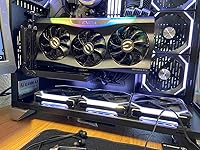
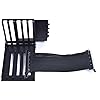
Lian Li O11DXL-1X Vertical GPU Bracket KIT PCI-E 3.0 for O11Dynamic XL (NOT Compatible with PCI-E 4.0 VGA Card)




Buy Now, Pay Later
- – 4-month term
- – No impact on credit to apply
- – Instant approval decision
- – Secure and straightforward checkout
Ready to go? Add this product to your cart and select a plan during checkout.
Payment plans are offered through our trusted finance partners Klarna, Affirm, Afterpay, Zip, Apple Pay, and Google Pay. No-credit-needed leasing options through Acima may also be available at checkout.
Learn more about financing & leasing here.
Selected Option
This item is eligible for return within 30 days of receipt
To qualify for a full refund, items must be returned in their original, unused condition. If an item is returned in a used, damaged, or materially different state, you may be granted a partial refund.
To initiate a return, please visit our Returns Center.
View our full returns policy here.
Recently Viewed


At a glance
- Condition
- Used - Good
- Style
- PCIE 3.0
- Pattern
- Bracket KIT
- Model
- O11DXL-1X
- Weight
- 378 g
- Graphics Coprocessor
- AMD
- Video Output Interface
- VGA
- Warranty
- 1 YEAR
- Works with
- Desktop
Features 6
- Vertical Graphics card holder for O11Dynamic XL with PCI-E 3.0 Riser Cable
- "NOT" Compatible with PCI-E 4.0 VGA Card
- Allows you display graphics cards
- 5 slots offer builders more installation options
- Included PCI-E Riser Cable , allows you to mount a PCI-E 16X Card.
- Not compatible with O11D, O11D Mini and O11 EVO
Description
PCI-E Riser Cable Length: 200mm, Interface: PCI-E 4.0 x 16, Support: PCI-E 2.0/ 3.0, Data Transmission Speed: up to 8Gbps. Note: In the condition of using the included riser cable (PCIE3.0) with a PCIE 4.0 motherboard and a PCIE 4.0 GPU, please follow bellow steps to set up your BIOS to make it compatible. 1.Make sure that your motherboard BIOS is the latest version. If not, recommend to update to the latest version. 2. Install your GPU directly to the motherboard and start. 3. Enter your BIOS, set the PCIE slot from “Auto” to “Gen 3”. (Example photo as below, for more please read the manual of your motherboard) 4. Save your settings and turn off the system 5. Install the PCIE 3.0 riser cable to the motherboard and the GPU, the system would be able to work.
Specs 23
| Graphics Coprocessor | AMD |
|---|---|
| Brand | Lian Li |
| Graphics Ram Size | 1 |
| Video Output Interface | VGA |
| Graphics Processor Manufacturer | AMD |
| Graphics Card Ram | 1 |
| Graphics Ram Type | DDR4 SDRAM |
| Graphics Card Interface | PCI Express |
| Memory Clock Speed | 1600 MHz |
| Number of Fans | 1 |
| Display Resolution Maximum | 3840x2160 |
| Video Processor | AMD |
| Antenna Location | Office |
| Built-In Media | PCI-E Riser Cable |
| Model Name | Lian Li O11DXL-1X |
| Global Trade Identification Number | 73 |
| Manufacturer | LIAN LI |
| Number of Items | 1 |
| UPC | 840353009950 |
| Item Weight | 378 g |
| Item Type Name | Lian Li O11DXL-1X VERTICAL GPU BRACKET KIT PCI-E 3.0 for O11Dynamic XL **NOT Compatible with PCI-E 4.0 VGA Card** |
| Model Number | O11DXL-1X |
| Mfr Part Number | O11DXL-1X |
No specs match.
Frequently asked questions
To initiate a return, please visit our Returns Center.
View our full returns policy here.
- Klarna Financing
- Affirm Pay in 4
- Affirm Financing
- Afterpay Financing
- Zip Pay in 4
- Financing through Apple Pay
- Financing through Google Pay
Learn more about financing & leasing here.




Top Amazon Reviews