Search  for anything...
LG

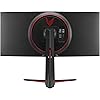
LG UltraWide QHD 34-Inch Computer Monitor 34WP65C-B, VA with HDR 10 Compatibility and AMD FreeSync Premium, Black

  • Based on 2,734 reviews
Condition: New
Checking for the best price...
$679.99 Why this price?
Save $720.00 was $1,399.99

Buy Now, Pay Later


As low as / mo
  • – Up to 36-month term if approved
  • – No impact on credit to apply
  • – Instant approval decision
  • – Secure and straightforward checkout

Ready to go? Add this product to your cart and select a plan during checkout.

Payment plans are offered through our trusted finance partners Klarna, Affirm, Afterpay, Zip, Apple Pay, and Google Pay. No-credit-needed leasing options through Acima may also be available at checkout.

Learn more about financing & leasing here.

Selected Option

Free shipping on this product

30-day refund/replacement

To qualify for a full refund, items must be returned in their original, unused condition. If an item is returned in a used, damaged, or materially different state, you may be granted a partial refund.

To initiate a return, please visit our Returns Center.

View our full returns policy here.


Availability: Only 2 left in stock, order soon!
Fulfilled by SAVEABIZ

Arrives Aug 9 – Aug 11
Order within 17 hours and 20 minutes
Available payment plans shown during checkout

Protection Plan Protect Your Purchase
Checking for protection plans...

Size: 34 Inch


Style: 160Hz


Features

  • Enjoy more space for online meetings, webinars, and working with multiple reports side-by-side with this QHD (3440 x 1440) VA display with 21:9 aspect ratio, offering 33% more screen space than FHD resolution displays.Response time:1.0 milliseconds.Specific uses for product - Gaming.Viewing Angle : 178(R/L), 178(U/D). Contrast Ratio : 1000:1
  • With HDR 10 support and color performance with 99% coverage of the sRGB spectrum, this monitor is a great solution for photographers, graphic designers, or anyone looking for highly accurate color
  • AMD FreeSync Premium manages refresh rate, reducing screen tearing, flicker, and stuttering for an effortlessly smooth gaming experience with supported video cards such as the AMD Radeon series
  • Dynamic Action Sync helps reduce input lag to help you respond to on-screen action quickly. Black Stabilizer dynamically brightens dark scenes to help you find enemies in the dark. Enhance your accuracy in firefights with the Crosshair feature
  • Add rich sound to your gaming and video content experiences with 2-channel (7W each) MAXXAUDIO stereo sound. Three-side virtually borderless design with slim bezels keeps you focused, and easily adjust height and tilt for the most comfort

Description

With a wider view for working or watching, push your productivity with the 1 UltraWide Monitor brand in the U.S. At 34 inches with a 21: 9 screen ratio, this curved QHD (3440x1440) VA Display features realistic, accurate color, contrast, clarity, and detail at wide angles. Content creation. Designing. Video editing. Entertainment. Bright and bold. The sRGB 99% Color Gamut coverage with HDR 10 brings work and virtual worlds to life, backed by 400 nits of brightness. This display tech elevates textures, elements, character movements and natural light and shadow. This UltraWide monitor features a 3-Side Virtually Borderless Display that’s has a tilt and height adjustable Stand. Whatever the task, our LG UltraWide Monitor unveils a panoramic view and high-performance features to push productivity to new levels. Source: The NPD Group, Inc., U.S. Retail Tracking Service, Monitors, Aspect ratio: 21:9, Based on Dollars & Units, Feb. 2020- Jan. 2021 and same months ending 2020, 2019, 2018. Set Contains: ACCESSORIES Wall Mount Size (mm): 100 x 100 mm Display Port :Yes

Brand: LG


Screen Size: 34 Inches


Resolution: QHD Ultra Wide 1440p


Aspect Ratio: 219


Screen Surface Description: curved


Aspect Ratio: 219


Screen Finish: curved


Contrast Ratio: 10001


Refresh Rate: 144 Hz


Display Type: LED


Display Technology: LED


Viewing Angle: 178 Degrees


Brightness: 400 candela_per_square_meter


Pixel Pitch: 0.23


Color Gamut: 99


Has Color Screen: Yes


Picture Quality Enhancement Technology: sRGB color gamut, HDR 10, AMD FreeSync Premium


Screen Size: 34 Inches


Item Dimensions D x W x H: 12.3"D x 32.3"W x 18.3"H


Item Weight: 16.8 Pounds


Resolution: QHD Ultra Wide 1440p


Display Resolution Maximum: 3440 x 1440 Pixels


Native Resolution: 3440x1440


Response Time: 1 Milliseconds


Total Number of HDMI Ports: 2


Total Usb Ports: 2


Number of Component Outputs: 2


Total USB 2.0 Ports: 2


Total USB 3.0 Ports: 1


Additional Features: Curved, G-SYNC Compatible, Height Adjustment, High Dynamic Range, Tilt Adjustment, Ultrawide Screen


Specific Uses For Product: Gaming, Multimedia, Personal


Color: Black


Mounting Type: Wall Mount


Brand: LG


Model Number: 34GP83A-B


Model Name: 34GP83A-B


Warranty Description: Limited 1 Year Parts & Labor


UPC: 195174002872


Manufacturer: LG Electronics


Item Type Name: Gaming Monitor


Built-In Media: 2 x HDMI, DisplayPort


Power Consumption: 80 Watts


Voltage: 120 Volts


Is Electric: No


Connectivity Technology: USB


Hardware Connectivity: DisplayPort, HDMI


Adaptive Sync: G-Sync


Frequently asked questions

If you place your order now, the estimated arrival date for this product is: Aug 9 – Aug 11

Yes, absolutely! You may return this product for a full refund within 30 days of receiving it.

To initiate a return, please visit our Returns Center.

View our full returns policy here.

  • Klarna Financing
  • Affirm Pay in 4
  • Affirm Financing
  • Afterpay Financing
  • Zip Pay in 4
  • Financing through Apple Pay
  • Financing through Google Pay
Leasing options through Acima may also be available during checkout.

Learn more about financing & leasing here.

Top Amazon Reviews


  • A cheaper 34GN850-B
Size: 34 Inch Style: 160Hz
This was an upgrade to my Viotek GNV34DBE ultrawide monitor. The performance to this monitor is very similar to the slightly more expensive 34GN850-B. One thing is that you do not get a USB uplink cable in the box; just the Displayport and power adapter. My monitor has one stuck pixel on the upper left which I cannot RMA because LG is stingy with how many stuck/dead pixels must be on the display to warrant a RMA. Picture quality is pretty good as it is an IPS. But because it is an IPS, especially a Nano IPS, it lacks contrast VA panels typically have. It's noticeable in dark environments such as night time, but I don't notice it that much during the day and I can live with it as I expect IPS displays to not have great contrast. The brightness this monitor can display is good enough for the most part, except in direct sunlight (but your mileage may vary). One thing for sure is the lack of black level smearing and inverse ghosting, which means more clear picture when in motion while playing video games. The 160 HZ option is nice to have, but not that amazing if you're coming from a 144 Hz montior. The inputs are ok, 2 HDMI 2.0 and 1 Displayport 1.4 (not 1.2 as I have found some people have said). Stick to Displayport please, as it is the only input that can support 144 hz and 160 hz. I have mounted this monitor with a monitor arm, so I got nothing to say about the stand. At the end of the day, this monitor is very good and is will be good enough until mid range GPUs can support 3440 x 1440 160 hz at max details, or until the warranty runs out and the monitor spontaneously dies. ... show more
Reviewed in the United States on September 20, 2022 by Human Customer

  • Beautiful screen, sharp with good color
Size: 34 Inch Style: 160Hz
I normally sit in bed, or on the couch and game on a big screen. Well, I had to make a 'home office' real quick due to covid and just put a small table in front of the living room big screen. Not optimum. While it is 4k, everything had to be so big to be readable. I put up with it as I had no long term need for a home office. Well, now I do, as work will be a mix of onsite/home permanently. This widescreen ticked all the boxes, supports GSYNC, QHD 1440, fast refresh, good reviews, 144hz. I am very happy with this. It is very sharp, with even brightness across the screen, no dead pixels, and good color. So easy on the eyes. I hooked up my work laptop and gaming laptop (16gig 3080 graphics) and just wow. I never realized the eyestrain I put up with using a TV as a work monitor. The range of adjustment up/down and tilt is not much but enough for an average person sitting at a typical height table. It supports VESA 100 so you can use a monitor arm or wall mount for greater adjust-ability if needed. I don't hear any electronics whine, the text is so clear, and Skyrim never looked so good. I am upgrading the textures to 4k and installing my other games to the laptop now (it's new too) and as they are modded for eyecandy/4k this monitor does not disappoint. UPDATE: I've now had this almost a year. Only thing I really needed to do, was get an inexpensive monitor clamp-on-desk stand. Now I have tilt, swivel and height adjustments. 3 days a week, I work 8 hours looking at it and still can't get over how sharp and crisp the text is- edge to edge. No eye strain after a long day, and game away on weekends. So glad I didn't just get a basic monitor for work using the work allowance. This came out of my pocket and I am so glad I didn't cheap out on the monitor. ... show more
Reviewed in the United States on June 12, 2021 by Keerava

  • Can't go back after this
Size: 34 Inch Style: 160Hz
Can't go back to a standard monitor after this. I've had this monitor for 3 years now and the only thing I want is this monitor but bigger. A few reasons why I picked this. 1. It's an IPS monitor. That means you don't get ghosting when you're going side to side. This is important when you're playing games. Or if you're working with large spreadsheets. I can scroll left and right and still read all the data which is amazing. You can fit so many columns on a full spreadsheet. In fact you should click on view and open a new window so that you can have two spreadsheets at the same time. I know I'm talking a lot about spreadsheets but I know I'm not the only one who's livelihood depends on large amounts of data. I can definitely say that this monitor has improved my productivity. 2. The picture quality is great. I thought read mode was a gimmick. It really does help with eye strain. At least my eye strain. 3. LG is one of the best LCD manufacturers out there and the build quality here is great. It's been 3 years and absolutely no problems yet. 4. Set up is super easy. The included stand is super stable and it has a VESA mount on the back in case you want to use a different mount. This is one of the best if not the best ultrawide monitors on the market right now. Especially considering the price. ... show more
Reviewed in the United States on May 1, 2025 by Jacky

  • Fastest, smoothest and cleanest monitor I've ever used. Fastest, smoothest and cleanest monitor I've ever used.
Size: 34 Inch Style: 160Hz
This is a review for the LG 34GP83A-B. Wow! I am an avid gamer who plays all genres, from fast-paced competitive FPS games, Open world RPG's and real-time strategy games and also watch a lot of videos and movies on my PC. I did a lot of research before choosing this monitor and it did not disappoint. This appears to be the exact same panel as the LG 34GN850 that was released several months prior for $1000 with the only difference being the logo on the back and less cables included in the box. Coming from a 27" Acer Predator IPS, which I believed to be one of the best gaming monitors, This LG UltraGear completely destroys it. The Colors are extremely accurate and the response time, while not a true 1ms GtG, is still faster and smoother than any monitor I've ever used. The 10-bit panel at 144hz is essential for color accuracy while maintaining butter smooth motion. Overclocking to 160hz lowers the panel to 8-bit, but I can't tell the difference between 144hz and 160hz so I just leave it at 144hz to get the color advantage of a 10-bit panel. My only complaints is that the monitor does not have a dedicated G-Sync module, which I feel like an $800 monitor should have. That being said, it is Gsync Compatible and certified by Nvidia to work with Gsync, and I have had no screen tearing unless the framerate drops below 50fps as the freesync premium only supports a minimum of 48fps. This monitor has HDR10 support and is HDR400 certified but I would have liked the monitor to be brighter. Peak brightness is just over 400 nits, which is plenty bright for most use-cases but for HDR content, 400 nits just isn't quite enough to get an immersive HDR experience. Overall, this is BY FAR the fastest, smoothest and most satisfying gaming monitor I've ever used. It is worth ever penny at $799 and I would highly recommend it. ... show more
Reviewed in the United States on May 10, 2021 Reviewed in the United States on May 10, 2021 by Amazon Customer

  • You Will Not Regret Ascension
Size: 34 Inch Style: 160Hz
This is a review for the LG 34GP83A. I saved up for months to get an ultrawide curved and I'm enamored with the quality that LG has delivered. Shopping for a monitor is a really confusing endeavor - the naming scheme is bonkers, it's hard to understand what combination of specifications meet your needs, and there's seemingly no satisfactory quality control. That last point is crucial. You're spending top dollar on a screen that may have dead pixels, backlight bleed, stuttering, flickering, cracks, chips, or any dozen other imperfections. And some companies won't offer you a replacement because they allot a certain number of factory imperfections. It makes you feel like you're gambling. It's ridiculous. I'll make this as simple as I can for those of you like me who are only looking for a monitor to game on. This monitor runs at 144 Hz at 1440p, which is the current "sweet spot" for gaming. There are higher resolutions out there, but most games aren't optimized to run at this many frames per second at 4k. As someone who has owned a max 60 FPS 1080p monitor for the past decade, the upgrade is tremendous. Games run so beautifully smooth, like nothing you've seen before. Just be sure to "enable" your monitor because out-of-the-box they don't run at the advertised refresh rate. On Windows 10, go to Settings > System > Display > Advanced Display Settings > Display Adapter Properties and click on the "Monitor" tab to choose 144 Hz. You also need to use the included display port cable. 21:9 is the aspect ratio which is what defines the ultrawide experience. Most movies are filmed in a 21:9 ratio (hence the black bars). I find it absolutely incredible at immersing me into the game. Not all games are supported at 21:9, in which case you'll play with vertical black bars on either side, which is not a problem at all since the game itself still runs beautifully. For games that are supported, though...hoo-boy, I can never go back. I primarily play empire-building and RTS-style games. Games like "Total War: Warhammer 2", "Age of Empires II", "Frostpunk", "Civilization V", and "XCOM 2" were meant to be played on a screen like this. As soon as you get your monitor make sure to run a dead pixel check using sites like lcdtech.info. NOTE: WIPE YOUR MONITOR WITH A MICROFIBER BEFORE TESTING. I want to let the world know that I'm an idiot who thought that three motes of dust were dead pixels. At this price point, there should be no excuse for factory imperfections and you deserve the monitor you paid for. In summary, this monitor makes me happy to come home from work every day. I enthusiastically recommend it. ... show more
Reviewed in the United States on November 3, 2020 by Kane

  • Great picture quality and speed.
Size: 34 Inch Style: 160Hz
I bought an LG 34GP83A-B. It works as advertised (with the exception of the setup). I had a Dell 34" UltraSharp wide-screen monitor that has been great for 5+ years. I needed a second wide-screen monitor. I chose this one based on the great price at the time I bought it and based on feedback from friends using the same brand. Pros: The picture quality is at least as good as the Dell I had, if not better. Very pleased with the picture quality. The monitor performance is great. I don't use demanding gaming apps that would require me to take advantage of the overclocking to 160Hz. 144Hz is sufficient for me. I have not tried to use the screen splitting option yet since I have my own pre-existing app that manages it for me. I'll follow up later and update this post after I use the split-screen option from LG. Pro/Con... The pro is it has cable management. It is on the back of the monitor stand if you want to use it. The con is it is too small and weak to support all the cables. I didn't use it for my setup. Setup: I had it as a con, but changed it since the main issue was not the fault of the monitor or LG. The biggest aggravation was the setup. I have two monitors connected to this PC. A 27" BenQ and this one (LG). When I first connected it, both monitors showed as separate monitors. The resolution on the LG defaulted to 1920x1080. I updated my drivers and rebooted. No change. This time my system literally saw both monitors as 1 monitor. Weird. I downloaded the latest driver for my Windows version from the LG website (34GP83A-B.AUS). Attempted to install it and received an error this was not an LG driver. Downloaded again to see if perhaps it was a file issue. Same error. Upgraded my graphics card driver (Nvidia GeForce 3090), rebooted, and the monitor worked. A PCI-to-PCI driver upgrade appeared to fix the issue. However, LG needs to fix its driver or provide a different one. An additional minor issue for me is the monitor stand. The base "feet" are a little flimsy and stretch out in front of the monitor in a "V" shape. Takes up to much desktop space. I am able to work around it, but would advise others to keep this in mind when planning your desk layout. Received a response: "The LG 34" UltraGear Curved WQHD Nano IPS 1ms 144HZ HDR 400 Monitor with G-SYNC Compatibility, Model # 34GP83A-B is a Plug and Play Monitor. Plug and Play is a feature that allows you to add a device to your computer without having to reconfigure anything or install any manual drivers...^Ivan" -- The comment is true. If my PCI-to-PCI adapter was already current, then the monitor would have worked as a plug-and-play. At the time, I didn't know this was the issue initially and struggled with the LG driver for this monitor. My recommendation is still to resolve the LG drive incompatibility issue. 2/11/2023 Additional comments after some time using the monitor. Input Selection: I saw some complaints about the button-style controller that allows you to change monitor settings, including the input source. It did take a minute to get used to it, but it works fine for me, and have no issues with it. Work laptop: I use the DP cable for my personal PC and the HDMI with my work laptop. My work laptop (HP ZBook) has a port replicator that only uses DP connections. I use an HDMI hub to plug all my HDMI connections from my monitors with a DP connection back into the port replicator. This did not work with the LG monitor. Received the same odd errors I had above with my PC and, if I reboot, none of the screens (including the laptop would work). I bought a DP to HDMI converter, bypassed my HDMI hub, and plugged my LG monitor HDMI connection directly into the port replicator using the DP to HDMI converter. Everything works as normal now. The only minor issue is when my laptop goes to sleep and I wake it up, I have a 50/50 chance of the LG monitor not coming on. I disconnect the port replicator from my laptop and plug it back in. LG monitor wakes up. It's a minor workaround. This does seem to coincide with other comments about sleep issues with the monitor. I hope this helps others who are trying to use this for work. I'm using Nvidia RTX Desktop Manager to configure split screens on my LG monitor without any issues. I plan on using this for a few months and then will update my post later. So far the monitor has been great! ... show more
Reviewed in the United States on February 8, 2023 by lage77

  • Puts my old monitor to shame. Puts my old monitor to shame.
Size: 34 Inch Style: 160Hz
Pros + This is the first monitor in nearly a decade that did not come with a single dead pixel on my first attempt. + Minimal backlight bleed and minimal IPS glow (again super surprised I lucked out with this panel on my first try.. Must be some good quality control with LG on this product. + 10Bit color looks amazing, the colors pop + 144hz w/ gsync is super smooth, even more so than my acer x34 w/ native gsync module. Also no flickering w/ gsync enabled. + HDR10 - Don't underestimate it, the panel is bright enough that it actually really looks good in certain games like Mass Effect Legendary Edition, and No Man's Sky. While some games look superior in SDR. Try it out for yourself I was pleasantly surprised. Also disable HDR in windows when not using it in gaming as it washes out the colors of desktop. + The OSD menu is the best menu i've ever used on a monitor. I was effortlessly able to navigate through the whole menu on the first attempt without any training or practice. + Price is decent for what you get, my acer x34 cost 1200 at launch and I paid 799 for this. + Zero ghosting, fast response time, no noticeable input lag + Ultrawide (once you go 21:9 you don't go back) Slim bezels. Also 98% Of my games do support ultrawide resolution. If people tell you otherwise they don't own a ultrawide monitor. + Best resolution IMO, not too hard to run as 4k, while still giving quality image. Can run most of my games at around max refresh rate. But i do have a beefy rig 3080 + 5800X. Cons - While the stand is nice and a bit smaller than the acer x34 stand, it's still a large stand and takes up a ton of real-estate on your desk. (easily fixable with an affordable desk monitor arm, which I already had) - One year warranty? isn't nearly long enough for a monitor of this price. - No built-in speakers. This isn't a deal breaker but it was nice to keep the desk looking clutter-free, I bought some new speakers though that give superior sound in every single way, so good trade off. 10/10 Rating, best monitor I have ever owned. Great Quality control (or maybe I just got luck). Hopefully I get a long life out of this monitor like I did my acer x34. ... show more
Reviewed in the United States on May 31, 2021 Reviewed in the United States on May 31, 2021 by Chris

  • Overall Excellent
Size: 34 Inch Style: 160Hz
Overall a fantastic monitor for the purchase price of $800. I see the price fluctuating pretty frequently, so how much it costs you may be different. Pros: - 160hz for an ultrawide is excellent. - Works great with gsync. - Color quality is great. - Works great over HDMI and DisplayPort with windows. - Low motion blur. - No noticeable input lag. - The HDR color depth is awesome. Just disable the local dimming or it can get annoying. - Decent backlight bleed and IPS glow for an IPS panel. Definitely less bleed than the other 3 IPS panels that I've owned, and the backlight bleed is fairly evenly distributed. Neutral: - Managing an OSD (on screen display) with just the nipple is passable. As I switch inputs pretty often, my Alienware monitor let me set up a shortcut to double tap a dedicated button on the monitor to switch between HDMI and Displayport. This monitor requires you to always navigate the OSD menus (even though it doesn't take too much to switch inputs). - The curve is subtle and is just "fine". No complaints, nothing great about it either. Cons: - Does not work properly at 160hz at full resolution (1440p ultrawide) when connected to my Macbook over HDMI. The Macbook will only allow 50hz, meaning everything feels choppy. It's a borderline-acceptable framerate for text-only workflows or just browsing the web. - Overall build quality is just "good", which kinda sucks for an $800+ monitor. The plastic on the back feel flimsy. - Local dimming is TERRIBLE. I highly recommend disabling local dimming but enabling HDR for the extra color depth. Conslusion: An excellent monitor for productivity and gaming, with just a couple minor gripes that prevent it from being perfect IMO. ... show more
Reviewed in the United States on November 2, 2021 by Jamie

Can't find a product?

Find it on Amazon first, then paste the link below.
Checking for best price...