




La Crosse Technology Advanced Weather Station with Full-Color LCD & Atomic Time - Monitor Indoor/Outdoor Conditions with Temperature Alerts and Humidity Readings with Transmission Range of 300 Feet




Buy Now, Pay Later
- – 6-month term
- – No impact on credit to apply
- – Instant approval decision
- – Secure and straightforward checkout
Ready to go? Add this product to your cart and select a plan during checkout.
Payment plans are offered through our trusted finance partners Klarna, Affirm, Afterpay, Zip, Apple Pay, and Google Pay. No-credit-needed leasing options through Acima may also be available at checkout.
Learn more about financing & leasing here.
Selected Option
FREE 30-day refund/replacement
To qualify for a full refund, items must be returned in their original, unused condition. If an item is returned in a used, damaged, or materially different state, you may be granted a partial refund.
To initiate a return, please visit our Returns Center.
View our full returns policy here.


Color: Black
Style: Station
Features
- [DYNAMIC COLOR WEATHER] Mold Indicator with Multiple color forecast icons and tendency indicators
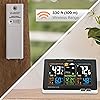
- [WIRELESS TRANSMISSION] Indoor/Outdoor temperatures (F/C) with humidity (%RH) and MIN/MAX records and Customizable alerts; INCLUDES weather-resistant sensor with 330 ft range (no obstructions)
- [ACCURATE TO THE SECOND TIME] Atomic self-set time and calendar with Daylight savings time reset; VIEWS in 12-hr/24-hr mode
- [CUSTOM BACKLIGHT INTENSITY] Adjustable backlight (HI/LO/OFF) settings; Battery-operated only backlight illuminates temporarily (on-demand) to save on power
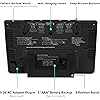
- [ALARM WITH SNOOZE] Time alarm with 10 minute snooze feature; 5V power adapter for full feature display (optional backup, requires 3 AAA alkaline batteries)
Description
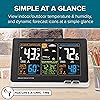
Full color display gives you current temperatures & humidity, with a future forecast whether it could be sunny or rainy to snowy. Features accurate, self- set atomic time & date with automatic DST updates. Records min/max values and alerts you of extreme temperatures. Also displays your heat index and dew point. Will indicate of low battery and reception strength. Batteries required (not included.).Weather Station Factory Restart Explanation: The factory restart returns the weather station and outdoor sensor to an ?out-of-the-box? default state and often resolves an issue. Factory Restart: 1. Remove all power (batteries and AC) from outdoor sensor and weather station. 2. Press one of the buttons on the weather station at least 20 times to clear all memory. 3. Verify that the weather station is blank before proceeding (there may be lines painted on the screen that will show when there is no power). 4. Leave both units without power for 15 minutes (very important). 5. Insert the AC power cord into the wall outlet then into the weather station. 6. Insert fresh batteries into the outdoor sensor. 7. Press the TX button on the outdoor sensor to transmit RF signal. 8. Keep the outdoor sensor 5-10 feet from the weather station. 9. When RF connection is established, the temperature will appear on the station. Allow the outdoor sensor and weather station to sit together for 15 minutes to establish a strong connection. 10. Do not press buttons for 15 minutes. For optimum 433MHz transmission, place the outdoor sensor no more than 300 feet (91 meters, open air) from the weather station Explanation: The factory restart returns the weather station and remote sensor to an “out-of-the-box” default state and often resolves an issue. Factory Restart: 1. Remove all power (batteries and AC) from remote sensor and weather station. 2. Press one of the buttons on the weather station at least 20 times to clear all memory. 3. Verify that the weather station is blank before proceeding (there may be lines painted on the screen that will show when there is no power). 4. Leave both units without power for 15 minutes (very important). 5. Insert the AC power cord into the wall outlet then into the weather station. 6. Insert fresh batteries into the remote sensor. 7. Press the TX button on the remote sensor to transmit RF signal. 8. Keep the remote sensor 5-10 feet from the weather station. 9. When RF connection is established, the temperature will appear on the station. Allow the remote sensor and weather station to sit together for 15 minutes to establish a strong connection. 10. Do not press buttons for 15 minutes. • For optimum 433MHz transmission, place the remote sensor no more than 330 feet (100 meters, open air) from the weather station. Note: In Mounting/Positioning Remote sensor First: Place the remote sensor in the desired shaded location and the weather station in the home. Wait approximately 1 hour before permanently mounting the remote sensor to ensure that there is proper reception. POSITION Outdoor: • Protect the remote sensor from standing rain or snow and from the overhead sun, which can cause it to read incorrectly. • Mounting under an eave or deck rail works well. • If you choose, you can construct a small roof or box for the remote sensor. Be sure a box has vents. • Mount the remote sensor on the North side where to prevent sun from causing incorrect readings. • Mount at least 6 feet in the air for a strong RF (radio frequency) signal. • Do not mount the remote sensor on a metal fence. This significantly reduces the effective range. • Remote sensors are water resistant, not waterproof
Brand: La Crosse Technology
Recommended Uses For Product: Home
Specific Uses For Product: Humidity
Power Source: Battery Powered
Special Feature: Wireless
Material: Plastic
Connectivity Technology: Wi-Fi
Number of Batteries: 3 AAA batteries required.
Style: Station
Color: Black
Power Source: Battery Powered
Additional Features: Wireless
Connectivity Technology: Wi-Fi
Number of Batteries: 3 AAA batteries required.
Temperature Accuracy: 1 °C
Are batteries included?: No
Sensor Technology: Wi-Fi
Upper Temperature Range: 140 Degrees Fahrenheit
Display Type: LCD
Temperature Reading Accuracy: plus_minus_1_degree_celsius
Style Name: Station
Color: Black
Shape: Rectangular
Material Type: Plastic
Item Dimensions D x W x H: 2.24"D x 8.36"W x 5.49"H
Item Weight: 0.75 Pounds
Brand Name: La Crosse Technology
Recommended Uses For Product: Home
Specific Uses For Product: Humidity
Included Components: Weather station^ac adapter^wireless sensor^quick setup guide
Is Used Where: indoor_outdoor
Manufacturer: La Crosse Technology, Ltd.
Warranty Description: 1 year limited parts and labor
Global Trade Identification Number: 78, 17
UPC: 757456083278
Model: 308-1414B
Part Number: 308-1414B-INT
Unit Count: 1.0 Count
Item Type Name: La Crosse Technology 308-1414B Wireless Atomic Digital Color Forecast Station with Alerts, Black
Frequently asked questions
To initiate a return, please visit our Returns Center.
View our full returns policy here.
- Klarna Financing
- Affirm Pay in 4
- Affirm Financing
- Afterpay Financing
- Zip Pay in 4
- Financing through Apple Pay
- Financing through Google Pay
Learn more about financing & leasing here.
Similar Products




Top Amazon Reviews


