


Search  for anything...
KCT

KCT 2 Pack Paperfeel Screen Protector for iPad Pro 12.9 Inch (2022-2018)

  • Based on 37,549 reviews
Condition: New
Checking for the best price...
$7.98 Why this price?
Save $17.01 was $24.99

Buy Now, Pay Later


As low as $1 / mo
  • – 4-month term
  • – No impact on credit to apply
  • – Instant approval decision
  • – Secure and straightforward checkout

Ready to go? Add this product to your cart and select a plan during checkout.

Payment plans are offered through our trusted finance partners Klarna, Affirm, Afterpay, Zip, Apple Pay, and Google Pay. No-credit-needed leasing options through Acima may also be available at checkout.

Learn more about financing & leasing here.

Selected Option

Free shipping on this product

FREE 30-day refund/replacement

To qualify for a full refund, items must be returned in their original, unused condition. If an item is returned in a used, damaged, or materially different state, you may be granted a partial refund.

To initiate a return, please visit our Returns Center.

View our full returns policy here.


Availability: In Stock.
Fulfilled by Amazon

Arrives Wednesday, Oct 21
Order within 14 hours and 6 minutes
Available payment plans shown during checkout

Protection Plan Protect Your Purchase
Checking for protection plans...

Model: iPad Pro 12.9" (2018-2022)


Features

  • Compatible : Compatible with the iPad Pro 12.9 (6th/ 5th/ 4th/ 3rd Generation, Without home button). Fit Models: A2436/A2764/A2437/A2766/A1876/A2014/A1895/A2229/A2069/A2232/A2378/A2379/A2461
  • Attention: This is not compatible with iPad 12.9 Inch (2015/2017,1st/2nd Generation)
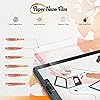
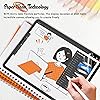
  • Designed for Paperfeel :Designed for handwriting. The new upgraded paper screen protector in the surface of the more detailed grinding and processing, writing to enjoy the appropriate sense of damping, real reproduction of the writing experience to restore the closest to the touch of real paper
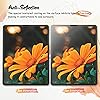
  • Anti Glare and Anti Fingerprint :The oleophobic coating on the surface of the screen protector helps you reduce oil, smudges and fingerprints from daily use. Simply wipe it off and the screen instantly looks brand new. Meanwhile, experiencing a delicate frosted finish that reduces light refraction, you can see the screen clearly without worrying about glare when drawing outdoors
  • Optimise Drawing Experience :The newly upgraded material upgrades the paper texture on the surface of ipad pro 12.9 screen protector, making the writing and drawing experience more realistic and natural. Enhanced screen clarity makes the screen look more comfortable and restored, which can enhance the writing and drawing experience
  • Easy to Install :We provide dedicated tools, detailed instructions and video tutorials of installation. You can easily install it well with no air bubbles by our specific installation way

Brand: KCT


Compatible Devices: Tablet


Material: Polyethylene Terephthalate


Item Hardness: 3H


Product Dimensions: 10.88"L x 8.29"W


Compatible Phone Models: iPad Pro 12.9 (6th Generation, Without home button), (5th (4th (3rd button)


Special Feature: Paperfeel


Finish Type: Matte


Water Resistance Level: Waterproof


Unit Count: 2 Count


Compatible Devices: Tablet


Item Hardness: 3H


Compatible Phone Models: iPad Pro 12.9 (6th Generation, Without home button), (5th (4th (3rd button)


Special Features: Paperfeel


Finish Type: Matte


Water Resistance Level: Waterproof


Screen Size: 12.9 inches


Screen Surface Description: Matte


Clarity: 9


Compatible Tablet Computer Models: Apple iPad Pro 12.9-inch (3rd generation), Apple iPad Pro 12.9-inch (4th generation), Apple iPad Pro 12.9-inch (5th generation), Apple iPad Pro 12.9-inch (6th generation)


Item Dimensions L x W: 10.88"L x 8.29"W


Unit Count: 2 Count


Number of Items: 2


Brand Name: KCT


Model Number: iPad Pro 12.9" (2018-2022)


Model Name: iPad Pro 12.9" (2018-2022)


Manufacturer: KCT


Included Components: screen protector


Item Weight: 15 g


Part Number: Screen Protactor


Warranty Description: 6 month


Material: Polyethylene Terephthalate


Frequently asked questions

If you place your order now, the estimated arrival date for this product is: Wednesday, Oct 21

Yes, absolutely! You may return this product for a full refund within 30 days of receiving it.

To initiate a return, please visit our Returns Center.

View our full returns policy here.

  • Klarna Financing
  • Affirm Pay in 4
  • Affirm Financing
  • Afterpay Financing
  • Zip Pay in 4
  • Financing through Apple Pay
  • Financing through Google Pay
Leasing options through Acima may also be available during checkout.

Learn more about financing & leasing here.

Top Amazon Reviews


  • Fantastic paper-like texture!
Model: iPad A16 11th/10th & Air 11"(M4/M3/M2)
I am incredibly impressed with this screen protector. It completely transforms the feel of drawing and writing with the Apple Pencil, giving it just the right amount of resistance—it genuinely feels like high-quality paper.The anti-glare properties are also outstanding. It cuts down reflections significantly, making it much easier to work under bright lights or outdoors. It was easy to install without bubbles, and it doesn't sacrifice screen clarity. Highly recommend it for any digital artists or student note-takers! ... show more
Reviewed in the United States on September 13, 2026 by Robin

  • Easy Installation, Feels Like Paper
Model: iPad Mini 8.3" (6th / 7th Gen / A17 Pro)
I took a chance on this product because I wanted to use my Apple Pencil for drawing on my iPad Pro and didn’t want to spend a lot of money. I was so impressed that I bought the product for my IPad mini also. Basics It comes with two screen protectors, non-skid pads to rest your iPad on during installation, stickers to act as a hinge for the screen during installation, cleaning supplies, and a squeegee. Installation: Easy Instructions are provided in the package along with a link to the video instructions. Definitely watch the video FIRST and follow them exactly for best results. I’m not good at installing screen protectors on anything larger than a standard iPhone and usually pay someone to install them on an iPad, but I was able to install this product on both an iPad Pro and iPad mini with no issues. The key is using the provided non-slip pads under your iPad and using the included stickers to hold the screen protector onto the iPad at one end, acting like a hinge. Once attached in this manner you clean off the screen and use different stickers to pick up any dust. Then with one hand, you begin peeling off the protective plastic to expose the adhesive to the screen, while using the provided squeegee with your other hand to lay it down and push out any bubbles. Some recommend installing in a bathroom with a hot shower running to reduce dust. Feel It definitely feels like paper. You will go through pencil tips more quickly if you do a lot of shading/coloring. I don’t have anything to compare it to so take that info account, I’m not a professional artist and just draw and color for funsies but I’ve done a fair bit of drawing and coloring lately and am pleased. I’ve only used it for 3 weeks so I can’t speak to its longevity, but with daily use it has held up well. I’m sure it will eventually wear out but it comes with two screens. Look It does make the screen have a matte look vs a glossy look. It isn’t extreme and doesn’t bother me when I watch YouTube videos or play games. It cuts down the glare a lot and makes it easier to use the iPad in sunlight. After using it awhile you will notice streaks or paths from drawing or shading, but cleaning takes these away. Apple Pencil It works great with the Apple Pencil and I’ve had no issues. You will need to replace your tips more frequently than using it on glass, especially if you do coloring or shading. Price I bought it for $7.99. Since it comes with two screen protectors it’s a steal. It’s nice to know that when the first one wears out I have a second one to replace it with. Overall I highly recommend the Paperfeel screen protector for the iPad. It is easy to install and makes the screen feel like paper. It works very well with the Apple Pencil for drawing, writing, and coloring. It cuts glare down significantly and has a nice feel to it. I’ve had it installed about 3 weeks and am very pleased with it. The price makes it an economical option if you don’t want to spend a lot of money or you’re not sure if you’d like a paper feel for your device. ... show more
Reviewed in the United States on January 16, 2024 by I.M. Here

  • better than paperlike!
Model: iPad Air 5/4, Pro 11 (2018-2022)
I got this screen protector to replace my paperlike screen protector. The old once had been through years of use and was starting to get scratched up, so I got this thinking it would be a temporary solution until I could afford another paperlike one I might not need another paperlike one though! this one is awesome, anti-glare, matte, it's got a rough surface that puts real resistance into the pen. it sticks great so far and it comes with everything you need to clean up your screen and align the new screen protector. the squeegee is even full-size so you can get everything down in (mostly) one go. I had very few bubbles and I don't think I had any issues with dust, which is a first. really surprised at how good this turned out for less than $10, again, especially compared to paperlike's model which is like $50. you get 2 screen protectors in this kit so if you mess up you can always try again. And it's small enough that it fits without getting caught and lifting from my case. Would definitely buy again! ... show more
Reviewed in the United States on August 29, 2026 by Victoria Siegert

  • Do not use the dust sticker
Model: iPad Mini 8.3" (6th / 7th Gen / A17 Pro)
1. Unless you have access to an industrial clean room, abandon all dreams of dust free application. BUT! To increase your chances, wipe down the surface of the table/desk you’re at and make sure you’re not somewhere with a lot of air circulation. 2. DO NOT use the dust sticker, as it leaves a residue. DO NOT the microfiber, it leaves a TON of fabric particles. You’re better off having a mountain of alcohol wipe pads at the ready and using it to wipe off particles and letting it dry. 3. If you have tiny dust particle near an edge, you have a small window where you can use the alignment sticker to help pick up the film and use a small, neat corner of an alcohol wipe to grab the dust/lint particle. Be careful that you don’t introduce new particles as you do this though. 4. You’ve got to be steady but also quick as the longer it takes, the more opportunity for new dust particles to settle while you wait for the alcohol to evaporate away. 5. Watch the installation video. The part about how to use the positioning sticker is actually important and I might copy the technique for future film installations where possible. If you can apply the film without getting particles between the film and screen, you’ve got a great film that has that lays down flat really well with few bubbles that go away pretty easily. I did waste one film as it got too many dust particles I knew was going to perpetually drive me crazy, but my second installation attempt went much better. I really like the matte texture, and the film cuts down on the shiny glare (but you still get the muted/matte glare). I’m actually not sure that the experience of writing with the pen is all that much improved, and I think this would cause the nib to nib to wear down faster, but I’m okay with it since I like the texture of the film so much as it reminds me of my Kindle Scribe. All in all, even though I gave it a 4 out of 5 for the unhelpfulness of the installation material (dust sticker and microfiber), for the product itself, I would give 5 stars. Also, it cost a lot less than the $45 films I saw at Best Buy and Microcenter ... show more
Reviewed in the United States on June 19, 2024 by Jaemin

  • Great texture, great price
Model: iPad Pro 11" (M5 2025 / M4 2024)
This is great! Install was easy and perfect. Texture is unique but definitely what I wanted, giving me more control of the pencil. I also took a chance applying on top of the screen protector I had on already, and the pencil is still detected without issue. Plus you can’t beat the price. Highly recommend. ... show more
Reviewed in the United States on August 21, 2026 by Brihanna Watson

  • It Finally Made My iPad Feel Like an Art Tool
Model: iPad Pro 12.9" (2018-2022)
I’m currently learning how to draw comics on my iPad, and the KCT 2-Pack Paperfeel Screen Protector changed everything for me. I originally bought my iPad around 2018 specifically for art, but I never really used it for that. The biggest problem was the slippery glass screen. I draw fine on my larger Huion tablet, which is also glass, but its size makes it feel much easier to work on. On the iPad, the Apple Pencil always felt like it was sliding around too much. I considered Paperlike and similar protectors, but I simply wasn’t going to spend around $50 on one. Instead, I continued drawing on Bristol paper and bouncing between that and my Huion. I finally tried the KCT Paperfeel protector, and it’s amazing. Now to be clear it doesn’t feel like smooth Bristol, but closer to hot-press paper and gives the Apple Pencil enough resistance to make drawing feel natural. For the first time since buying the iPad, I actually want to use it for what I originally purchased it for: making art and I'm actually on the verge of buying a new iPad. -Nathyn Masters Night Phoenix Press ... show more
Reviewed in the United States on September 9, 2026 by Nathyn Brendan Masters

  • WOW!!
Model: iPad A16 11th/10th & Air 11"(M4/M3/M2)
considering the fact that these were 2 for $10, these screen protectors are AMAZING! i am not familiar with the actual paper-like screen protector so i do not have anything to compare it to. at first it was really strange going from the smooth glass to the textured “paper.” it felt rough and almost grippy on my hand, but i eventually got use to it and actually forgot that it wasn’t a normal screen until now. i really like the way that it feels when i write with my apple pencil on it, it feels a lot more authentic. i don’t think it really changes the screen look a whole lot. it may dim it just a touch, but not significantly. i actually think it acts as an anti-glare for the glass, so that’s nice. if you were to drop it cause damage to the screen, i’m sure this would not serve as any protection other than holding the pieces together, which is to be expected as it is a full screen protector. a lot of reviews claim that it is easily scratched, even by their apple pencil, but i have not had that issue. the pencil *does* leave lines on the film, however they’re not actually indentions in the film, but simply tracks left in the layer of normal grease that builds up from your skin touching the screen. if you find that there a line traced on the screen from your apple pencil, just give the screen a good ol wipe down and cleaning and it should be good as new. my brother applied it for me, but he didn’t seem to have any issues with it. i think he actually ditched the template/guide it came with and just applied it himself. there were a couple tiny bubbles that i pressed out of it, but there are a couple of specks that wont come out which is normal when you get dirt under a screen protector. its not a huge issue though. i have been using this screen protector for school notes on my ipad for a couple months now, and i have not had any issues with it thus far, i am actually quite pleased. considering the price, plus the fact that there are two included, this product is by far much more worth it than the $45 ones. ... show more
Reviewed in the United States on October 6, 2024 by madevo

  • Feels like paper, diminished definition quality, great pencil response
Model: iPad Mini 8.3" (6th / 7th Gen / A17 Pro)
I didn’t realize this one would feel like paper until it was on my iPad. I use the iPad extensively for notes and drawing, so I wasn’t sure if the textured screen protector would work well, but it works like a dream and actually adds to the experience of writing and drawing due to its texture. The texture feels like a heavy card-stock, so it’s very nice, feels matte and smooth. The screen quality though is diminished, I guess due to the texture, you can see tiny “pixel”-like spots all over. I will try it for a while, the paper-like texture may be worth the payoff in definition quality, but we’ll see. See attached photo for the slightly grainy definition with this screen protector - in the photo not bad but pretty obvious in real life. ... show more
Reviewed in the United States on January 8, 2026 by Maria

Can't find a product?

Find it on Amazon first, then paste the link below.
Checking for best price...