






Buy Now, Pay Later
- – 6-month term
- – No impact on credit to apply
- – Instant approval decision
- – Secure and straightforward checkout
Ready to go? Add this product to your cart and select a plan during checkout.
Payment plans are offered through our trusted finance partners Klarna, Affirm, Afterpay, Zip, Apple Pay, and Google Pay. No-credit-needed leasing options through Acima may also be available at checkout.
Learn more about financing & leasing here.
Selected Option
FREE 30-day refund/replacement
To qualify for a full refund, items must be returned in their original, unused condition. If an item is returned in a used, damaged, or materially different state, you may be granted a partial refund.
To initiate a return, please visit our Returns Center.
View our full returns policy here.
Recently Viewed


Style: Dual Bluetooth
Features
- Dual Channel Bluetooth 5.0: The macropad supports dual-device Bluetooth connection, allowing seamless switching between two wireless devices via side keys while retaining key configurations intact. It also features wired mode, compatible only with a PC.
- Dual-Dial Controllers: The one-handed keyboard features an innovative dual-dial design, allowing one-handed control over two distinct functions. The outer ring adorned with a Clous de Paris pattern ensures precise adjustment for brushes, canvas control, or parameter sliding. Meanwhile, the inner circle delivers smooth zooming, scrolling, and volume adjustments for seamless workflow efficiency.
- 6-Set 8 Customized Keys & 2 Dials: The wireless keypad features 8 ergonomic micro-arc keys, supports 6 customizable groups that provide 48 key functions and 12 dial functions. Easily rename each group to fit your workflow and switch between presets using two dedicated group keys, ensuring smooth, efficient creative control.
- Anti-Ghosting Performance: The programmable macro keyboard features advanced anti-ghosting that ensures reliable input, even when pressing multiple keys or combining keys with dials. This enables more flexible shortcut customization.
- OLED Display: The quick key keypad's LED screen displays all key functions, eliminating memorization. It also shows the current group, battery level, connection status, and sleep mode, significantly reducing learning time while boosting workflow efficiency.
Description
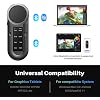
The bluetooth keypad is work with MAC, Windows and mobile device. It can work with other brands' art tablets, also work with Surface Pro, laptops, etc It is compatible with almost any creative software like PS, Lightroom, Illustrator, Final Cut Pro X, Premiere Pro, Clip Studio Paint, SAI, etc. Continuous working up to 30 hours; mini keypad will enter sleep mode after 15 minutes of inactivity, standby time up to 152 hours The macro pad body weights around 100g and features a flat bottom surface design for a comfortable grip. You can easily control brush or undo each line of drawing step-by-step with the keypad. And all these control can be done with just one hand. Enhance your drawing efficiency in a more intuitive way. The dial function and 48 customized keys make time-line control, trimming, editing video frame-by-frame like a breeze within a fingers reach and you don’t need any finger contortions to press them. Customized keys and dials boost speed with quick access to various tools (extrude, scale). They minimize menus, enhance precision, and optimize workflow—essential for professional modeling speed. 6 Groups Keys in Excel boost efficiency by quick formatting, formula entry, etc. They minimize mouse use, speed up calculations, Also can use it for media playing switch app, browse website. What's the system requirement? The programmable keypad is work with Windows, macOS, Android 8.0 or later and iOS 13 or later. You can use the default functions of Keydial without a driver. How can I customize the Keys and dials? For PC, please download the new version of the Huion driver V20, which supports setting group names, key values, and usage angles. For custom shortcut keys on mobile phones and tablets, please download the Huion Keydial app. How many Bluetooth devices can the macropad connect to at the same time? Does it support Bluetooth forced pairing? K40 features dual Bluetooth channels, allowing simultaneous connections to two wireless devices. Switch between devices with a simple click of the side key. Press the U-shaped "up" button for 3seconds to achieve the Bluetooth forced pairing function. What is the Bluetooth range? Approx. 16–33 ft. Bluetooth connection may be affected by wireless environments. Please avoid using on metal desks, keep more than 6 ft away from Wi-Fi routers, and do not use simultaneously with other Bluetooth audio devices. How do I solve the problem of Bluetooth automatically disconnecting? Please wait for about 3~6 seconds to see if it reconnects. If not, reboot the device, reconnect, and check if the PC's Bluetooth is working properly and if there are any obstructions. Founded in 2011, Huion has always been dedicated to providing high-quality pen tablets, pen displays, and pen computers to creative users. And our products not only help artists, designers, and animators to create fantastic digital masterpieces, but also bring digital ink solutions to many people around the world, changing the way they create, learn and work. We believe the world is in your hands. New release-Kamvas 13 (Gen 3) Special Edition
Brand: HUION
Compatible Devices: Laptop, PC, Smartphone, Tablet
Connectivity Technology: Bluetooth, USB
Keyboard Description: Macro
Recommended Uses For Product: Everyday Use, Gaming, Photo Editing, Programming, Video Editing
Special Feature: 48 Programmable Press Key and 12 Dials, Dual Channel Bluetooth 5.0, Keys and Dials Anti-ghosting, OLED Display, One-handed Operation See more
Color: Deep Black
Product Dimensions: 5.98"L x 2.2"W x 0.53"H
Material: Plastic
Included Components: Keydial Remote, Quick Start Guide, Storage Bag, USB Cable
Compatible Devices: Laptop, PC, Smartphone, Tablet
Connectivity Technology: Bluetooth, USB
Additional Features: 48 Programmable Press Key and 12 Dials, Dual Channel Bluetooth 5.0, Keys and Dials Anti-ghosting, OLED Display, One-handed Operation
Power Source: Battery Powered
Switch Type: Clicky
Keyboard Layout: QWERTY
Hand Orientation: Ambidextrous
Button Quantity: 10
Mechanical Keyboard Switch Model: Clicky
Minimum Required Operating System Version: Mac OS 13 Ventura, Windows 11
Compatible Operating System Family: Android, Windows
Compatible Tablet Computer Models: Apple iPad (10th generation)
Number of Keys: 60
Number of Sections: 6
Color: Deep Black
Item Dimensions L x W x H: 5.98"L x 2.2"W x 0.53"H
Enclosure Material: Plastic
Brand: HUION
Keyboard Description: Macro
Antenna Location: Everyday Use, Gaming, Photo Editing, Programming, Video Editing
Built-In Media: Keydial Remote, Quick Start Guide, Storage Bag, USB Cable
Model Number: K40
Model Name: Keydial Remote
Item Highlight: Wireless Programmable Keypad, OLED Display, Work with PC, Mac, Mobile, One-Hand Shortcut Keyboard for Drawing Tablet, Laptops
Unit Count: 1 Count
Manufacturer: Shenzhen Huion Animation Technology LTD.
Number of Packs: 1
Number of Items: 1
Mfr Part Number: K40-JP-JP
Warranty Description: 1 year
Frequently asked questions
To initiate a return, please visit our Returns Center.
View our full returns policy here.
- Klarna Financing
- Affirm Pay in 4
- Affirm Financing
- Afterpay Financing
- Zip Pay in 4
- Financing through Apple Pay
- Financing through Google Pay
Learn more about financing & leasing here.


Top Amazon Reviews
