Search  for anything...

GMKtec M6 Ultra Mini PC Gaming Ryzen 7640HS 16GB RAM DDR5 1TB SSD

  • Based on 52 reviews
Condition: New
Checking for the best price...
$499.98 Why this price?
Save $200.01 was $699.99

Buy Now, Pay Later


As low as / mo
  • – Up to 36-month term if approved
  • – No impact on credit to apply
  • – Instant approval decision
  • – Secure and straightforward checkout

Ready to go? Add this product to your cart and select a plan during checkout.

Payment plans are offered through our trusted finance partners Klarna, Affirm, Afterpay, Zip, Apple Pay, and Google Pay. No-credit-needed leasing options through Acima may also be available at checkout.

Learn more about financing & leasing here.

Selected Option

Free shipping on this product

FREE 30-day refund/replacement

To qualify for a full refund, items must be returned in their original, unused condition. If an item is returned in a used, damaged, or materially different state, you may be granted a partial refund.

To initiate a return, please visit our Returns Center.

View our full returns policy here.


Availability: In Stock.
Fulfilled by Amazon

Arrives Oct 23 – Oct 24
Order within 21 hours and 38 minutes
Available payment plans shown during checkout

Protection Plan Protect Your Purchase
Checking for protection plans...

Size: 16GB+1TB | Ryzen 5 7640HS


Features

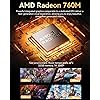
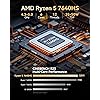
  • POWERFUL RYZEN MINI GAMING PC - GMKtec M6 Ultra is powered by AMD Ryzen 5 7640HS, 6 cores and 12 threads, up to 5.0GHz, with Radeon 760M graphics. With upgraded Zen 4 architecture, it delivers up to 30% better performance than AMD Ryzen 7 6800H and 6600U for office work, multitasking, entertainment, light content creation, and casual 1080p gaming.
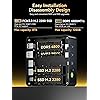
  • 16GB DDR5 RAM & 1TB SSD - The Nucbox M6 Ultra Equipped with 16GB DDR5 memory and a 1TB M.2 PCIe SSD for fast boot, quick app loading, and smooth daily performance. Dual SO-DIMM slots support up to 128GB RAM, and dual M.2 2280 SSD slots allow storage expansion up to PCIe 4.0 8TB.
  • DUAL 2.5G LAN FOR FAST NETWORKING - Two 2.5GbE RJ45 ports deliver faster and more flexible wired connections than standard 1G Ethernet. This GMKtec mini pc is ideal for office networks, NAS access, home lab, server use, router setups, firewall, Pfsense, streaming, and stable online work.
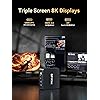
  • TRIPLE DISPLAY & USB4 8K OUTPUT - Connect up to three displays through HDMI 2.0, DisplayPort, and USB4 to build an efficient workstation. USB4 supports up to 8K@60Hz display output, high-speed data transfer, and versatile device connection. Ideal for remote workers, students, home offices, and small business desks.
  • FAST WiFi 6E, BT5.2 & FULL-FUNCTION PORTS -Enjoy fast internet with WiFi 6E, plus Bluetooth 5.2 for quick connection to wireless keyboard, mouse, headset, speakers, and other peripherals. This mini computer includes 3 USB 3.2(Gen2), 1 USB 2.0, HDMI 2.0 4K@60Hz, full-function USB4, DisplayPort, 3.5mm audio jack, and DC power port. Dual-fan cooling design helps keep performance steady during everyday work.
  • READY FOR WORK - Includes VESA mount, HDMI cable, and power adapter for quick setup in home office, business, media center, study room, meeting room, and workstation environments. Backed by GMKtec support and a 3-year limited warranty (1 year replacement + 2 years parts replacement) for GMKtec mini PC, starting from the date of the purchase effective on all sales starting Oct. 2026.

Description

3 Year War~ranty, 24Hr Support. Amazing discounts for Business Buyers. Follow our brand for deals and updates. Shenzhen GMK Technology Co., Ltd is a high-tech enterprise integrating scientific research, development, production and sales of Mini PC and Computer Accessories. Our company was established on June 6, 2019 and our core team is composed of engineers with 20 years of experience in consumer electronics. It was our shared dream that brought us together as GMKtec. GMKtec manufactures professional Mini PC computers. Introducing the Improved Nucbox M6 Ultra Small PC with an upgraded dual cooling fan system. Quick Boot with Pre-installed OS and use the mini computer right out of the box! Watch the Radeon 760M graphics handle popular games and discover what the M6 Ultra can deliver in such a compact design. See how the Ryzen 5 7640HS Mini PC performs in everyday work, multitasking, media playback and video editing demanding applications. Take a closer look at the internal cooling design, dual memory slots, dual M.2 SSD slots, and easy-access upgrade layout. The video walk you through BIOS settings which includes Automatic Power On, 3 Power Modes (Quiet, Balanced, Performance) and Smart FAN CPU adjustment settings! You can flexibly adjust the settings to suit different usage scenarios and preferences!

Brand: GMKtec


Operating System: OS


CPU Model: AMD R Series


CPU Speed: 5 GHz


Cache Size: 16 GB


Graphics Card Description: Integrated


Graphics Coprocessor: Radeon 760M(2600MHZ)


Memory Storage Capacity: 16 GB


Specific Uses For Product: Home Entertainment & Gaming, Professional Work & Video Conferencing, Education & Digital Signage, Stock trading, HTPC, Business Computer, Office PC, Everyday Multimedia Tasks See more


Personal computer design type: Mini PC


Operating System: OS


Specific Uses For Product: Home Entertainment & Gaming, Professional Work & Video Conferencing, Education & Digital Signage, Stock trading, HTPC, Business Computer, Office PC, Everyday Multimedia Tasks


Personal Computer Design Type: Mini PC


Color: Black|16GB+1TB


Additional Features: Dual 2.5G LAN Ports, Dual-Fan Cooling Design, Radeon 760M Graphics, USB4 8K Output, WiFi 6E + Bluetooth 5.2


Hard Disk Description: SSD


Hardware Interface: 3.5mm Audio, Bluetooth 5


Item Weight: 3.5 pounds


Video Output Interface: HDMI


Hard Disk Interface: PCIE x 16


Style Name: M6 Ultra Ryzen 7640HS


Total Expansion Slots Quantity: 2


Video Output: HDMI,DisplayPort,USB4


Cache Memory Installed Size: 16 GB


Memory Storage Capacity: 16 GB


RAM Memory Installed: 16 GB


RAM Memory Technology: DDR5


Ram Memory Maximum Size: 128 GB


Memory Speed: 4800 mt_s


RAM Type: DDR5 RAM


Memory Clock Speed: 4800 MHz


Display Resolution Maximum: 8192 pixels


Resolution: 3840 x 2160


Total Usb Ports: 5


Total Number of HDMI Ports: 1


Number of Component Outputs: 3


Total Thunderbolt Ports: 1


Brand: GMKtec


Model Number: M6 Ultra


Model Name: M6 Ultra


Built-In Media: 1 x GMKtec Nucbox M6 Ultra Ryzen 7640HS Mini PC, 1 x Power Adapter, 1 x VESA Mount with Screws, 1 x HDMI Cable, 1 x User Manual


Processor Brand: AMD


CPU Model Number: AMD Ryzen 5 7640HS


Warranty Description: 3-Year Limited Warranty (1 Year Replacement + 2 Years Parts Replacement)


Unit Count: 1 Count


Manufacturer: Shenzhenshi Jimokekejiyouxiangongsi


Graphics Description: Integrated


Graphics Coprocessor: Radeon 760M(2600MHZ)


Graphics Card Ram: 16 GB


Graphics Ram Type: DDR5 SDRAM


Graphics Card Interface: Integrated


Processor Series: AMD R Series


Processor Speed: 5 GHz


Processor Socket: TSMC 7nm FinFET


Processor Count: 1


CPU Model Speed Maximum: 5 GHz


Connectivity Technology: Bluetooth, Ethernet, HDMI, Thunderbolt, USB, Wi-Fi


Human-Interface Input: Buttons


Frequently asked questions

If you place your order now, the estimated arrival date for this product is: Oct 23 – Oct 24

Yes, absolutely! You may return this product for a full refund within 30 days of receiving it.

To initiate a return, please visit our Returns Center.

View our full returns policy here.

  • Klarna Financing
  • Affirm Pay in 4
  • Affirm Financing
  • Afterpay Financing
  • Zip Pay in 4
  • Financing through Apple Pay
  • Financing through Google Pay
Leasing options through Acima may also be available during checkout.

Learn more about financing & leasing here.

Top Amazon Reviews


  • Very capable mini-computer that performs well and runs surprisingly cool.
Size: 16GB+1TB | Ryzen 7 H 255
UPDATED REVIEW: I have revised BIOS CHANGES to remove information subsequent testing found was of little value, PERFORMANCE to provide additional comparative encoding test results, and CONCLUSION AND RECOMMENDATION to correct my external GPU reference. The GMKtec NUCBOX K12 is well built and a very capable mini-PC and arrived with the following configuration: • AMD RYZEN 7 H 255 CPU, which has 8 Cores, 16 Threads, Zen 4 Architecture, a Base Frequency of 3.8GHz, Max Boost up to 4.9GHz, and 8MB L2 Cache / 16MB L3 Cache. • AMD RADEON 780M iGPU, featuring 12 raytracing acceleration cores, 768 shading units, 48 texture mapping units, and 32 ROPs, which support multiple displays simultaneously with a resolution of up to 8K. The iGPU is operating at a frequency of 800 MHz, which can be boosted up to 2900 MHz. • 16GB DDR5 SDRAM 5600MHz, expandable up to 128GB. The installed 2 x 8GB RAM sticks were manufactured by TWSC (i.e., Shenzhen Techwinsemi Technology Co., Ltd. in China). • 1TB SSD, installed in the M.2 2280 PCIe 4.0 x4, and two empty M.2 2280 PCIe 4.0 x2, with all 3 slots capable of up to 8TB (total 24TB). The installed 1TB SSD (eKitStor Xtreme 200EPCIE) was unknown to me. After a bit of research, I found it is manufactured by BIWIN Storage Technology Co., Ltd. in China (see Photo). • Networking components include 2 x 2.5G Ethernet LAN (Realtek 8125BG) and WIFI 6E / Bluetooth 5.2 (MediaTek RZ616 module supporting bands 2.4 GHz, 5 GHz, 6 GHz). • Quad screen 4K/8K display support via HDMI 2.1 (up to 8K@120Hz), Display Port 1.4 (4K@60Hz), USB 4, and USB Type-C transfer speed (supporting PD3.0/DP1.4/DATA). This is ideal for gaming, video editing, and multitasking; supports simultaneous multi-display output; and provides expansive and crisp multi-display support. • DUAL COOLING FANS: 1) a CPU fan and vapor chamber with advanced thermal design of heatpipes and surround airflow conduct heat away from the CPU; and 2) a massive cooling fan sits atop the K12 to provide cooling of the SSD and RAM area. • OCULINK PORT (PCle Gen4 x4), which supports GMKtec’s external RTX 40 Series GPU and likely others. OCulink) provides the interface needed to enable higher bandwidth capabilities, better frame rates and lower lag. Gamers and content creators can benefit from OCulink's higher bandwidth, resulting in better performance and lower lag for eGPU setups. Caution: The OCulink port does not support hot-swapping, meaning you will need to power off the device before connecting or disconnecting the OCulink cable. • Operating System: Windows 11 Pro preinstalled. UNBOXING AND INITIALIZING --- The K12 is considerably larger than either my K8 Plus or EVO-X1 and can be laid flat or stood up on its side. As with the EVO-1, I particularly like the ability to place it flat or stand it up on its side. The smaller size power supply is also appreciated. Initializing was straight forward and I found all systems clean after running Malwarebytes and a full Windows Security scan. After everything checked out, I proceeded with the many Windows Pro and security updates. I have included a few photos of the K12, including 4 photos as I opened my K12 to see what components were inside and 1 photo of my set-up which, from right to left include the GMKtec K12, EVO-X1 and K8 Plus. TO AMAZON: All serial numbers have been erased in the photos. BIOS CHANGES --- BIOS entry is via the ESC key rather than the Delete key. On the BIOS Main page, Power Mode Select offers settings for Quiet, Balance or Performance Power Mode. The Power Mode was pre-set to Balance, which, for the reasons I describe below under Thermals, I set to Performance. WIFI AND BLUETOOTH --- I found no connectivity issues with WiFi or Bluetooth. ISP SPEED --- We have 1Gbps ISP service and a 6E router. When connected directly to my LAN via CAT 6 Ethernet Cable to one of the two 2.5 Gbps LAN ports, download speeds are 936 Mbps and upload speeds are at 918 Mbps. When WiFi 6E connected, download speeds are 886 Mbps and upload speeds are 920 Mbps (see Screenshots). CONNECTIVITY --- The K12 provides all the necessary connectivity. Front ports include: 1 x USB2.0, 2 x USB3.2 GEN 2, 1 x Type C (PD/DP/Data), 1 x CMOS (to CMOS), and 1 x 0.35mm audio jack. Rear ports include: 1 x HDMI2.1, 1 x USB4.0 port, 1 x DP1.4, 1 x OCulink (PCIE GEN4x4), 1 x USB2.0, 1 x USB3.2 (Gen2), 2 x 2.5G LAN, and 1 x 0.35mm audio jack. THERMALS --- The K12 maintains acceptable operating temperatures, which I improved slightly when placing it vertically. During intense processing, with BIOS set to Balance Power Mode, I observed the following maximum sustained temperatures: CPU at 71°, SSD at 38° C, and GPU at 53° C. During intense processing, with BIOS set to Performance Power Mode, I observed the following maximum sustained temperatures: CPU at 80°, SSD at 39° C, and GPU at 58° C. The fact that temperature did not change much was a very pleasant surprise and an indication of just how effectively the dual cooling system performs. This is especially important for the SSDs, which can get very hot and degraded when not properly cooled. POWER USE --- Under intense processing Balance Power Mode uses 54 watts, while Performance Power Mode uses 70 watts. Those using the K12 for gaming will want to set the BIOS for Performance power for better overall game performance. FAN NOISE --- I tested both the Balance and Performance Power Mode settings under intense processing and noted Balance Power Mode fan noise at 39dbA, while Performance Power Mode fan noise at 45dbA. BENCHMARKS --- PassMark benchmark results are expressed as my “K12 vs. the world” scores and percentiles. I ran PassMark using Balance and Performance Power Modes to determine any differences. There were few and the results were as follows (see Screenshots): Balance Power Mode 63rd percentile overall, 78th percentile for CPU Mark, 65th percentile for 2D Graphics Mark, 37th percentile for 3D Graphics Mark, 45th percentile for Memory Mark, and 86th percentile for Disk Mark. Performance Power Mode 64th percentile overall, 79th percentile for CPU Mark, 65th percentile for 2D Graphics Mark, 37th percentile for 3D Graphics Mark, 47th percentile for Memory Mark, and 86th percentile for Disk Mark. Geekbench 7 Benchmark provided CPU a 2265 Single-Core Score and a 12935 Multi-Core Score, with a GPU Benchmark OpenCL Score of 27261. Cinebench R23 Benchmark provided a CPU (multi-core) performance score of 16706 pts, a CPU (single-core) performance score of 1727 pts., and a MP Ratio of 9.67x (see Screenshots). CrystalDiskMark was run to assess the read/write speeds of the SSD provided by GMKtec (see Screenshot). Because I knew nothing about this particular manufacturer, I was pleased with these results (see Screenshot). PERFORMANCE --- My current focus is on the transcode of my DVD collection and other videos to my desired MP4 format for placement onto my Plex Server. In that regard, processing time and, more importantly, the system operating temperatures are important considerations. I ran a parallel transcoding test of the same video using my GMKtec K8 Plus (AMD Ryzen 7 8845HS and 64GB RAM) and K12. The K12 processing time was on par with the K8 Plus, but the operating temperatures were substantially lower, especially for the SSDs. That makes the K12 it a winner for me. After submitting my initial review, I compared HandBrake encoding performance on three of my GMKtec computers, the EVO-X1, K8 Plus and K12, I did this by encoding a 15.99 GB MP4 file using HandBrake (ver. 1.11.2) with a preset of H.265 10-bit (x265) set at Medium / RF 21. All three resulted in file compression from 15.99 GB to 1.77 GB with video and audio quality acceptable to my Plex server needs. I realize the EVO-X1 is the far more powerful of the three, but it was included to satisfy my curiosity. The comparative results were as follows: Computer CPU / GPU Full encode time HandBrake avg. FPS x265 FPS Relative speed EVO-X1 Ryzen AI 9 HX 370 / Radeon 890M 2:06:09 71.73 fps 72.65 fps 100% K8 Plus Ryzen 7 8845HS / Radeon 780M 2:24:27 62.64 fps 63.45 fps 87.3% K12 Ryzen 7 H 255 / Radeon 780M 2:32:12 59.45 fps 60.22 fps 82.9% Using K12 as the baseline: • K8 Plus is 5.4% faster than K12. • EVO-X1 is 20.7% faster than K12. • EVO-X1 is 14.5% faster than K8 Plus. This test confirmed that K12 encoding time, though modestly slower, is on par with that of the K8 Plus. For me, that is an acceptable trade-off given the K12’s significantly cooler operating temperatures. CONCLUSION AND RECOMMENDATION --- The K12 is a quality build and performs very well without the thermal issues common to many other mini-PCs. Performance is generally as I had hoped and it achieves a high level of parallel processing, at a fast speed, and at significantly lower operating temperatures. Thermal performance is impressive and a testament to the improved cooling system. When set to Performance Power Mode, the K12 will perform well with older, less demanding games. This is particularly true for my limited configuration of 16GB RAM. In my case, due to the very high cost of RAM these days, I conclude that serious gaming or media transcoding would improve substantially if the K12 is paired with GMKtec’s AD-GP1 External GPU Docking Station, or another such device. What I like: 1) 3 x M.2 slots, which provide a lot of user flexibility, including the use of two SSDs in a RAID 0 or RAID 1 configuration for storage, backups, or even a Plex server. 2) Noticeably improved cooling, especially when operating with BIOS set to Performance Power Mode, which will extend component life…most particularly the SSDs. 3) Vertical/horizontal placement options. 4) WIFI 6E, which pairs nicely with an in-home LAN set-up. 5) Multiple ports, including OCulink, that afford a wide range of connectivity choices. What I don’t like or wish I had done: 1) The included SSD was of a brand unknown to me and I had expected either Crucial or Samsung as described by other reviewers. That said, this SSD tested and performs well and I suspect AI build-out has manufacturers scrambling for the components needed to build their products, creating component variability. That said, I suggest GMKtec add words to that effect in product description. 2) I wish I had more RAM. If costs weren’t so crazy high, I would have purchased the 32GB RAM version, which would have greatly improved gaming performance and, to some extent, processing speeds. ... show more
Reviewed in the United States on September 11, 2026 by Lou

  • A great desktop computer in a very small box.
Size: 16GB+1TB | Ryzen 7 H 255
I bought this computer last week at its current price of $639, and at that price it is a steal. It comes with a Ryzen cpu powerful enough to run everything you can throw at it, and the 780M integrated graphics runs my 32-inch monitor at 3840 by 2160 at 120 Hz (twice the refresh rate that 760M can support). It only has one USB 4.0 port :( The front Type-C port runs at Gen 3 speed. It fully supports Linux (I'm running Zorin, and it found all my hardware including both wired Ethernet and WiFi 6E as well as my two wireless HP printers). Dropbox works without a hitch, and Libre Writer is a great substitute for Microsoft Word 365 (though I'm sure some rarely-used features are not fully available). Reviews say it runs almost every computer game except for games using deep-level anti-cheat features (I am not a gamer). You get 32Gb of DDR-5 RAM as well as a no-name 1TB 4th gen SSD card with a heat-sink. It can hold two additional SSDs though only running at half speed. You can upgrade the RAM by replacing the two provided 16Gb sticks with two 32Gb sticks, but the cost of that upgrade is about $800 (perhaps you can recover some of the cost by selling the old sticks on EBay). I have found no improvement from going from 32Gb to 64Gb, and stopped doing that at least a year ago in my desktop computers. Windows booted immediately and did not require a Microsoft account to install. It, too, found all my hardware. You can find provided software on the GMKtec web site. I have built perhaps 50 computers for my own use over the years (I still have 3). This is my last computer. I can do video editing (with OBT or DaVinci Resolve) and sound editing (with Audacity). I can revise my books. I can update my spreadsheets. I can watch Youtube videos with Brave or any other web browser (including Microsoft Edge). My password manager works. I have a great computer and I have my desk space back. ... show more
Reviewed in the United States on August 6, 2026 by Howard

  • Plenty of power in a small versatile package
This little machine packs plenty of punch with 8 physical cores and 16 threads. It's like a desktop in a very small form factor and will handle all your common tasks, web browsing, 4k video playback, graphics editing, document editing, coding/development with ease. The computer itself is about the size of a game pad, and is very quiet and almost silent under low load. The fan will ramp up when the CPU is being pushed and is audible, but wouldn't say overly load. Given its small size, it's somewhat expected, as it needs to push a lot of air to cool the CPU in such a small space. It has two 2.5Gbps ethernet ports which is not very common. This may be overkill for most people, but using NIC teaming you could achieve 5Gbps. Another use case is turning it into a router by installing an open source router OS and achieving internet speeds > 1Gbps (I may actually try this in future, and will update this review if I do so). I have a 1.2Gbps internet plan and was able to hit 1.4Gbps download speeds. Granted, the use cases I just mentioned also require that you have adequate networking equipment (router and switches) that can also achieve 2.5Gbps port speeds. As for gaming, it's using integrated graphics, 680M, but you can achieve 50-60 fps at 1080p resolutions with pc games. I was really surprised when it came to emulation, it's actually able to emulate PS3 pretty well, see the video in my review. You need a decently powerful machine to emulate PS3, and it can be finicky with settings, so your mileage may vary. But you won't have any problems emulating previous consoles like the wii/wii u, gamecube, ps2, dreamcast, saturn, etc. will all run well. With the DisplayPort connection to my monitor, I was able to achieve 4k@144Hz with HDR and 10-bit color depth. I actually had a problem with the HDMI connection that I was able to sort out in the end, but thought I would mention it in case someone else runs into it. My monitor was set to HDMI v2.1, but the port on this computer is only 2.0 according to GMKtec support (who responded quickly). Windows was letting me set the resolution to 4k@120Hz which should not be possible on HDMI 2.0. This would initially work, and made me think that the port was actually a 2.1 port. But once the computer would go to sleep, waking the computer from sleep there would be no picture. Even setting the refresh back to 60Hz did not fix this issue. In order to fix it, I needed to change the setting in my monitor to HDMI 2.0. Once I did this, the computer would display an image again once it woke up from sleep. I tested a second monitor I had laying around, which is only a 4k@60Hz monitor and there were no issues with that monitor at all. I would recommend using the DisplayPort instead of HDMI, as it provides a better signal. With HDMI, I could only achieve 4k@60Hz, HDR, and 8-bit color depth. While I haven't tried it, you can supposedly drive 3 x 4k@60Hz monitors by utilizing the HDMI, DisplayPort, and USB-C port. I think this little machine has a lot going for it and is versatile with the dual 2.5Gbps ethernet ports giving you options down the road. ... show more
Reviewed in the United States on April 23, 2024 by flluke

  • Great expansion potential in a tiny box, but budget for RAM upgrade
I picked up the K12 to replace my bulky desktop, mainly to handle light gaming, streaming, and running a few network services. After using it for a couple weeks, here are the real details you care about before buying. The Ryzen 7 chip with 780M graphics is surprisingly capable. Games like Valorant or Rocket League easily stay smooth at 1080p. For heavier games, you will definitely need to drop settings to low or mid and rely on FSR, but it keeps things playable without choking. The main reason to buy this specific mini PC over others is the layout inside. It has three full size M.2 slots. Fitting three NVMe drives inside a box this small is crazy rare and means you can add terabytes of storage without dangling external drives off the back. Having an Oculink port alongside USB4 is also a huge plus if you want to connect an external graphics card later, since Oculink bypasses the performance drops you usually get with USB or Thunderbolt docks. The dual 2.5G network ports are just icing on the cake if you want to turn it into a soft router or media server later. A few real world tradeoffs to consider. The 16GB of RAM is fine out of the box, but remember the built in graphics borrow from system memory. If you leave a ton of browser tabs open while gaming or running a local server, you will feel the squeeze. Budget to drop in a 32GB kit eventually. Accessing the slots is easy enough, so at least it is not soldered down. Noise is the other factor. During normal web browsing or watching video, it is quiet. Once you push the CPU or GPU during gaming, the dual internal fans speed up and you will definitely hear them. It is more of an air swoosh than a high pitched whine, but in a quiet room without headphones on, you will notice it. Windows 11 came preinstalled without extra junk, so setup took less than ten minutes. If you want a tiny machine with massive expansion potential that does not take up your whole desk, this is worth it. ... show more
Reviewed in the United States on October 23, 2025 by Kuri K

  • 95% good
Size: 16GB+1TB | Ryzen 5 7640HS
Had an issue when it first booted up and it restarted on its own, but working like a champ since (knock on wood)
Reviewed in the United States on September 2, 2026 by Chris

  • I built a simple NAS unit for backing up my LAN computers
All products mentioned by name below, were purchased at Amazon. It's now 6/5/2026 and I've returned to update my review. Unfortunately, Amazon has it attached to a product different than the one I purchased. The product I bought was/is great and I intended to report not a single problem in the 10 months I've owned it. However, since I know nothing about the product this is attached to, this review is now a fraud. I considered buying a ready-built NAS unit to store computer backups. I also want to periodically rotate disk currently in use with one in a safety deposit box. The problem is that most NAS boxes 1) don't format disks in a way that can easily be used for recovery and 2) format disks when they are introduced. I was told that a mini PC could be bought with Windows 11 PRO preloaded and without the BIOS loaded with pseudo security features that would further complicate system restores. With that in mind, I picked then ordered the mini PC that I am reviewing now. It is configured thusly: My monitor resolution is 3840 x 2160 with 10bit color connect to the HDMI port (another computer shares the monitor via Display Port); the keyboard and mouse are shared using a USB switch to do the job of a KM (not a KVM) connection; the external disk was originally a 4T Samsung 870 EVO in a ORICO 2.5'' External Hard Drive Enclosure USB 3.0 to SATA III. That enclosure runs just fine on the power from a USB port on the mini PC. The first lesson I learned is that the speed of the EVO is wasted because the 1Gb/s LAN going full tilt bogey can only bring a little over a 100MB a second to my little server. So I now have a NewerTech Voyager S3 attached. The S3 has external power so I could use an HD, even a 5400RMP enterprise high quality disk if I wish because of the LAN bottleneck. The S3 has another advantage if you put an SSD in it; the OS can tell it's an SSD and can schedule trims on it. That's impossible with the ORICO. I bought my mini about 7 weeks ago. I set it up to not sleep. While I believed that its BIOS would allow me to set Wake Up on Magic Packet, there seemed to be no easy way to get LAN computers to send one before trying to back themselves up. I shut the computer down each night since I did not know how much heat the little guy would generate. I did use a thermal gun while it was doing various tasks and never say the heat go above 100F. So I ordered a Gianotter 4-Tier Paper Organizer With Magazine Holder, that was probably meant to server as a modern looking office in box. It has 4 shelves made of wire mesh - good for air flow and heat dissipation - spaced about 2.5" apart. The use of shelves: Level 1 is a 1Gb/s switch; Level 2 is the mini PC; Level 3 is empty; Level 4 is the Voyager S3 and my cell phone is there too. The second and third shelves slide forward and out if you want. That is one thing that makes the wire routing easier. Other things are the front is open and, other than the four corners, the only vertical pieces are two very thin metal cylinders on each side and the back. It's sturdy and dose not wobble or buckle. Since I have inserted this structure, the mini does not sleep. I only login to it a few times a week to see if Windows has done something obnoxious and needs to reboot. So far there have been no errors or suspicious behavior observed. I think this is a good way to put shared storage capability on a LAN. The LAN and disk speeds are adequate for my application. I'm not sure I would be as happy trying to do Photo Shop batch processing using this for a remote disk. Backups happen in the middle of the night and blazing speed isn't necessary. So far I'm quite enthusiastic. If I think about it in a few months, I'll update this review with a mini status report. ... show more
Reviewed in the United States on September 14, 2025 by Dragoneer

  • Great PC so far, but defective DisplayPort out of the box
Size: 16GB+1TB | Ryzen 5 7640HS
I really wanted to give this 5 stars because the PC itself has been fast, quiet and has performed great so far. Unfortunately, the unit I received has an issue with the DisplayPort. I’m using two identical new monitors. The one connected through HDMI works perfectly, but the monitor connected through DisplayPort initially wouldn’t display anything. After doing all the updates and troubleshooting, I was eventually able to get a picture, but it still isn’t being detected correctly and the image quality is noticeably worse than the identical monitor on HDMI. For a brand-new computer at this price, I shouldn’t be troubleshooting a defective display connection on the first day. I’ve contacted GMKtec support and am giving them the opportunity to make it right. I’ll update my review based on how the replacement/support process goes. ... show more
Reviewed in the United States on August 24, 2026 by Liz

  • Died after two months, but the warranty support got me a new one (thanks, Lara)
Size: 32GB+1TB | Ryzen7 7735HS
Bought the K16 (Ryzen 7 7735HS, 32GB, 1TB) to run as a headless Ubuntu box. It ran great for about two months, then took an out-of-memory crash and never came back. Fans spun, but no POST, no BIOS, no video on any monitor or cable. I pulled the SSD and tried to boot on RAM alone. Still nothing. Dead motherboard, apparently. The five stars are because of the support. It was top notch. I filled out the after-sales form and heard back from Lara on their support team the next day. No arguing, no hoops to prove it wasn't my fault. She had me confirm the troubleshooting I'd already done, then said they'd replace it under warranty. A prepaid return label showed up a few days later. I shipped the dead one back, they confirmed it at the warehouse, and a new machine with the same config went out. The hardware is a lot of computer for the money when it works, and mine may have just been a lemon. What sold me was that GMKtec stood behind it without a fight. Lara was quick and easy to deal with the whole way, and never made me feel like I was the problem. I'll buy from them again. ... show more
Reviewed in the United States on September 21, 2026 by J. Ryan Stewart

Can't find a product?

Find it on Amazon first, then paste the link below.
Checking for best price...