Search  for anything...

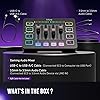
FIFINE Gaming Audio Mixer, Streaming RGB PC Mixer with XLR Microphone Interface, Individual Control, Volume Fader, Mute Button, 48V Phantom Power, for Podcast/Recording/Vocal/Game Voice-AmpliGame SC3

  • Based on 4,683 reviews
Condition: New
Checking for the best price...
$52.99 Why this price?
Save $23.99 was $76.98

Buy Now, Pay Later


As low as $8.83 / mo
  • – 6-month term
  • – No impact on credit to apply
  • – Instant approval decision
  • – Secure and straightforward checkout

Ready to go? Add this product to your cart and select a plan during checkout.

Payment plans are offered through our trusted finance partners Klarna, Affirm, Afterpay, Zip, Apple Pay, and Google Pay. No-credit-needed leasing options through Acima may also be available at checkout.

Learn more about financing & leasing here.

Selected Option

Free shipping on this product

FREE 30-day refund/replacement

To qualify for a full refund, items must be returned in their original, unused condition. If an item is returned in a used, damaged, or materially different state, you may be granted a partial refund.

To initiate a return, please visit our Returns Center.

View our full returns policy here.


Availability: 15 left in stock
Fulfilled by Amazon

Arrives Monday, Aug 31
Order within 7 hours and 33 minutes
Available payment plans shown during checkout

Protection Plan Protect Your Purchase
Checking for protection plans...

Material Type: Black


Features

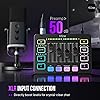
  • [XLR Mic Input] One XLR microphone input interface is set on the gaming audio mixer, which is great to up your audio quality with your XLR setup. The XLR mixer is a stepping stone to upgrade your live streaming. Audio mixer offered built-in 48V phantom power which opens up more choices for mics. Directly use it with your condenser microphone but do not solve added peripherals. (NOT available for USB mic)
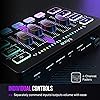
  • [Individual Channel Control] Gaming audio mixer for one mic recording with smooth volume slider fader take your streaming recording to a whole new level with full pleasure. Four independent channels set on the DJ mixer give audio volume of the MICROPHONE, LINE IN, HEADPHONE, and LINE OUT channels individual control. Configurable on the PC audio mixer instead of just operating on your game or streaming software.
  • [Mute and Monitor] The front mute and monitor buttons but not at the back, make it easier to get the audio interface use. Ability to mute audio, the audio mixer for streaming prevents background noise from damaging your live broadcast. Real-time feedback between speaking and hearing will not distract your attention, which encourage you to speak more confidently. The sturdy-built control button allow you to operate freely and easily during live streaming.
  • [Sound Effects] The computer sound mixer supports four pre-recorded customized button that can be recorded and activated at the press of button to post production. 6 kinds of voice changing modes change your output style. 12 auto tune changes the tone of your voice. The podcast mixer being able to add different and fun effects is a huge bonus for your streaming or game voice.
  • [Controllable Vibrant RGB] RGB button on the audio mixer DJ meets different live streaming themes. Lights on the video mixer is vibrant but not harsh on your eyes. Flowing or frozen RGB color rotation in a decent pace presents a greatly strong impression as a "light show" to your audience. Even a streaming equipment accessory will not be dull looking when video production.
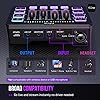
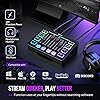
  • [Easy Use for More Scenes] The streamer setup mixer features easy and intuitive audio port to support two PC settings or audio mixing, able to physically balance music, game or audio settings. Plug 'n play solution works well with Mac OS/Windows. The computer DJ mixer for beginners brings breadth to live streaming on OBS, online chat on Twitch, Youtube/Tiktok video creation. The audio mixer is set with two input and two output interface (Mic and Line in, Headphones and Line out) and a headset interface.
  • Tips: 1.) USB-C to USB-A/C cable used to connect mixer and computer via Type-C interface on the mixer. 3.5mm to 3.5mm audio cable used to connect mixer and 3.5mm audio device (like phone or tablet) via LINE IN on the mixer 2.) XLR cable NOT included. Audio quality may be influenced by XLR cable specifications like length, shielding or connector condition. It is recommended use a shielded one. 3.) Input Interface: Mic, LINE IN and Headset. 4.) Output Interface: Headphones, LINE OUT and Headset.

Description

Keep Leveling Up for Your Game Victory Gaming Audio Mixer-SC3 Gamer Audio Mixer-SC8 Gaming Audio Mixer-SC3W Audio Interface-SC1 Gaming Set Bundle-KS5 Headphones Amplifier-N6 Low-Noise Line Mixer-N5 Can I adjust the mic gain by using this audio mixer? Sure! The audio mixer comes with mic volume fader. You can push the fader gradually from the zero until desired loudness depending on your mic gain. When do I need to turn on the 48V phantom power? The mixer offers 48V phantom power for XLR condenser mic. Check the mic's specs. Press "48V" button to turn on (in white light) if needed. Turn it off if not needed to avoid damage or noise. Phantom power does not enhance mic volume. Can I use the audio mixer with a condenser mic or dynamic mic? Yes, the audio interface has XLR input for condenser mic or dynamic mic (but not compatible for USB mic). Remember to switch to "Dynamic" or "Condenser" according to the element of your mic by using the switch beside the XLR input to minimize noise. What headphones can I use with this audio mixer? It is suggested to use 3.5mm wired headphones (TRS or TRRS) whose impedance is 32 or 64 ohms. Like Fifine H8 (ASIN: B0B6BPVS3Z). Please note that the MIC MONITOR button is turned on and HEADPHONE channel volume not to zero during monitoring. Can I listen to my voice while recording on a Windows computer? Yes. Just make sure that the mixer is set as the output and input device of the computer, then check the box "Listen to this device" from the sound setting, and turn on the MIC MONITOR button on the mixer. (MIC MONITOR button in white means on)

Brand: FIFINE


Number of Channels: 4


Product Dimensions: 4.44"D x 6.45"W x 1.6"H


Item Weight: 0.5 kg


Connectivity Technology: USB, XLR for Mic Input


Number of Channels: 4


Connectivity Technology: USB, XLR for Mic Input


Power Source: USB-C for Power Supply


Frequency: 2000 hertz


Output Connector Type: 3.5mm Jack for LINE OUT, 3.5mm headphones Jack


Audio Input: XLR


Voltage: 48 volts


Item Dimensions D x W x H: 4.44"D x 6.45"W x 1.6"H


Item Weight: 0.5 kg


Brand Name: FIFINE


Number of Items: 1


Manufacturer: FIFINE


UPC: 850035565933


Unit Count: 1 Count


Included Components: 3.5mm to 3.5mm Audio Cable*1, Gaming Mixer*1, USB Cable*1, User's Manual*1


Item Type Name: Mixer - Unpowered


Model Number: SC3


Manufacturer Part Number: ABCD2302SC3


Warranty Description: 1 year manufacturer.


Frequently asked questions

If you place your order now, the estimated arrival date for this product is: Monday, Aug 31

Yes, absolutely! You may return this product for a full refund within 30 days of receiving it.

To initiate a return, please visit our Returns Center.

View our full returns policy here.

  • Klarna Financing
  • Affirm Pay in 4
  • Affirm Financing
  • Afterpay Financing
  • Zip Pay in 4
  • Financing through Apple Pay
  • Financing through Google Pay
Leasing options through Acima may also be available during checkout.

Learn more about financing & leasing here.

Top Amazon Reviews


  • Perfect Starter Mixer for New Gamers & Creators
Material Type: Black
The FIFINE AmpliGame SC3 is honestly a great little mixer if you’re just getting into gaming or content creation. It’s super easy to use, plug it in, slide a few faders, and you’re good to go. The individual controls make it simple to dial in your mic and game audio without feeling overwhelmed, and the mute buttons are clutch during streams. Having an XLR input with 48V phantom power is a huge bonus for anyone starting with a “real” mic. It gives you room to grow without needing expensive gear right away. The RGB lighting adds a nice touch to your setup, and the monitoring + voice change features are fun to play around with. If you’re new to streaming or recording and want something that feels professional but doesn’t require a ton of learning, the SC3 is a solid pick. Clean audio, easy controls, and beginner friendly all around. ... show more
Reviewed in the United States on August 8, 2026 by Brett

  • High Quality sound for a Small Price!
Material Type: White
As a YouTube content creator, I was looking to have the highest quality audio I could get without spending a lot of money in the process. There are other microphones and audio mixers that are extremely expensive to get the professional sound, hundreds of dollars. FiFine offers a perfect solution to that by providing us with this high-quality equipment for a fraction of the price. I love my SC3! It does everything I need it to do. XLR, mute buttons, custom buttons to record to, it is the perfect audio mixer for an affordable price. The RGB lights makes it fun to use and create a really well created design. I love that I could simply plug this audio mixer in as soon as I received it and it was extremely easy to setup. I would completely recommend the SC3 audio mixer if you are a content creator looking to have high-quality sound without spending a lot of money in the process. ... show more
Reviewed in the United States on March 24, 2026 by Michael Singleton

  • Great mixer, Plug and play
Material Type: Black
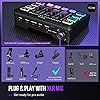
First of all, this mixer is great. I was debating on buying this mixer for about 1 year, but I’m glad I did. I’ve used this audio company for very many years now. It doesn’t come with a microphone or XLR cable, but you can easily order one for $10 extra from Amazon. The mic monitor feature sounds great. It does have a soundboard, voice changer, and auto tunes to different keys. The voice changer and auto tune sounds great! The only downside is the soundboard sound quality, it sounds kinda bad, but you can just get a soundboard program for that. It’s compact, and easily fits on your desk, without taking up too much room. The volume sliders are easy to use, and go from basically no volume, to really loud making the microphone too loud at times, but all you do is turn that slider down. This mixer is plug and play, meaning you don’t have to install any programs. You can use it on mobile, it’s just harder to setup and requires a pc or laptop. It supports XLR and aux cord inputs. You can even use a wired headset instead of a professional microphone with it as the input. FIFINE’s customer service is also great. I had a small issue with one of their microphones, and instead of them sending me literally a mute button. They sent me a whole new unit for free, and told me to keep mine as well. They also had fast response. They literally emailed me back within 30 minutes of me emailing them, and I received the new unit within 7 days. I’d say cleaning the buttons is hard, but other than that, I’d recommend buying this! Build quality: 10/10 Sound quality: 10/10 Durability: 10/10 Ease of use: 10/10 Accessories: 8/10 (could include an XLR cable) Overall rating: 9.6/10 ... show more
Reviewed in the United States on June 16, 2026 by Heidi

  • Best Budget Audio interface, incredible Value!
Material Type: Black
The Fifine SC3 is an awesome XLR interface! It’s just plug and play no software and it’s easy to use. It has RGB Lighting, a 48v (Phantom boost) voice changer , individual mutes for each input. It supports XLR 2.5mm inputs and it has 4 programmable buttons that are easy to use. All you have to do is hold down each button until it turns white, then record your custom sound (up to 15 seconds )then release the button and it’s all set easy peasy. Check the video it’s demo of the RGB and programming the buttons only reason it’s not 5 stars the gain is not as loud as other audio interfaces but those cost 4 times more. I highly recommend this XLR especially combined with the FiFine AM8 mic ... show more
Reviewed in the United States on February 12, 2026 by Digital Jedi Gaming

  • I love this little mixer, it's one of the go-to tools in my studio.
Material Type: Black
This mixer is perfect for putting on your desk and controlling speakers and headphones mixing multiple inputs. It's got a lot of tricks up its sleeve. First, it's a great audio interface. You can plug the usb into a computer and play sound out through this mixer into speakers or headphones. Second, it's got a mic preamp on it that supplies phantom power. That means if you're doing podcasts or the like, you can literally use any mic you want. Now granted, the mic preamp on this inexpensive unit is not going to be the best in the world, but if you want to move into the realm of pro audio, just put another zero on the end of everything you buy. The mic pre is fine for the money. I don't use the lights or the voice changers, or the other bells and whistles, but they're definitely fun and could be used artistically. The one caveat for this isn't really an issue with the product but more the use you put it to; it is also the reason I gave this unit three stars for beginners. This is strictly for audio inputs, so you can attach a headset with mic, but it has to be the old style with a four conductor 1/8" phone plug. Far as I can tell, there's no way to use a USB or bluetooth device. However, you shouldn't need to. Those can be plugged into you PC or tablet directly, but then it becomes an issue of learning how to route the sound in Windows or Android to achieve your sound goals, and it depends heavily on what platform you're using for streaming or recording as to whether you can get the config you need in this way. I use OBS, which provides ultimate flexibility for audio and video, but there are simpler systems out there. Then there's the XLR jack. That's the round three conductor jack on the back. You can also plug a 1/4" TRS phone plug into it. There are, broadly, two kinds of mics, condenser and dynamic. They act differently and have different needs. This jack takes something with a very low signal and puts it through the mic preamp to produce a line level signal (which is the level a "line in" jack expects.) The mics and the cables are generally sold separately and there are further complications as well. But...if you are the podcaster that needs that visual setup on your video with the Shure SM7b on an arm in front of you, this is the cheapest way to get there that produces an adequate result. If you are that person though, for a few dollars more, please consider giving some love to the venerable EV RE-20 mic that was the standard for voice work decades before Shure took an SM57 capsule and threw it into an unnecessarily large housing to compete with the visual ubiquity of the RE-20. ... show more
Reviewed in the United States on January 9, 2024 by Griz

  • I'm not a streamer, but it works well as a cheap audio mixer
Material Type: Black
I'm not a streamer, content creator, or a music creator. But I do switch between audio sources, and it's great for that. I have a pair of headphones and a pair of speakers and just being able to move a slider up and down to move where the sound comes from is amazing. As a cheap audio mixer just for that is worth it to me, and not having to fumble around with changing audio sources in (which may not even switch the program audio to that source) the settings or physically unplugging and replugging up cables. Outside of that, everything else I have not used. So just as a cheap audio mixer for my two sources, it has just made things a lot smoother for me between switching and I think that's worth the money I paid on it. ... show more
Reviewed in the United States on July 13, 2026 by Gabriel Miller

  • Nice entry level unit, with some flaws...
Material Type: White
This is a nice entry-level mixer that will let you add condenser and dynamic microphones as well as line level equipment without issues. It has a lot of features unheard of for the price. The RGB lighting is kind of neat, but otherwise I find it not useable for any serious work, due to numerous flaws with the unit. The flaws: 1. The slider level markings and sliders don't match up (not a big issue, just cosmetic). 2. The "Electronic" pitch-adjuster is fun, but not really useable due to reduced quality. 3. The voice changer is also fun, but not really useable due to lowered quality output. 4. The Custom record/playback buttons are also fun, but again due to low quality output, not useable. 5. The volume level slider introduces static into the mix when moved. 6. The volume level slider ratio to volume change is not linear. Moving it 5% might affect volume by 30% near the top, whereas near the bottom, it probably changes 3% when moved 10%. 7. Audio playback through this unit (used as a USB playback device) gets static, very noticeable when listening to quiet piano music, for instance. It sounds like an LP record with unpredictable dropouts and static occurring every few seconds. I really like this device for meetings, where I plug in an analog headset to it. I'm able to easily adjust mic volume and headset volume. I'm also able to quickly mute my mic anytime electronically with a large mute button that lights up brightly when engaged. I can also setup speakers through the line out and adjust its volume. However, since I like to use my audio interface for music enjoyment as well, the unpredicable yet persistent static from music playback was a dealbreaker for me. Its too bad, this could be such an awesome unit for the price it weren't for the playback issue. ... show more
Reviewed in the United States on April 23, 2024 by Sam

  • Best Budget Mixer
Material Type: Black
Product Review: FIFINE Gaming Audio Mixer As a passionate gamer and content creator, I was on the lookout for an audio mixer that could elevate my gaming and streaming experience. The "FIFINE Gaming Audio Mixer" caught my attention with its promise of high-quality audio mixing and RGB aesthetics. After using it extensively, here's my in-depth review: Design & Build Quality: The FIFINE Gaming Audio Mixer boasts a sleek and modern design that complements any gaming setup. The RGB lighting adds a touch of flair, making it visually appealing and customizable to match my gaming rig's aesthetics. The build quality is excellent, with sturdy materials that feel durable and reliable. Functionality & Features: This audio mixer is packed with useful features that enhance my streaming and gaming sessions. The XLR microphone interface allows me to connect a professional-grade microphone, resulting in clear and crisp audio for my viewers. The onboard audio controls are intuitive and easy to use, enabling quick adjustments to volume levels, mic monitoring, and audio effects. Audio Mixing Performance: The standout feature of the FIFINE Gaming Audio Mixer is its impressive audio mixing capabilities. The mixer delivers a seamless blend of in-game sounds, background music, and my microphone's audio. With the individual volume sliders and mute buttons, I have complete control over audio levels, ensuring that my audience enjoys a balanced and immersive experience. Streamlined Streaming: Streaming has never been easier with this audio mixer. It's designed to work seamlessly with popular streaming software, allowing me to fine-tune audio settings without interrupting my stream. The real-time monitoring feature enables me to listen to my own voice while streaming, preventing any audio mishaps and ensuring a professional broadcast. Compatibility & Connectivity: I appreciate the wide range of compatibility options the FIFINE Gaming Audio Mixer offers. It works flawlessly with my PC setup and supports various devices, making it a versatile addition to my streaming gear. The USB connection ensures a stable and hassle-free setup, eliminating the need for additional power adapters. Potential Improvements: While the FIFINE Gaming Audio Mixer performs admirably, it would be great to see some additional audio effects or presets in future iterations. Having a few pre-configured audio profiles for different types of content creation could save time during setup and enhance the overall user experience. Final Verdict: The FIFINE Gaming Audio Mixer is a fantastic addition to any content creator's toolkit. Its robust audio mixing capabilities, RGB lighting, and user-friendly interface make it an appealing choice for both seasoned streamers and aspiring content creators. With the ability to connect professional microphones and the convenience of USB connectivity, this audio mixer delivers on its promises and elevates the quality of my gaming streams. If you're looking to enhance your streaming setup's audio performance and add some visual flair, the FIFINE Gaming Audio Mixer is a solid investment. ... show more
Reviewed in the United States on July 30, 2023 by Cody

Can't find a product?

Find it on Amazon first, then paste the link below.
Checking for best price...