Search  for anything...

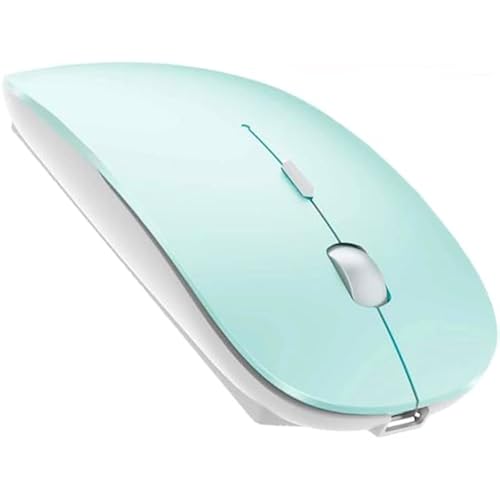
FENIFOX Keyboard and Mouse Wireless, Slim Flat for Laptop PC Rose Pink

  • Based on 9,370 reviews
Condition: New
Checking for the best price...
$34.85 Why this price?
Labor Day Deal · 50% off was $69.70

Buy Now, Pay Later


As low as $8 / mo
  • – 4-month term
  • – No impact on credit to apply
  • – Instant approval decision
  • – Secure and straightforward checkout

Ready to go? Add this product to your cart and select a plan during checkout.

Payment plans are offered through our trusted finance partners Klarna, Affirm, Afterpay, Zip, Apple Pay, and Google Pay. No-credit-needed leasing options through Acima may also be available at checkout.

Learn more about financing & leasing here.

Selected Option

Free shipping on this product

FREE 30-day refund/replacement

To qualify for a full refund, items must be returned in their original, unused condition. If an item is returned in a used, damaged, or materially different state, you may be granted a partial refund.

To initiate a return, please visit our Returns Center.

View our full returns policy here.


Availability: Only 1 left in stock, order soon!
Fulfilled by Amazon

Arrives Sep 13 – Sep 16
Order within 15 hours and 35 minutes
Available payment plans shown during checkout

Protection Plan Protect Your Purchase
Checking for protection plans...

Color: Pink


Features

  • Ergonomics: The tilt angle of the keyboard and the contour curve of the mouse, greatly reduce the fatigue of use. Using the scissor-foot "X" key of the laptop, the ultra-short key click distance feature, makes it more convenient and labor-saving to use. The left and right buttons of the mouse use light-gram force buttons with a lifespan of 5 million clicks, making long-term clicks easier.
  • Silent and Power Saving: The keyboard scissor "X" key has super stability, the left and right buttons of the mouse are silent buttons, bring an excellent low-noise experience. Suitable for home, cafes, meetings, offices, libraries, schools and other occasions. Using the latest low-power intelligent power-saving chip, the keyboard and mouse will automatically turn on the power saving function after a period of non-use. For example, after the keyboard is not used for 30 seconds, the indicator light will go out to save power,Click any key to wake up.
  • Plug and Play: The keyboard and mouse share a USB receiver. Just occupy one USB port on the computer, directly plug in the USB receiver, wait for successful recognition and use immediately.The keyboard uses 2 AA batteries and the mouse uses 2 AAA batteries (the product does not include batteries, please prepare in advance).
  • Compact Full-size and Thin: 102-key compact layout, with number pad function, save 15% space, achieve shorter and more convenient use distance, free up more desktop space. Light and thin design, easy to put in a bag, ideal for business people on business trips.
  • Stable Wireless Transmission: Adopting the latest wireless technology, in a low-interference environment, our keyboard provides a stable connection up to 10 meters/33 feet without dropouts or delays. Put the device on one side of the room, you can type smoothly on the sofa on the other side, or present confidently from a distance. Get rid of the limitations of wires and messy cables, making desktop use easier and more convenient. Ideal for video conferencing, gaming, and fast-paced work environments where every keystroke counts. (Note: Interference is related to hubs, WiFi, metal, 3.0/3.1 ports, etc.)

Description

FENIFOX Wireless Keyboard and Mouse Combo Design Feature: Luxurious and attractive design suit for all customers. Ultra-thin size with whisper-quiet Button , more portable for using on various occasion. Ergonomic design for most comfortable feeling. Solution For Keyboard/Mouse No Response * Repair the keyboard: 1. Turn it ON, Press “ESC” and “+/=” keys at the same time, the keyboard enters the repair mode (the low voltage indicator lights up) 2. Insert the new USB receiver within 20 seconds, the repair is successful, the LED will turn off immediately and the keyboard available; The repair fails, the keyboard exits the repair mode after 20S, and the LED goes out. Tips:If plug the USB over 20s ,it need to restart from 1 again. Please make sure the keyboard enter pairing mode in step2. *Repair the mouse: 1. Turn off the mouse power,remove the USB. 2. Turn mouse ON ,and press the left button ,scroll wheel,right button at the same time and keep 1 second ,the mouse will enter 20s pairing mode. 3. Please plug USB within 20s; the mouse paired successfully if work. Tips:If plug the USB over 20s ,it need to restart from 1 again. *1 x Keyboard *1 x Mouse *1 x User Manual *1 x Nano Receiver Important specifications: Connection Mode: 2.4G Keyboard downtime: 4s Mouse rest time: 10 min Mouse DPI: 1000/1200/1600(3 levels) Support System: Windows/OS/Android Step 1: Take out the 2.4G Nano receiver and insert batteries for each mouse and keyboard. (Batteries not included in the package) Step 2: Plug the nano receiver into the USB port of your laptop/ PC/tablet. Step 3: Switch on both keyboard and mouse and then both will connect to your device automatically. NOTE: The keyboard will enter sleep mode to preserve power after 10 mins of inactivity, press any key and wait for 1 second to activate the keyboard again.

Brand: FENIFOX


Color: Pink


Connectivity Technology: Radio Frequency, Usb


Special Feature: Compact full-size 102-key keyboard, saves 15% length space, portable and easy to carry., Ergonomic, Light and thin, ultra-short key distance., Quiet, low-profile, low noise., Wireless 2.4G USB receiver, plug and play. See more


Compatible Devices: Laptop, Personal Computer, Projector, Television


Connectivity Technology: Radio Frequency, Usb


Other Special Features of the Product: Compact full-size 102-key keyboard, saves 15% length space, portable and easy to carry., Ergonomic, Light and thin, ultra-short key distance., Quiet, low-profile, low noise., Wireless 2.4G USB receiver, plug and play.


Compatible Devices: Laptop, Personal Computer, Projector, Television


Movement Detection: Optical


Power Source: Battery Powered


Keyboard Layout: QWERTY


Number of Batteries: 2 AA batteries required.


Compatible Operating System Family: Linux, Windows


Hand Orientation: Ambidextrous


Operating System: Windows


Number of Keys: 102


Color: Pink


Brand: FENIFOX


Keyboard Description: 2.4Ghz USB Wireless Multi Functional Music Light and Thin Battery Powered Quiet Silent Low-profile Soft touch


Antenna Location: Home, work, office, library, conference room, coffee shop, school, etc.


Number of Packs: 1


Manufacturer: FENIFOX


Item Highlight: Silent Quiet, Low Profile Thin, 14.5 Inch Portable Full Size, with 10 Key, 2.4G USB, Home Office, Windows Laptop Computer


Unit Count: 1 Count


UPC: 796168207473


Built-In Media: keyboard mouse USB


Model Number: 2AJIS-DF22 Pink Keyboard


Mfr Part Number: 2AJIS-DF22 Pink Keyboard


Warranty Description: 1 Year


Frequently asked questions

If you place your order now, the estimated arrival date for this product is: Sep 13 – Sep 16

Yes, absolutely! You may return this product for a full refund within 30 days of receiving it.

To initiate a return, please visit our Returns Center.

View our full returns policy here.

  • Klarna Financing
  • Affirm Pay in 4
  • Affirm Financing
  • Afterpay Financing
  • Zip Pay in 4
  • Financing through Apple Pay
  • Financing through Google Pay
Leasing options through Acima may also be available during checkout.

Learn more about financing & leasing here.

Top Amazon Reviews


  • Love this!
Color: Pink
This is the 2nd one I've bought. One for my home office, one for my work office. I love the color, I love the was they fit in my hands.
Reviewed in the United States on August 7, 2026 by Robin Raper

  • Great!
Color: Pink
M
Reviewed in the United States on August 26, 2026 by Suzanne

  • UPDATED REVIEW: Decent cheap wireless keyboard and mouse w/ notes for MacBook Pro tip
Color: Silver White
I originally gave a 1-star review entitled: "Do not buy this product". Review below. I decided to spend some time trying to figure out why it seemed to be a fail and I figured it out. If you're using a MAC, you may need to adjust a setting to avoid the kind of fail that I was facing in my original review below. After you connect the keyboard and mouse, click on keyboard under system preferences. from there click on change keyboard type. It will ask you to depress the key just to the right of the shift key. In this case, it's the page down key...that's okay... depress it 2-3 times and a pop-up will tell you that it doesn't recognize the keyboard and will ask you to select 1 of three types. select the bottom one which is the standard English American keyboard. Good Luck! "Many of the keys don:t output what they are supposed to. See that colon in my first sentence? that:s what you get when you try to enter an apostrophe. The delete key doesn:t do anything. To get an @ symbol, you need to type the *open bracket* key. Clearly the quote key will give you an asterisk. To get a carrot, you have to enter an ampersand. To get that pesky comma, you have to enter the ampersand.All that said, 1 through 0 and a to z are just fine. Great job Feniox. I get that you get what you pay for and if it only lasts for 6 months, but I expect the keys to work as marked right out of the box. Terrible, just terrible." ... show more
Reviewed in the United States on April 11, 2020 by James

  • Nicer Study Space
Color: Pink
I work on my laptop a lot and it's hard to find a balance between keeping it high enough so I can maintain good posture, and keeping it low enough for me to be able to type. After buying this product, it has made working much easier and has left me feeling more comfortable in my work space. I'm no longer hunching over in my chair or having to set my arms too high to type. In addition, the pink and white suits the look I want my desk to have and I can always feel my mood lift when I use the keyboard and mouse. I have been using this for a couple months now and it has been functioning very well. The set up was very easy and since it's wireless, it creates a much cleaner look. The mouse and keyboard both function very well. The keyboard creates enough click for people who enjoy the sound of typing but it isn't overly clicky for the people who don't like the noise. The mouse also has a more muted click. The number pad is also very handy for when I'm typing things into the calculator. The only complaint I have is that the backspace is so small. I've become accustomed to a larger backspace key so this took a bit of adjusting too. The space bar occasionally won't add a space when I'm typing so I have to go back and correct things sometimes. The battery life is very long and I haven't had to change the batteries yet, even though I use it for several hours a day, at least five days a week. Sleep mode usually kicks in around 20-30 minutes of inactivity with my mouse. I don't use my keyboard for gaming so I didn't leave a rating for that. ... show more
Reviewed in the United States on March 22, 2024 by Xuan

  • Half and Half
Color: Pink
When I first received my keyboard/mouse combo, I was very excited. I purchased it in Rose Gold and it really is beautiful. Some keyboards I have trouble typing on with my nails, but this one was just right. It's a good size and very stylish. The mouse unfortunately is a different story. It requires being turn off and on before every use. It took me a while to figure that part out and just kept thinking that it wasn't working. It's also very jerky and doesn't always select things when you click. It's pretty much garbage. I am still happy with my keyboard, but will be looking for a different mouse. It's a shame, because now I'll need to use up 2 USB ports for my wireless devices. ... show more
Reviewed in the United States on March 5, 2020 by Cindy Godwin

  • Love it
Color: Pink
Great keyboard
Reviewed in the United States on August 3, 2026 by Nayra L Anzaldua

  • Terrific Smaller Wireless Keyboard
Color: Pink
Love the metallic pink color and the low-strike keys, which minimize the keyboard noise. Has full functionality, including the Print Screen button and the off-set numbers board. This is a smaller keyboard, so best for smaller hands, otherwise you might constantly be making mistakes as you strike the wrong keys because you're not keeping your fingers tight. I did initially have a larger board with the keys more spread apart, and adjusting to this one took about a week before I got the feel, and then I loved it because my hands are far less tired with the smaller width. This is not rechargeable; it uses batteries for both the mouse and the keyboard, but you only need one dongle to link to connect. Low-profile mouse is also very comfortable and slides easily and well. ... show more
Reviewed in the United States on September 4, 2025 by Angel

  • You get what you pay for - for better or worse
Color: Silver White
If you're used to higher quality products, turn around now and stick with what you're used to. I'm saving you the trouble of ordering this, returning, and going back to your OG brand. If you're currently using off-brand and doing light office work (email, web browsing, no gaming, no design, etc) then keep reading. I had a logitech keyboard and mouse and wanted to update the look in my office setup. I thought these were cute and affordable. Separately they are fine, but they don't work well together as a set. I believe this is because the dongle is switching back and forth, creating a lag. Keyboard - Looks great, and very nice size (not too large). Yes, this is light and cheap-feeling, but it worked well and looks cute. The keys make a cheap clicking sound - this didn't bother me (until I switched back to my regular keyboard). Mouse - the mouse has a very nice feel to it - fits well in my hand and a solid weight (I have small hands, which is worth noting). This has a very similar to the apple mouse - with an added track wheel. While I was using it was fine, but when I went back to my logitech I definitely noticed a difference in responsiveness. Together - the largest issue with these, and why I returned, is when you are using both (which you'd obviously want to do) the mouse doesn't work for the first couple of seconds after typing. To me it appears the dongle (there is one included that works for both) takes a second or two to switch from receiving input from the keyboard to receiving input from the mouse. This is BEYOND frustrating for me - and rendered unusable. Bottom line - you can't use together, and if you're purchasing for just one you can find less expensive purchasing on its own. ... show more
Reviewed in the United States on October 21, 2020 by Lauren Baker

Can't find a product?

Find it on Amazon first, then paste the link below.
Checking for best price...