


Search  for anything...

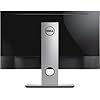
Dell Gaming S2716DGR 27.0" QHD Wide 1440p Screen LED-Lit Monitor with G-SYNC

Based on 1,198 reviews
Condition: New
Checking for the best price...
$630.00

Buy Now, Pay Later


As low as / mo
  • – Up to 36-month term if approved
  • – No impact on credit to apply
  • – Instant approval decision
  • – Secure and straightforward checkout

Ready to go? Add this product to your cart and select a plan during checkout.

Payment plans are offered through our trusted finance partners Klarna, Affirm, Afterpay, Zip, Apple Pay, and Google Pay. No-credit-needed leasing options through Acima may also be available at checkout.

Learn more about financing & leasing here.

Selected Option

Free shipping on this product

30-day refund/replacement

To qualify for a full refund, items must be returned in their original, unused condition. If an item is returned in a used, damaged, or materially different state, you may be granted a partial refund.

To initiate a return, please visit our Returns Center.

View our full returns policy here.


Availability: Only 2 left in stock, order soon!
Fulfilled by Good Gear in the World

Arrives Nov 5 – Nov 12
Order within 16 hours and 4 minutes

Available payment plans shown during checkout

Protect Your Purchase

Easy claims online, fast replacements, no fees

Checking for protection plans...

At a glance

Condition
New
Style
One Monitor
Size
27 in
Model
S2716DG
Dimensions
7.89"D x 24.11"W x 16.39"H
Weight
15.2 lb
Color
Black
In the box
HDMIDisplay Port
Works with
Devices with HDMI or Display Port capabilities

Features 6

  • Vibrant, jitter free graphics, Fully adjustable setup, Premium support and reliability
  • Built in Devices: USB 3.0 hub
  • Aspect Ratio : Widescreen : 16:9
  • Contrast Ratio: 1000:1

Description

This listing features a Dell Gaming S2716DGR 27. 0" Screen LED-Lit Monitor with G-SYNC. New. Item Specifics: Vibrant, jitter-free graphics, Fully- adjustable setup, Premium support and reliability Built-in Devices: USB 3. 0 hub Aspect Ratio : Widescreen - 16: 9 Contrast Ratio: 1000: 1 Input Connectors: HDMI, DisplayPort

Specs 39

Brand Dell
Screen Size 27 inches
Resolution QHD Wide 1440p
Aspect Ratio 169
Screen Surface Description Glossy
Screen Finish Glossy
Contrast Ratio 10001
Refresh Rate 144 hertz

Frequently asked questions

If you place your order now, the estimated arrival date for this product is: Nov 5 – Nov 12

Yes, absolutely! You may return this product for a full refund within 30 days of receiving it.

To initiate a return, please visit our Returns Center.

View our full returns policy here.

  • Klarna Financing
  • Affirm Pay in 4
  • Affirm Financing
  • Afterpay Financing
  • Zip Pay in 4
  • Financing through Apple Pay
  • Financing through Google Pay
Leasing options through Acima may also be available during checkout.

Learn more about financing & leasing here.

Top Amazon Reviews


The golden standard for TN gaming panels
EDIT: As I have found, I just had to manually disable a "feature" to allow it to wake up from sleep. I have thus edited this review to a 4.5 stars. But in my opinion, for the fact that this is a 1440p/144hz monitor with G-Sync, I think that it does an outstanding job for what it's given (AKA the TN panel) At $450-550, this is a great purchase. You will have to experiment with the color settings, as out of the box it is way too blue and bright for me. Feel free to Google this, as there are great posts out there right now that tell you the exact settings to use. Installation was easy - took around a minute or two. The looks of it are great as well. Very, very thin bezels (To the point where I won't really notice them while watching videos or playing games). Overall, a very stylish looking monitor. As for performance? Marvelous. I have no problems using G-Sync on this with my PC (GTX 1070 FTW, i7 6700K). There are some very demanding games where I might hit 60-90 FPS in a fluctuating manner - doesn't matter. G-Sync will make it a smooth experience, as if it were at a constant frame rate (Now whether, in my example, the screen shows you gameplay as if it were in 60 FPS or 90 FPS during this fluctuation is beyond me - perhaps you can find out with more research; the point is, for me, that it looks very smooth). So why "only" 4 stars? I'll list them below: - Still a TN panel; like a 4-foot adult trying to make it to an NBA team, this guy is still a TN panel. I have a 23 inch 1080P IPS monitor right next to this, and I still prefer to watch my media on the 1080p. Color accuracy and color gamut are still superior on an IPS. - Very cheap plastic material around the screen - although the very small bezels are great, I've had two of these monitors so far (One exchanged for another); the first one had horrible dents and scratches all over, and this was noticeable especially during the day around the screen. I thought I had received a dud, and tried again. While this one is much better, it still has some small scratches; not a deal breaker, but I just wished that Dell chose better material for its plastic - I am not sure if this is only a problem with this monitor, or Dell monitors in general; I have this and the 23 in monitor hooked up to one GPU; when I wake the computer up from sleep, only the 23 in monitor will wake up instantly. I have to manually press the power button on the Dell each time, and it will take a couple of seconds (20-30) for everything to be calibrated. Out of everything that is negative, this is probably the most frustrating. Overall, great monitor. If you have a beefy GPU that you know can land you frames above 60 (70-144), it is a must. Just know that there are some minor flaws that might not make it the best overall gaming monitor, but one that won't tear a hole through your wallet. ... show more
Reviewed in the United States on September 8, 2016 by Kevin Yoo

Incredible monitor!
Incredible Monitor! This year, I have been closely watching the competitive releases of the 27" 1440p 144hz G-Sync gaming monitors of 2015. I upgraded from an ASUS VG248QE 24" 1080p 144z gaming monitor, and this was a worthy investment over the ASUS. I also had an LG IPS panel monitor before the ASUS. I was not prepared to spend $800-900 on some of the other panels being offered out there., but $599 is more acceptable, even considering any downfalls the monitor might have, if any. However, I cannot find any downfalls of the monitor at all that make me regret not spending more. I used TFTCentral's color calibration settings, and tweaked a little of my own using the On-Screen Display, and I must say, the colors are very impressive. The screen has a low-medium intensity anti-glare coating that is very clear and does not have any noticeable glimmer. My VG248QE monitor had the anti-glare coating removed, which was crystal clear and glossy. I was a little worried about the anti-glare coating coming from a glossy screen, but I am perfectly content with the anti-glare film, as it is very effective at glare reduction, while maintaining great clarity. The colors are so great, I'm not really sure spending an extra several hundred dollars on an IPS is worth it. At least for me, speed is more important than colors. An IPS cannot hang with 1ms response times yet. I am running an i5-4690k @ 4.5ghz, 16GB G-Skill Trident 2400mhz RAM, and a MSI GTX 970 overclocked. Coming from 1080p to 1440p, I was worried my computer would run much slower, but I have yet to find a game that I need to reduce my graphics settings lower to maintain good FPS. I just turn reduce or disable Anti-Aliasing because the 1440p is much clearer due to many smaller pixels than 1080p, so AA isn't as necessary any more. The increase of viewing area with the 1440p is just an extra bonus. If you are on the fence about your system not running 1440p, just know disabling Anti-Aliasing will free up a lot of FPS, and you might be surprised how well you will be able to play the games. The packaging was excellent, and everything is high quality, even the included USB and DP cables. I used a pivoting/swivel desk mount monitor arm, so I cannot comment on the mount's durability, but it feels very strong and sturdy. This 27" monitor is light enough to be very maneuverable with my swivel mount arm mounted directly to glass. Quality control is what you expect of Dell. I dislike their computers, but their monitors are nearly impossible to beat. I have found zero dead pixels, zero backlight bleed, and overall received a perfect QC batch. I can't comment too much on G-Sync, except that I have not seen a single tear or frames-related stutter yet. I keep the OSD "Response Time" setting to Normal, and not Fast due to Fast having reports of "pixel overshoot". I have not seen it or tested it, I just automatically went to Normal like most of all reviewers have stated. I used to use the "LightBoost Hack" @ 120hz on my old VG248QE, but I have found that just running 144hz in G-Sync is perfect enough for me to not even consider using the ULMB mode (hardware fix for LightBoost Hack). A couple times, the monitor did not come back from sleep mode by moving the mouse, until I discovered the monitor has a Deep Sleep mode. Disabled that, and I haven't had an issue since. That is not really a downside, just an option you may want to look into disabling. The monitor truly deserved 5/5 stars. ... show more
Reviewed in the United States on December 28, 2015 by Tim R.

Smooth as silk video and games
I purchased this monitor after much debate between TN vs IPS and the Asus/Acer offerings that are direct competitors with this model. Ultimately I am happy I went this direction and saved nearly $150 off the next cheapest competitive option. I had read all the reviews about color banding, ghosting, poor colors, etc. so I was a little hesitant initially. I received the monitor quicker than expected which was quite nice, but that's more of a praise towards amazon and UPS than the monitor obviously. I quickly checked which model I received as this particular monitor has gone through quite a few revisions. Luckily I received one of the lastest revisions which is A08. I spent a little time tweaking the colors on the monitor itself and via the nvidia control panel and it is noticeably better than my previous BENQ RL24 series monitor. The increase from 1080P to 1440P as well as the extra 3" screen size were all welcome changes over my previous BenQ as well. I am currently using it with a founders edition GTX 1070 and have enjoyed the benefits of G-sync. Make sure you are using G-sync correctly for best results, I wish they made this a little more clear in the control panel software as to their recommended/ideal configuration. Ultimately you want to run G-sync on, max pre-rendered frames set to 1, select use highest available refresh rate, and enable v-sync through the Nvidia control panel. Then you want to make sure you have changed the panel response time to FAST on the built in settings using the menu buttons on the monitor. Lastly, in your game settings you want to make sure that any in-game v-sync settings are OFF. After going through the various options I have found this method to work and feel the best when playing games and watching videos. I definitely look forward to using this with my RTX 2080 when it comes in finally. During the initial set-up and configuration I experience how annoying the deep sleep mode can be. That should absolutely be the first thing disabled when you get the monitor first turned on. From there it is very straight forward and the on screen menu is easy to navigate via 4 small buttons on the underside of the monitor frame. I will say I don't like how much play there is in the monitor stand. The tilt, up/down adjustment, and angle adjustment all work great but I feel like the part that allows the screen to rotate between horizontal and vertical viewing position allows for too much play. The monitor will shake and move out of position when using the buttons to navigate the menu. Obviously this isn't much of an issue overall as I really only had to use the on screen menu a few times to adjust colors, but something I noticed. TL;DR I am convinced that for the money this G-sync panel cant be beat for gaming and general usage. If you are EXTREMELY picky about color quality then you will likely want to pay more for a IPS display, but really none of these "gaming" monitor with high refresh rates are known for amazing color accuracy. For what this is at the price that it is I would say its hard to beat in the 24" and 27" non-curved size segment. I have heard that there are still older revisions floating around in inventory out there, so again my experience is with the A08 revision and I would definitely recommend this monitor. ... show more
Reviewed in the United States on September 29, 2018 by Wag

Great monitor but...
I want to start off by saying this monitor is a great monitor and looks great. I didn't have any dead pixels and the BLB is not that bad in my opinion. I've attached a pic and a video and the pic does look worse than in person, but the video does it more justice. I doesn't distract or affect me when watching movies or playing any games. The monitor can be adjusted vertically, rotated horizontally, tilted and the screen can be rotated into portrait. However I purchased this through a 3rd party vendor that goes by BESTPTV and fulfilled by Amazon. After receiving the monitor and setting it up I registered it online with Dell on or about June 1st. Today I received an email stating that the service tag ownership transfer was denied. I called them right away, checked my account and noticed the monitor wasn't under my product list on my account. I went ahead and added the monitor with the service tag and noticed the warranty date was off by 3 1/2 months. Warranty stated it was active from 2/16/16 when I had purchased it on 5/28/16. After spending an 1 1/2(mostly on hold) on the phone with Dell and getting disconnected and again on the phone for another 1 1/2(mostly on hold) and getting disconnected again, I called back for the 3rd time and the agent this time only after about 10 mins told me this monitor was registered to another user and was a refurbished monitor and can't help me as the info I provided didn't match what they had on file. Mind you none of the other agents told me this the entire time I was on the phone with them. The agent advised me to contact Amazon and to discuss this matter with them. I want to point out that the item was labeled as new and it also shows that on my invoice as well. Amazon was very good at helping me resolve this issue and didn't even hesitate to initiate a return for me. Even though this monitor is great, I'm returning it because I can't register this monitor under my name. I have now made another purchase for the same item and hopefully I won't run into the same problem. I did decide to go with another 3rd party vendor and fulfilled by Amazon, as I save about $50 in tax. I'll update when I get the new monitor. Hopefully no one else has this problem. UPDATE: 6/18/16 - I received the 2nd monitor today and the 1st thing I did was contact Dell. I gave the agent the service tag and they told me that it was registered under another name again. They will not help or talk to me unless I get the service tag transferred to my name. I don't want to transfer nothing if the monitor is a used or refurbished monitor. When I tried to register it online using the service tag, it said that the warranty started on 4/4/16. Since customer support is closed on the weekends I have to wait to call them on Monday. I also noticed that there are 2 shipping labels on the actual box the monitor came in. The 1st label is from Fedex and that was covered by another one from UPS. The Fedex label's tracking number shows it going from Mount Juliet, TN to Hudson, NH, the address looks to be a self storage place. Then the UPS label shows it going from a residence address in Knoxville, TN to Amazon in Lebanon, TN, but the tracking however shows it going from Nashua, NH to Lebanon, TN and being box 22 of 30. Now the monitor was registered on 4/4/16 by whomever and the UPS label shows the package being processed and ready on 4/7/16. Seems like a customer registered it and wasn't happy and then returned it, but then there are 30 packages total? Seems like Dell is doing something or something happened somewhere along the way. Something is fishy here and I don't know who is playing these games, but this is really bad business practice. Either Dell is just refurbishing these monitors and selling them as new or the vendors are knowingly doing this or not knowingly doing it. All I know is that a new item shouldn't be already registered and require me to transfer the warranty to my name. I'll be calling Amazon as soon as I contact Dell on Monday to find out what the hell is going on. At this point I don't feel like I can trust this, as I think Dell is either doing something bad or the vendors are. The 2nd monitor is from a completely different vendor than the 1st one. Ugh, I'm so frustrated right now. The only other problem I'm having is trying to get the monitor at a resolution of 2560x1440 using the HDMI connection. My video card has two DVI-D dual link connections and one HDMI-mini. I've tried both but my system only lets me set the monitor to 1920x1080 as the highest setting. I don't know if this is an issue with the cable or what, but this has been frustrating for me. My video cards are capable of providing a max resolution of 2560x1600. I've also tried a cable with HDMI on one end and HDMI-mini on the other. I've tried an HDMI cable to an HDMI-DVI-D dual link adapter as well and that won't work. I've even tried a DVI-D dual link to display port adapter and that won't work either. Supposedly the only way to get the DP adapter to work is to have an active adapter and those cost over $120. The DP works at max resolution if I connect it to the DP on my motherboard but the games I'm playing won't support the on board graphics, hence needing a 3rd party graphics card. I have an EVGA GTX 980 Ti Classified, but I haven't installed it yet and I'm sure I'll have no problems since it has a DP connection. Just thought I'd let everyone know what has been happening with my current setup. I can't wait to get my new rig going as I still have yet to experience gaming in 2K. UPDATE: 6/16/16 - After further research, the reason I've come up with as to why I can't achieve the max resolution with HDMI is because there isn't a simple cheap way to convert from an HDMI to HDMI-mini and keeping 60hz. I tried to change the settings from 60hz down to 24 or 30hz to match the HDMI-mini at 30hz, but there isn't a setting that low available. I basically need a cable with HDMI on one end and HDMI-mini on the other which support 4K resolutions at 60hz, I have yet to find one. The same goes for any adapter unless its an active adapter. If I did just have a regular HDMI connection on my video card then I would imagine this isn't a problem. Unless there's some kind of cheap solution out there then I'm stuck at 1080 until I swap out my video card, which I then can use the DP instead. Some other users have been complaining about the view angles being horrible. I don't know about you but when I'm gaming, I'm usually right in front of my monitor and not sitting off to the side. So I don't see what the problem is. Some have stated that it's not HDCP compliant but I can say it is using HDMI, can't confirm using the DP. I can watch Netflix on it no problem. I've attached an image from my Nvidia control panel. Also this monitor supposedly works with Nvidia 3D Vision, but I can't confirm this, only what I have found online. Good Luck! ... show more
Reviewed in the United States on June 16, 2016 by Steven

Packed with quality and utility, this is the monitor to get
This is a phenomenal monitor and after extensive research I am very happy that this is the one I purchased. I am not a tech expert, but a fairly knowledgeable amateur (as most of us looking at this monitor probably are). At the end of the day I simply want a monitor that I don't have to think about, a monitor that does its job so well that I'm not ever required to worry about it. This monitor absolutely does that. First, the actual physical presence of the monitor; the screen extends almost all the way to the edges, leaving only a narrow black frame around the edges. This is a very appealing minimalist look and helps you focus on whatever is on the screen, not what's around it. The size of this thing is just right--27 inches really is the ideal monitor size for most people; it dominates your field of vision but not so much that your eyes have to search all over the place. The buttons on the underside of the monitor are small but simple to use, and the options easy to click through. The monitor also has all of the ports you'd want in a modern monitor (several USB 3.0, an HDMI, and a DisplayPort [DP]). The final physical feature I like about this monitor is that it is one of those rare monitors that is fully adjustable--it can tilt, swivel, pivot, and adjust its height. I don't know why more monitors don't have this, because the ability to perfectly position your monitor the way you want it is awesome. While all of those are outstanding features and definitely contribute to the monitor, ultimately a monitor is all about the screen and its picture quality. This monitor delivers. For serious computer people (like you, because your looking at a $500 monitor), one of the biggest questions is what type of panel to buy, an IPS or a TN (or possibly a VA). Without wanting to get into that whole debate, let me just say that this TN panel look vibrant, has rich colors, seamless response times, and good viewing angles (though everyone just looks at a monitor from straight on anyways). With a native resolution of 2560x1440 (WQHD), the image is as big and sharp as you could want (it's not 4K, but most of our eyes cannot even perceive the difference because science). With a potential refresh rate at 144 Hz, this monitor is at the cutting edge (quite frankly, a lot of graphics cards, and almost all games, aren't yet able to fully utilize such ability, I actually set my monitor down to 120 Hz for most things). The built-in Nvidia G-Sync only makes this all work even better. Out of the box this monitor was already calibrated pretty well--I was blown away by how good images looked. But as with any high-end monitor or TV, you really need to sit down and calibrate the display settings at least once. A previous reviewer did a very nice job offering people a list of settings, my slightly different version is below. I don't think mine is inherently superior, rather I think each monitor is slightly different and each person has slightly different preferences. The following, especially compared to his, will give you a range to play around with. I hope it helps. On the monitor itself (using the buttons on the underside of the screen): Brightness - 35% Contrast - 75% Custom Color (R) - 98% Custom Color (G) - 98% Custom Color (B) - 95% Response Time - Normal Monitor Deep Sleep - Disable On the computer (likely through the Nvidia Control Panel if you have an Nvidia graphics card) All Channels (so you don't need to individually adjust the Red, Green, and Blue channels) Brightness - 55% Contrast - 40% Gamma - 0.66 Vibrance - 55% Hue - 0 This calibration worked well on most visual tests for seeing all whites and blacks in various pictures, and seems to deliver highly accurate colors and that 'wow' factor that just makes a screen grab your attention. If you are considering a high-end (i.e. expensive!) monitor, this is the one to get. There are others out there with more features (you won't need), different panel types (like IPS, which I don't miss with this monitor), and with a higher price tag (who wants that?), but this monitor really does hit all the right notes and for two years I have been supremely pleased with it. Go ahead and get this monitor. ... show more
Reviewed in the United States on September 10, 2018 by Kaz

Enter "Power Save Mode" issue is NOT the Deep Sleep issue *** Do Not Buy!!! Stay away!!***
Do not mistake the issue of the Deep Sleep Mode with this monitor having a very serious problem with the DisplayPort connection. I've had this thing since April 2016, and the DisplayPort issue was frequent, but not to the point where I wanted to bother returning the monitor. I was hoping, naively, for an update or patch or fix. It never came. And recently, the issue has just gotten worse. EVERY SINGLE TIME I turned on my computer, the monitor would enter its "Power Save Mode" and remain blank. The only fix --> cold resets of my computer, several times, until the monitor finally decided it had a signal and would turn on along with the computer at boot. Again, this is not the "Deep Sleep Mode" issue. I've disabled deep sleep mode, and made sure to power off the monitor, unplug all cables, wait 30 seconds for good measure, plug it all back in, turn computer on and verified that Deep Sleep Mode was turned off. Again, Deep Sleep Mode, is not the same thing as the monitoring entering "Power Save Mode" at boot up and not coming on at all. Now, what is the fix? Apparently Dell thinks the fix (per their troubleshooting guide specifically on the "Power Save Mode" issue) is to reset your computer and power cycle it until the monitor comes back on. THAT IS NOT A SOLUTION! And cold resets on your computer will eventually damage it. Is Dell going to foot the bill when you ruin a hard drive? Ruin other sensitive electronics from a cold reset? When your motherboard gets fried? Dell's troubleshooting guide also attempts to say that the blame is likely your video card. I'm using an Nvidia 970 from EVGA, that has worked just fine with the prior monitor I had (BenQ, 1080P gaming monitor, using DisplayPort - This Dell was supposed to be the upgrade to 1440p). But just to test this out, I asked my neighbor (that told me to buy the Asus Rog 1440p) to let me plug his monitor in to my rig. Worked like a charm. Dear Dell, the issue is your monitor, and you know it. And you don't care. Please, please stay away from this monitor and purchase one that gives you the same gaming specs but actually works. Not worth the headache. Not worth the risk to your computer. Spend an extra $100 and get yourself an Asus ROG or the Acer when it goes on sale. ... show more
Reviewed in the United States on June 13, 2016 by Quantum Pig

Dude get the Dell!
I did hours of research online and watched many reviews on YouTube comparing the Dell gaming monitor to the Asus and Acer ips monitors. Based on my research, I came to the conclusion that I did not want to take a chance with back light bleeding, IPS glow or any other QC issue from the other manufacturers. My last monitor was a Phillips 1080p 24 inch 144hz 1ms response time that I purchased from Amazon. I wanted to upgrade to an affordable 1440P monitor and chose this one. The first thing I noticed when unboxing was the great build quality and how professional it looks. No cheesy red/green "gamer" accents that clashes with my all white PC build. Note to other manufacturers: Stop with the ugly red colors, it's getting old and most people that are spending this amount of money on monitors just want classy black monitors. If you are going to add color accents, make them optional with red/green/blue stickers like asus does with their GPUs. The colors needed some adjustments out of the box but can easily be found online. I also had no issues with the deep sleep mode since I disabled it when I first powered it up. The settings menu is easy to navigate and the buttons felt nice and not difficult to press. The power light is white and angled down so it doesn't bug you while you are gaming at night. Coming from a 1080p monitor, I noticed the 1440P resolution jump immediately and was very pleased with that and the buttery smoothness of gsync + 144hz. I'm running a single Nvidia 980 GTX and noticed my frames per second run over 60 fps on most games. You may have to turn the graphics settings down for some graphics intense games such as BF4 in order to get the frame rate you desire. The 980ti will run this monitor the best, but the new pascal gpu's will arrive this summer if you can hold out till then. Overall I am very satisfied with this monitor. Brings gaming to another level. If you are coming from another TN panel, this one will exceed your expectations. Haven't gone from an IPS to a TN so I can't speak on whether ips is worth the extra 200-300 dollars. I would rather save $300 for the oled monitors that will be out soon and skip IPS all together. If you are on the fence, buy this monitor from Amazon, you will be satisfied and happy that you got the best monitor for the price. The settings that I am currently using are: Nvidia Control Panel>Adjust desktop color settings: Brightness-50% Contrast-50% Gamma-0.60% Digital vibrance-70% Hue-0 CLICK APPLY DELL Monitor settings: Brightness-45% Contrast-75% Color>Custom Color: R-97% G-99% B-96% Keep up the good work Dell! Start working on Dell IPS and OLED gaming monitors soon! ... show more
Reviewed in the United States on April 3, 2016 by Power Glove

27" diagonal 2560x1440 max resolution 144hz max refresh rate gsync new improved TN panel Out of hte box the monitor display look
Huge upgrade from the 4yr old Asus 1920x1080 non-VRR monitor in both detail, clarity and smooth of how everythign looks in both games and on the desktop. 27" diagonal 2560x1440 max resolution 144hz max refresh rate gsync new improved TN panel Out of hte box the monitor display looks good, but as with any monitor it could use a color calibration, just haven't found the time yet to do it. I can safely say that it does have better color reproduction that my 4 yr old Asus monitor. Off viewing angles? I have to move way to the side, stand up, or sit on the floor to see the color shift, otherwise I usually sit centered in front of the monitor so that is really a non-issue. ********************************************************************************************* Also out of the box, "deep sleep mode" is enabled. Immediately after you unbox and setup the monitor, connect it to your pc, plug it in the wall and turn everything on, the very next thing you need to do is disable deep sleep mode. Open the monitor menu, go to "others" select deep sleep, select "disable" save it, exit the menu, reboot the monitor and go back to that setting and verify that it saved correctly. Trust but verify, and deep sleep mode will be a non issue for you. ********************************************************************************************* Change yoru refresh rate through the GPU control panel. for regular desktop use I have it at 120hz uses slightly less power on both monitor and GPU and puts slightly less strain on it. Why did I choose this monitor? Comes down to a couple of reasons: 1. I had to choose G-sync vs Freesync to begin with and after some recent changes done by AMD, freesync works just as good as gsync does. So the deciding factor was the amount of VRAM the flagship cards have.(not going to consider titanx, way way way too expensive), the 980ti has 6GB of VRAM and furyx has 4GB of VRAM. Based upon that at this time, Nvidia's was the better choice. If it has been reversed, I would have gone AMD and I did that 4 years ago when I got the 7970 than I'm upgrading from. 2. Now I had to choose from Gsync monitor and it came down to quality control. What was the top things being complained about for Asus, Acer and Dell. A and A top complaints were about messed up pixels and back light bleed. The top complaint about the Dell was deep sleep mode. I believe that majority of hte people who complained about the deepsleep mode was user error, then the Dell became a no-brainer, and I am very happy I did. Even if this monitor was just as much or more expensive than the competitors, I still would have gotten it based upon QC. I would highly recommend this monitor to anyone looking for a high end gaming display. Even my wife who is a non-gamer was commenting ot me just how much better games and the desktop looks on it and she usually doesn't care, I think she is a little jealous now that I have this really nice display and she is using a 1080, haha. ... show more
Reviewed in the United States on April 22, 2016 by funandjam
Checking for best price...